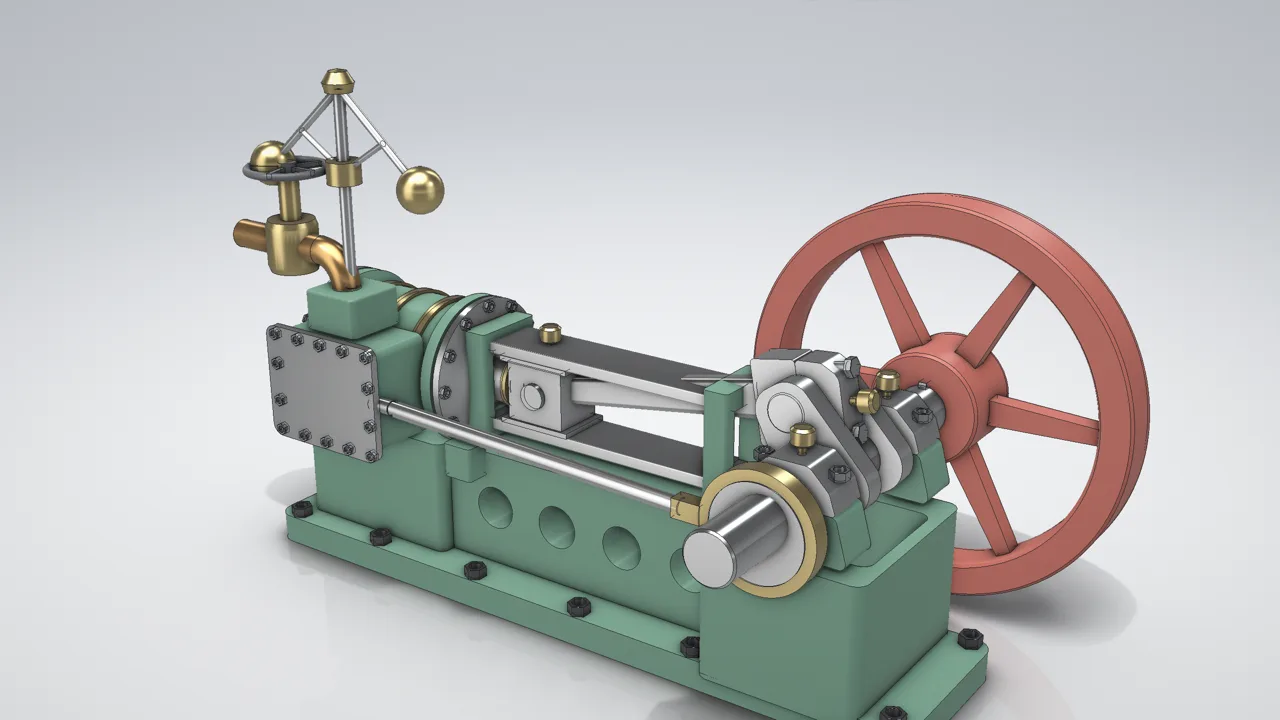
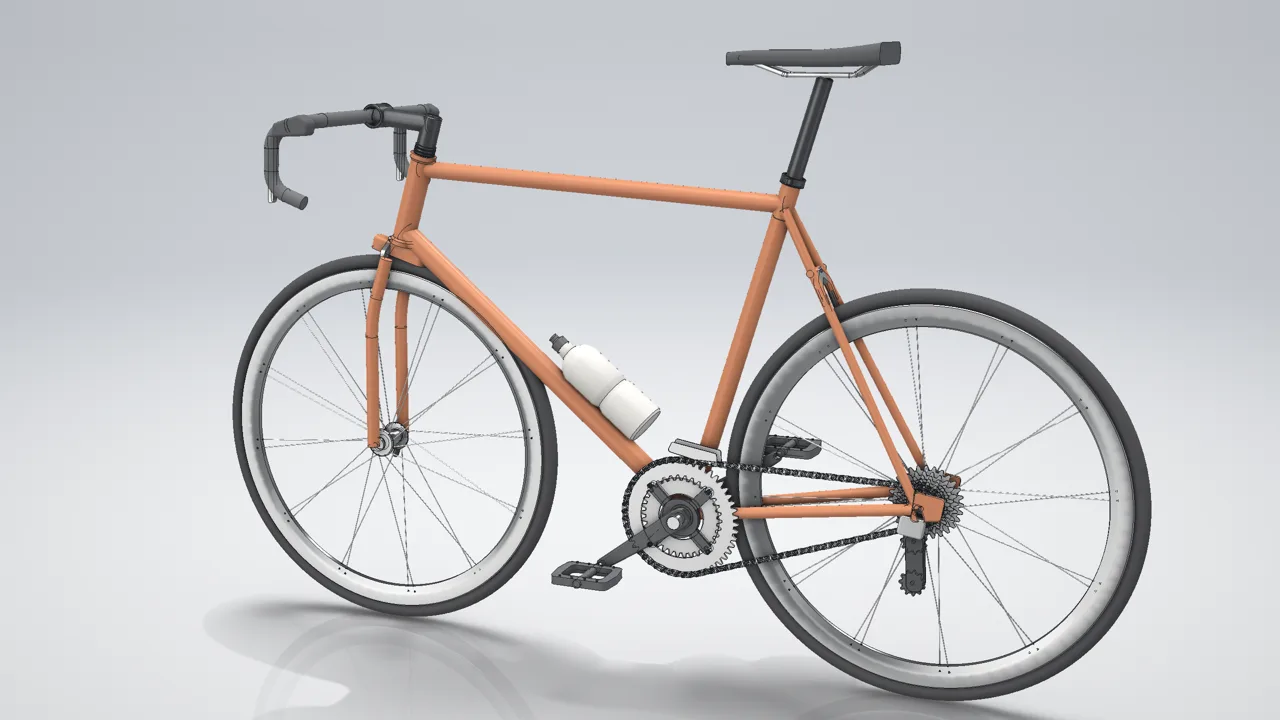
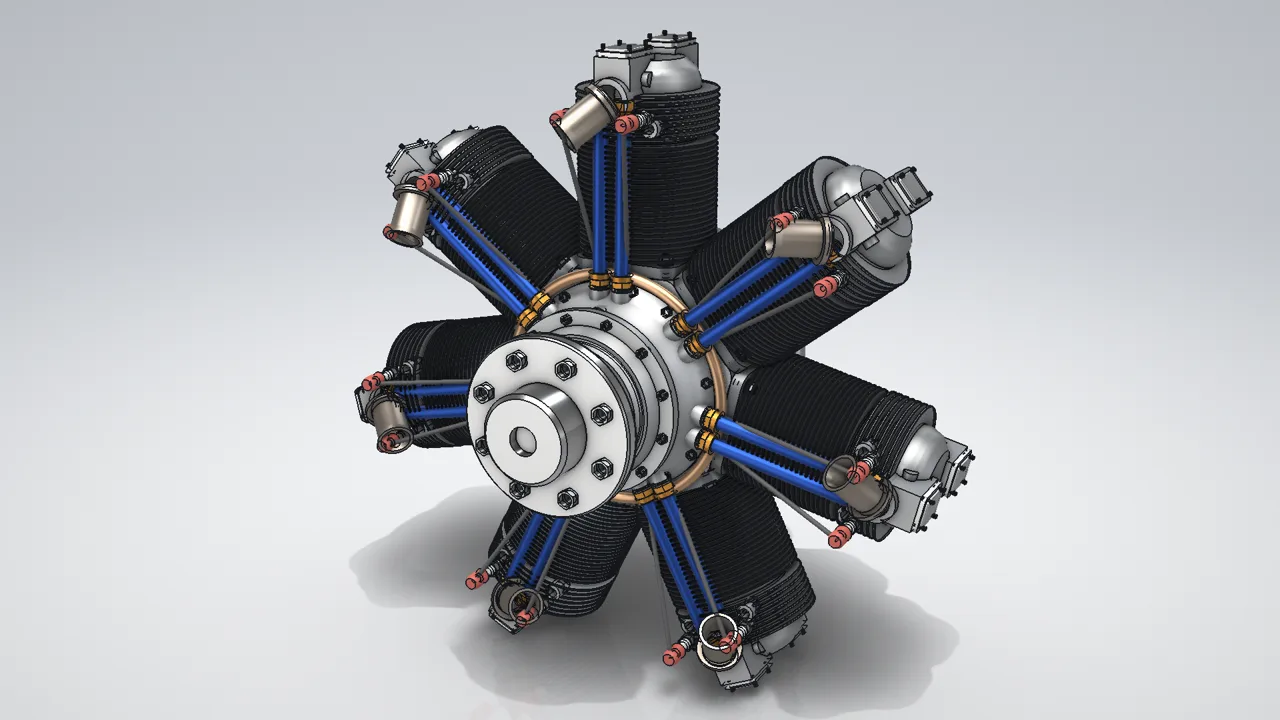
MECHCAD and MCAD are the CAD/CAM the MET team built from more than 20 years of machine design. They are on sale now and proven on MET’s own production work. Try either free for 30 days. MET also remains an Alibre partner and fully supports Alibre Design, the proven US brand, in Thailand. Choose whichever suits your team.
Your choice: Thai-made MECHCAD / MCAD or the proven US brand Alibre Design
MECHCAD covers 3D parts, assemblies, drawings and CAM; MCAD covers 2D drafting and DWG/DXF. Both are on sale, proven on MET’s own production work and supported by the MET team in Thailand. For teams who prefer a proven US brand, MET recommends and fully supports Alibre Design as an Alibre partner.
THAI BRAND · 3D
MECHCAD 2026
INTEGRATED 3D ENGINEERING · 2026
Three editions: Standard for part / assembly / drawing, Expert adds surface, sheet metal, motion, interference, BOM and HTML, Premium adds CAM. Free 30-day trial.
A proven 3D CAD brand from the USA, sold, trained and supported in Thailand by MET as an Alibre partner: parts, sheet metal, assemblies and production drawings.
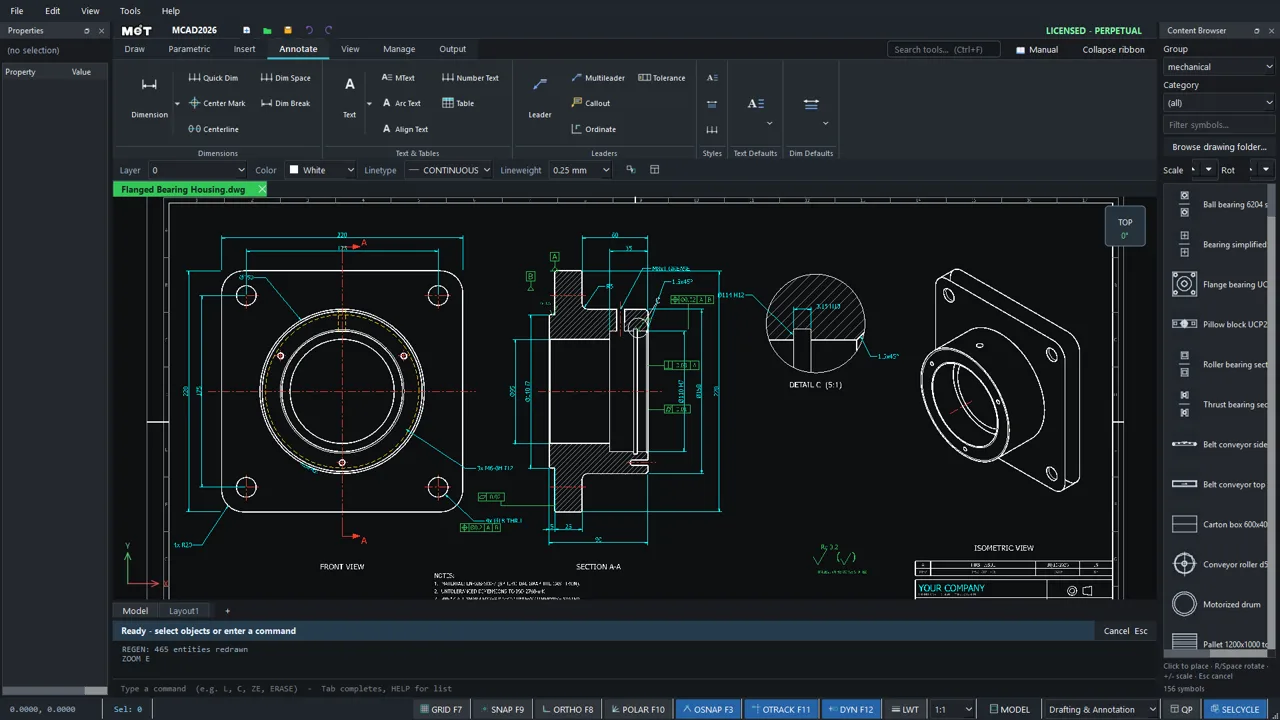
MCAD and MECHCAD are on sale now, and the MET team designs and releases its own production work with them. They open and save DWG, DXF, STEP and files from popular CAD systems. Try them free for 30 days on your own files.
MCAD 2026
Professional 2D drafting without relearning the craft
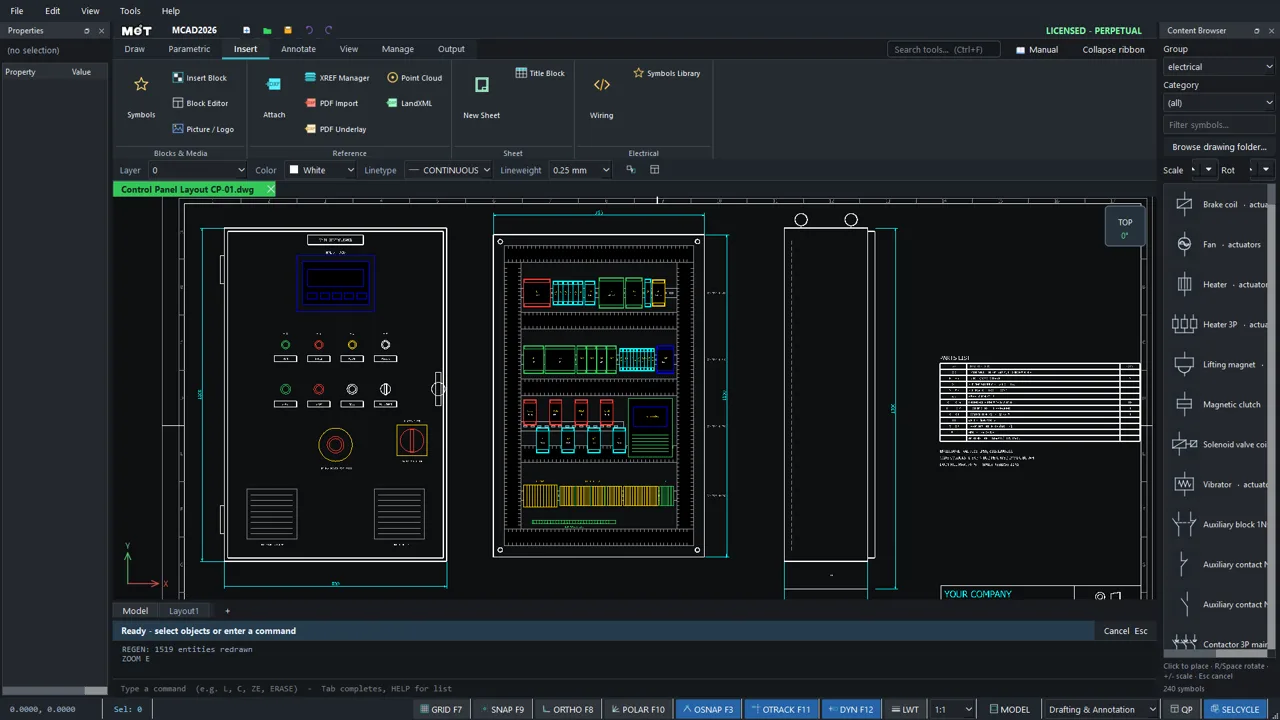
MCAD 2026 provides a familiar drafting environment with a cleaner, faster workflow for machine drawings, installation plans, factory layouts, detailing and drawing handoffs.
01
DWG / DXF workflow
Open and save DWG/DXF straight after install—no extra converter—keeping layers, colours, linetypes and drawing data intact when files are handed on.
02
Command-driven drafting
Ribbon and command line side by side, with object snaps, Ortho, Polar and a smart dimension tool that latches onto the geometry you point at.
03
Symbol & standards library
MET’s own ready-to-place library of 547 symbols (electrical, pneumatic, mechanical, architecture), plus shared standards for layers, text, dimension styles and layouts.
04
Wiring & panel drawings
A wizard for control and panel schematics—place devices, run wires and number terminals in sequence—with a macro API for repetitive work.
MECHCAD 2026
From a part to a machine in motion
MECHCAD unifies 3D CAD, assembly, drawing, CAM and automation so one engineering model can support fit checks, manufacturing preparation and motion communication.
BUILT WITH MECHCAD DESKTOP
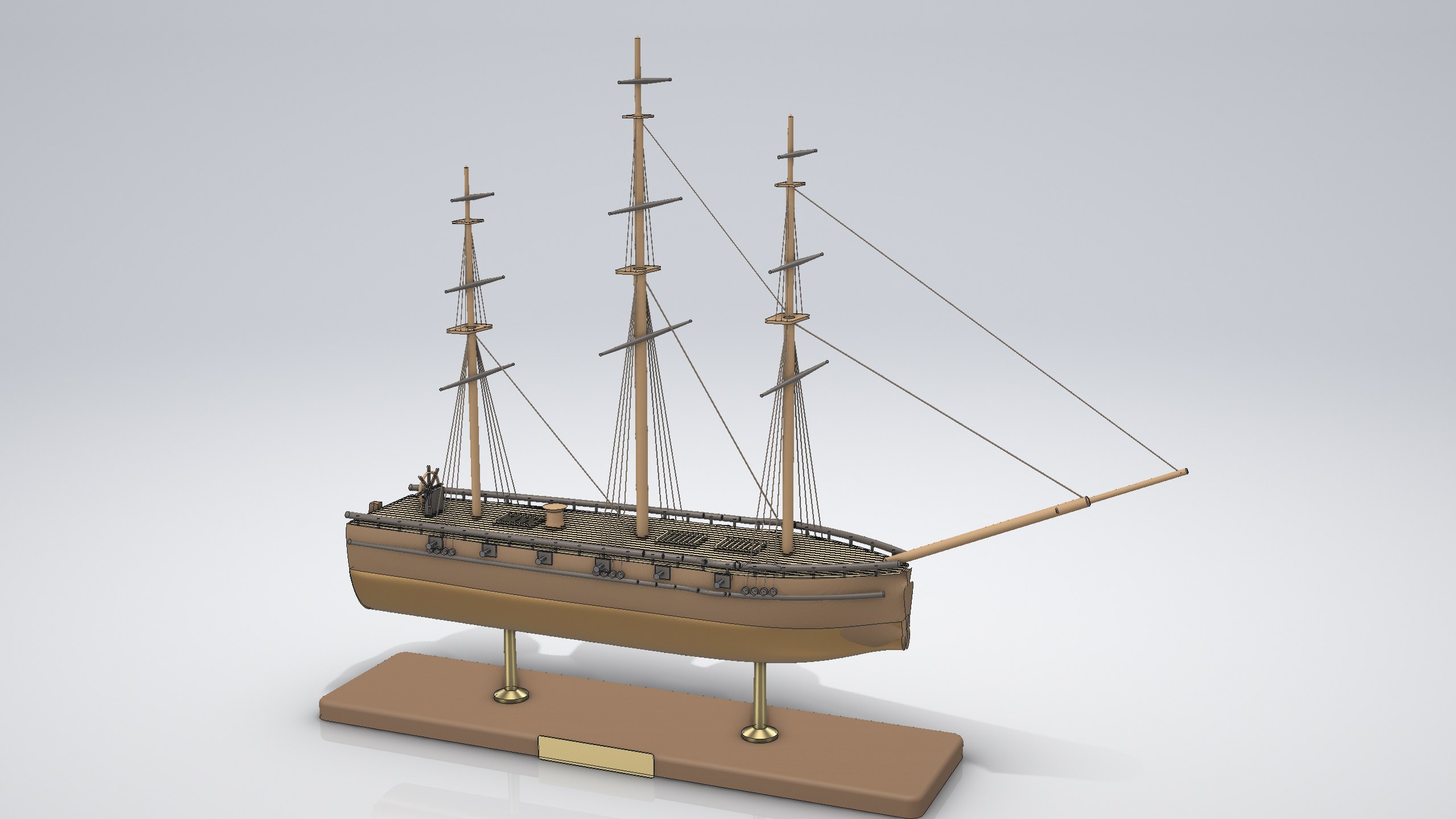
Three-masted sailing ship model
Assembly · hull lofted through 8 stations, masts and rigging, 177 components
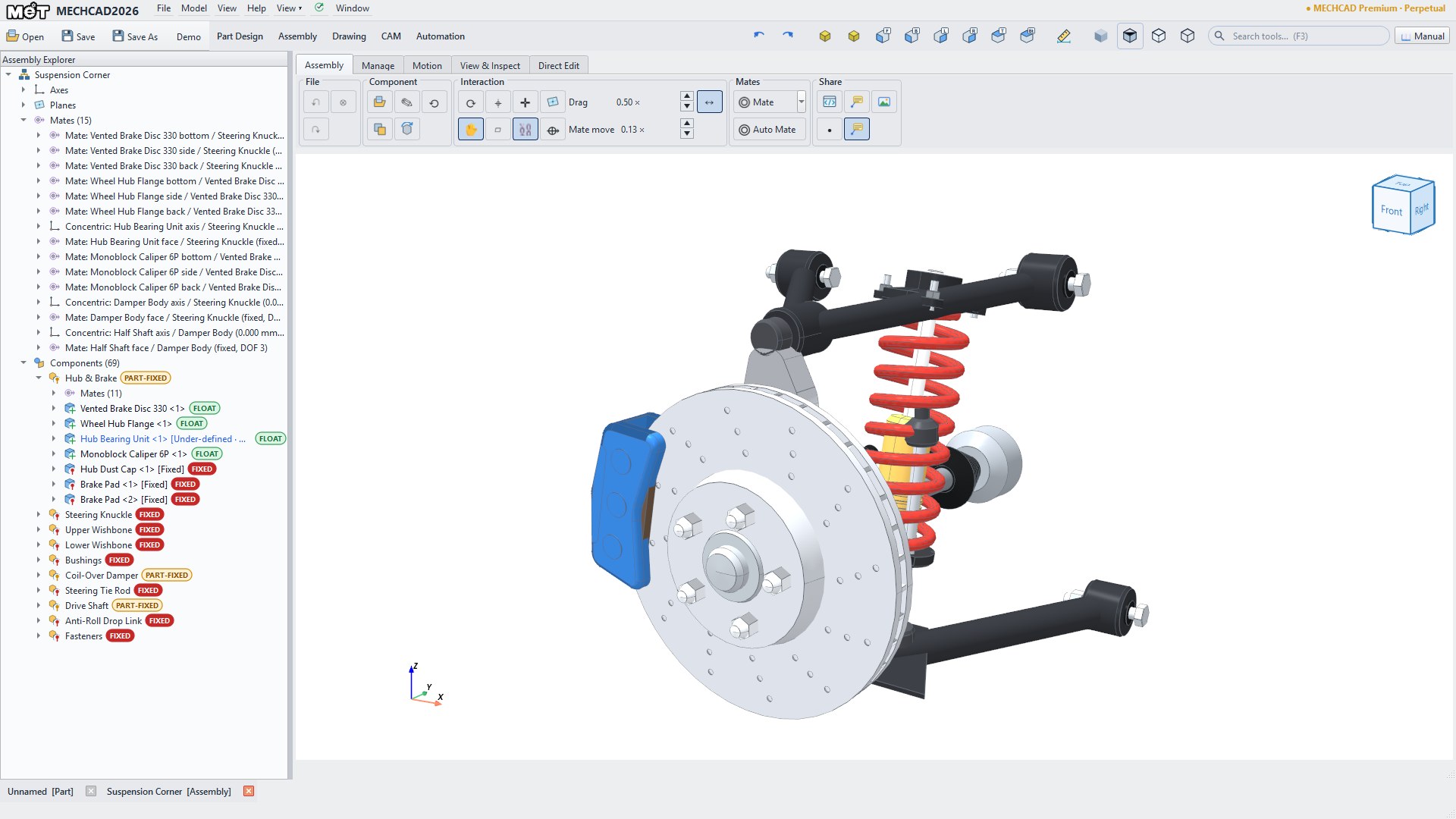
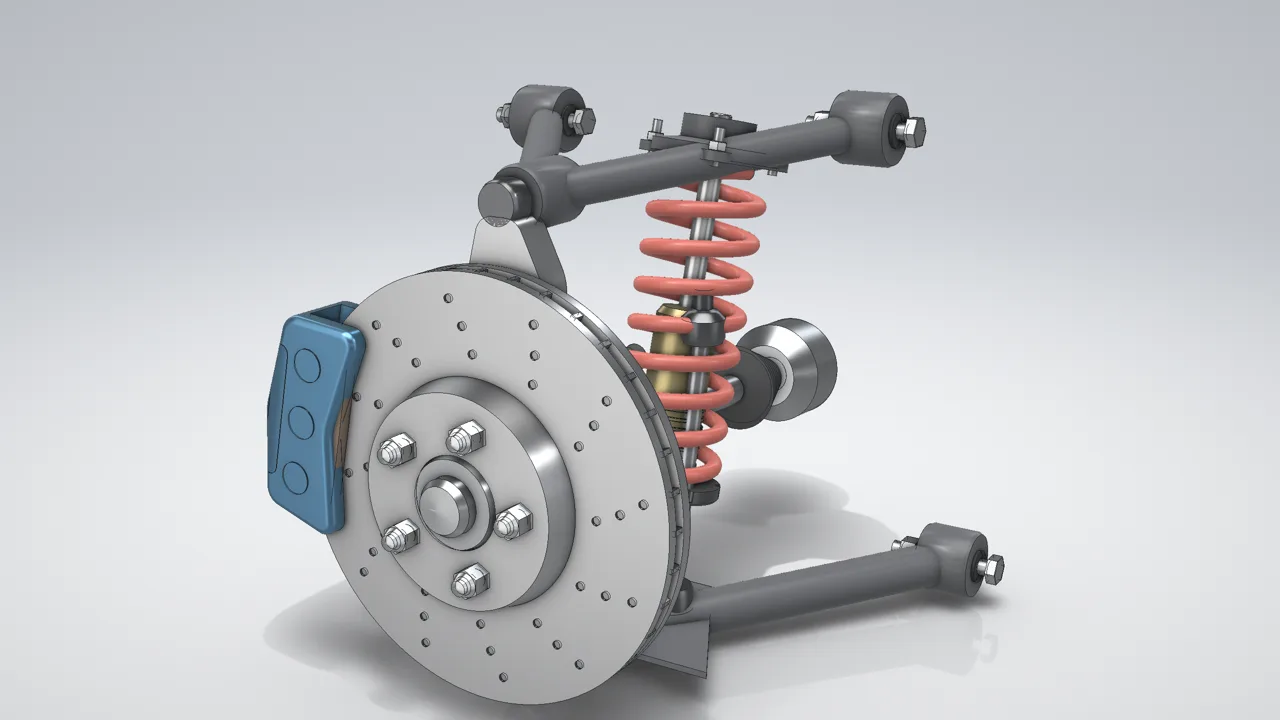
Double-wishbone suspension corner
Assembly · real Explorer tree with sub-assemblies and mates
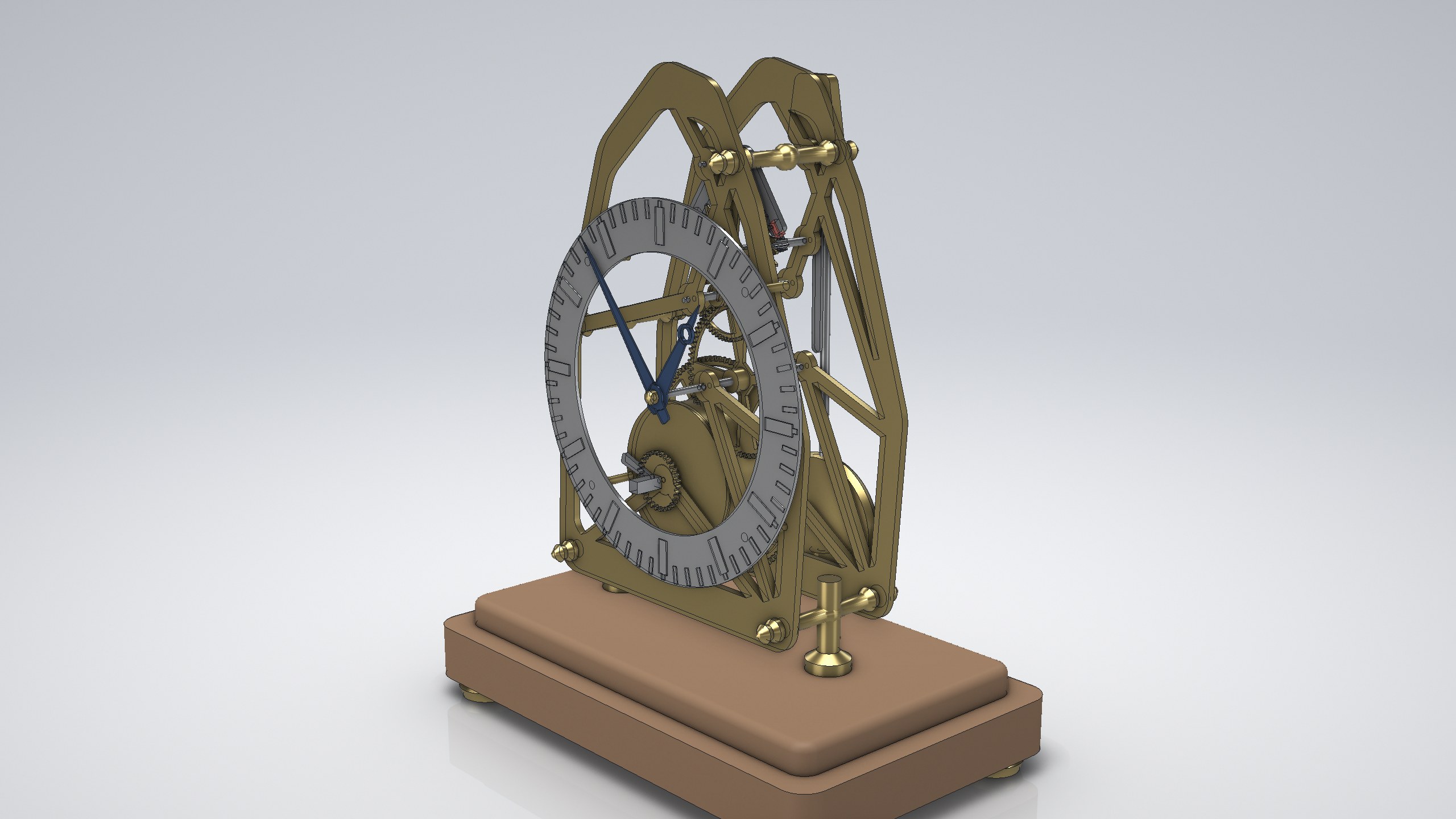
Skeleton clock movement
Assembly · gear train, spring barrel and escapement
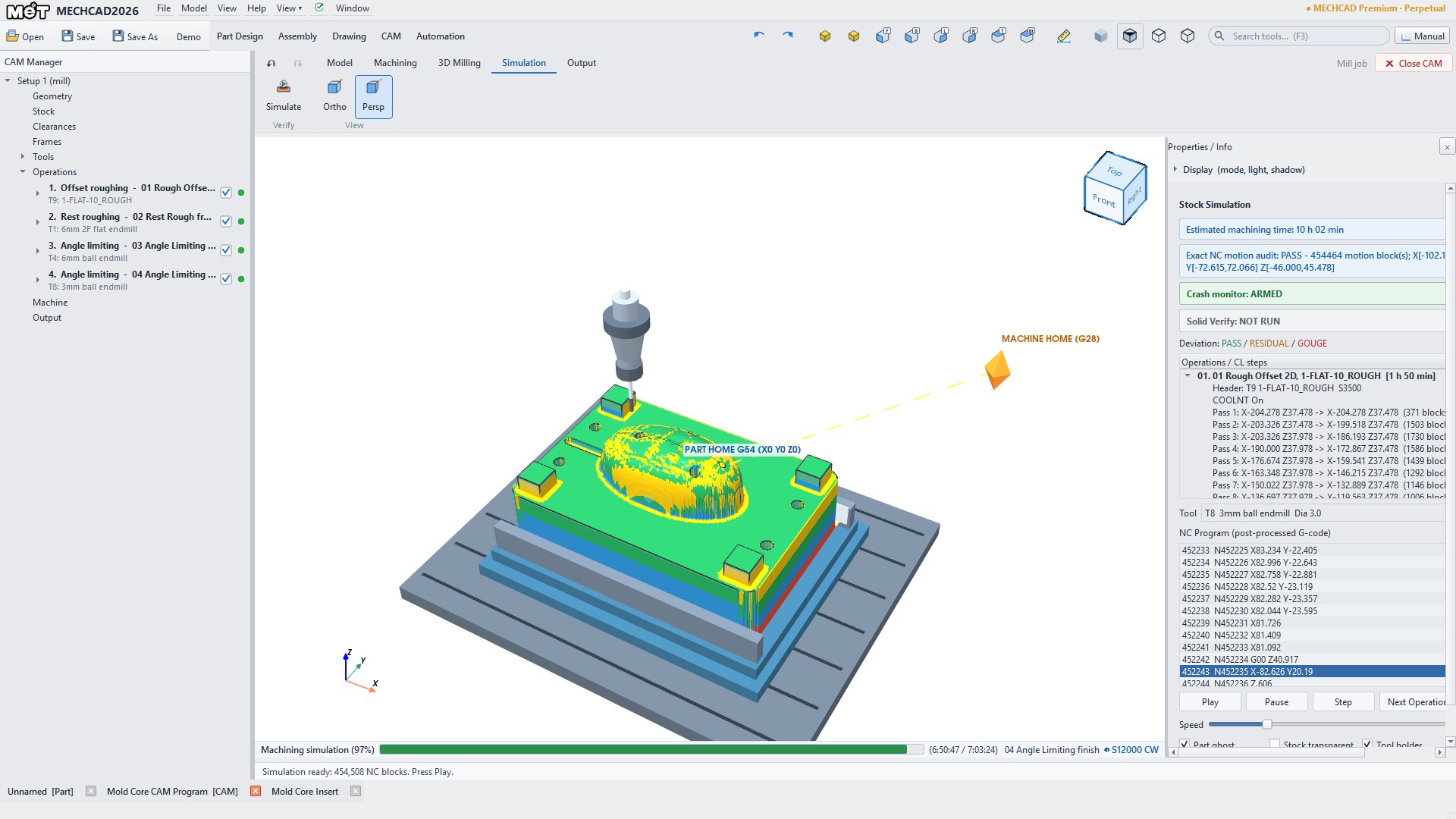
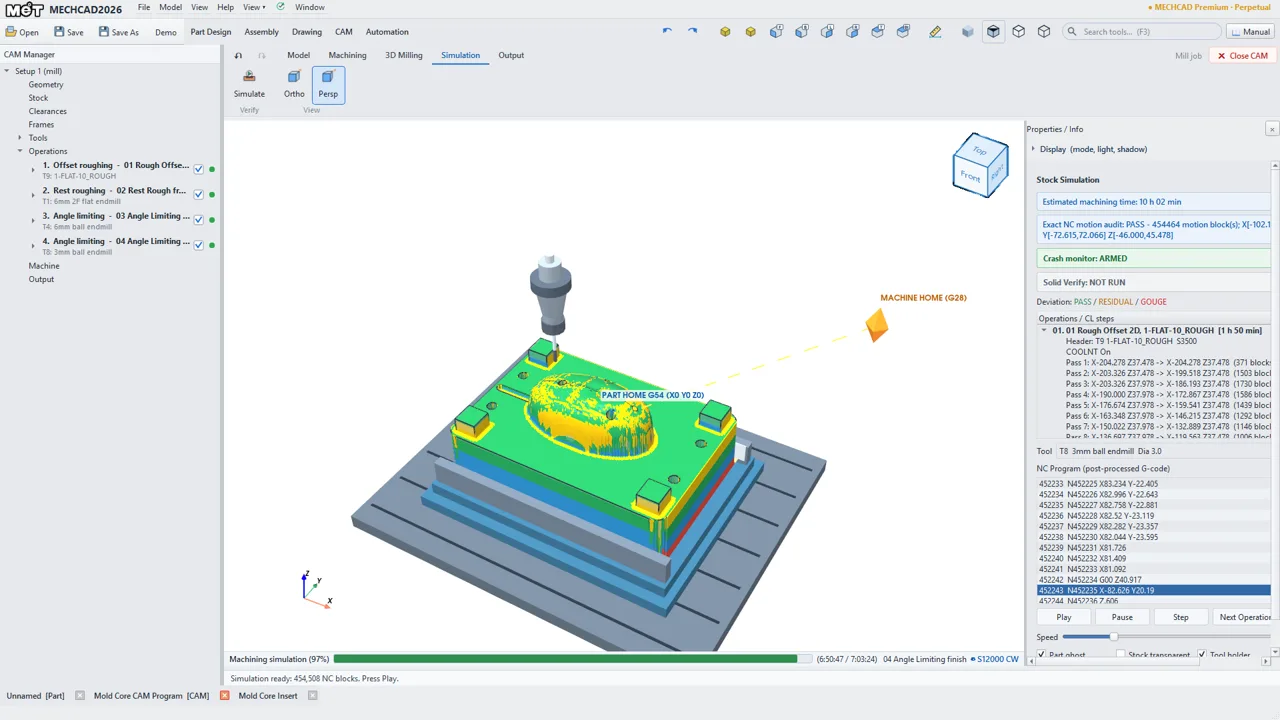
Mold core CAM
Premium · 3D rough, rest, semi-finish, finish and pencil toolpaths
PART DESIGN
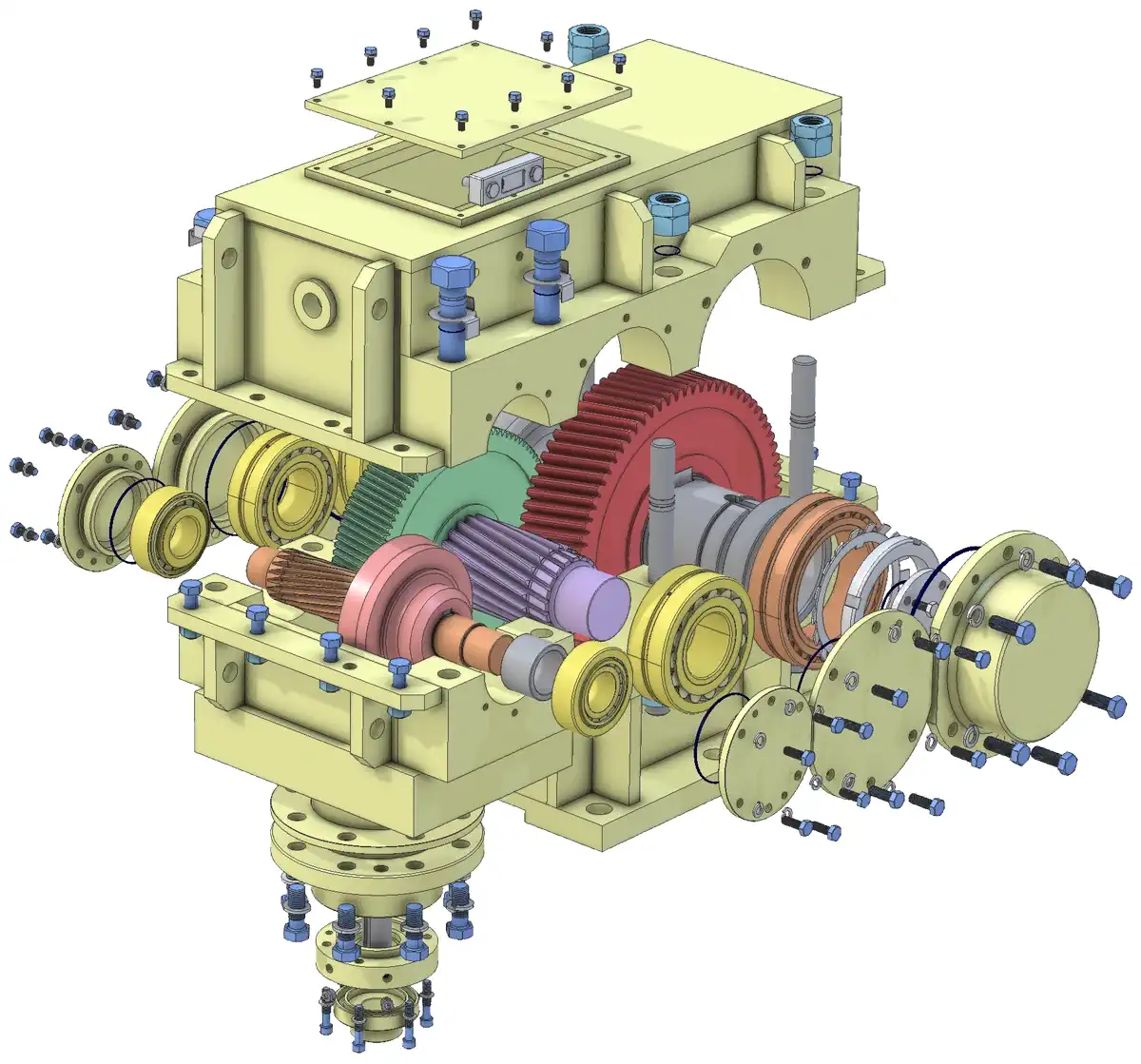
Parametric sketches and features—extrude, revolve, sweep, loft, holes, fillets, patterns—with built-in gear and feed-screw generators, and feature recognition that makes imported STEP parts editable again.
ASSEMBLY
Build the whole machine: mates, constrained dragging, interference and clearance checks, a large-assembly mode that holds up past two thousand instances, with BOM in Expert and Premium.
DRAWING
Drawing views straight from the model—projections, sections, hidden lines and dimensions—ready for the shop and the site.
CAM
Milling and turning jobs: toolpaths, cut simulation, backplot, G-code through post processors configured for your actual machines, and setup sheets.
AUTOMATION
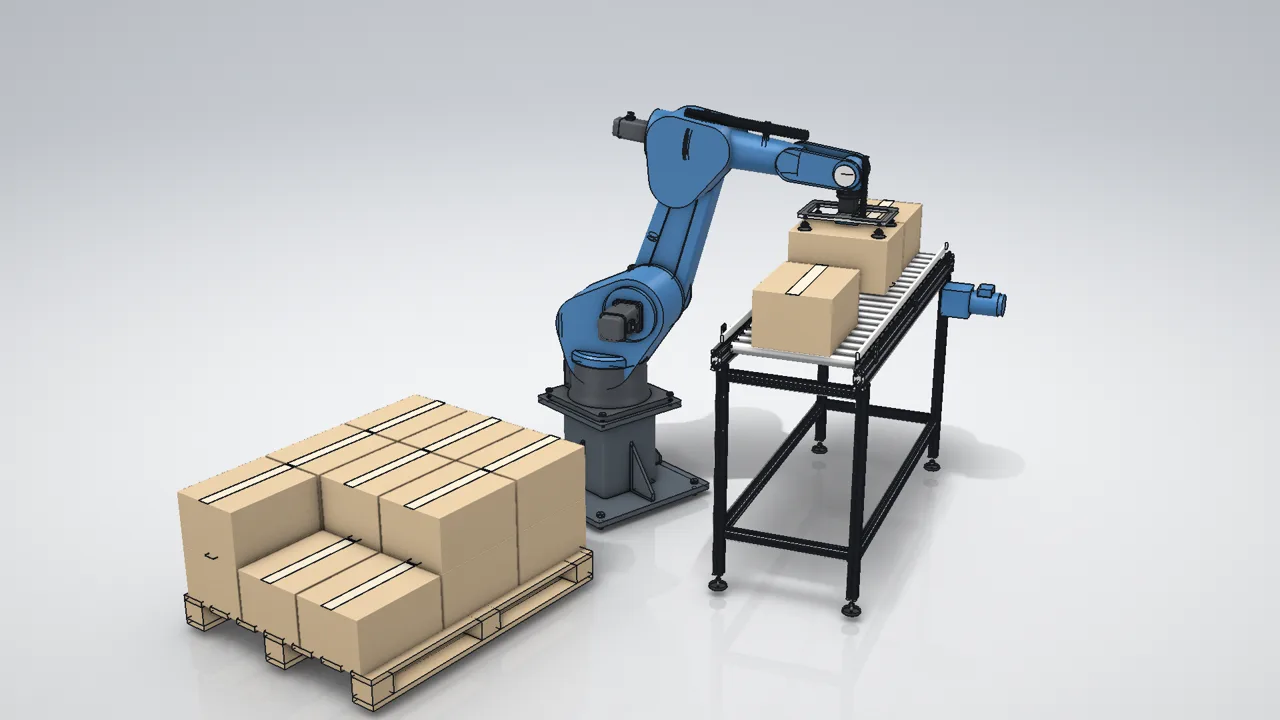
Simulate cobot and robot pick-and-place: motion recipes, a timeline view and collision checks before anything is built.
MECHCAD 2026 · EDITIONS & PRICING
Four MECHCAD editions for your workflow
One program, one install — your licence decides the edition. Each edition includes everything below it, and upgrading later costs only the difference on the same key.
MECHCAD 2026 · NEW
Lite
Part · Assembly · Drawing
฿3,490/yr · $99
Yearly, every update included · THB incl. VAT
Personal use or businesses under USD 50k annual revenue · 1 computer · yearly
MECHCAD for personal projects, makers and small businesses: parametric parts, assemblies with no part limit, basic drawings, threads, 3D section views, tracing from a reference image, SolidWorks / Alibre files opened as solids, and STEP, SAT, STL, OBJ, 3MF and 3D PDF export.
✓ Part design + sketch + parameters
✓ Assembly + mates, no part limit
✓ Basic drawings: views, dimensions, standard title blocks
✓ 3D PDF · section view · threads · reference image
✓ Export STEP · SAT · STL · OBJ · 3MF
Confirm personal use / revenue under USD 50k at checkout
MECHCAD 2026
Standard
Part · Assembly · Drawing
$990· ฿34,900
Perpetual, first-year MA included · THB incl. VAT
MA $290 (฿9,900)/yr · subscription $390 (฿13,900)/yr
Parametric sketches and features, a Parameters panel for named values and equations, assemblies with mates, and production drawings from the 3D model. Opens STEP, SolidWorks and Siemens NX files without the original CAD installed, and shares files with Alibre Design users.
Standard + Surface + Sheet metal + Simulation + Analysis
$1,990· ฿69,900
Perpetual, first-year MA included · THB incl. VAT
MA $450 (฿15,900)/yr · subscription $790 (฿27,900)/yr
Everything in Standard plus surface modeling and sheet metal (flat-pattern DXF for laser cutting), motion studies and robot cells (Robot 6 Axis demo), interference and clearance checks, automatic BOM to Excel/PDF, and HTML 3D export anyone can open.
MA $690 (฿23,900)/yr · subscription $1,190 (฿39,900)/yr
Everything in Expert plus 2.5D/3D milling and turning CAM, cut simulation, backplot and G-code through posts configured for your machines (Fanuc first), with a machine manager. Manual pick operations, cutter compensation (G41/G42) and Smart Hole drilling.
Gear · feed screw generators · Toolbox · Pack and Go
—
✓
✓
✓
Surface modeling (new)
—
—
✓
✓
Sheet metal + flat-pattern DXF (new)
—
—
✓
✓
Motion study / robot cell
—
—
✓
✓
Interference / clearance
—
—
✓
✓
Auto BOM (Excel / PDF)
—
—
✓
✓
HTML 3D export
—
—
✓
✓
CAM milling 2.5D / 3D
—
—
—
✓
CAM turning / threading
—
—
—
✓
Cut simulation · G-code posts
—
—
—
✓
CAM: Smart Hole · cutter compensation G41/G42
—
—
—
✓
Price (USD · THB incl. VAT)
$99/yr ฿3,490/yr
$990 ฿34,900 perpetual
$1,990 ฿69,900 perpetual
$2,790 ฿99,000 perpetual
Windows prices per seat · network (floating) licence +25% · Lite → Standard on the same key, with the Lite you paid in the last 12 months credited (contact MET) · upgrades Standard → Expert $1,000 (฿35,000) and Expert → Premium $800 (฿29,100) · MECHCAD Web is licensed separately. Pay online through Stripe (card or PromptPay) and receive the key by e-mail. Prices are set in THB and include 7% VAT. Checkout may offer to pay in your local currency at Stripe's exchange rate, and the final amount is shown before you pay. The Thai tax invoice is issued in THB. USD figures are a guide.
ONE ENGINEERING FLOW
Choose the tool around the work
Drawing & layout
MCAD for 2D detailing, layouts and DWG/DXF workflows.
Machine design
MECHCAD or Alibre for parts, assemblies and model-derived drawings.
Manufacturing
MECHCAD CAM for toolpaths, simulation, G-code and setup documentation.
Automation study
MECHCAD Automation for cobots, robots, recipes and timelines.
LOCAL IMPLEMENTATION · THAILAND
Test the workflow with your real files before choosing a platform
MET can review sample files, parts, CNC equipment, drawing standards and handoffs to build a demo around your team’s actual work.