
ใช้ทำอะไร
Picture (Insert Picture on Face) แปะรูปภาพบนหน้าผิวเรียบหรือทรงกระบอก เช่น ฉลากสินค้า ป้ายเครื่อง ใช้แสดงผลและ Render ไม่เปลี่ยนรูปทรง
อยู่ที่ไหน
- Part Design: Direct Edit › Create › Picture
- Assembly: Share › Picture (ดู 3D Notes และ Picture)
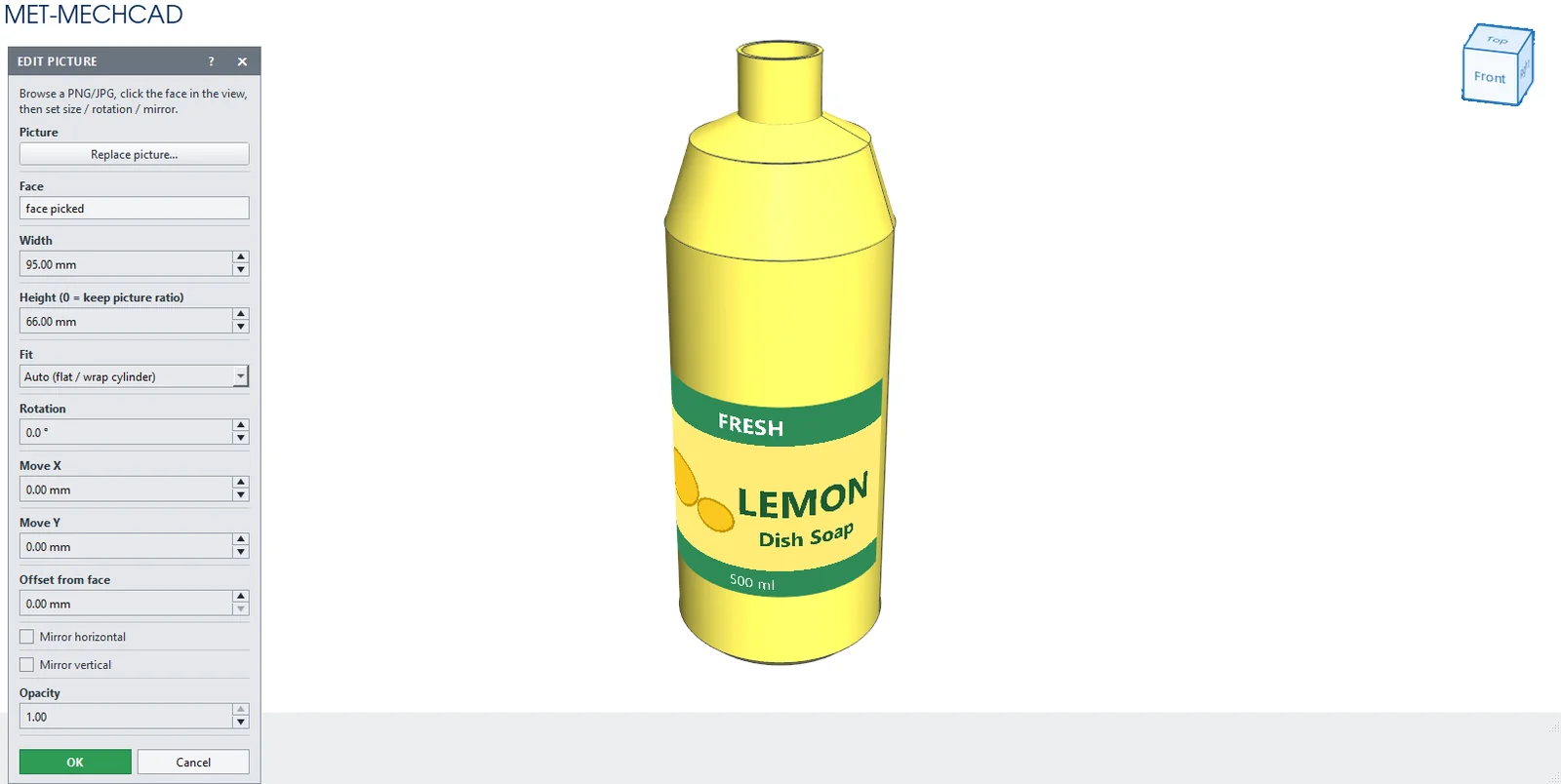
ขั้นตอน
- กด Picture แล้วกด Browse picture… (png, jpg, jpeg, bmp, gif, webp)
- คลิกหน้าผิวที่จะแปะ
- ปรับขนาด การหมุน ตำแหน่ง ดูภาพตัวอย่างสด แล้วกด OK
| ตัวเลือก | ความหมาย |
|---|---|
| Browse picture… / Replace picture… | เลือกไฟล์รูป |
| Face | หน้าผิวที่แปะ |
| Width / Height (0 = keep picture ratio) | ขนาด (Height 0 = รักษาสัดส่วน) |
| Fit | Auto (flat / wrap cylinder) / Stretch fit onto curved face |
| Rotation | หมุน ±360° |
| Move X / Move Y | เลื่อนตำแหน่ง |
| Offset from face | ระยะลอยจากผิว (ค่าเริ่มต้น 0.2) |
| Mirror horizontal / Mirror vertical | กลับด้าน |
| Opacity | 0.05–1 |