
ใช้ทำอะไร
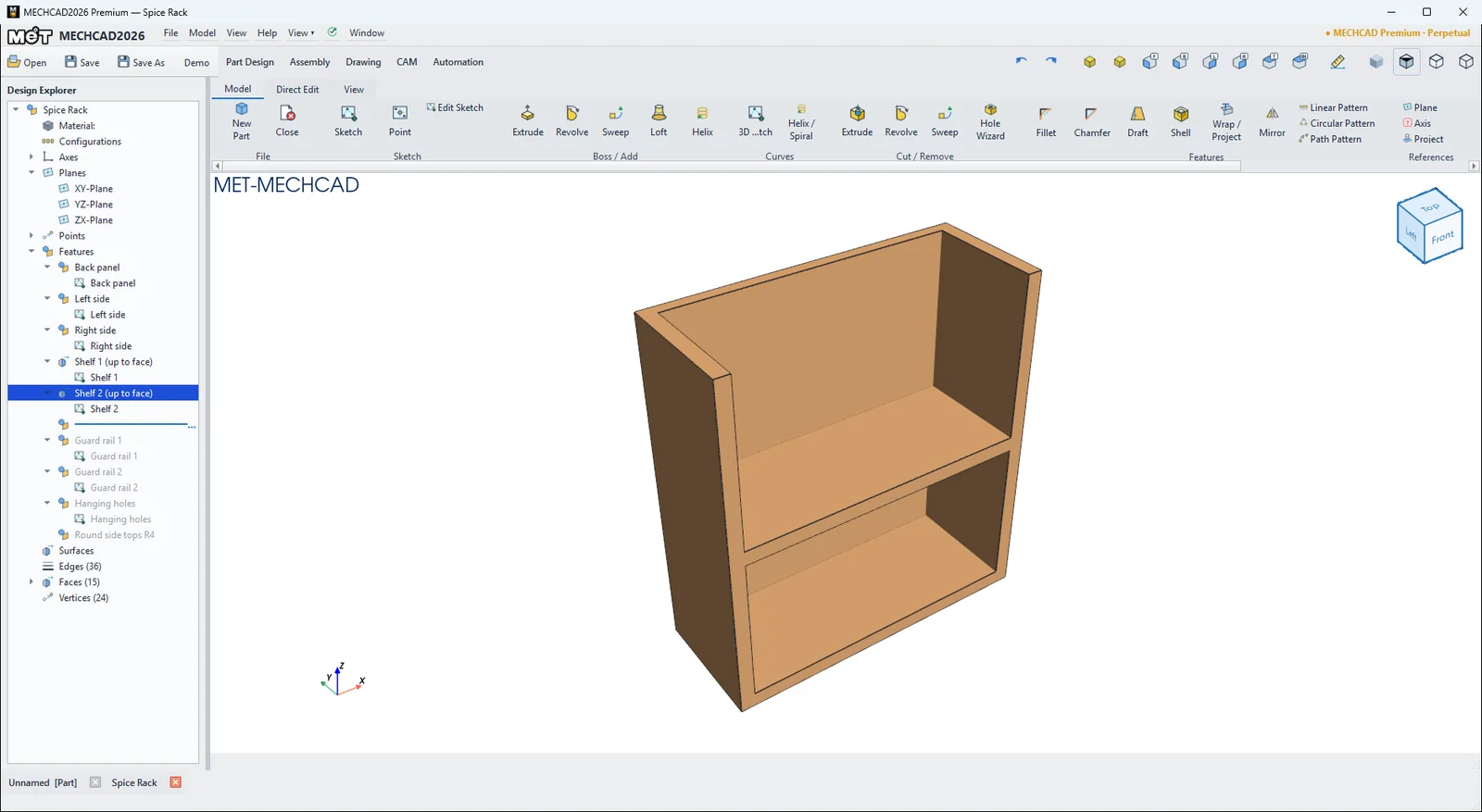
- แถบ Rollback (เส้นสีน้ำเงินใน Design Explorer) ย้อนชิ้นงานไปยังจุดใดก็ได้ในประวัติ Feature ที่อยู่ใต้แถบจะเป็นสีเทาและไม่ถูกคำนวณ ใช้แทรก Feature ใหม่ก่อน Feature เดิม
- Regen คำนวณทุก Feature ใหม่ (ไม่ใช้ cache) และแจ้งเวลาที่ใช้
- Suppress ปิด Feature/Sketch ชั่วคราว
อยู่ที่ไหน
- Model › Regenerate › Regen, Roll Back, Roll Fwd, Roll to End
- ลากแถบ Rollback ใน Design Explorer (ดับเบิลคลิกแถบ = Roll to End)
- คลิกขวา Feature › Roll Back to Here / Roll Forward to Here
- Direct Edit › Edit › Suppress / Delete
| คำสั่ง | ความหมาย |
|---|---|
| Roll Back | เลื่อนแถบขึ้น 1 Feature |
| Roll Fwd | เลื่อนแถบลง 1 Feature |
| Roll to End | แถบไปท้ายสุด ทุก Feature ทำงาน |
| Regen | คำนวณใหม่ทั้งหมด |
| Rebuild | ใช้ค่าที่แก้แล้วคำนวณใหม่ (เมนูบน Rebuild) |
| Suppress | ปิด/เปิด Feature (ชื่อขึ้นต้น "(Suppressed)") |
| Delete | ลบ Feature (Sketch ยังอยู่) หรือลบ Sketch (ลบ Feature ที่ใช้ด้วย) |
หมายเหตุ: แถบสถานะแสดง Rolled back: N feature(s) below the bar are not calculated ขณะย้อน อย่าลืม Roll to End ก่อนบันทึกหรือส่งเข้า Assembly