
What it does
An attribute is text with a tag that is attached to a block, for example a device number. When you insert the block, the program asks for the value using the prompt you defined.
| Command | Alias | Meaning |
|---|---|---|
| ATTDEF | ATT |
Creates an attribute definition (tag, prompt, default value, height). |
| ATTEDIT | ATE, EATTEDIT |
Click a block that has attributes, then edit their values. |
| ATTDISP | – | ATTDISP <ON|OFF|Normal> shows or hides all attributes. |
Where to find it
- Ribbon: type the command
- Command line:
ATTDEF(aliasATT)
Steps
- Type
ATTand press Enter. The Define Attribute (ATTDEF) dialog opens. - Enter a Tag (for example
TAG), a Prompt (for exampleDevice tag), a Default value and a Text height. Click OK, then click the position. - Select the shapes and the attribute, then create the block with
BLOCK <name>. - When you place that block from the Content Browser (Group
Drawing), the program asks for each attribute value. A block you just made shows up in that group after you save and reopen the drawing. TypingINSERT <name>places the block with its default values and does not ask.
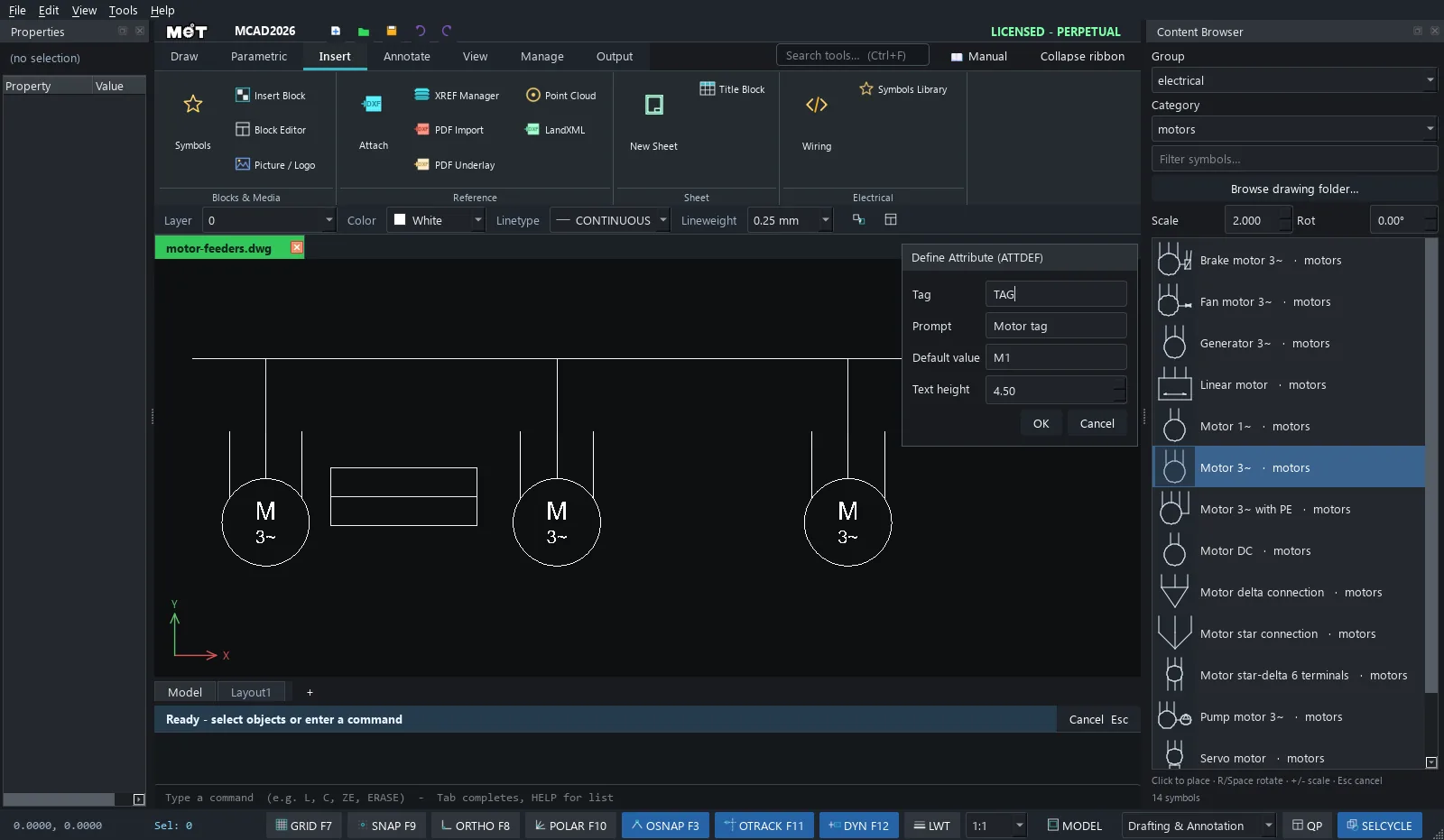
| Option | Meaning |
|---|---|
| Tag | The attribute name (used as an identifier). |
| Prompt | The text shown when you insert the block. |
| Default value | The initial value. |
| Text height | The text height. |
Note: Use
ATTDISP OFFto hide all part numbers before you plot a general arrangement drawing.
Try it: Motor tags with power ratings
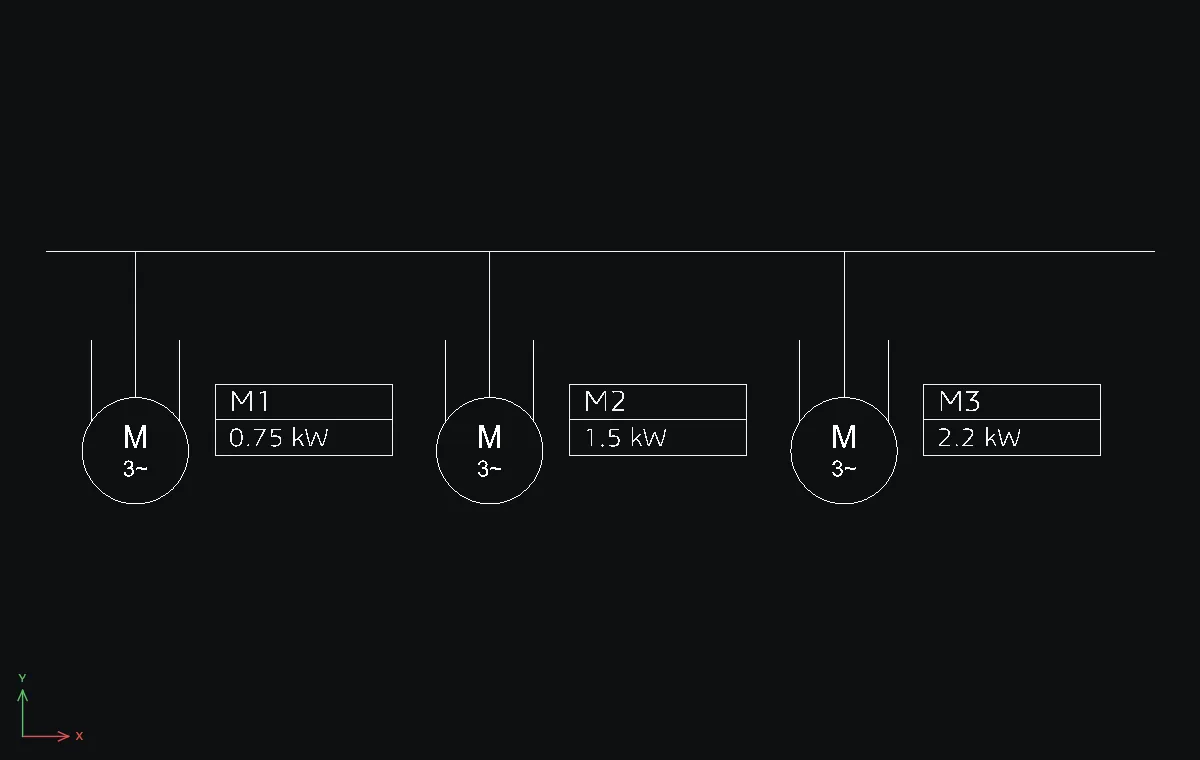
Three conveyor motors on one supply, each with a small tag box that shows its name and power. The tag text is attributes, so you change the values in a form instead of hunting for the right text.
- Motors: open the Content Browser, Group
electrical, Categorymotors, set Scale2, click Motor 3~ and click at0,0,80,0and160,0. The motor hangs below the point you click, with its middle lead at X+10. Press Esc. Supply line:L-10,20→240,20, and a drop to each motor's middle lead:L10,0→10,20,L90,0→90,20andL170,0→170,20. - Tag box:
REC28,-26→40Tab16, thenL28,-18→68,-18across the middle. ATT. TagTAG, PromptMotor tag, Default valueM1, Text height4.5. Click OK and click at31,-16.ATTagain. TagPOWER, PromptRating, Default value0.75 kW, Text height4. Click at31,-24.- Drag a window around the tag box and its two attributes, type
CO, click28,-26as the base point and108,-26,188,-26as the destinations. - Drag a window around the middle tag and type
ATE. The form asks Motor tag: and Rating:. TypeM2and1.5 kW, then OK. Do the same on the right tag:M3,2.2 kW.
Challenge: Type ATTDISP OFF to hide every tag for a clean layout print, then ATTDISP ON to bring them back.