
What it does
| Command | Alias | Steps |
|---|---|---|
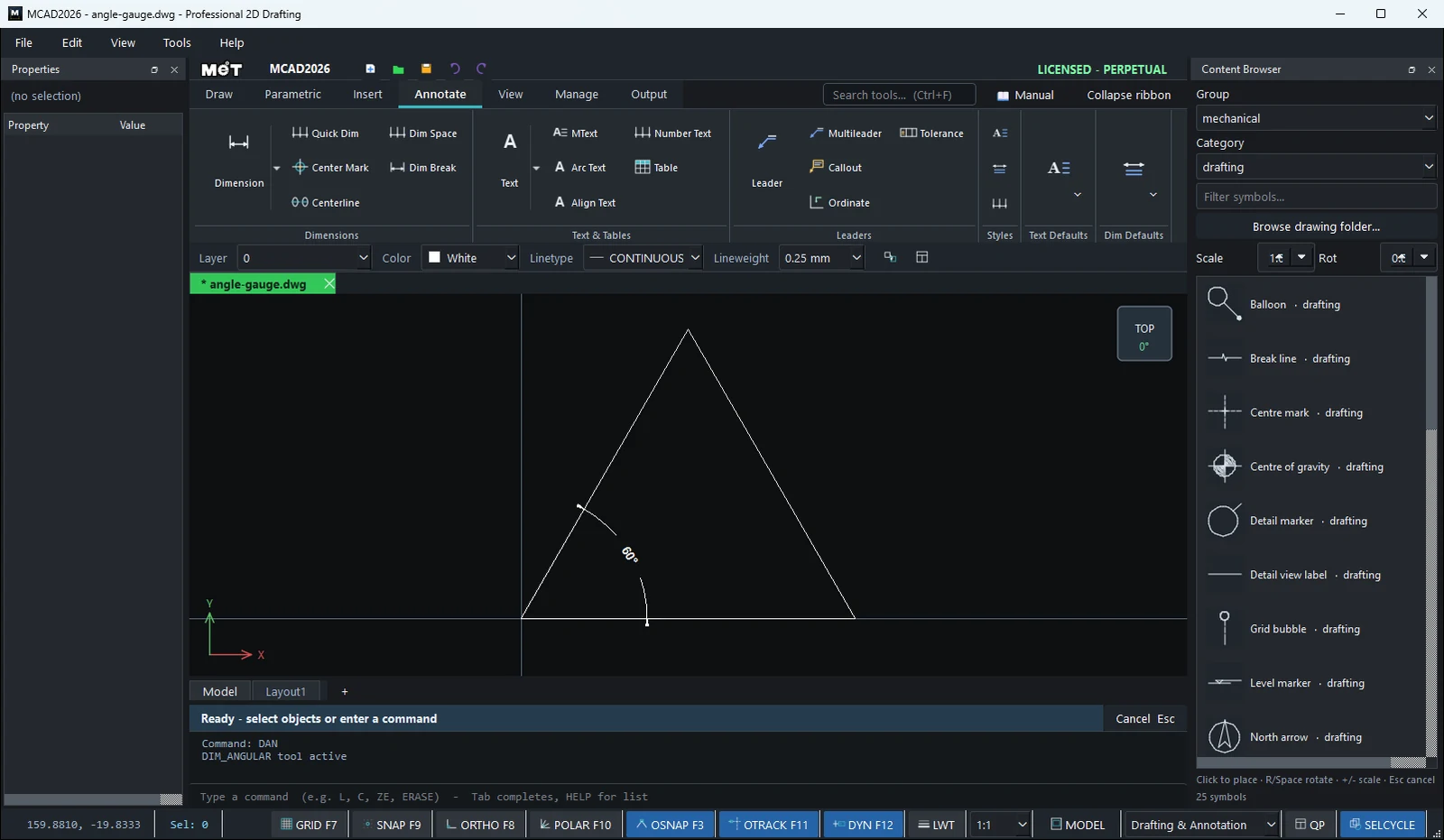
| DIMANGULAR | DAN |
Click the angle vertex → a point on arm 1 → a point on arm 2 (the dimension is placed at once). |
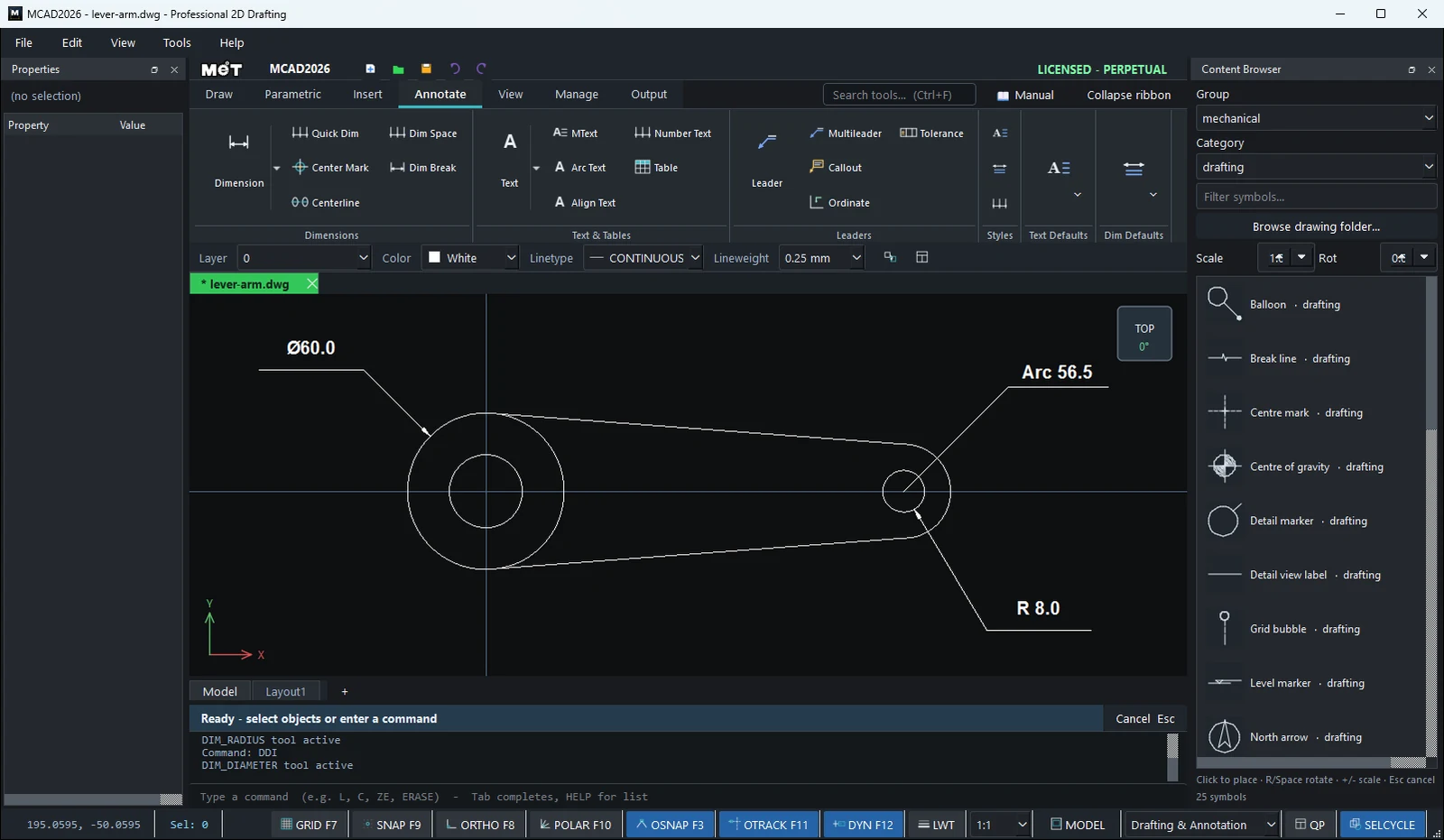
| DIMRADIUS | DRA |
Click a circle or arc → the position. |
| DIMDIAMETER | DDI |
Click a circle or arc → the position. |
| DIMARC | DAR |
Click an arc → the position (shows the arc length). |
| DIMJOGGED | DJO, JOG |
Adds a jog symbol (zigzag) to the selected radius dimension (or to all of them). DIMJOGGED Remove removes it. |
Where to find it
- Ribbon: Draw › Annotation › Smart Dim ▾ › Angle between 2 lines
- Command line: see the table above
Steps for DIMANGULAR
- Type
DANand press Enter. - Click the angle vertex, then click on each arm.
- The dimension is placed as soon as you click the second arm. To move the text, drag it with the mouse.
Steps for DIMRADIUS / DIMDIAMETER / DIMARC
- Type the command and press Enter.
- Click the circumference or the arc.
- At
Pick where to place the dimension., click the position.
Note: With Angle between 2 lines on the Ribbon, you click the two lines anywhere. You do not need to click the vertex.
Try it: V-block with a cross hole
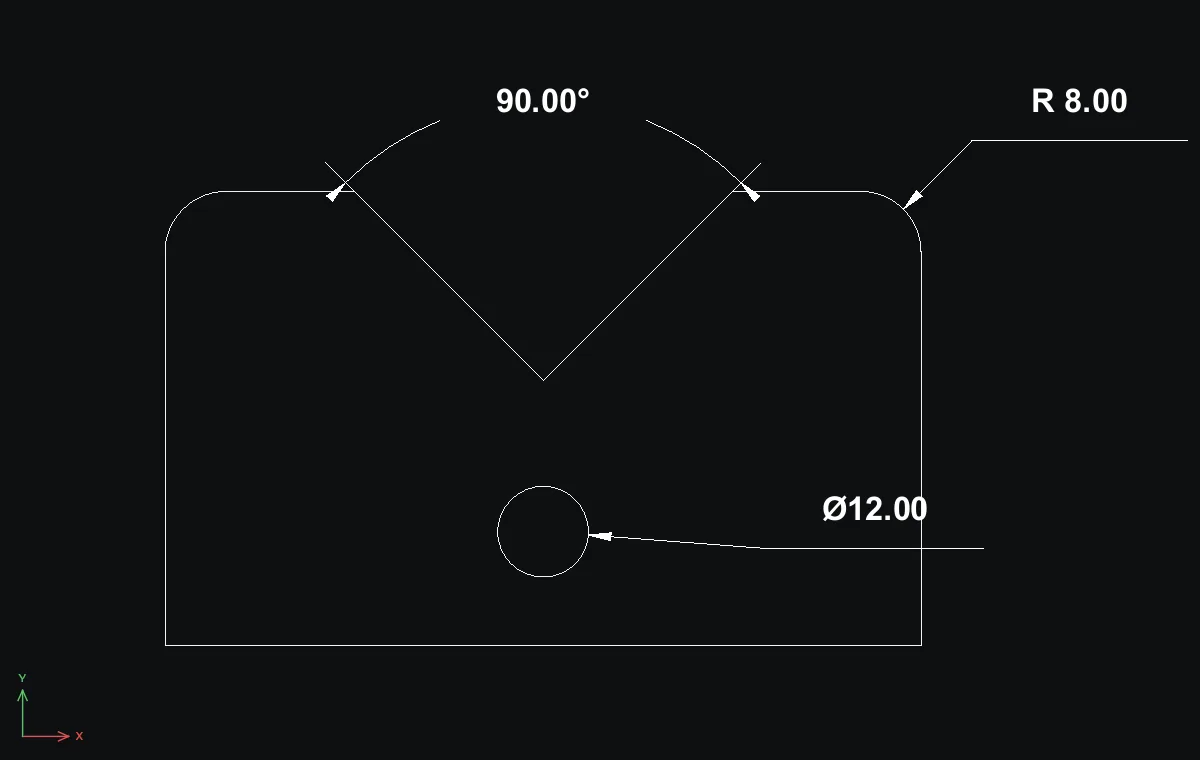
A 100 x 60 V-block for holding round bar on the drill press: a 90° V, two R8 top corners and a Ø12 cross hole. One angle, one diameter and one radius say it all.
- On Annotate › Dim Defaults, set Dim H
5and Arrow3so the numbers suit a part this size. - Outline with
L:0,0100,0100,6075,6050,3525,600,600,0, then Esc. F8Enter, then round the two top outer corners (click the top line and the side line at each corner).- Cross hole:
C50,15radius6. DAN, click the bottom of the V (50,35), click a point on each face of the V:90.00°.DDI, click the cross hole and place the label to the right:Ø12.00.DRA, click the top-right fillet and place it outside the block:R 8.00.
Challenge: Run DAR on the same fillet. It shows the arc length instead, 12.57 for a quarter circle of R8.