
What it does
- FILLET – makes a rounded corner with the radius you set.
- CHAMFER – cuts a bevelled corner with the distance you set.
The radius and distance are remembered for next time.
Where to find it
- Ribbon: Draw › Modify › Fillet (submenu: Fillet, Chamfer)
- Command line:
FILLET(aliasF) - Command line:
CHAMFER(aliasCHA)
Steps for FILLET
- Type
Fand press Enter. The prompt readsFILLET: radius = 3 - pick the first curve, or type a number to change it. - Type a new radius, for example
20, and press Enter. Skip this step to keep the current value. - Click the first line. At
Fillet: now click the second curve., click the second line. - You can continue with the next corner. Press Esc to finish.
Shortcut: F 20 or FILLET R 20
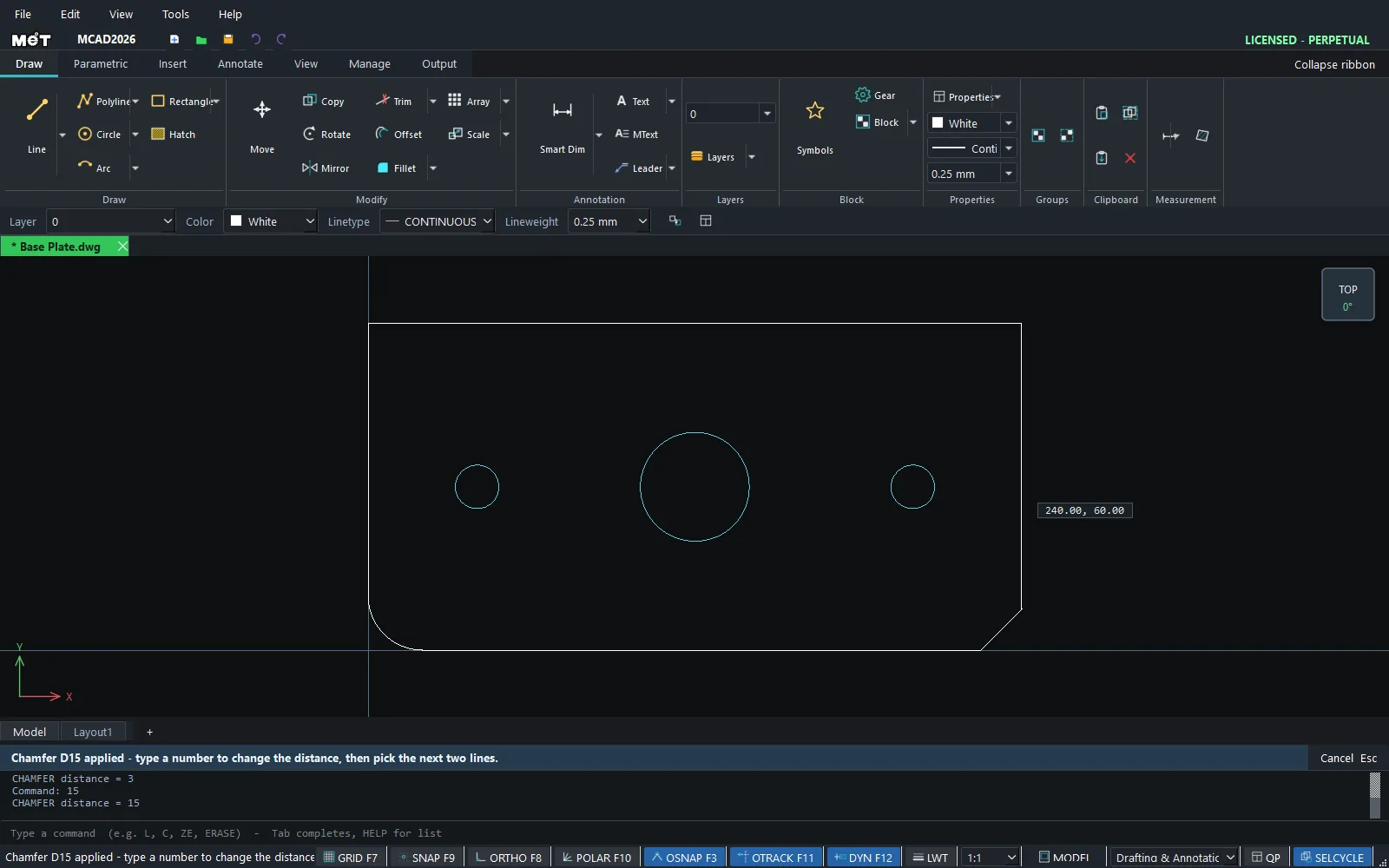
Steps for CHAMFER
- Type
CHAand press Enter. Type a distance, for example15, and press Enter. - Click the first line and the second line.
Shortcut: CHA 15 or CHAMFER D 15
| Option | Meaning |
|---|---|
FILLET [R] <radius> |
Radius 0 = join the lines at a sharp corner. |
CHAMFER [D] <distance> |
The same distance on both sides. |
Try it: Steel corner bracket
An L-shaped corner bracket cut from 2 mm steel to strengthen a shelf or a frame. Rounded corners are safer to handle and stronger, and chamfered tips look neat.
- Draw the outline with LINE:
L, then0,0@100,0@0,30@-70,0@0,70@-30,00,0, and press Esc. FILLET rounds Lines (and a Line with an Arc or Circle) and CHAMFER works on two Lines, so a RECTANG or PLINE outline will not take a fillet. - Type
F 15and press Enter. Click the bottom edge, then the left edge. The outer corner becomes R15. - While FILLET is still running, type
10and press Enter. Click the short inside horizontal edge, then the inside vertical edge. The inside corner becomes R10. Press Esc. - Type
CHA 6and press Enter. Click the right edge of the short leg, then its top edge. Then click the right edge of the tall leg and its top edge. Press Esc. - Screw holes:
C,70,15,4, Esc, andC,15,75,4, Esc.
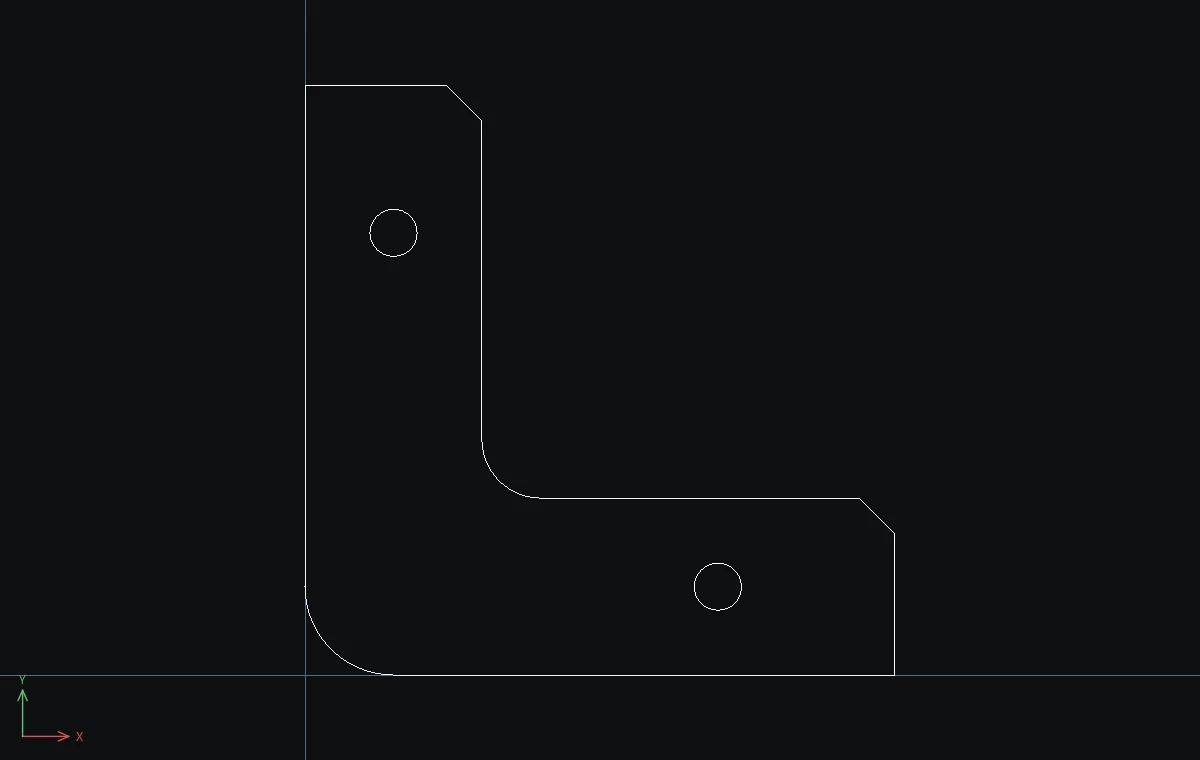
Challenge: Round the two corners that are still sharp (bottom right and top left) with F 5.