
What it does
SLOT draws a slot with semicircular ends (2 straight lines + 2 end arcs). Use it for adjustment holes.
Where to find it
- Ribbon: type the command (there is no Ribbon button)
- Command line:
SLOT
Steps
- Type
SLOTand press Enter. SLOT: specify the first centerClick the center of the first end.SLOT: specify the second centerClick the center of the second end.SLOT: specify the widthClick to set the width (measured from the centerline).
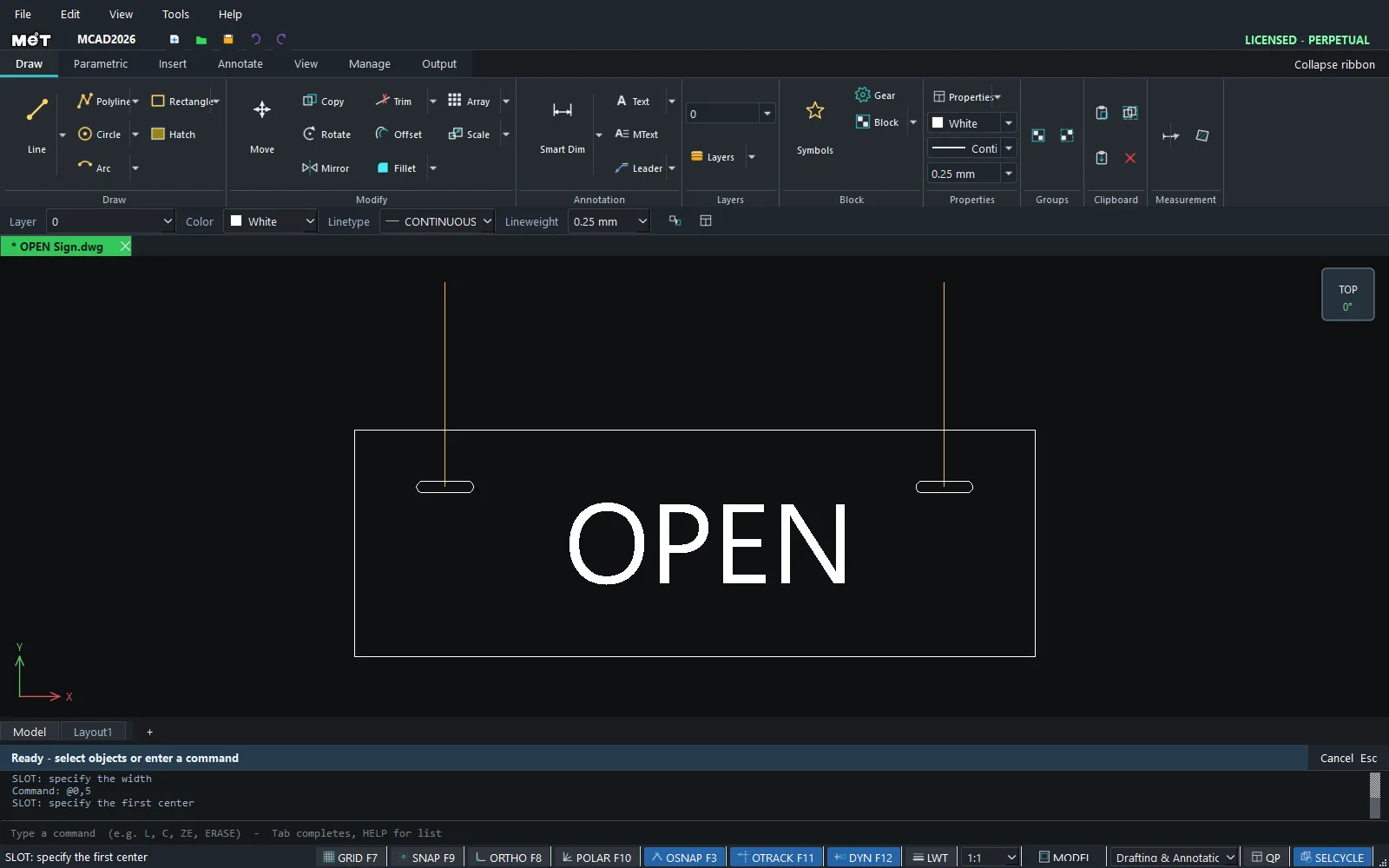
Try it: Slotted holes on a hanging shop sign
A 600 x 200 mm OPEN sign with two slots for the hanging chain. Sliding the chain in the slots lets you level the sign.
- Sign plate:
REC0,0, then600Tab200Enter. - Type
SLOT, Enter,60,150, Enter (first end centre),@40,0, Enter (second end centre), then@0,5and Enter (5 from the centre line, so the slot is 10 wide). - Second slot:
SLOT500,150@40,0@0,5. - Add
TEXTOPENat a height of70in the middle.

Challenge: Make vertical slots with @0,40 instead, so you can adjust the sign height on the wall rather than its level.