
What it does
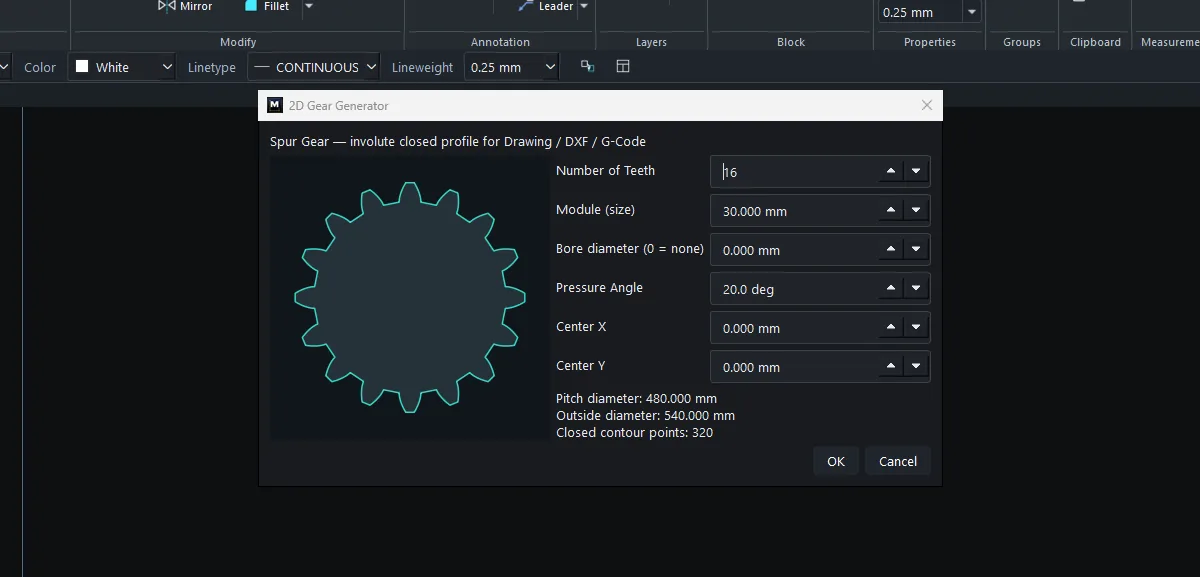
The Gear Generator creates an involute spur gear as a single closed shape. You can cut it directly with a laser or CNC machine.
Where to find it
- Ribbon: Draw › Block › Gear
Steps
- Click Draw › Block › Gear.
- Enter the values. The preview and the calculated diameters update as you type.
- Click OK. The gear is placed at the Center X/Y you set.
Options
| Option | Meaning |
|---|---|
| Number of Teeth | The number of teeth. |
| Module (size) | The module in mm. It sets the tooth size. |
| Bore diameter (0 = none) | The shaft hole. 0 = no hole. |
| Pressure Angle | The pressure angle (normally 20°). |
| Center X / Center Y | The position of the gear centre. |
| Pitch diameter / Outside diameter | Calculated values (Pitch = Module × number of teeth). |
| Closed contour points | The number of points in the closed contour. |
Try it: Gear-shaped sign for a bike workshop
A hanging shop sign shaped like a gear, about half a metre across. Because the gear is one closed outline, you can send it straight to a laser cutter or CNC router.
- Click Draw › Block › Gear.
- Enter Number of Teeth
16, Module30, Bore diameter0, Pressure Angle20, Center X0and Center Y0, then click OK. The pitch diameter is 480 mm and the outside diameter 540 mm. - Inner ring:
C0,0with radius170. - Two holes for the hanging chain:
C-90,120radius8andC90,120radius8. - Type
TEXT, set the height to50, click in the middle of the ring and typeBIKE FIX.

Challenge: Set Bore diameter to 200 instead of drawing a circle. You get an open centre for an acrylic logo insert.