
What it does
Electrical drawings contain many terminal and wire numbers in sequence. TCOUNT adds sequence numbers to all the selected text in one step.
Where to find it
- Ribbon: Annotate › Text & Tables › Number Text
- Command line:
TCOUNT(AliasTC)
Format
TCOUNT [start] [step] [p=prefix] [s=suffix] [pick] [over]
| Option | Meaning |
|---|---|
| start | First number (default 1) |
| step | Increment (default 1) |
p= |
Prefix, for example p=X1: |
s= |
Suffix |
pick |
Number in the order you click (the default is by position, top to bottom, left to right) |
over |
Replace all of the existing text (without it, the number is added in front of the existing text) |
Steps: number terminals X1:1 to X1:8
- Draw one terminal with the text
?, then ARRAY it to make the full set. - Select all of the text (for example
QSELECT textand then click to remove the ones you do not want, orFIND ?). - Type
TCOUNT 1 1 p=X1: overand press Enter.
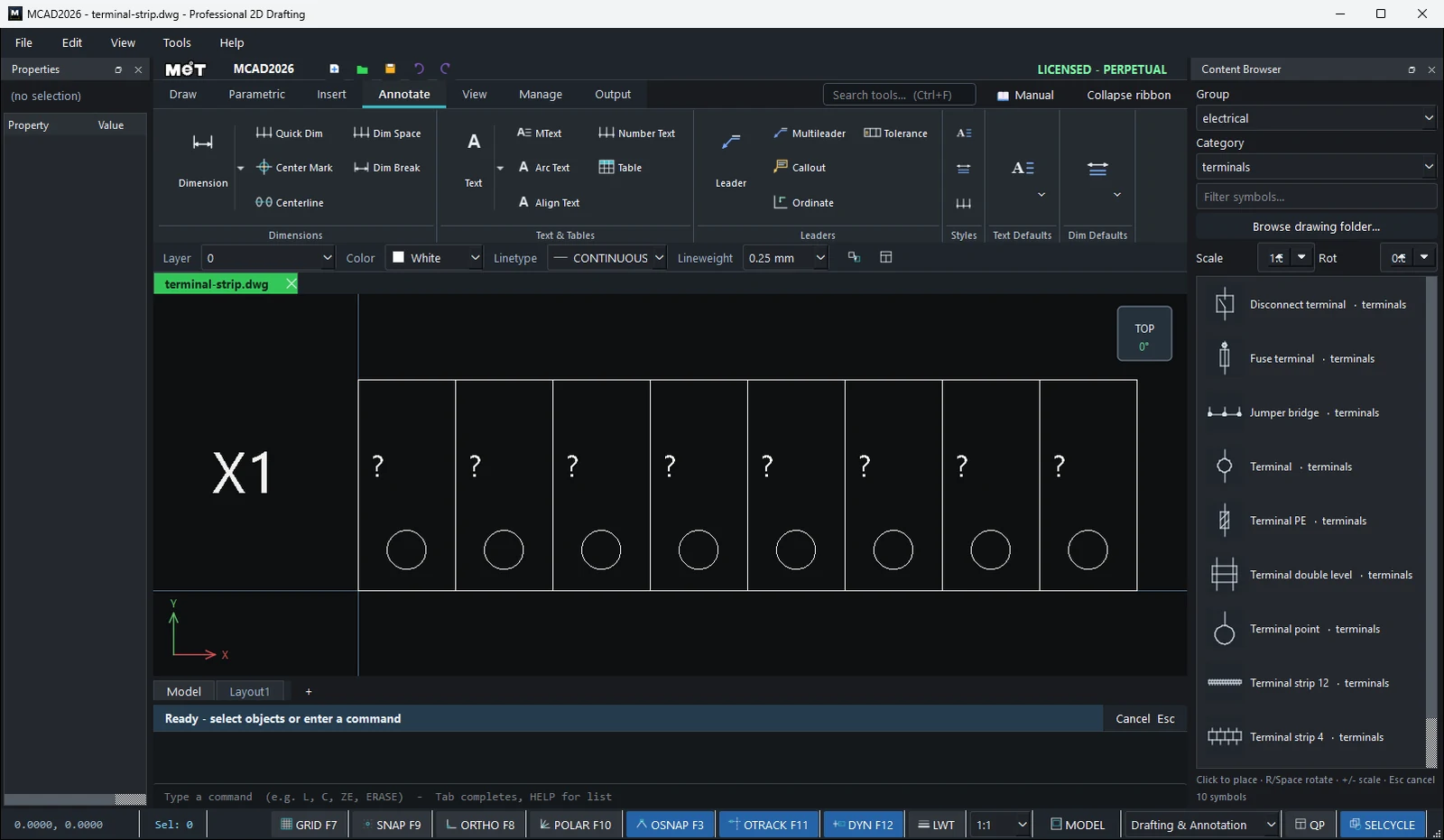
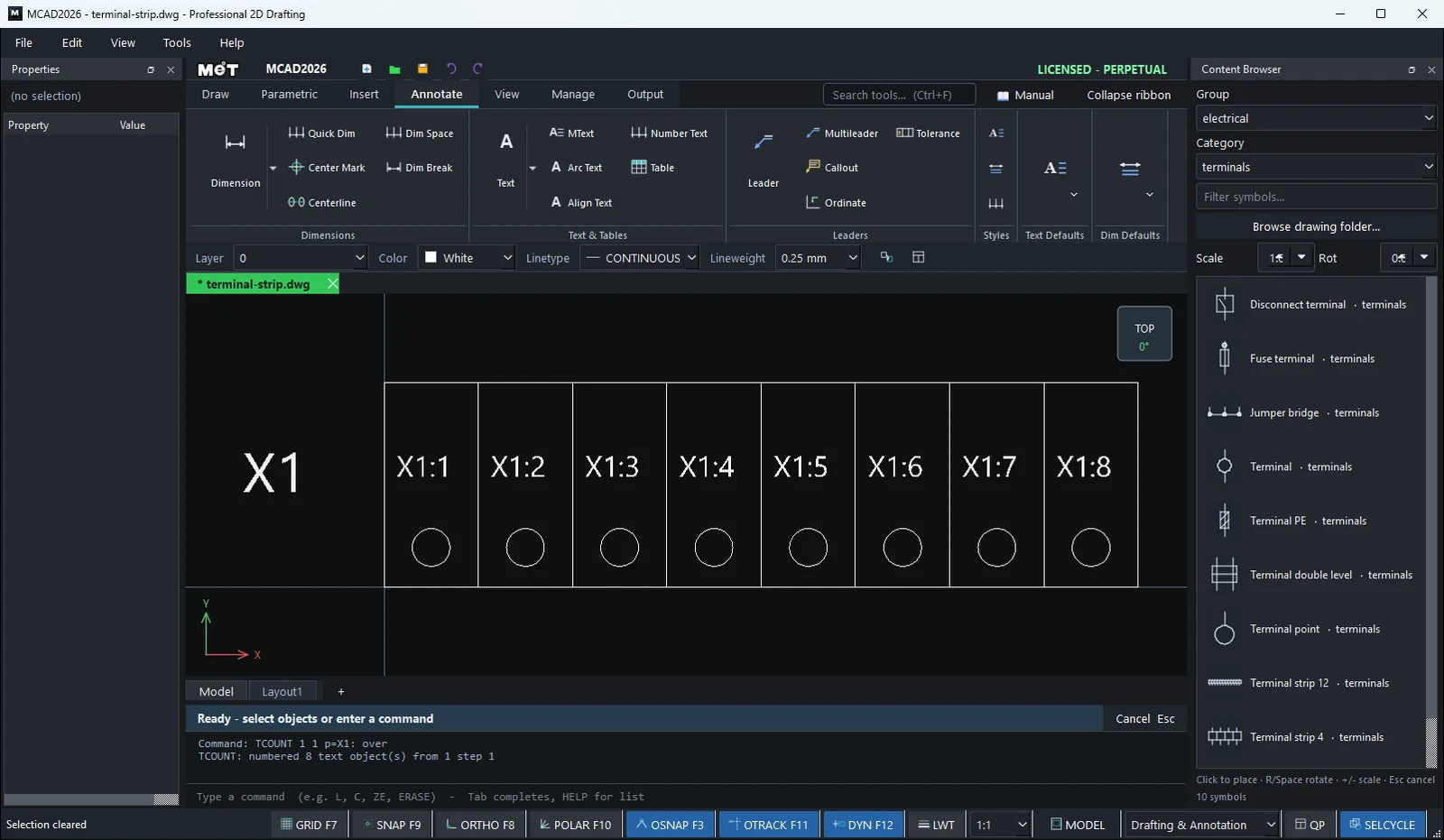
Wire numbers by row
- Wire numbers 101, 102, ...:
TCOUNT 101 1 over - Terminal numbers in steps of 2:
TCOUNT 1 2 p=X2:
Fix addresses and wire numbers on copied pages
When you copy a finished IO drawing page to make the next group, Wiring Wizard (the Pattern page field) automatically changes the addresses %I0.0 → %I8.0 and the 3-digit wire numbers (for example 200 → 300) in the text. For special cases, use FIND to replace word by word, for example FIND %I0. %I8.
Try it: X2 terminal strip for a pump panel
Twelve terminals on a DIN rail with the wires coming in from above. Draw one terminal, array it, then two TCOUNT runs write every terminal number and wire number in order.
- One terminal:
REC0,0→12Tab26, screwC6,19radius2.5, wireL6,26→6,50. - Placeholders with
DT, Text height2.5: a?at about1.5,5(terminal number) and a?at about7,36(wire number). - Select the five objects and type
ARRAYRECT 12 12 0. You now have 12 terminals. - Drag a window from left to right around the bottom row of
?only (about-2,2to146,10) and typeTCOUNT 1 1 p=X2: over. They become X2:1 to X2:12. - Window the upper row of
?(about-2,33to146,41) and typeTCOUNT 201 1 over. The wires are now 201 to 212. - Title:
DTwith height4,X2 PUMP PANEL TERMINALSat about0,-10.
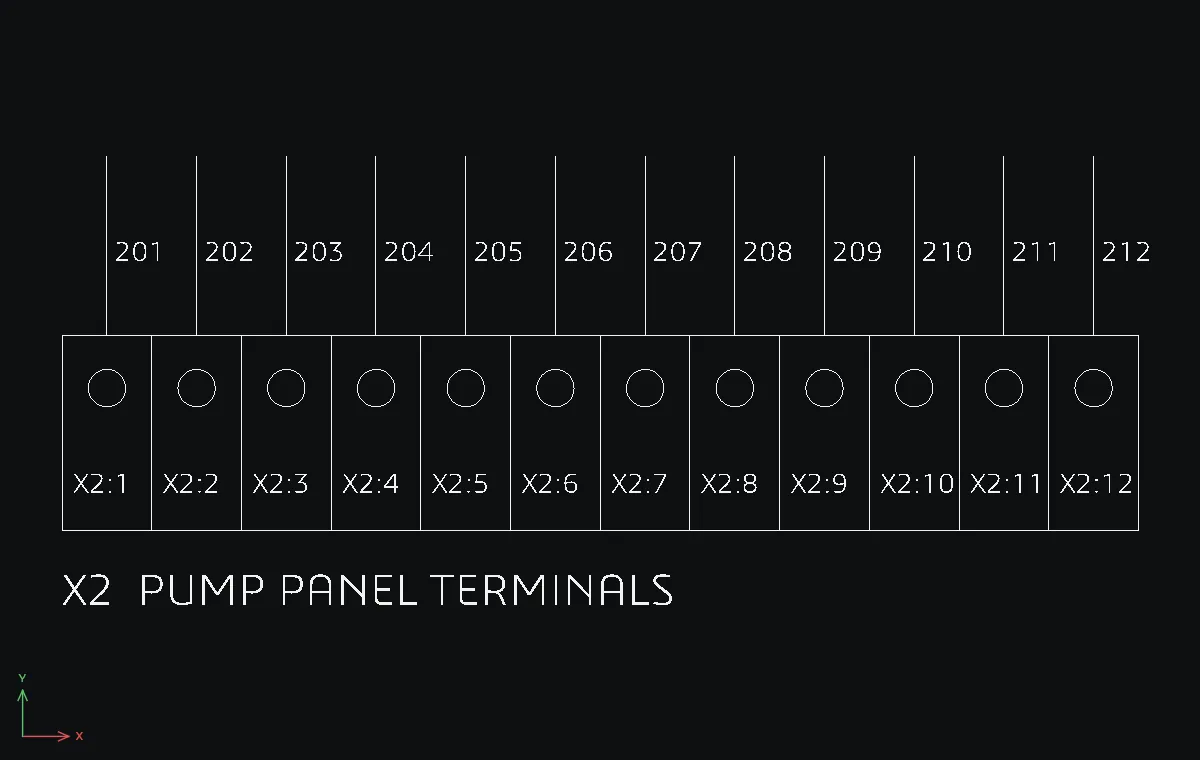
Challenge: Make it a double-level strip: copy the row up by 60 and number it with TCOUNT 13 1 p=X2: over and TCOUNT 213 1 over.