
What it does
FIELD places text that stores an expression and displays the calculated value, such as the date or the file name in a title block.
Where to find it
- Ribbon: type the command
- Command line:
FIELD - Command line:
UPDATEFIELD(aliasUPDATEF)
Available fields (FIELD ?)
| Field | Value |
|---|---|
| AREA | The total closed area in the drawing. |
| COUNT | The number of objects (COUNT circle counts circles). |
| DATE / DATETIME / TIME | The date / the date and time / the time. |
| FILENAME / FILEPATH | The file name / the full path. |
| LAYER | The current layer. |
| LOGIN | The Windows user name. |
| SHEET | The current layout name. |
Steps
- Type
FIELD COUNT circleand press Enter. The prompt bar shows a sample value. - Click the position to place it.
- After you edit the drawing, type
UPDATEFIELDto recalculate every field.
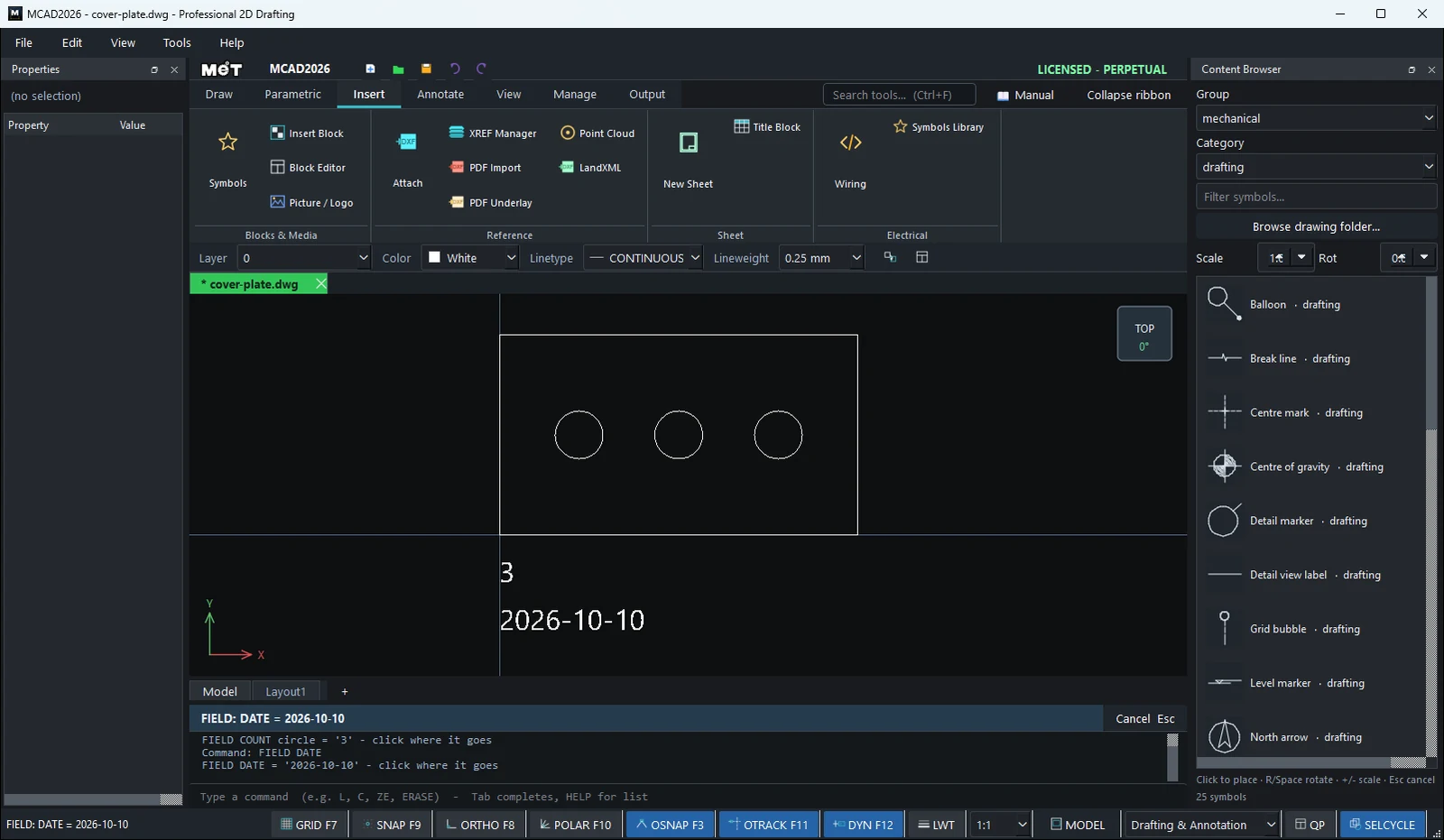
Note: When you save as DXF, the latest calculated value is saved as text, so other CAD programs show the correct value.
Try it: Hole count that keeps itself up to date
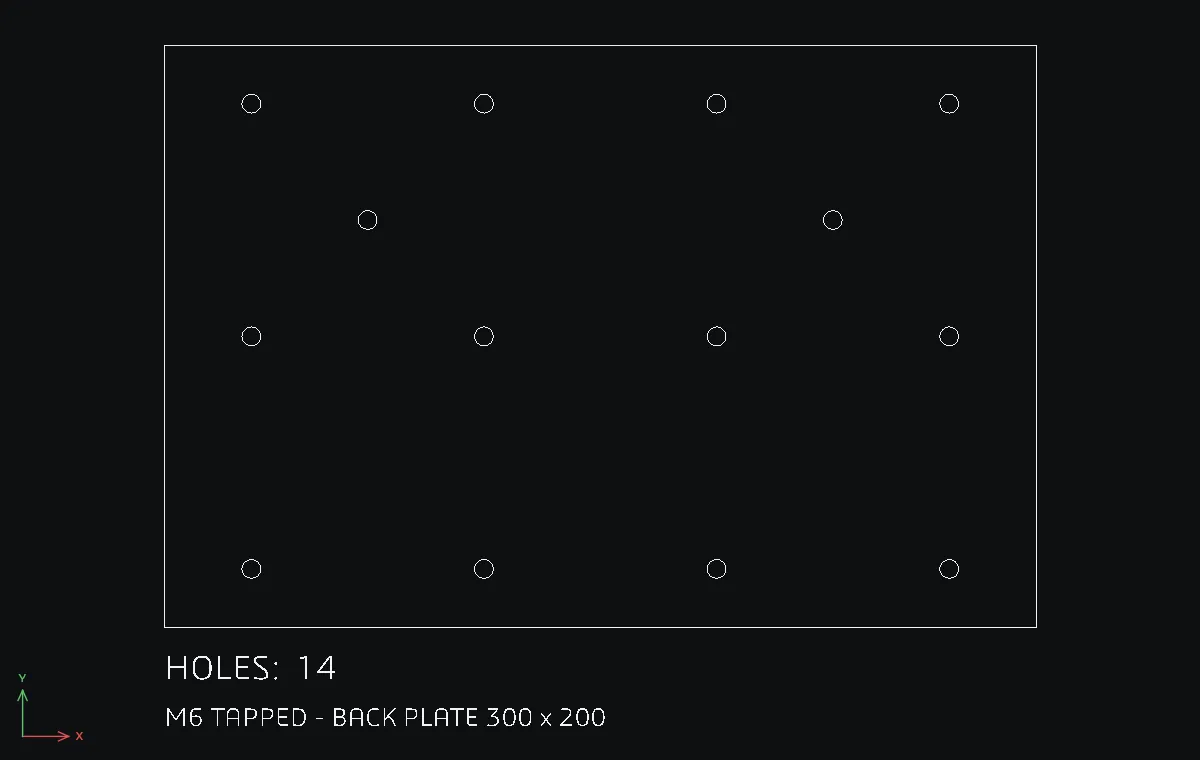
A 300 x 200 back plate for an electrical cabinet with a grid of M6 tapping holes. The hole count in the note is a FIELD, so when the customer asks for two more holes, the note fixes itself.
REC0,0→300Tab200.- First hole:
C30,20radius3.25. Select it, typeARRAYRECT 4 80 0, then select the four holes and typeARRAYRECT 3 0 80. You now have 12 holes. DTwith Text height8, typeHOLES:at about0,-18. (FIELD uses this text height too.)- Type
FIELD COUNT circle. The prompt bar shows the value'12'. Click at about45,-18. - Two extra holes:
C70,140radius3.25andC230,140radius3.25. - Type
UPDATEFIELD. The note now readsHOLES: 14.
Challenge: Put FIELD DATE and FIELD FILENAME under the note, so the printout always shows which file and which day it came from.