
What it does
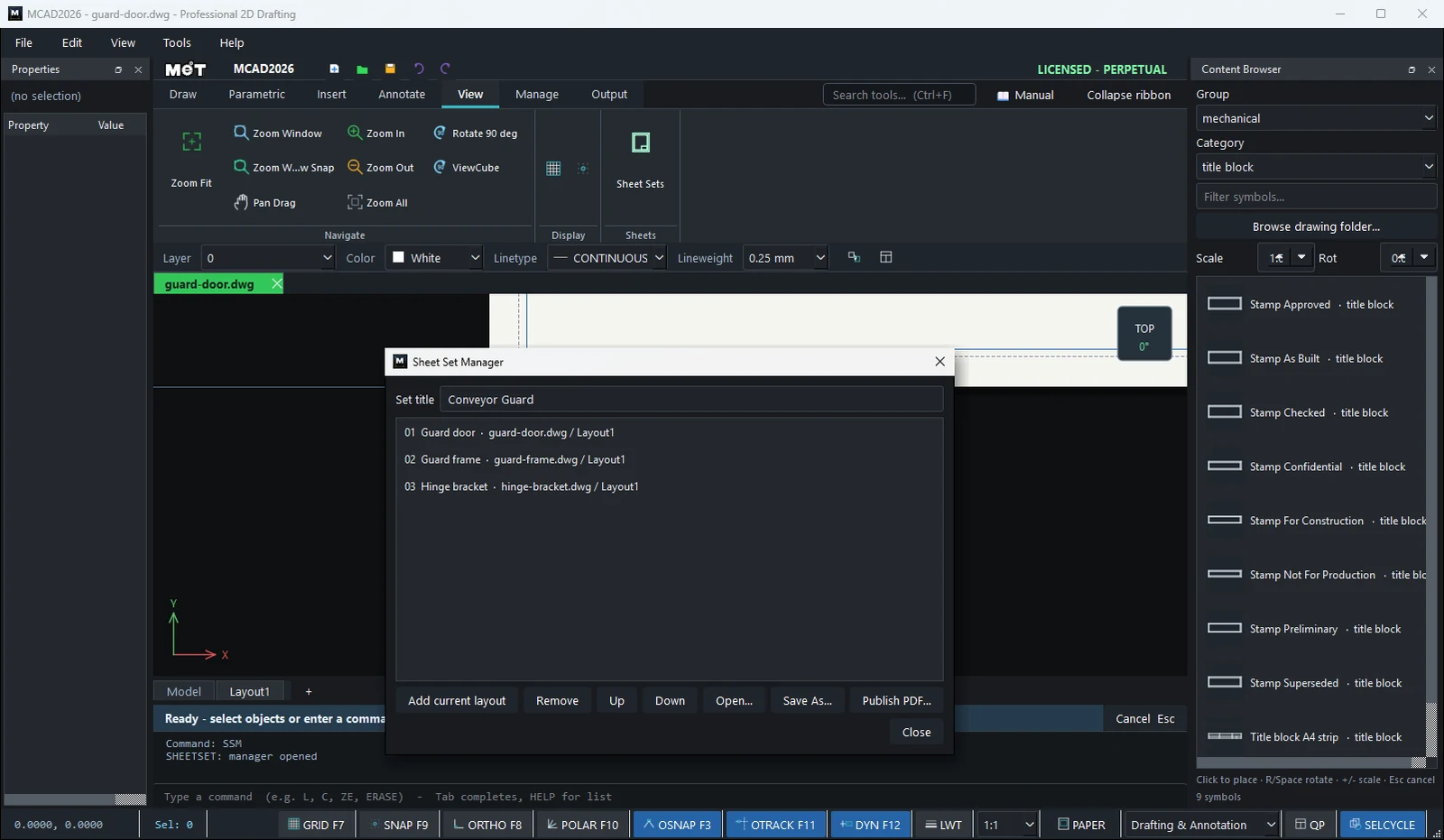
Sheet Set Manager groups Layouts from multiple drawing files into a set. You can reorder the sheets, save the set as a .mset file, and Publish it as a single PDF.
Where to find it
- Ribbon: View › Sheets › Sheet Sets
- Command line:
SHEETSET(AliasSSM,SHEETSETMANAGER)
Steps
- Open each drawing file (it must be saved), then open the Layout you want.
- In Sheet Sets, set the Set title, then click Add current layout.
- Repeat with the other files. Reorder the sheets with Up / Down.
- Click Save As… to store the set as a
.msetfile. - Click Publish PDF… to get one PDF containing all the sheets.
Options
| Button / command form | Meaning |
|---|---|
Add current layout / SHEETSET Add [layout] |
Add the current Layout |
Remove / SHEETSET Remove <n> |
Remove a sheet |
| Up / Down | Change the order |
Open… / SHEETSET Open <file.mset> |
Open a set |
Save As… / SHEETSET Save <file.mset> |
Save the set |
Publish PDF… / SHEETSET Publish [file.pdf] |
Plot the whole set |
SHEETSET New [name] / SHEETSET List |
Create a new set / list the sheets |
Try it: Tool cabinet drawing set
A tool cabinet drawn in three files: the door, a shelf and a hinge plate. A sheet set collects their layouts in the right order and publishes them as one PDF for the workshop.
- Draw and save the three parts as
cabinet_door.dwg,cabinet_shelf.dwgandhinge_plate.dwg. In each file click the Layout1 tab once so it has a viewport. - Type
SHEETSET New Tool Cabinet. - In
cabinet_door.dwg, typeSHEETSET Add Layout1. Switch tocabinet_shelf.dwgand thenhinge_plate.dwgand type the same command in each. - Type
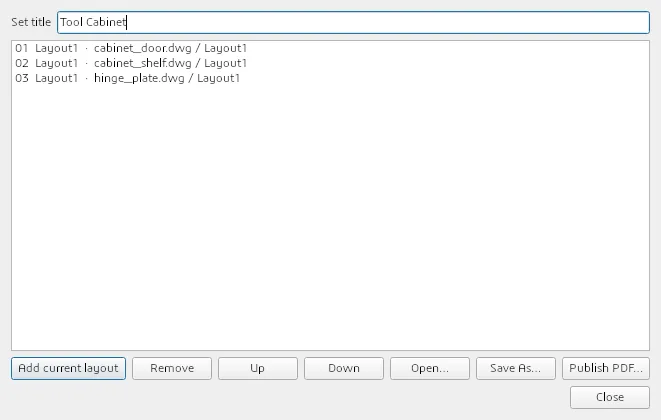
SHEETSETon its own to open Sheet Set Manager. The three sheets are listed in order; use Up / Down if you want the hinge plate first. - Save As...
tool_cabinet.mset, then Publish PDF... for one PDF with all three sheets.
Challenge: Next week, SHEETSET Open tool_cabinet.mset and publish again. Any changes you saved in the three files are in the new PDF.