
What it does
| Command | Alias | Meaning |
|---|---|---|
| BOUNDARY | BO |
Draws a closed polyline around the selected closed shapes (several shapes are merged into one outline). |
| REGION | REG |
Converts closed shapes into a region (inner loops become holes). |
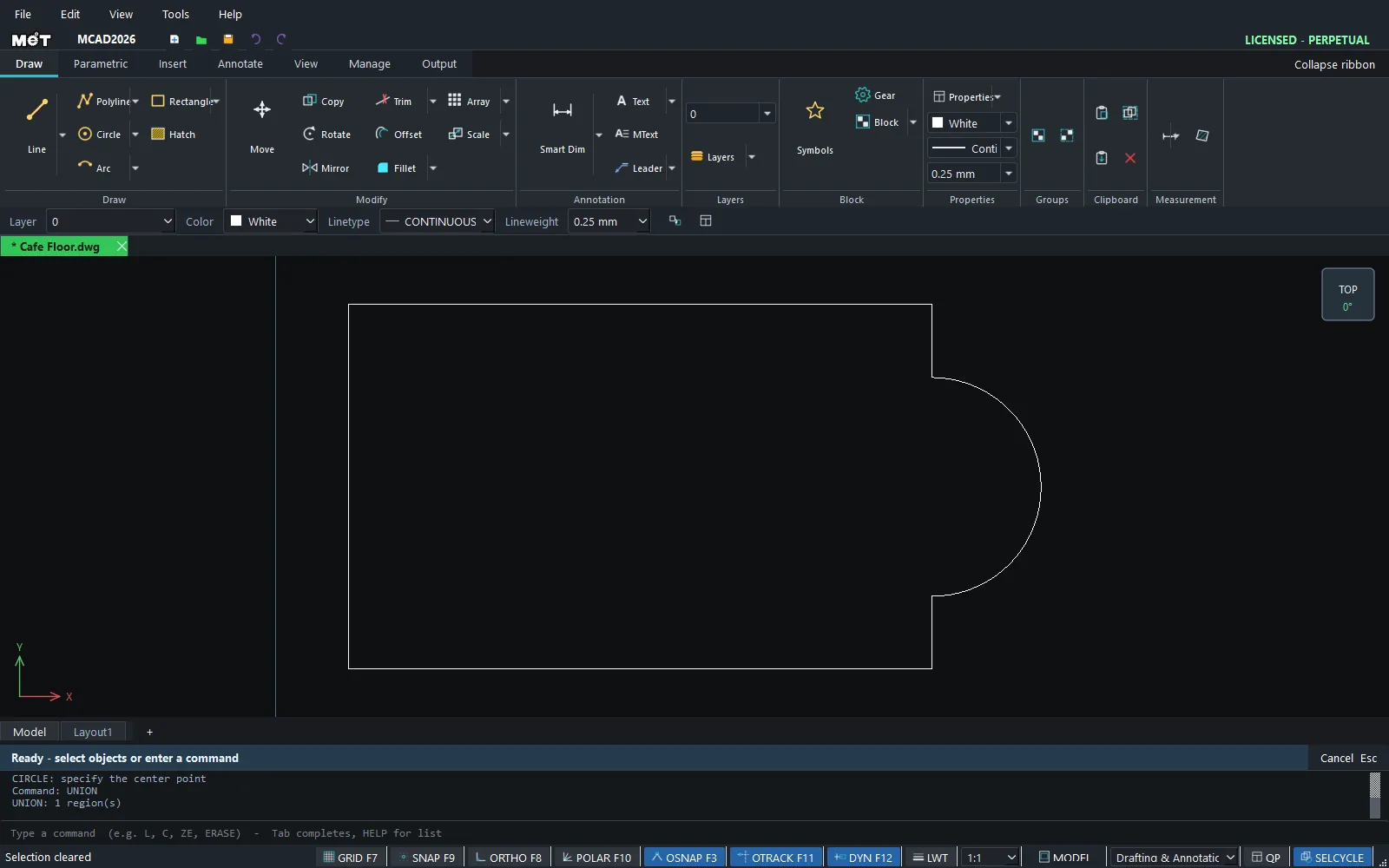
| UNION | UNI |
Merges overlapping closed shapes into one outline. |
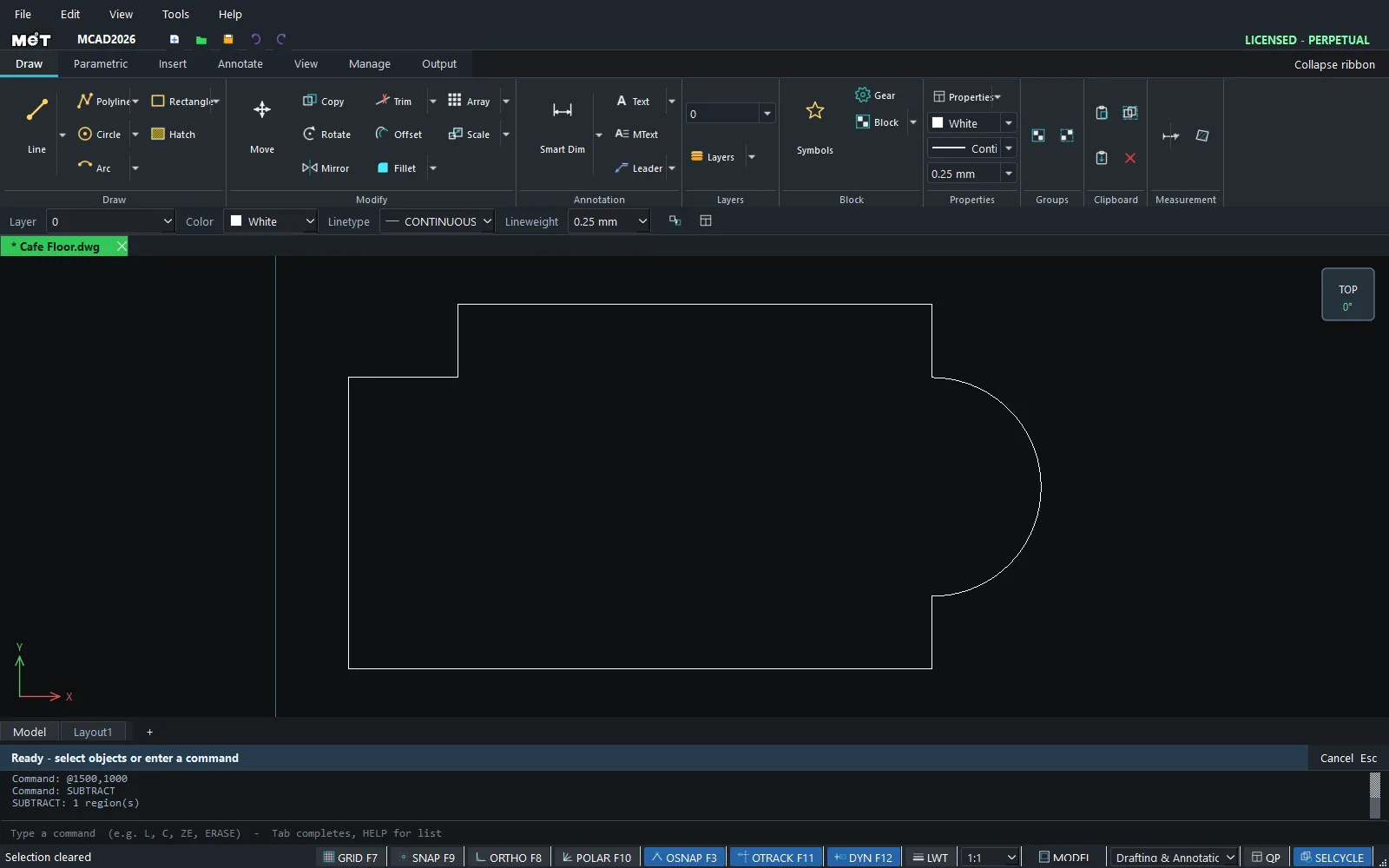
| SUBTRACT | SU |
Subtracts the other shapes from the first shape. |
| INTERSECT | IN |
Keeps only the overlapping area. |
Where to find it
- Ribbon: Draw › Modify › Region ▾ (Region, Union, Subtract, Intersect) and Draw › Polyline ▾ › Boundary from a Pick (BOUNDARY)
- Command line: see the table above
Steps
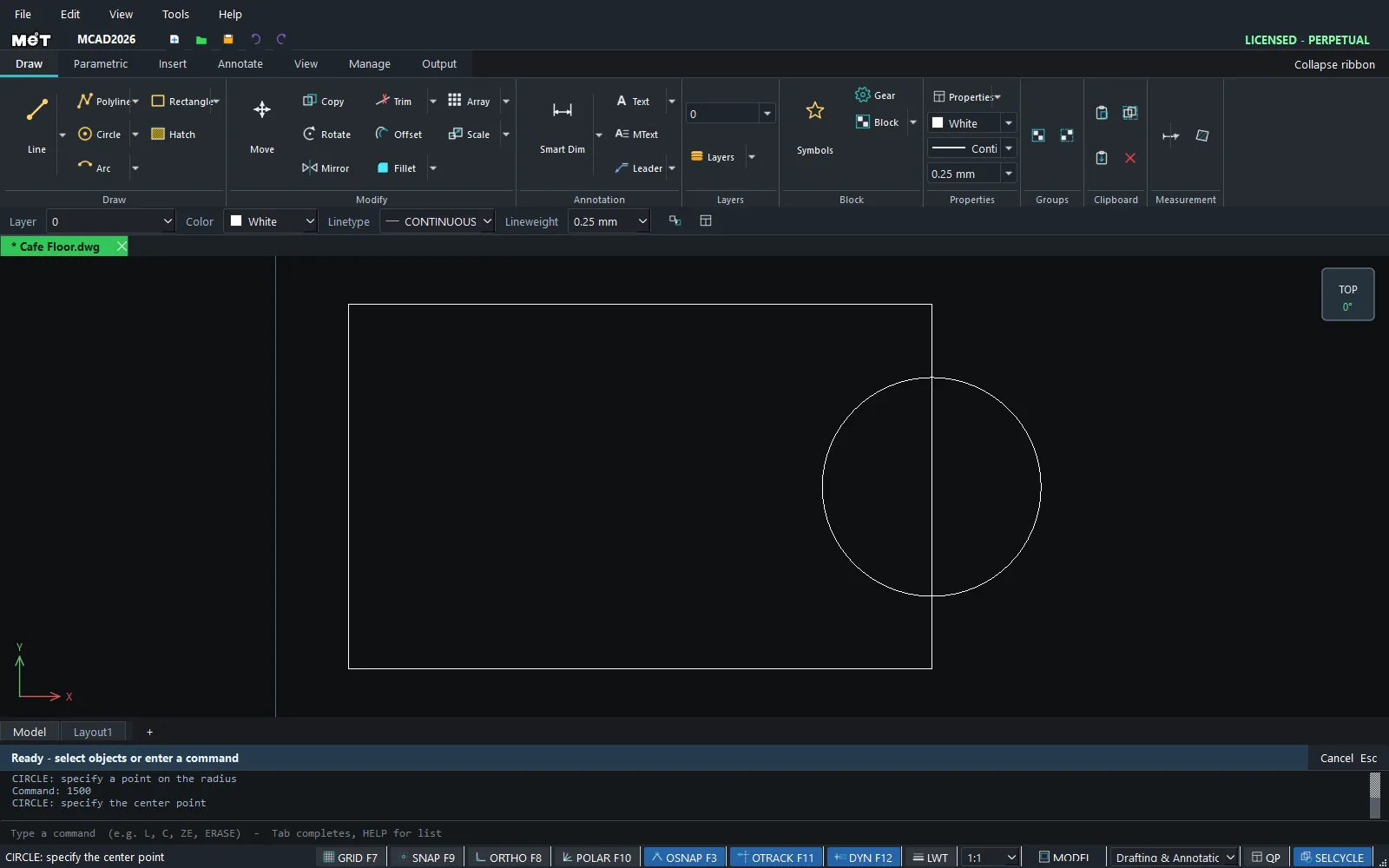
- Draw overlapping closed shapes, for example a rectangle and a circle.
- Select both shapes. For SUBTRACT, select the main shape first.
- Type
UNION(orSUBTRACT,INTERSECT) and press Enter.
Note: A Boolean operation needs at least two overlapping closed shapes (rectangle, circle or closed polyline). Open lines are ignored.
Try it: Café floor with a round bay window
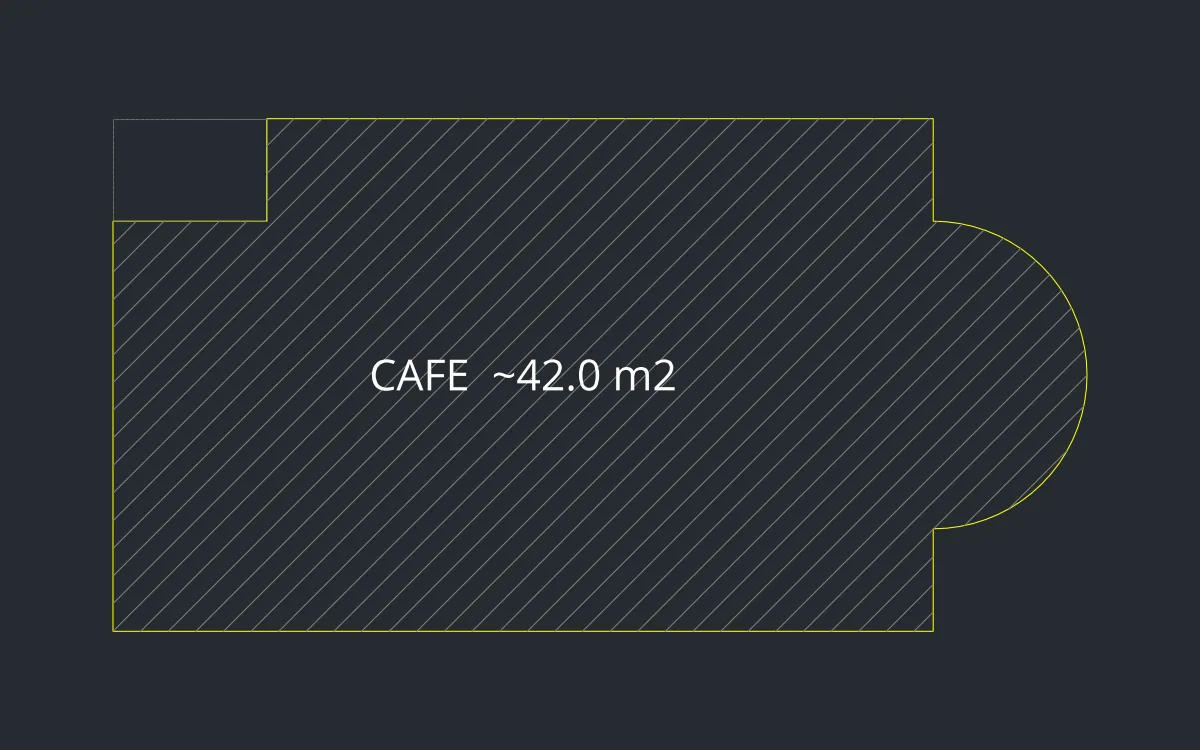
A small café with a curved bay window you can sit in, and a storeroom corner cut away. You use UNION and SUBTRACT, then measure the real floor area with AREA.
- Type
REC, Enter,0,0, Enter, then8000Tab5000Enter (an 8 x 5 m floor). - Type
C, Enter,8000,2500, Enter, then radius1500and Enter (the bay window). - Select the rectangle and the circle, type
UNIONand press Enter. You now have one outline. - Draw the storeroom in the top-left corner:
REC,0,4000, then1500Tab1000Enter. - Click the café outline first, then the storeroom. Type
SUBTRACTand press Enter. The corner is cut away. - Select the result, type
AREAand press Enter. It reports about42,029,800sq units, roughly 42 m². (The half circle is split into short straight segments, so the number is a little below the theoretical value.)
Challenge: Try INTERSECT on a fresh rectangle and circle. Only the overlapping half-round remains, which makes a nice semicircular planter.