
What it does
- CIRCLE – draws a circle from a centre point and a radius.
- DONUT – draws two concentric circles (inner radius / outer radius) with a single click.
Where to find it
- Ribbon: Draw › Draw › Circle (submenu: Center, Radius / Donut (DONUT) / Point (POINT))
- Command line:
CIRCLE(aliasC) - Command line:
DONUT(aliasDO)
Steps for CIRCLE
- Type
Cand press Enter. The prompt readsCIRCLE: specify the center point. - Click the centre point.
- At
CIRCLE: specify a point on the radius, click a point on the circumference, or type the radius in the Smart Input box and press Enter.
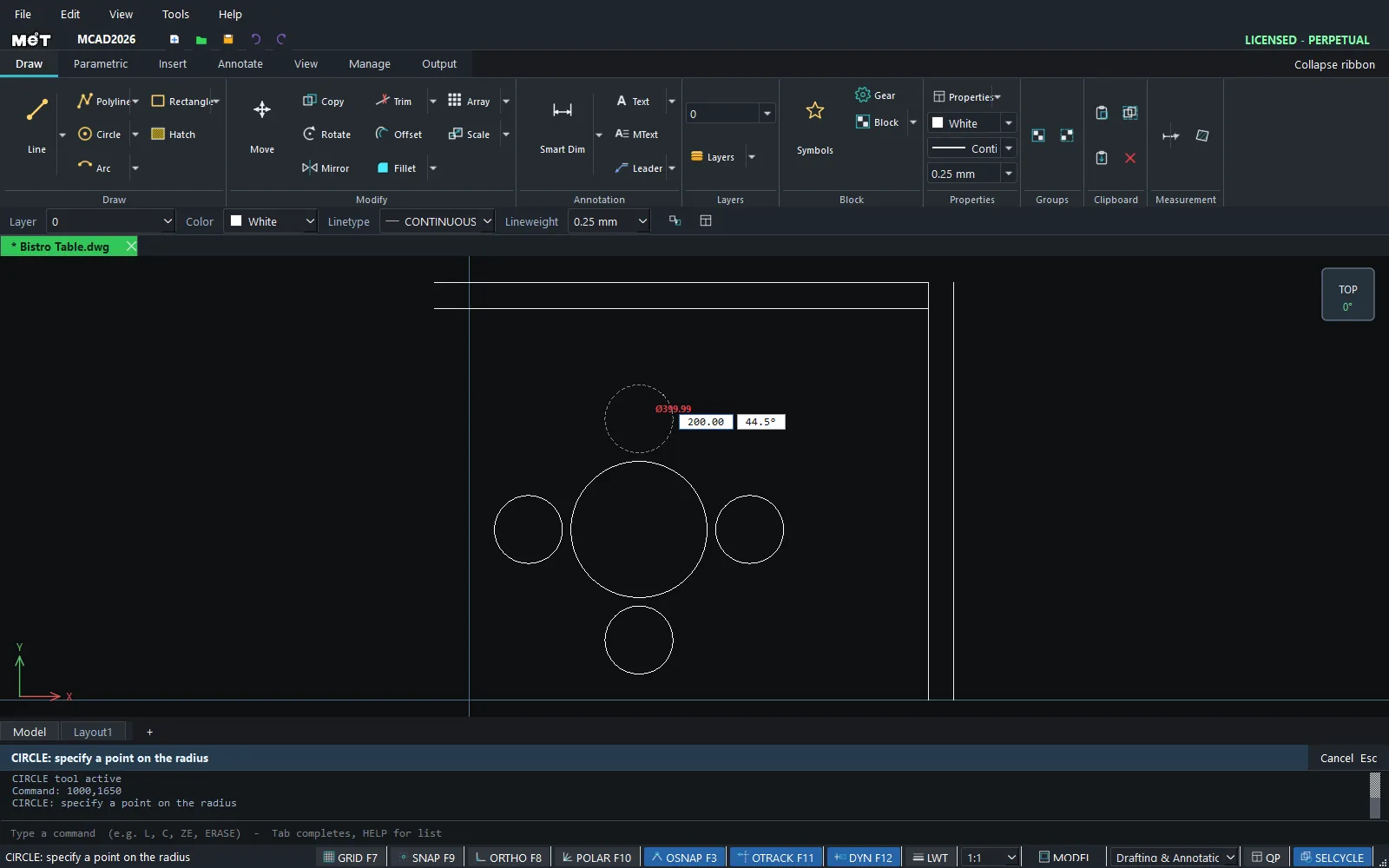
Steps for DONUT
- Type
DONUT 20 40and press Enter (inner radius 20, outer radius 40). - At
DONUT: click the centre, click the centre point.
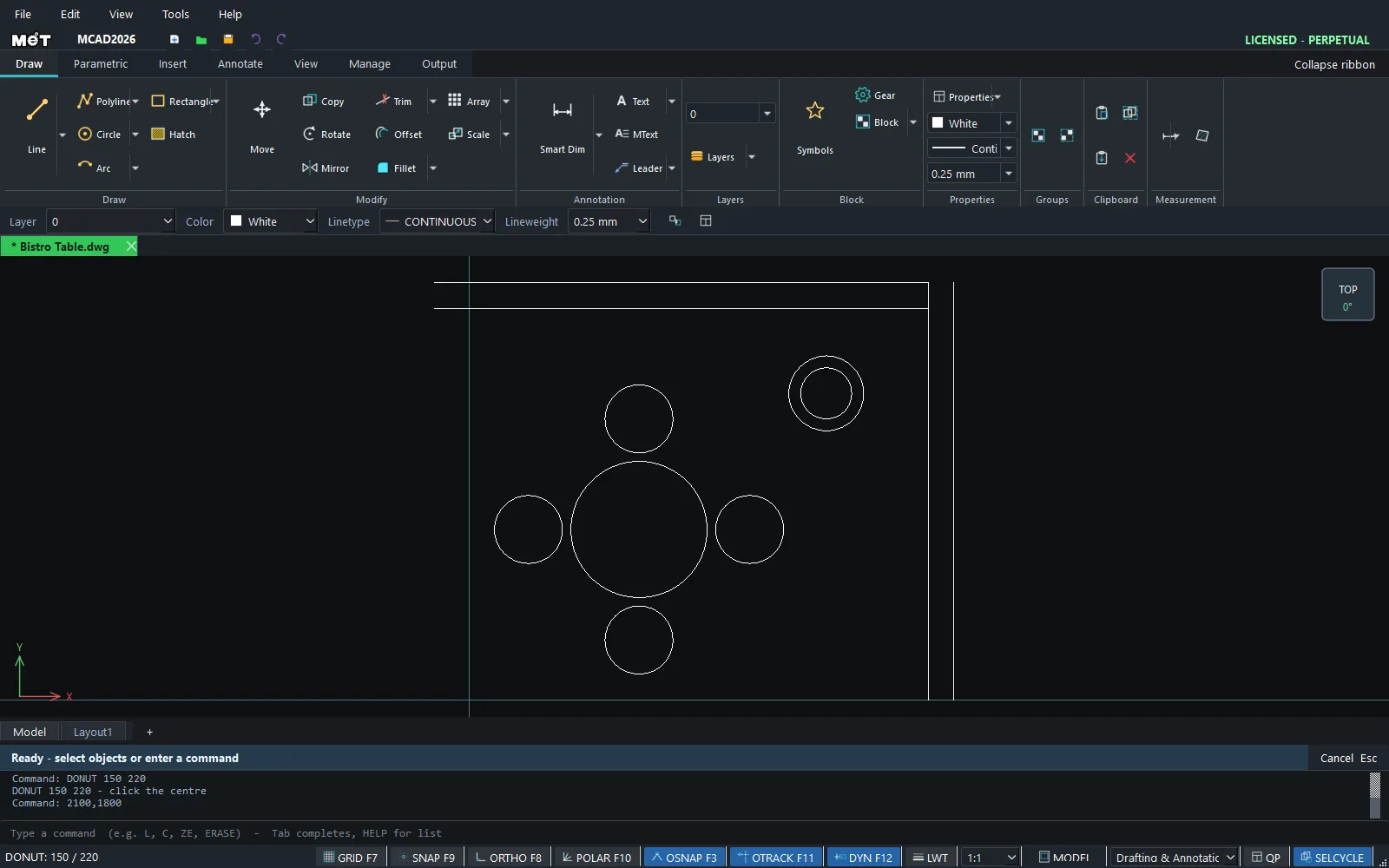
| Command | Syntax | Meaning |
|---|---|---|
| DONUT | DONUT [inner] [outer] |
The defaults are inner 10 and outer = 2 × inner. You need 0 < inner < outer. |
Try it: Round bistro table with four stools
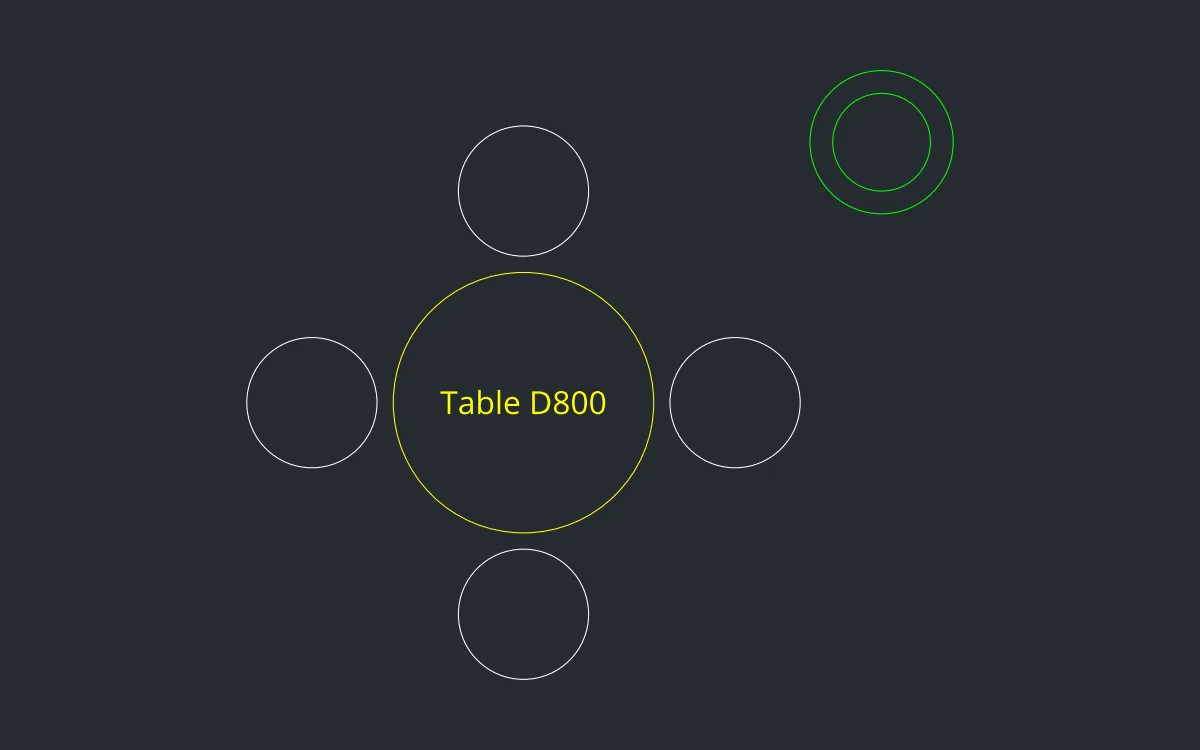
A café table layout you can drop straight into a floor plan, plus a plant pot in the corner. Only CIRCLE and DONUT are used.
- Type
C, Enter,0,0, Enter, then radius400and Enter. That is a Ø800 table top. - Draw the stools with radius
200, one at a time:C650,0200/C-650,0200/C0,650200/C0,-650200(press Enter after each value). - Add a plant pot: type
DONUT 150 220, press Enter, then type1100,800and press Enter. - Type
ZEto see the whole set. Each stool clears the table edge by 50 mm, enough to tuck it under.
Challenge: Delete three stools and run ARRAYPOLAR 6 on the last one around 0,0 to make a six-seat table. See ARRAY.