
What it does
| Command | Alias | Meaning |
|---|---|---|
| TEXT | DT, DTEXT |
Single-line text |
| MTEXT | T, MT |
Multiline text with formatting |
| TEXTEDIT | ED, DDEDIT, MTEDIT |
TEXTEDIT [new text] Edits the selected text |
Where to find it
- Ribbon: Draw › Annotation › Text (Single Line Text / Multiline Text), MText, and Annotate › Text & Tables
TEXT steps
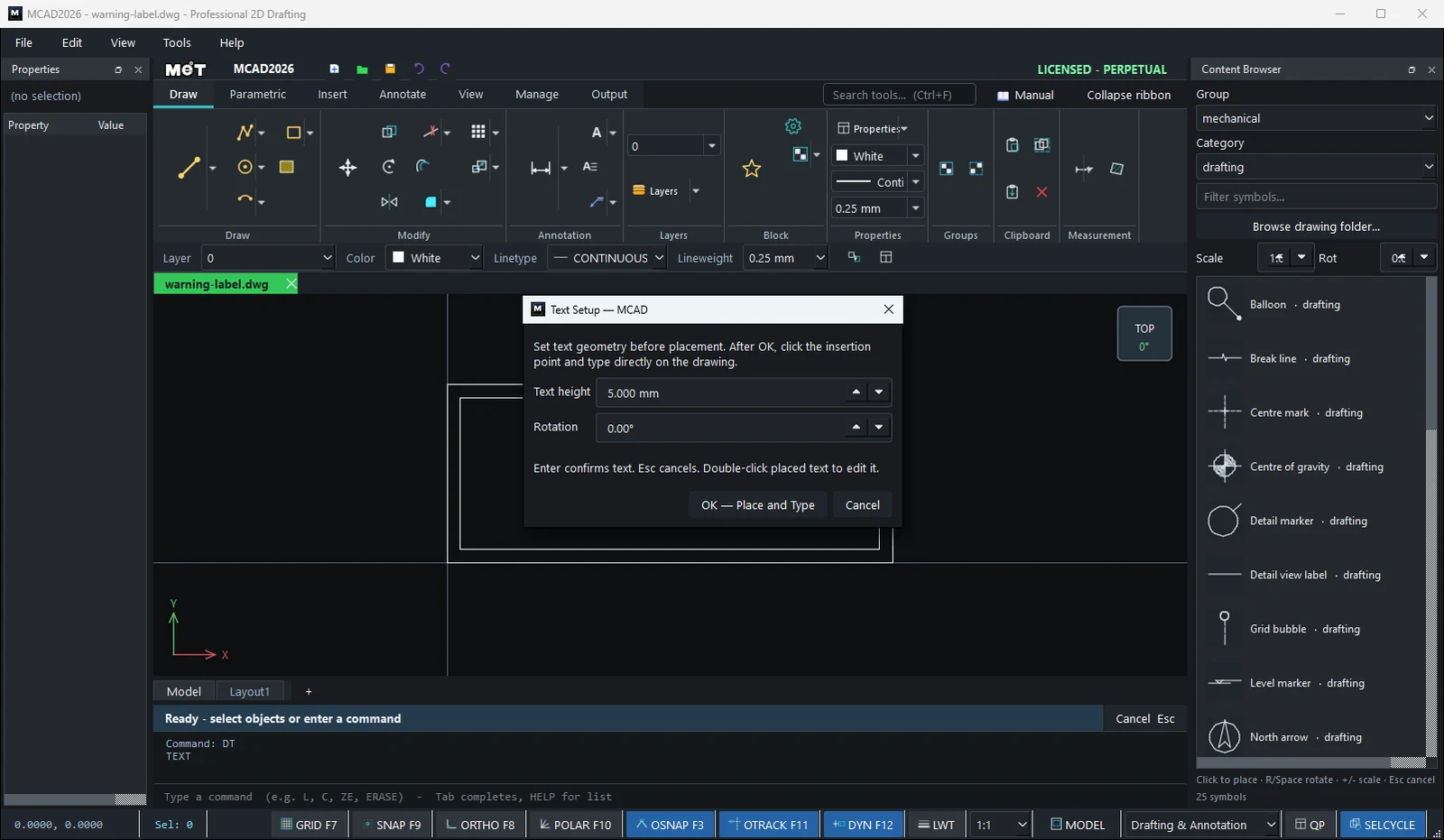
- Type
DTand press Enter. The Text Setup window opens. - Set the Text height and Rotation, then click OK — Place and Type.
- Click the text location and type directly in the drawing area.
- Press Enter to confirm (Esc = cancel).
MTEXT steps
- Type
Tand press Enter. Set the options in the MText Setup window and click OK.
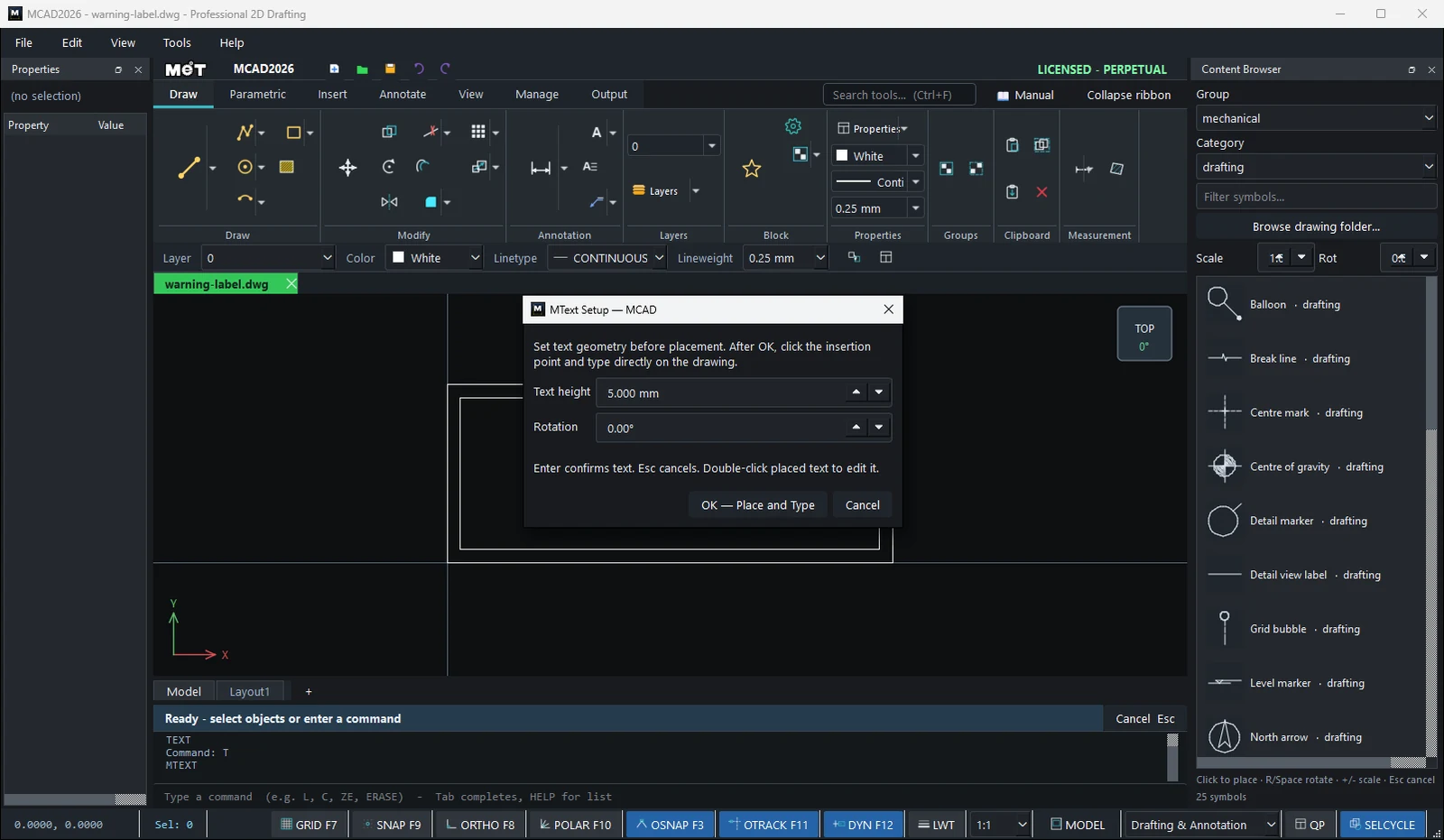
- Click the location, then type (Enter = new line,
Ctrl+Enter= finish, Esc = cancel). - While you type, the Text Editor tab appears on the Ribbon.
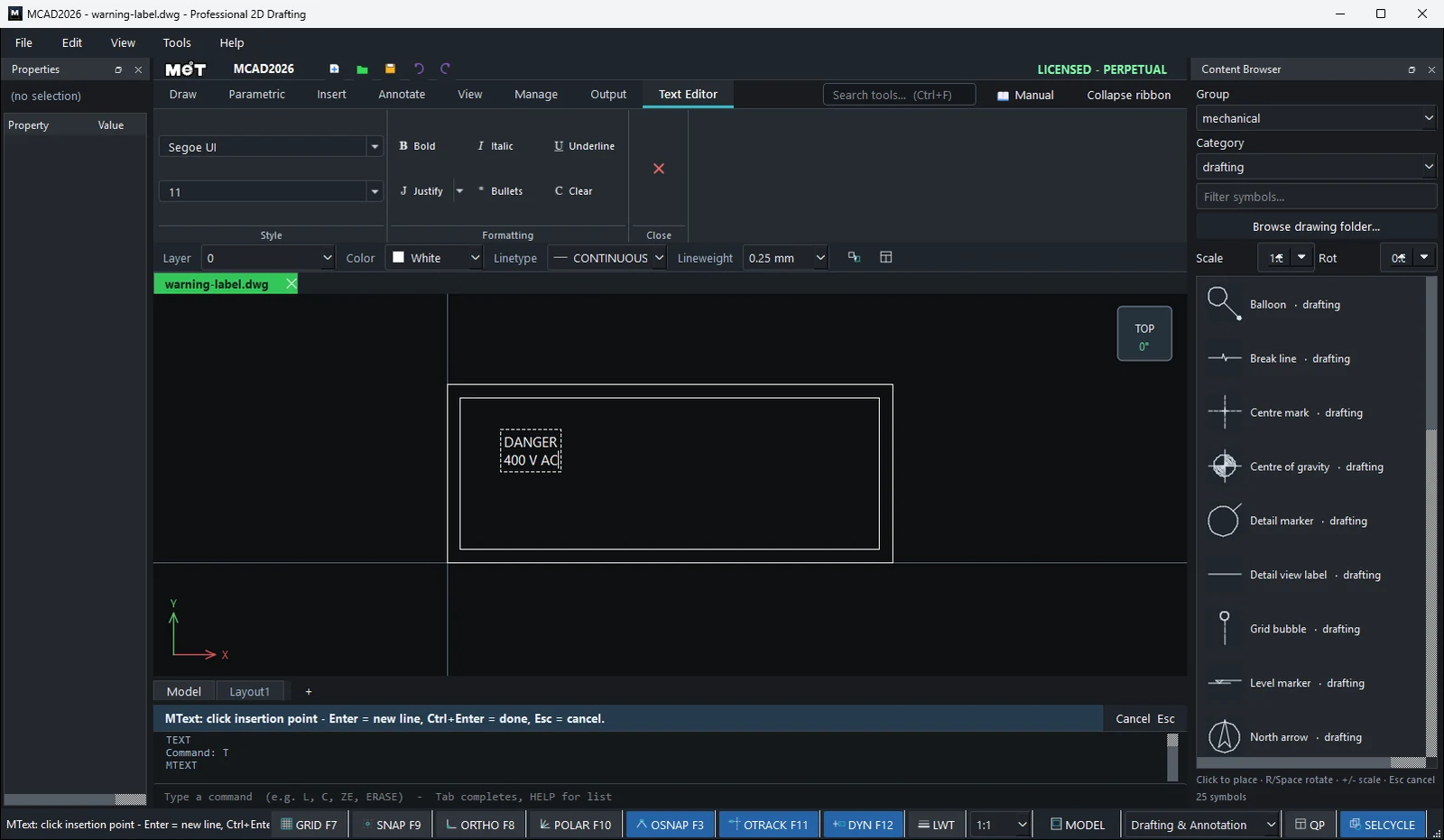
Text Editor tab
| Option | Meaning |
|---|---|
| Font / size | Font and character size |
| Bold / Italic / Underline | Bold, italic, underline |
| Justify | Left / Center / Right |
| Bullets | Add bullets |
| Clear | Clear formatting |
| Close Text Editor | Finish typing |
Edit text
- Double-click the text to edit it in place.
- Or select the text and use
ED NEW TEXT/ED(opens a window for editing). - Right-click › Text Properties... to change the font, height, and color.
Note: You can type Thai text as usual. Choose a font that supports Thai in the Text Style.
Try it: DANGER 400 V nameplate
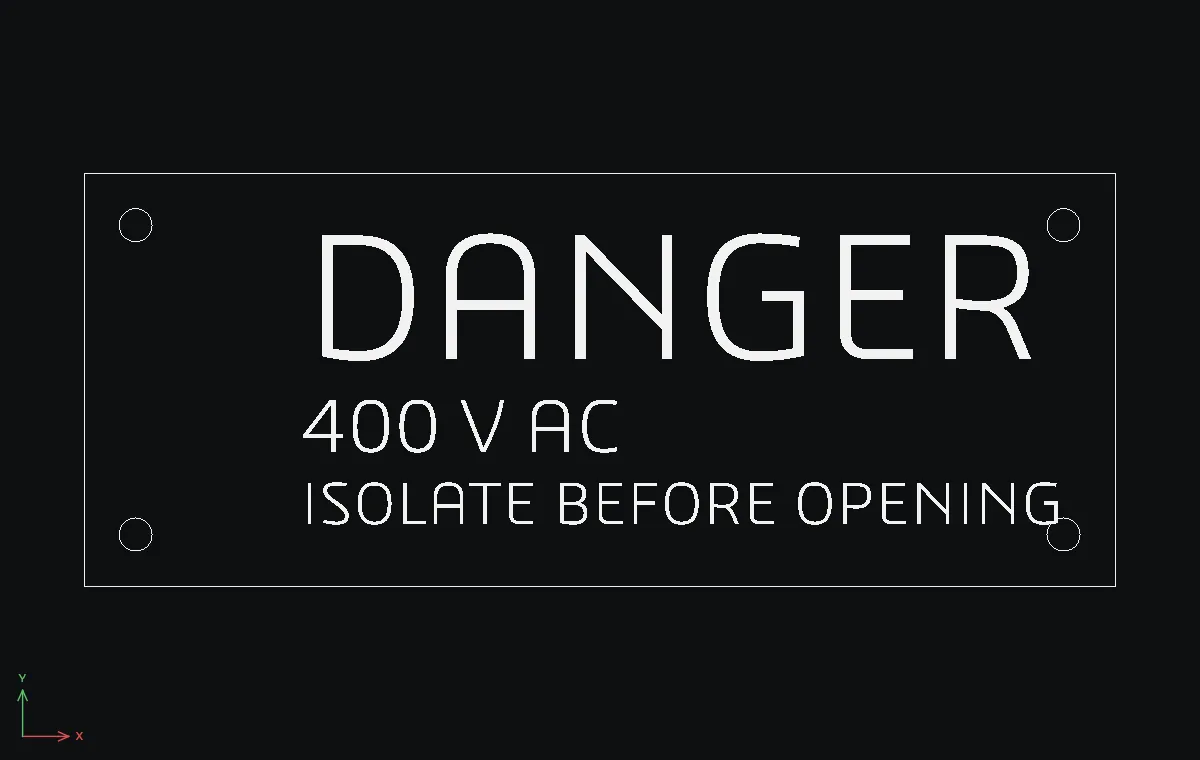
An engraved warning plate, 100 x 40 with four Ø3.2 fixing holes, for the door of an electrical cabinet. Three single-line texts at three heights make it readable from across the room.
REC0,0→100Tab40. Fixing holes:Cradius1.6at5,5,95,5,5,35and95,35.DT. In Text Setup set Text height12and Rotation0, click OK — Place and Type, click at about21,22, typeDANGERand press Enter.DTagain with height5:400 V ACat about21,13.DTwith height4:ISOLATE BEFORE OPENINGat about21,6.
Challenge: Replace steps 3 and 4 with one MTEXT (press Enter for the second line, Ctrl+Enter to finish), then make DANGER bold with the Text Editor tab.