
What it does
| Command | Alias | Format | Meaning |
|---|---|---|---|
| ARCTEXT | AT |
ARCTEXT [s=degrees] [e=degrees] [p=degrees/character] [sp=multiplier] [h=height] <text> |
Places text curved along a circle/arc |
| TALIGN | TA, ALIGNTEXT |
– | Rotates the selected text parallel to a clicked line and places it on the line |
| TEXTALIGN | – | – | The AutoCAD name for TALIGN |
| TCOUNT | TC |
TCOUNT [start] [step] [p=prefix] [s=suffix] [pick] [over] |
Numbers the selected text in reading order (top to bottom). pick = in the order you selected. over = replace the existing text |
| JUSTIFYTEXT | JT |
JUSTIFYTEXT <Left|Center|Right> |
Changes the justification point without moving the text |
| FIND | – | FIND <word> [replacement] |
Finds text (selects what it finds) or replaces it |
| SPELL | – | – | Checks for words commonly misspelled in drawings, repeated words, double spaces, and unbalanced brackets |
| TEXTTOFRONT | TTF |
TEXTTOFRONT [Text|Dim|Both] |
Brings text/dimensions in front of Hatch |
Where to find it
- Ribbon: Annotate › Text & Tables › Arc Text / Align Text / Number Text
ARCTEXT steps
- Type
AT s=150 e=30 MCAD 2026and press Enter. ARCTEXT: click the arc/circle to wrap ontoClick the circle.
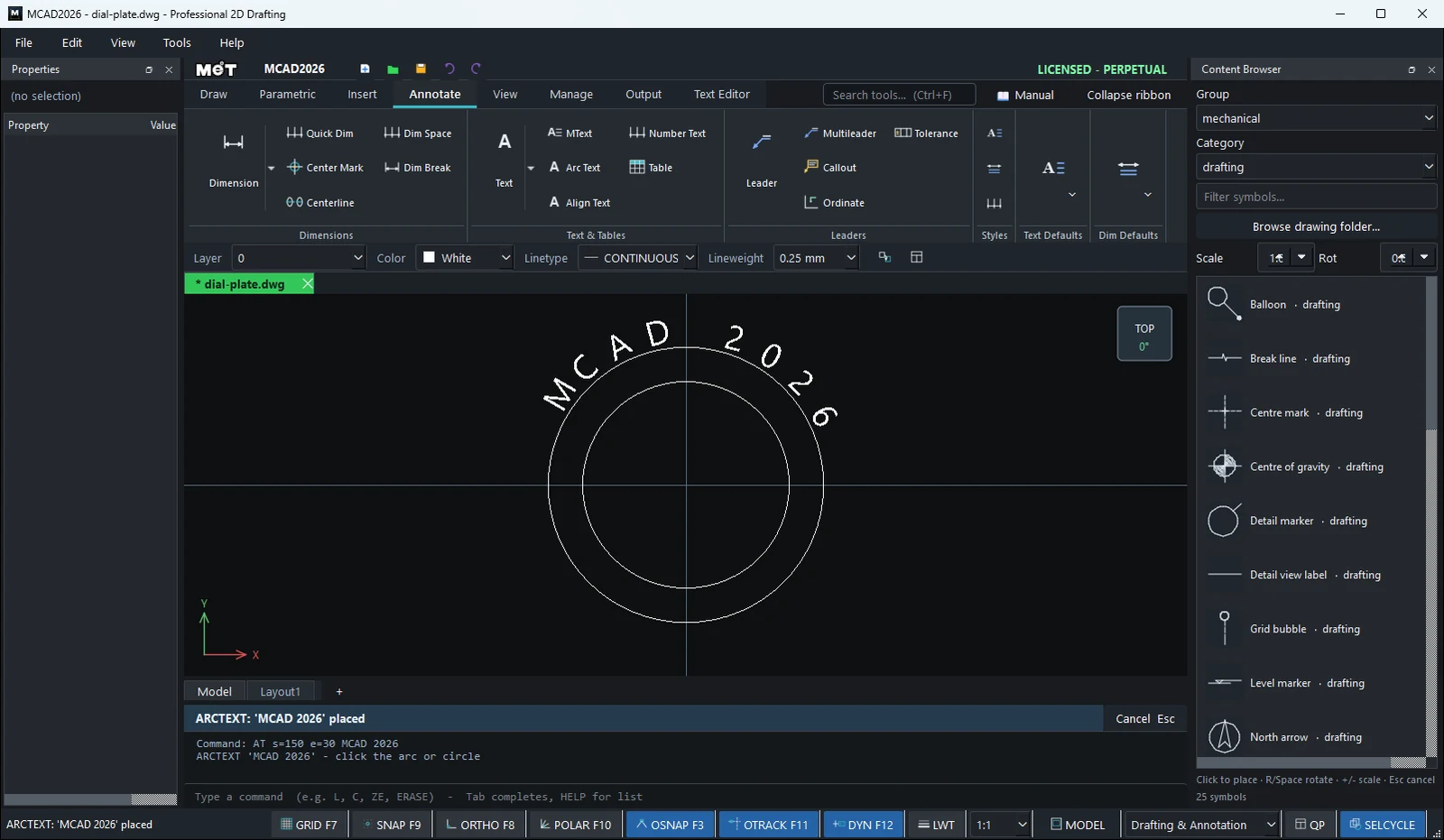
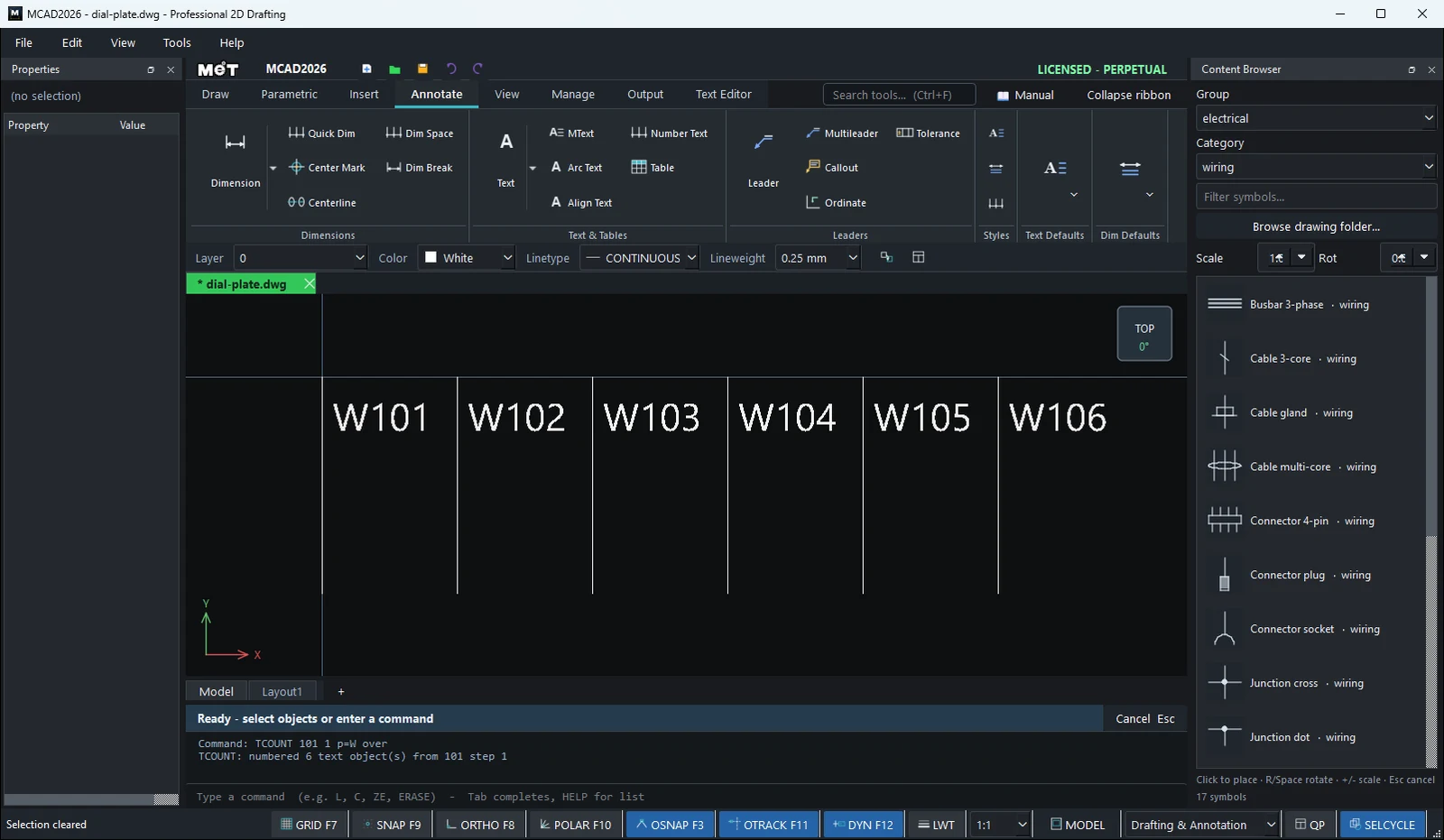
TCOUNT steps
- Select the text objects you want to number.
- Type
TCOUNT 1 1 p=X1: overand press Enter. The result is X1:1, X1:2, ...
Note: SPELL does not include a full English dictionary. It checks only words that are commonly misspelled in drafting (for example TOLERENCE, DIAMTER) and errors it can prove.
Try it: Hand-Off-Auto selector legend
The round legend plate that sits behind a 22 mm selector switch on a pump panel, with HAND, OFF and AUTO curved over the top. ARCTEXT does the curve in one line.
- Plate:
C0,0radius30. Hole for the switch:C0,0radius11.25. - Guide circle for the text:
C0,0radius22. - Type
AT s=150 e=30 h=5 HAND OFF AUTOand press Enter. - At
ARCTEXT: click the arc/circle to wrap onto, click the guide circle (for example at0,22). The words run from 150° round to 30° across the top. - Erase the guide circle with
Eif you do not want it engraved (it is shown dashed in the picture).

Challenge: Replace s=150 e=30 with p=12 to get a fixed 12° per character, handy when several plates must look identical.