
What it does
These commands control layers by clicking objects in the drawing, so you do not need to remember layer names. If nothing is selected, the command asks select object on layer. Click an object, then press Enter.
| Command | Alias | Meaning |
|---|---|---|
| LAYISO | LI2 |
Hides every layer except the layer of the selected objects. |
| LAYUNISO | – | Cancels LAYISO and shows every layer. |
| LAYOFF | – | Hides the layer of the selected objects. |
| LAYON | – | Shows every layer. |
| LAYFRZ | – | Freezes the layer of the selected objects, or LAYFRZ <name>. |
| LAYTHW | – | Thaws every layer, or LAYTHW <name>. |
| LAYLCK | – | Locks the layer of the selected objects, or LAYLCK <name>. |
| LAYULK | – | Unlocks every layer, or LAYULK <name>. |
| LAYMCUR | LAYCUR |
Makes the layer of the selected object the current layer. |
Where to find it
- Ribbon: Draw › Layers › Layers ▾ (Isolate, Un-isolate, Turn Off, Turn Every Layer On, Freeze, Thaw Every Layer, Lock, Unlock Every Layer, Make Current, Saved Layer States)
Steps: view only the hole layer
- Click one hole.
- Type
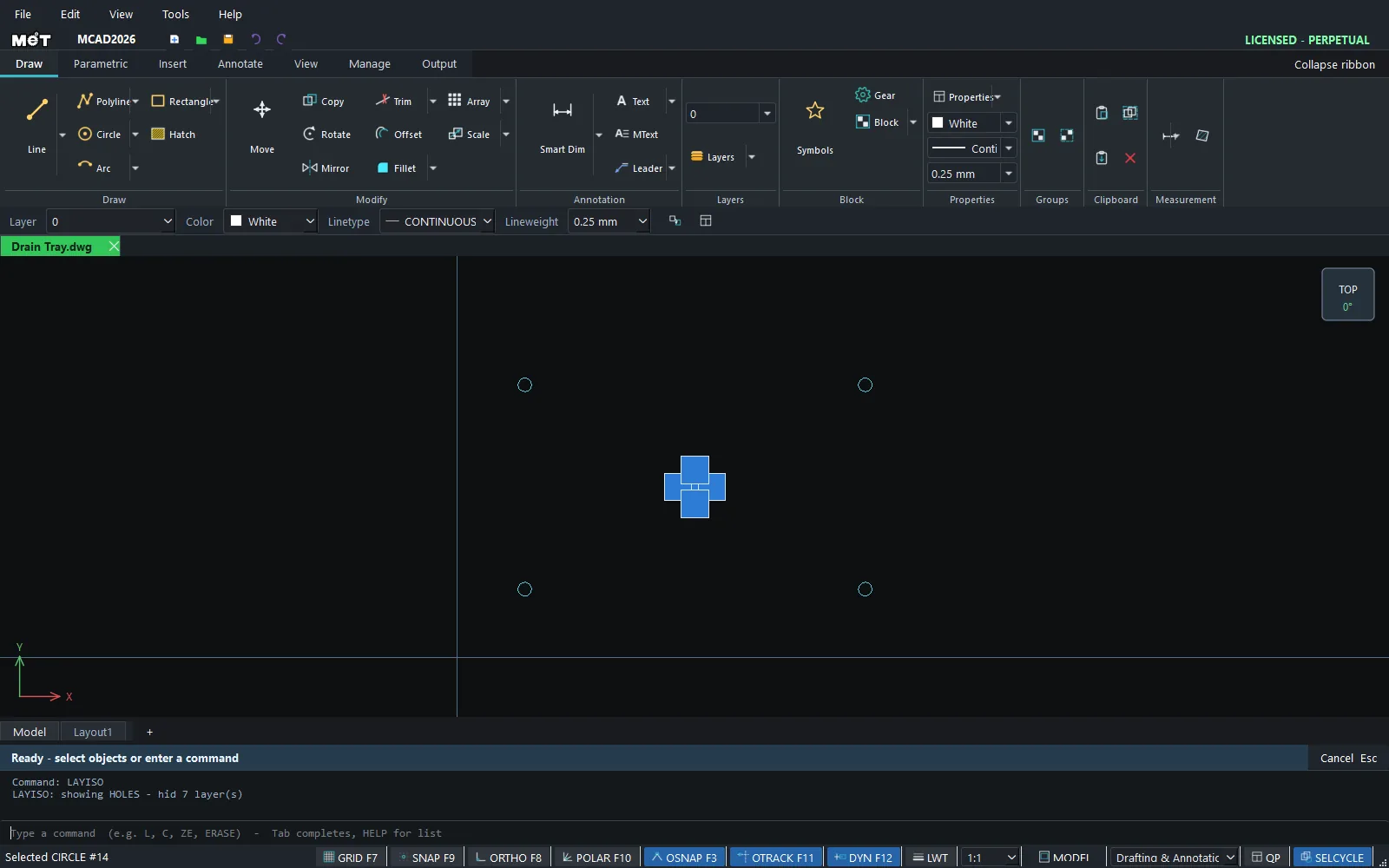
LAYISOand press Enter. The result readsLAYISO: showing HOLES - hid 2 layer(s). - When you finish editing, type
LAYUNISO.
Try it: Lantern side panel
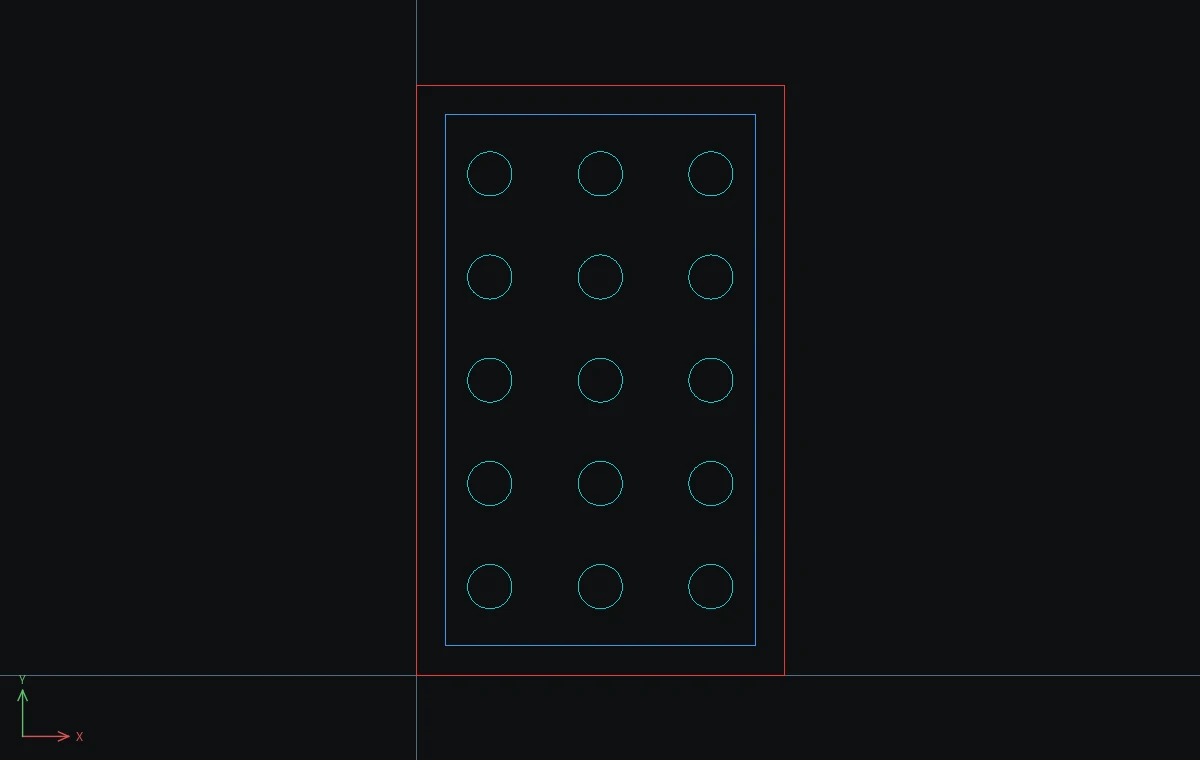
One side of a 100 x 160 mm plywood lantern: the outline is cut, a border is engraved, and 15 light holes are cut on their own layer. Layer tools let you check each job just by clicking an object.
- Panel:
REC,0,0,@100,160, Esc. Click it and typeCHPROP layer=CUT color=#FF3030. - Border:
REC,8,8,@84,144, Esc. Click it and typeCHPROP layer=ENGRAVE color=#3399FF. - Light hole:
C,20,24,6, Esc. Click it and typeCHPROP layer=HOLES color=#00D0D0. - Click the hole and type
ARRAYRECT 3 30 0. Drag a window around the 3 holes and typeARRAYRECT 5 0 28. You now have 15 holes, all on HOLES. - Click one hole and type
LAYISO. The result readsLAYISO: showing HOLES - hid 2 layer(s). Check the hole spacing, then typeLAYUNISO. - Click the border and type
LAYOFF(LAYOFF: hid ENGRAVE). This is what the cut-only job looks like. TypeLAYONto bring everything back.
Challenge: Click the border and type LAYLCK. Now drag a window over the whole panel: the engraved border can no longer be picked by mistake. LAYULK unlocks it.