
What it does
| Command | Alias | Meaning |
|---|---|---|
| BEDIT | BE |
BEDIT [name] opens the block definition (the selected block, or the one you name) separately in the drawing area for editing. |
| BSAVE | – | Saves the definition and updates every block reference. |
| BCLOSE | – | BCLOSE SAVE or BCLOSE DISCARD closes the Block Editor. |
| BPARAM | BPAR |
Adds a dynamic parameter to the selected block. Type BPARAM alone to list all syntaxes. |
| BSET | BPROP |
BSET <parameter> <value> sets a parameter of the selected block. If you give no value, it shows the current value. |
Where to find it
- Ribbon: Insert › Blocks & Media › Block Editor or Draw › Block ▾ › Block Editor (BEDIT)
Steps to edit a block
- Type
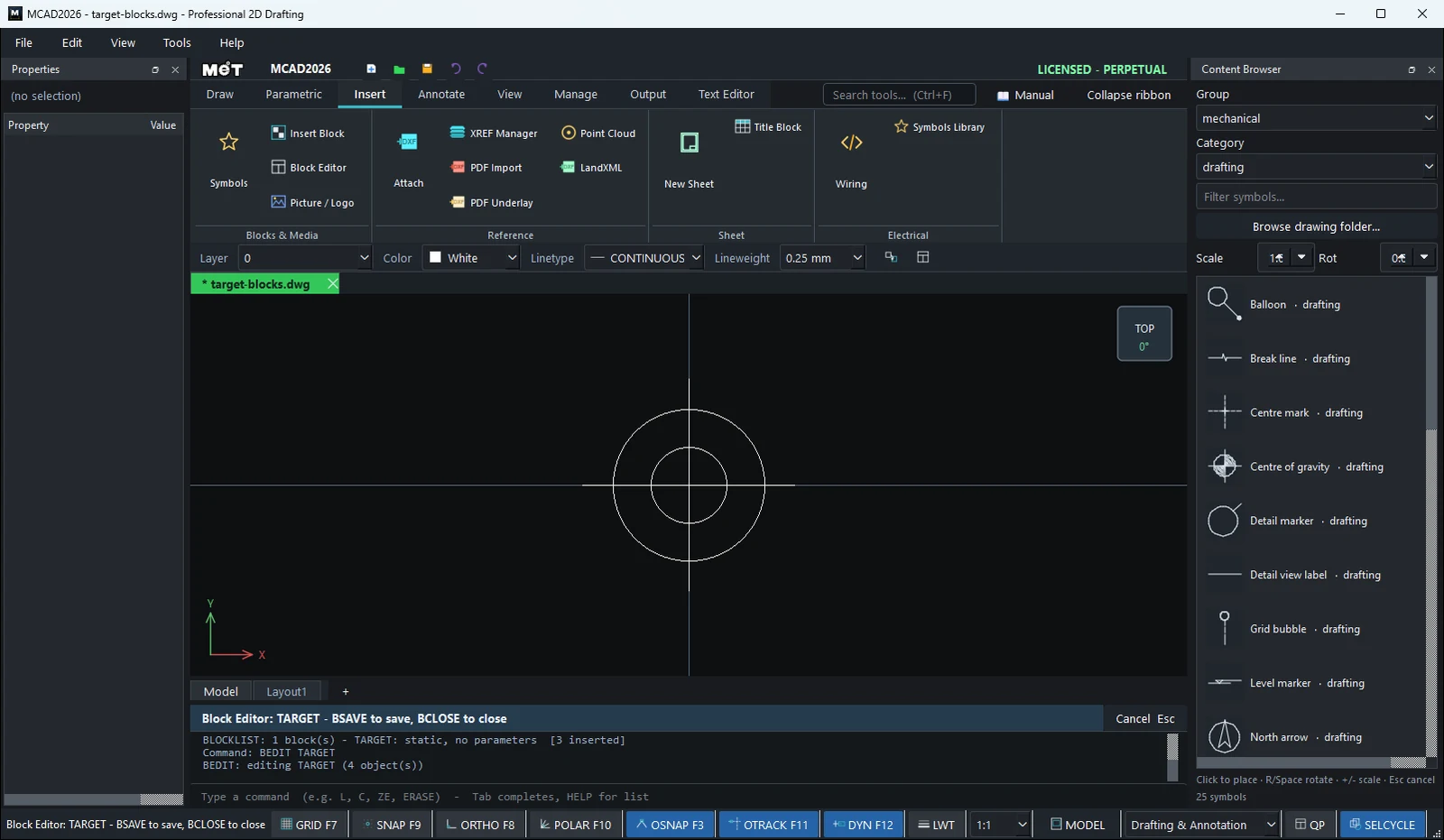
BEDIT TARGET(or click the block, then typeBE). - The prompt bar shows
Block Editor: TARGET - BSAVE to save, BCLOSE to close. Other objects are hidden. Edit the definition with the normal commands. - Type
BSAVEto update every TARGET in the drawing, orBCLOSE DISCARDto discard your edits.
BPARAM syntax
| Type | Syntax |
|---|---|
| Linear (stretch) | BPARAM <name> LINEAR <x|y> <base> <default> [min] [max] |
| Flip | BPARAM <name> FLIP <x|y> [at] |
| Rotate | BPARAM <name> ROTATE [aboutX] [aboutY] |
| Array (repeat) | BPARAM <name> ARRAY <x|y> <spacing> |
| Visibility (display state) | BPARAM <name> VISIBILITY <state>=<tag,tag> ... |
| Lookup (value table) | BPARAM <name> LOOKUP <row>=<PARAM:value,...> ... |
Example: select a block and type BPARAM LEN LINEAR x 0 100 50 300, then type BSET LEN 150 to stretch it to 150.
Try it: A wiring duct that stretches
Panel builders use slotted wiring duct in every length. Make one 40 x 40 duct block, add a stretch parameter, and the same block becomes a 100, 300 or 600 mm piece.
- Duct:
REC0,0→100Tab40, then the cover linesL0,4→100,4andL0,36→100,36. - Select all three and type
BLOCK DUCT40 0 0. - Type
BEDIT DUCT40. Add the size label:DTwith Text height9, type40x40at about6,15. TypeBSAVE. - Click the duct and type
BPARAM LEN LINEAR x 50 100 50 2000. Everything right of X 50 now stretches; the default length is 100, the limits 50 to 2000. INSERT DUCT40 0 -70, thenBSET LEN 300.INSERT DUCT40 0 -140, thenBSET LEN 600. Check withBLOCKLIST.
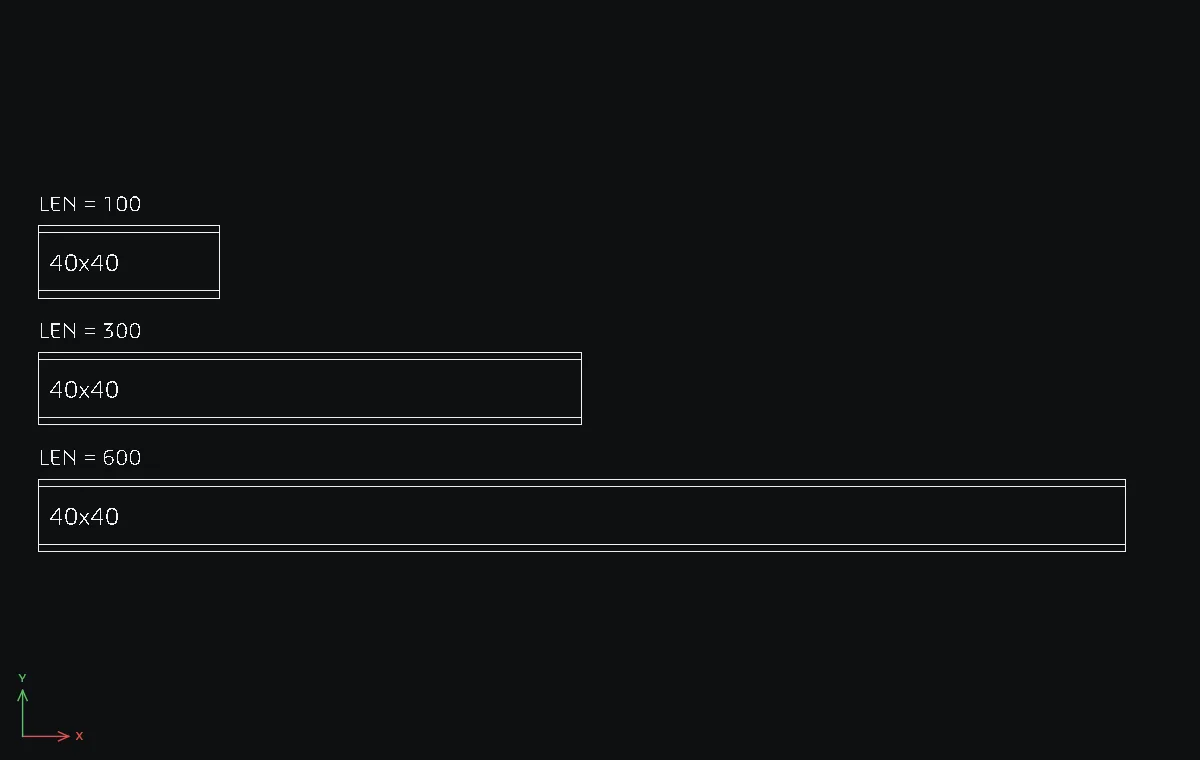
Challenge: BEDIT DUCT40 again, change the label to 40x60, BSAVE, and all three ducts update at once.