
What it does
- PLOT – prints the selected area to a Windows printer.
- PREVIEW – shows a preview before printing.
- Print Window (PDF)... (right-click menu › View) – the Plot / PDF window with all options. It saves a vector PDF.
Where to find it
- Ribbon: Output › Plot & Publish › Print / Print Preview
- Command line:
PLOT(AliasPRINT) - Command line:
PREVIEW(AliasPRE) - Right-click in the drawing area › View › Print Window (PDF)...
PLOT steps
- Type
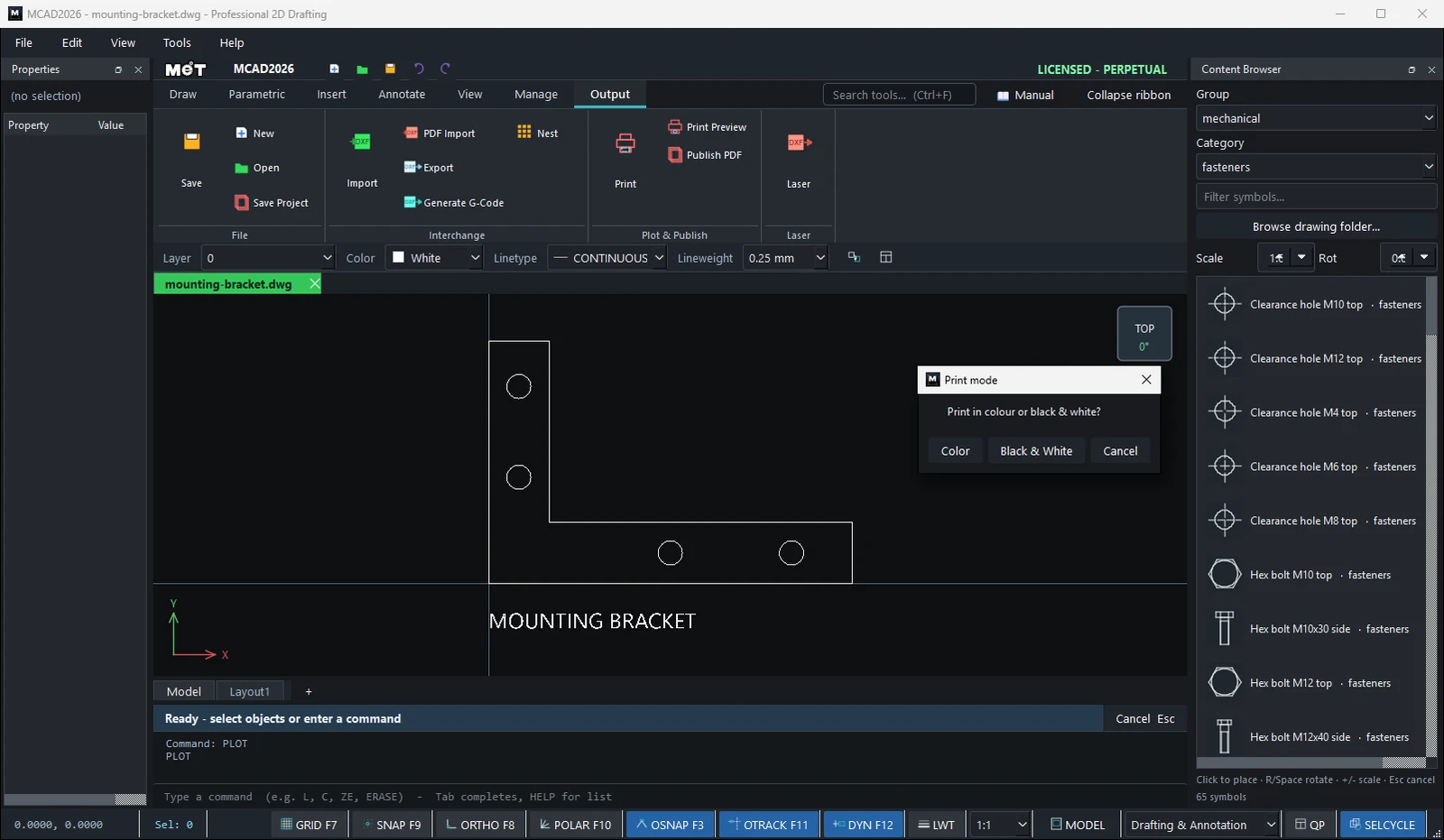
PLOTand press Enter. The Print mode window asksPrint in colour or black & white? - Choose Color or Black & White.
Print area: drag a window, or click 2 corners (snap on)Drag a window around the area to print, or click 2 corners.- The Windows printer window opens. Choose a printer and click Print.
Print Window (PDF) steps
- Right-click in the drawing area › View › Print Window (PDF)...
- Drag a window around the area.
- Set the options in the Plot / PDF window, then click Save PDF... (or Printer...).
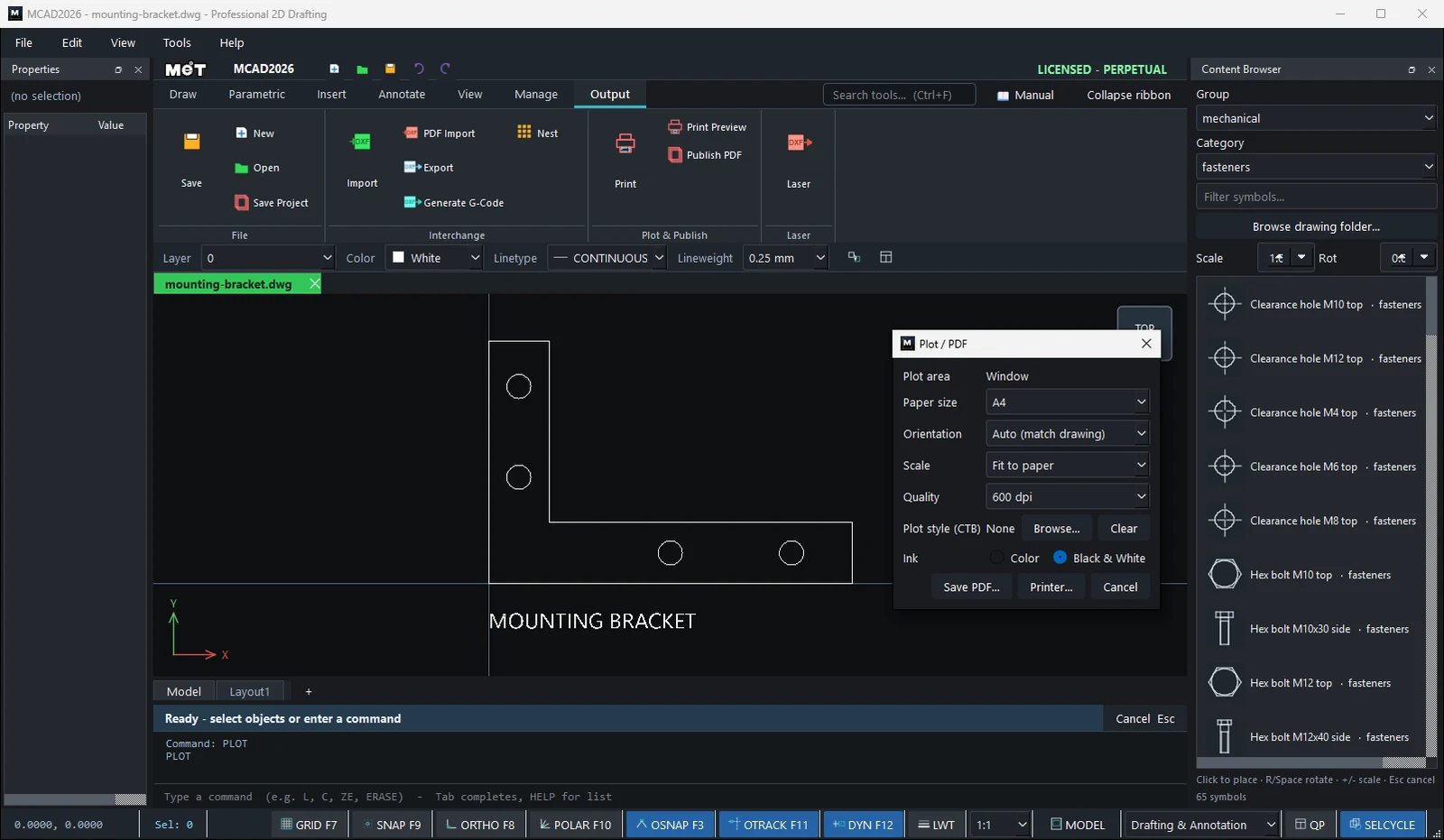
| Option | Meaning |
|---|---|
| Plot area | The area to print (Window, Current view, Extents) |
| Paper size | A4, A3, A2, A1, A0, Letter |
| Orientation | Auto (match drawing), Landscape, Portrait |
| Scale | Fit to paper, 1:1, 1:2, 1:5, 1:10, 1:20, 1:50, 1:100, 1:200 |
| Quality | 300 / 600 / 1200 dpi |
| Plot style (CTB) | A .ctb/.stb file that sets colors/line weights when plotting (Browse... / Clear) |
| Ink | Color or Black & White |
| Save PDF... / Printer... | Save a vector PDF / send to a printer |
Note: If a Layout tab is open, the plot comes out at the Layout's actual paper size, 1:1. The last settings you used are remembered.
Try it: Home consumer-unit diagram to PDF
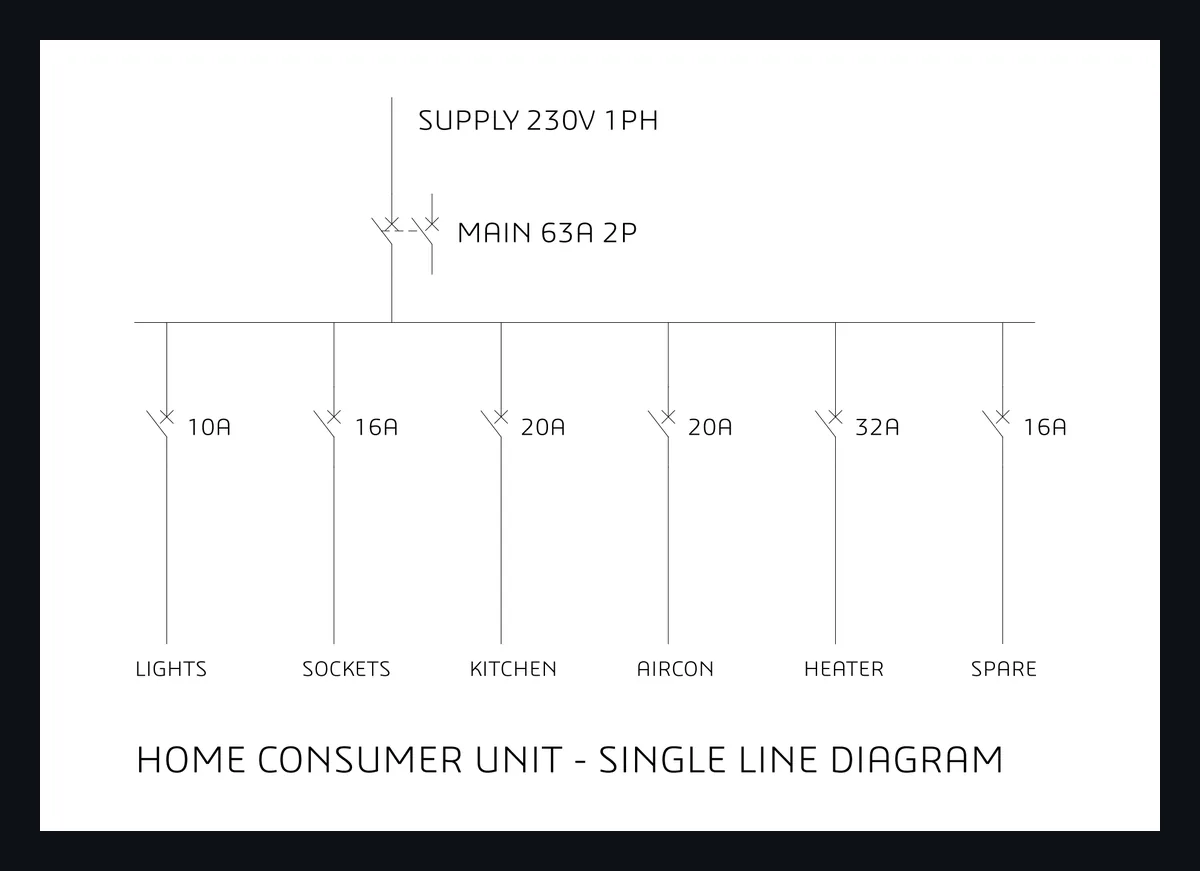
The single-line diagram of a home consumer unit: a 63 A main switch feeding six circuit breakers. You plot it to an A4 PDF in black and white, ready to stick inside the cabinet door.
- Main switch: Content Browser, Group
electrical, Categoryprotection, set Scale2.5, click MCB 2P and click at100,260. Its pins are at100,260(top) and100,235(bottom). Supply lineL100,290→100,260, busbarL20,220→300,220, and a linkL100,235→100,220. - First breaker: MCB 1P (still Scale
2.5) at30,200, plusL30,220→30,200andL30,175→30,120. Select the breaker and its two lines and typeARRAYRECT 6 52 0. - Labels with
DT, Text height5:10A 16A 20A 20A 32A 16Anext to the breakers, andLIGHTS SOCKETS KITCHEN AIRCON HEATER SPAREunder them (height4.5). AddMAIN 63A 2P,SUPPLY 230V 1PHand a title. - Right-click in the drawing area › View › Print Window (PDF)... and drag a window around the diagram.
- In Plot / PDF: Paper size
A4, OrientationLandscape, ScaleFit to paper, Quality300 dpi, InkBlack & White. Click Save PDF... and name itconsumer_unit.pdf.
Challenge: Plot the same window at Scale 1:2 on A3 and compare the text size with the fit-to-paper version.