
What it does
The Text & Dimension Styles dialog creates and edits the styles used by text and dimensions. When you edit a style, every object that uses it is updated.
Where to find it
- Ribbon: Annotate › Styles › Text Style / Dim Style or Manage › CAD Standards
- Command line:
DIMSTYLE(aliasesD,DST,DDIM) - Command line:
STYLE(aliasST) opens the Text Styles tab - Quick defaults: Annotate › Text Defaults / Dim Defaults
Text Styles tab
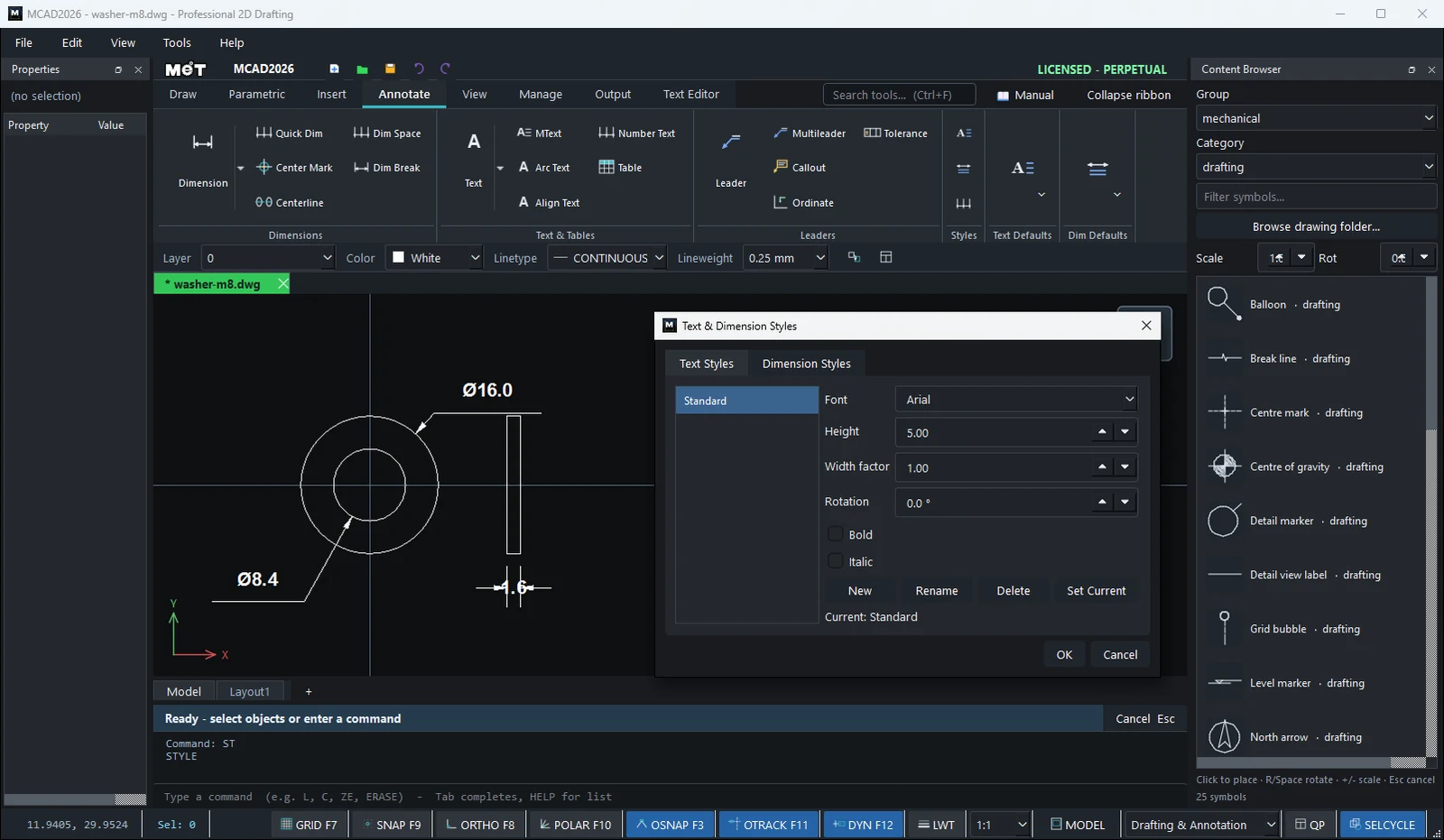
| Option | Meaning |
|---|---|
| Font | Any Windows font. |
| Height | The text height. |
| Width factor | The text width (1 = normal). |
| Rotation | The text angle. |
| Bold / Italic | Bold / italic text. |
Dimension Styles tab
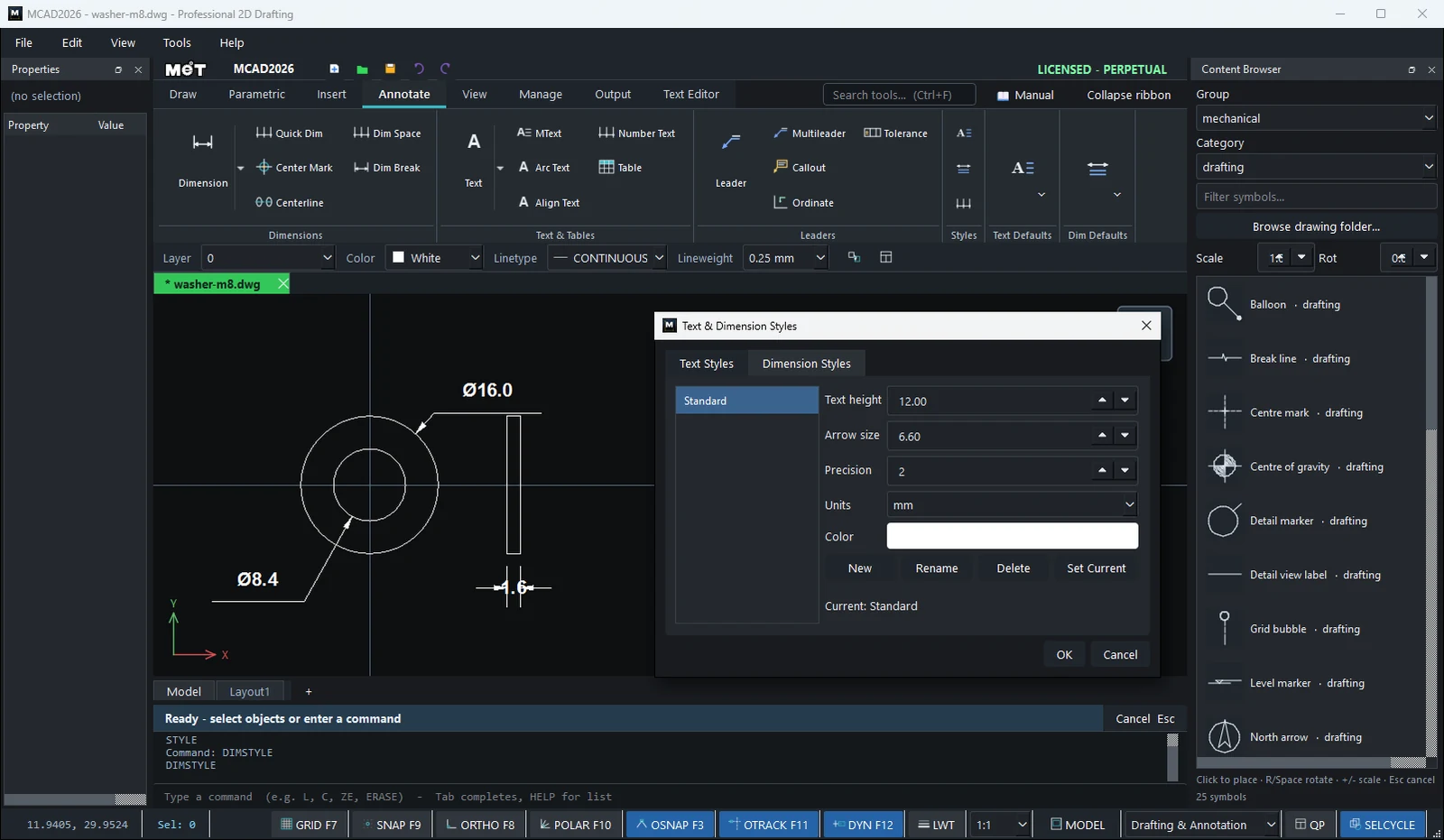
| Option | Meaning |
|---|---|
| Text height | The height of the dimension numbers. |
| Arrow size | The size of the arrowheads. |
| Precision | The number of decimals. |
| Units | mm, cm, m, in, ft |
| Color | The dimension colour. |
Common buttons
| Button | Meaning |
|---|---|
| New / Rename / Delete | Creates, renames or deletes a style. |
| Set Current | Uses this style for new objects. |
| OK | Saves and updates the existing objects. |
Try it: Dimension style for small parts
A DIN 125 M8 washer is only 16 mm across. With a style made for big plates its numbers would be larger than the part. A SMALL PARTS style with 2.5 mm text and one decimal fixes that once for every small part you draw.
- Front view:
C0,0radius8andC0,0radius4.2. Edge view:REC16,-8→1.6Tab16. - Select the outer circle and type
CENTERMARK 10. - Type
DIMSTYLE. On the Dimension Styles tab click New and name itSMALL PARTS. Set Text height2.5, Arrow size1.5and Precision1. Click Set Current, then OK. DDIon the outer circle:Ø16.0.DDIon the hole:Ø8.4.DLIacross the edge view, from16,-8to17.6,-8, placed below:1.6.
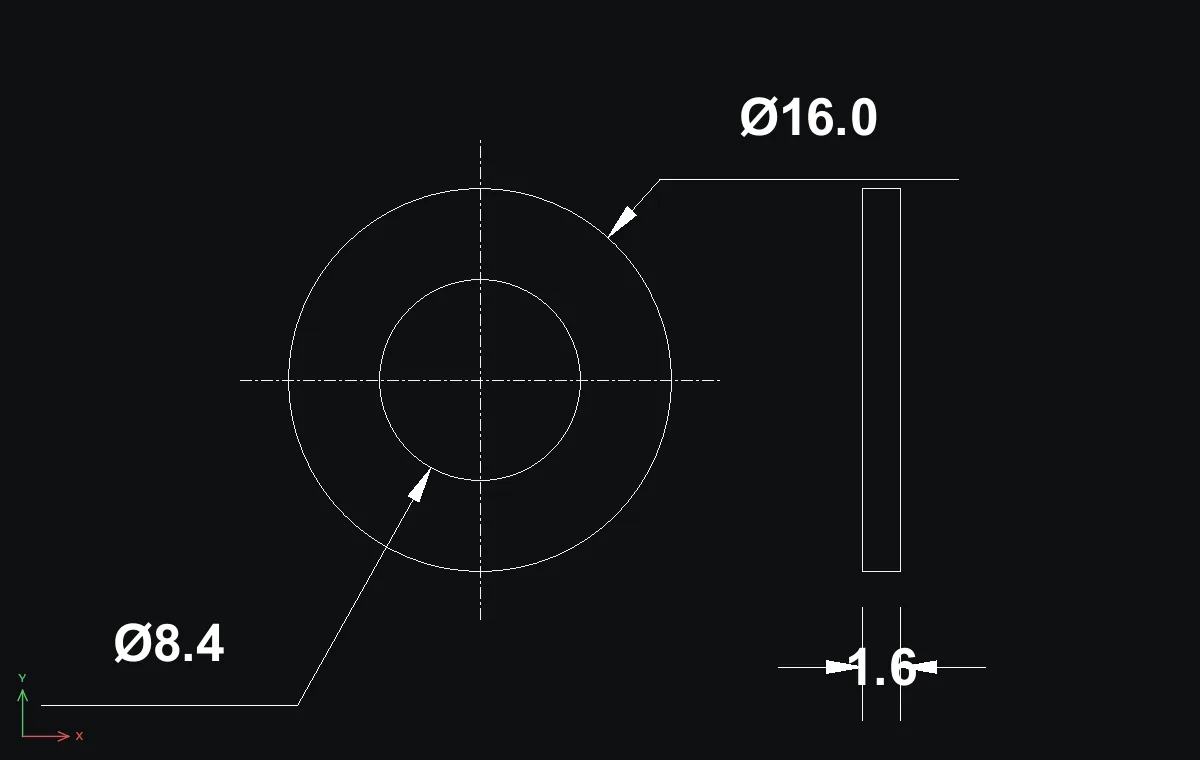
Challenge: Open DIMSTYLE again, change SMALL PARTS to Text height 2 and click OK. All three dimensions update together.