
What it does
RECTANG draws a rectangle as a single closed object.
Where to find it
- Ribbon: Draw › Draw › Rectangle (submenu: Rectangle - Corner, Rectangle - Center, Revision Cloud, 2D Solid, Wipeout)
- Command line:
RECTANG(AliasREC,RECTANGLE)
Steps (Corner)
- Type
RECand press Enter. - Click the first corner.
- Move the mouse. The Smart Input box shows W and H. Click the opposite corner, or type the width, press
Tab, type the height, and press Enter.
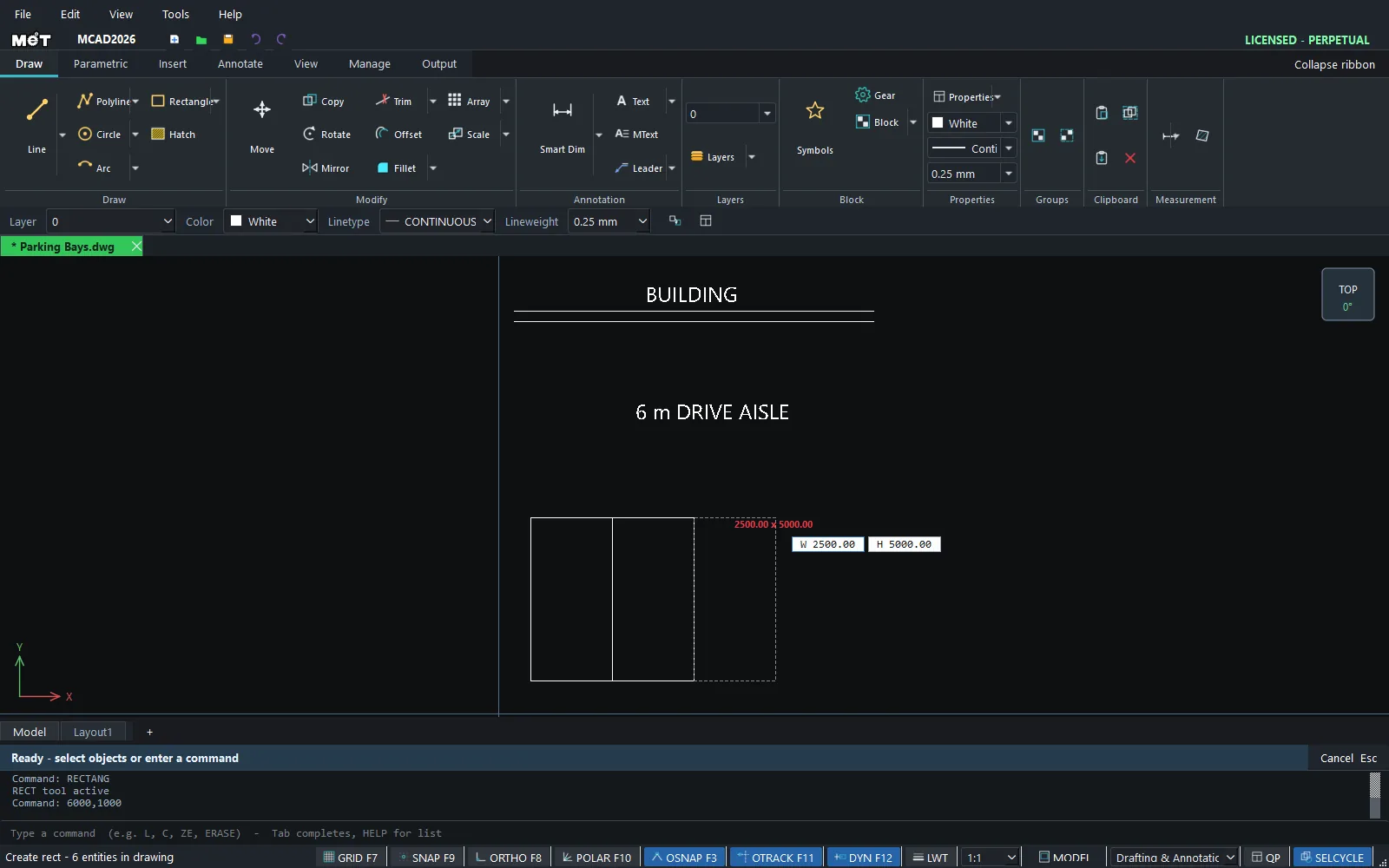
Steps (Center)
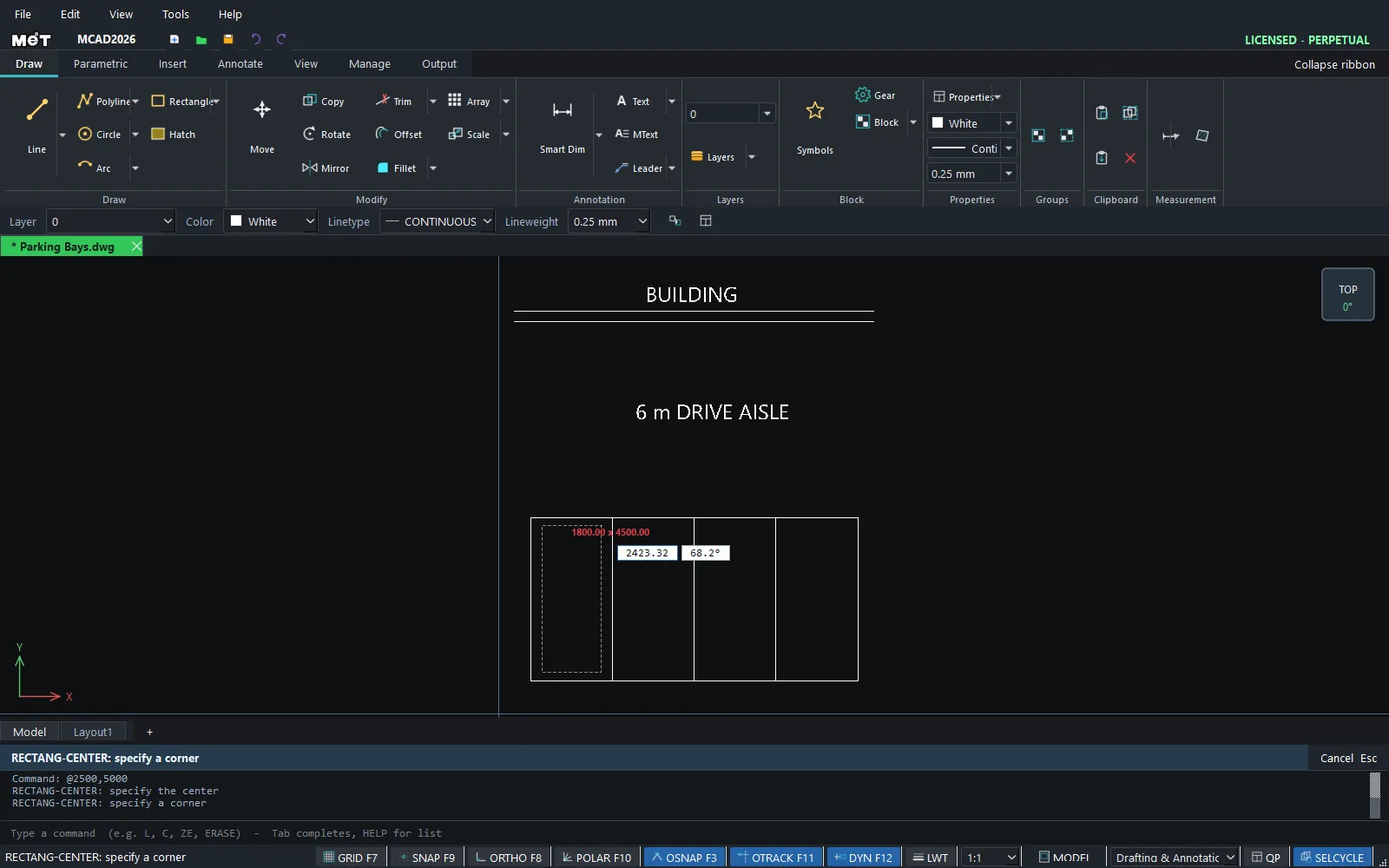
- Choose Rectangle ▾ › Rectangle - Center.
RECTANG-CENTER: specify the centerClick the center point.RECTANG-CENTER: specify a cornerClick a corner.
| Option | Meaning |
|---|---|
| Rectangle - Corner | First corner → opposite corner |
| Rectangle - Center | Center point → corner (symmetric) |
Try it: A row of four parking bays
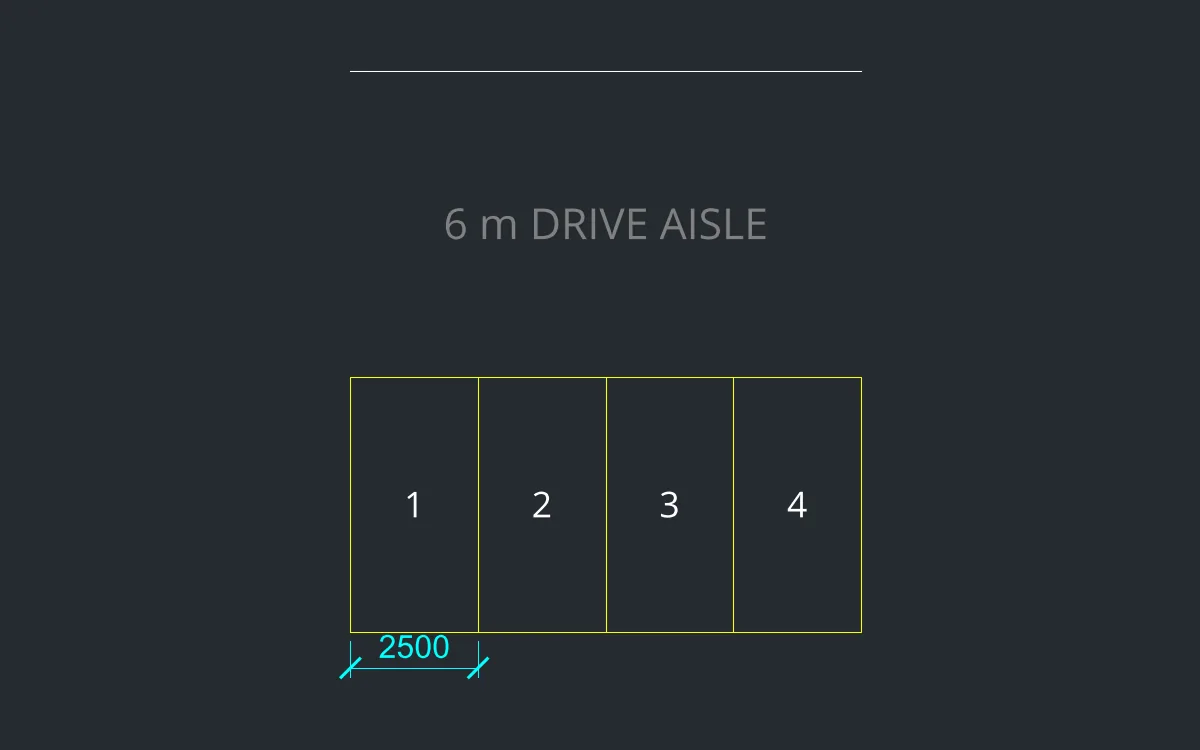
Four standard 2.5 x 5 m parking bays in front of a building, with a 6 m drive aisle. Good practice for typing W/H in Smart Input.
- Type
REC, Enter,0,0, Enter, then2500Tab5000Enter. - Bays 2-4:
RECat2500,0,5000,0and7500,0, each2500Tab5000. - Aisle edge:
L0,11000Enter@10000,0Enter, thenEsc. The aisle between the back of the bays and this line is 6 m wide. - Number the bays with
TEXTat a height of500.
Challenge: Make the last bay an accessible bay 3600 wide and see how much longer the row gets.