
What it does
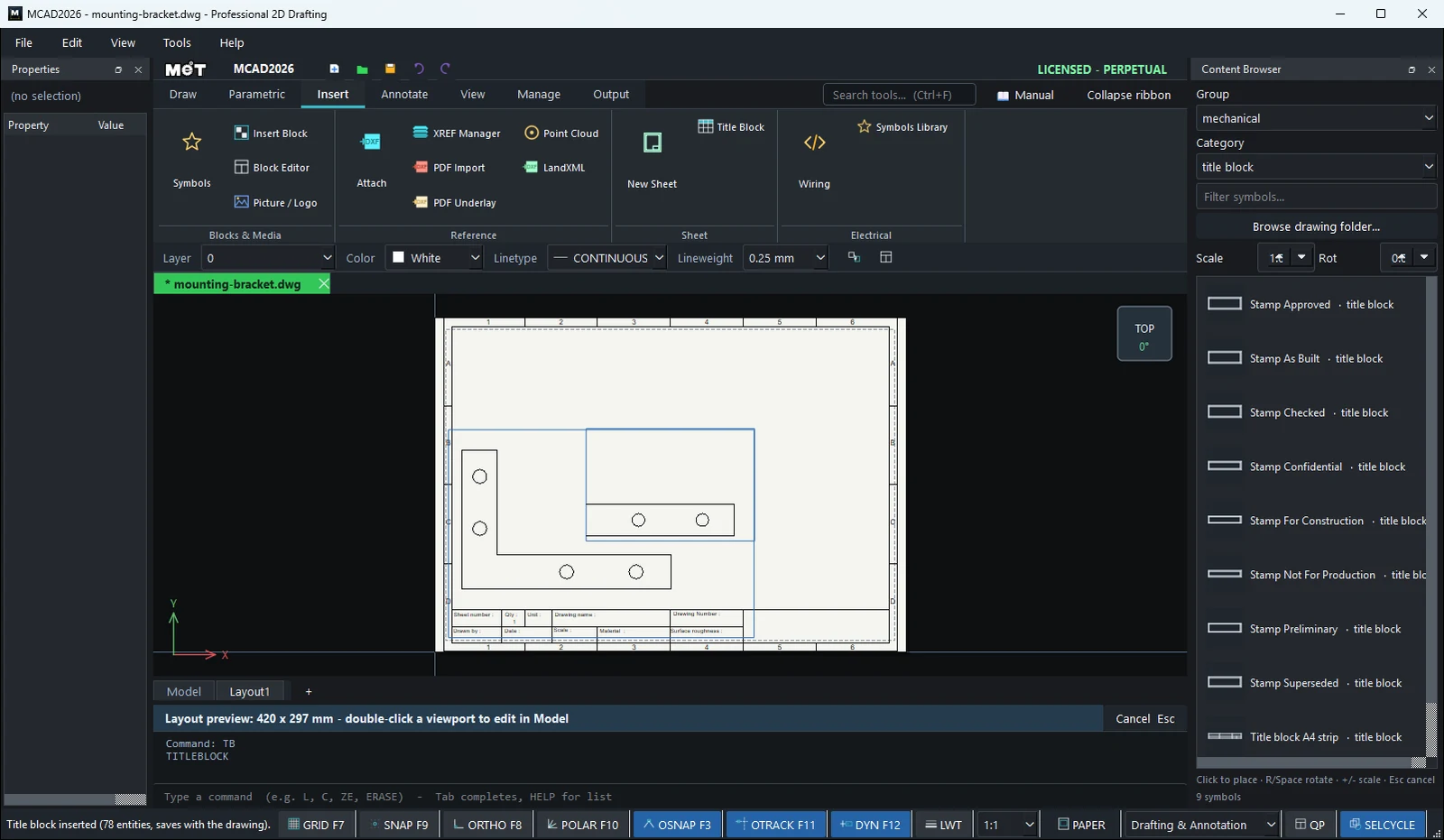
- TITLEBLOCK – places the standard MET border and title block on the current Layout. It adjusts to the paper size and is saved with the drawing.
- New Sheet / MET Drawing Sheet – creates a new drawing from a MET sheet in A4, A3, A2, A1, or A0 (landscape).
Where to find it
- Ribbon: Insert › Sheet › Title Block / New Sheet or Draw › Block (submenu Table ▾ › Title Block / New Sheet)
- Command line:
TITLEBLOCK(AliasTB) - Start Center › MET Drawing Sheet...
TITLEBLOCK steps
- Click the Layout1 tab. You must be in a Layout, otherwise you see
Title Block: open a Layout tab first. - Type
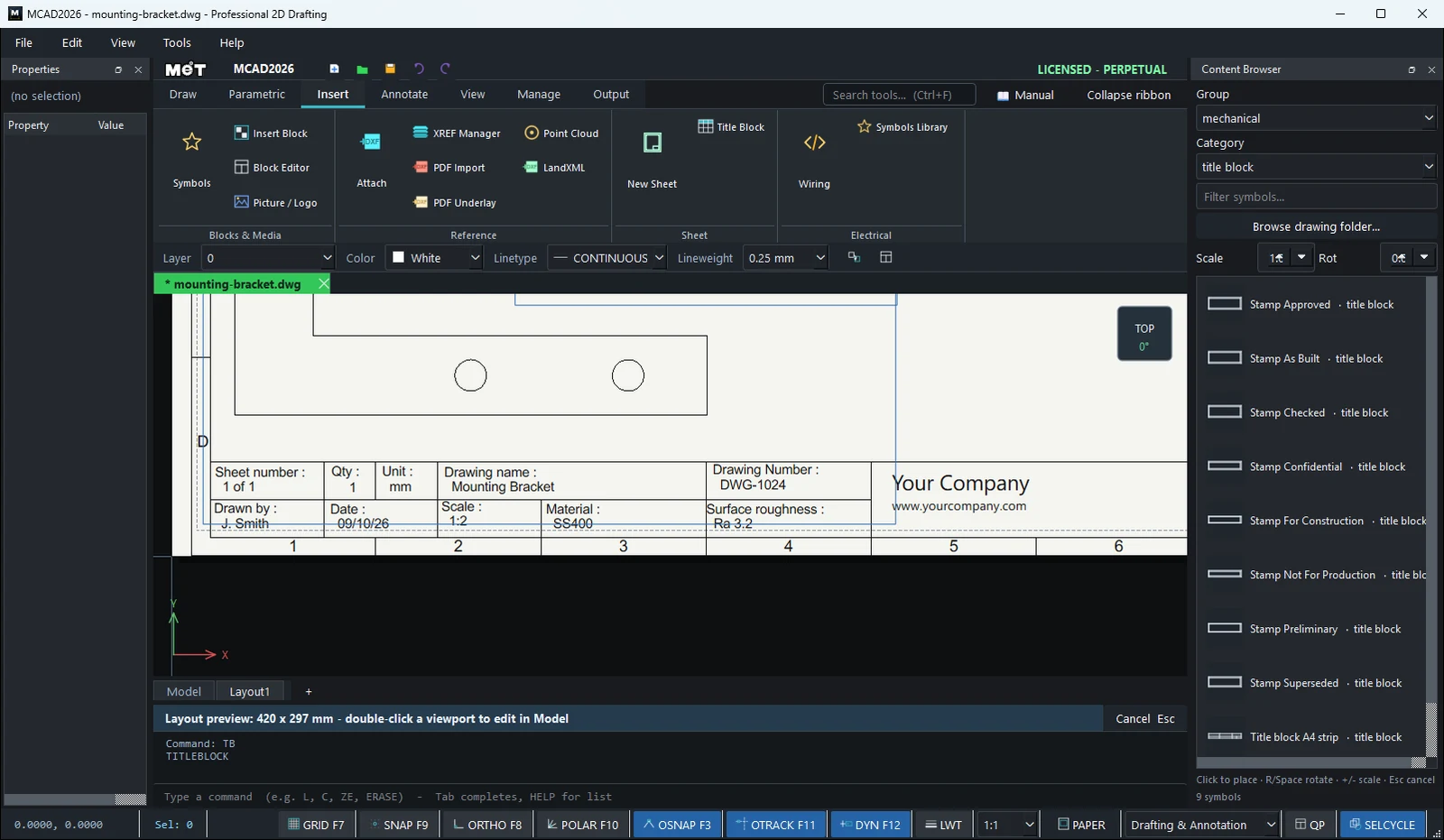
TBand press Enter. The Status bar showsTitle block inserted (... entities, saves with the drawing). - Double-click the text in the title block fields to fill in Drawing name, Drawing Number, Material, Drawn by, Date, and Scale.
New Sheet steps
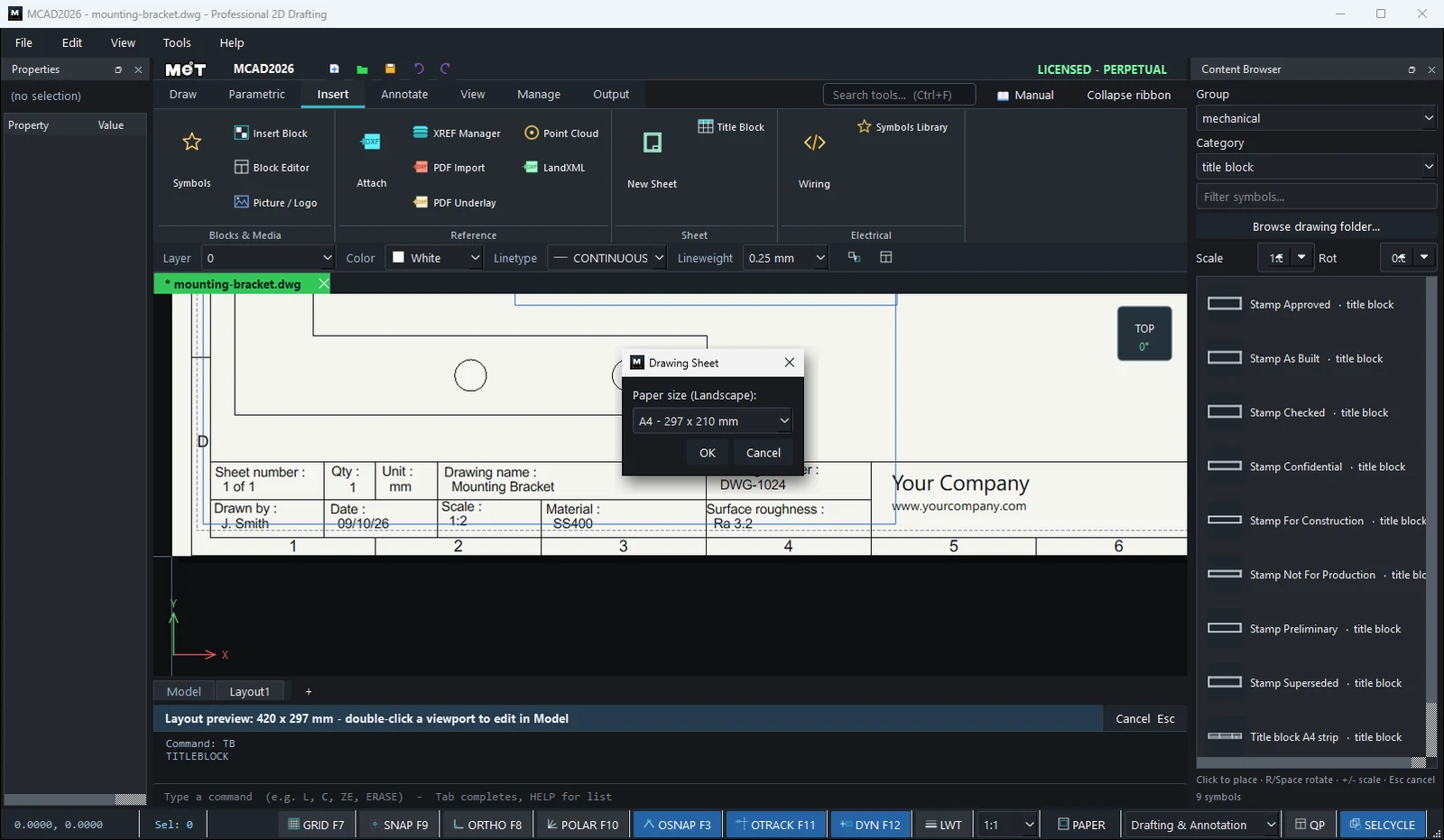
- Choose Insert › Sheet › New Sheet.
- Select the Paper size (Landscape) and click OK.
- The new drawing opens in a new tab with the border and title block.
Title block fields
Sheet number, Qty, Unit, Drawing name, Drawing Number, Drawn by, Date, Scale, Material, Surface roughness
Try it: Drill press table drawing, ready to issue
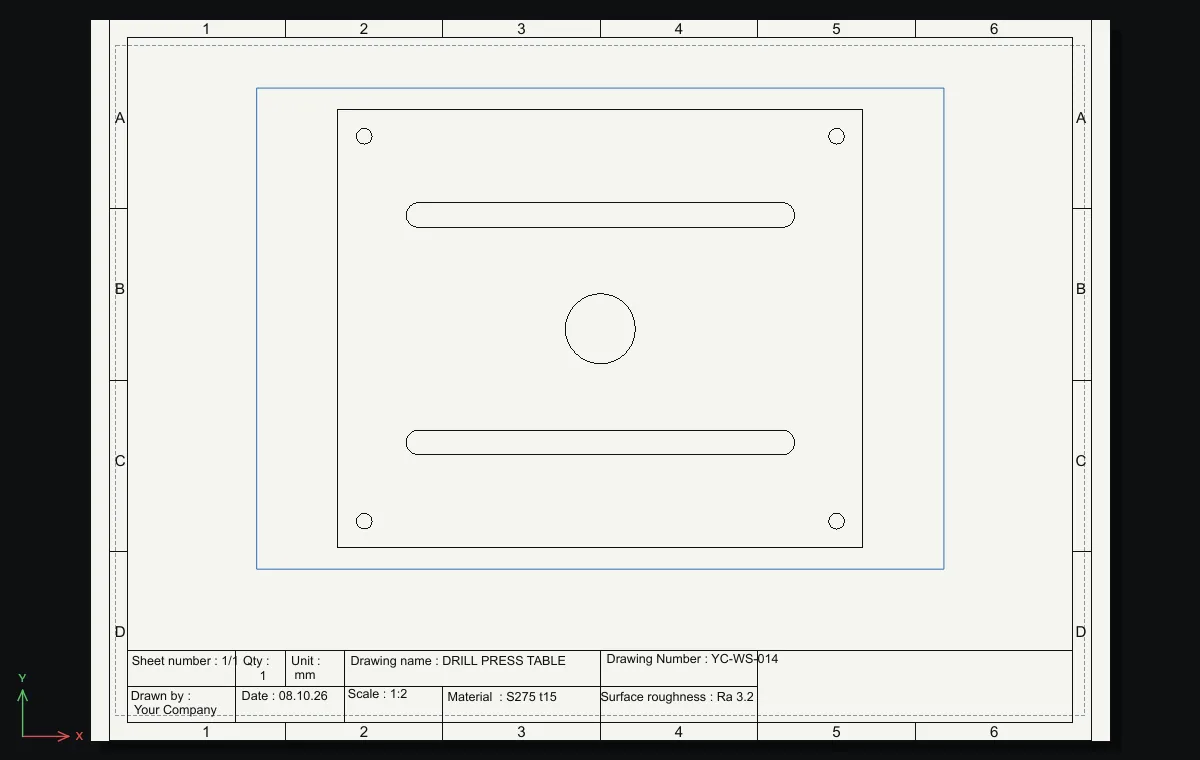
A 300 x 250 steel table for a drill press, with two clamping slots and a Ø40 through hole. Put it on an A4 sheet with the title block and fill in every field, so it is ready to hand to the workshop.
- Table:
REC0,0→300Tab250, through holeC150,125radius20, corner holesCradius4.5at15,15,285,15,15,235and285,235. - Clamping slots:
SLOT46,60@208,0@0,7, thenSLOT46,190@208,0@0,7. - Click the Layout1 tab (A4 landscape) and type
TB. The Status bar reportsTitle block inserted (... entities, saves with the drawing). - Drag the bottom edge of the viewport up until the table clears the title block.
- Double-click each field and fill it in: Drawing name
DRILL PRESS TABLE, Drawing NumberYC-WS-014, MaterialS275 t15, Drawn byYour Company, Date08.10.26, Scale1:2, Sheet number1/1, Unitmm, Surface roughnessRa 3.2.
Challenge: Use FIELD DATE and FILENAME in the Date and Drawing Number boxes so they update themselves.