
What it does
The Assembly Explorer (left) shows axes, planes, the Mates (n) group and the Components (n) group. The Properties / Info panel (right) shows the placement and state of the selected part.
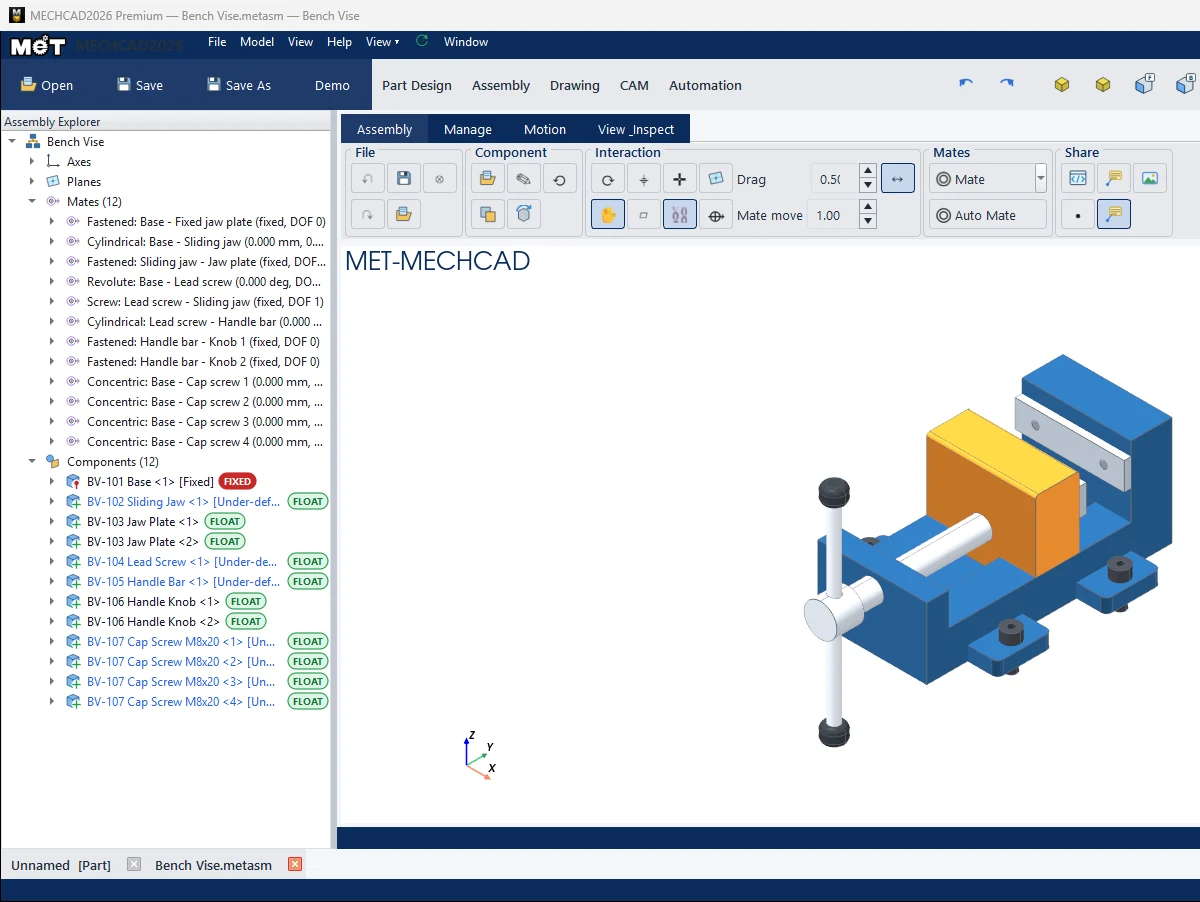
Status labels
| Label / colour | Meaning |
|---|---|
| FIXED (red) | The part is fixed. |
| FLOAT (green) | The part can move. |
| PART-FIXED | A sub-assembly that is a rigid body. |
| Black mate | Fully defined. |
| Blue mate [Under-defined · N DOF] | N degrees of freedom remain. |
| Red mate [OVER-DEFINED] | The mates conflict. Hover to see Conflicting mates. |
Right-click menu on a part
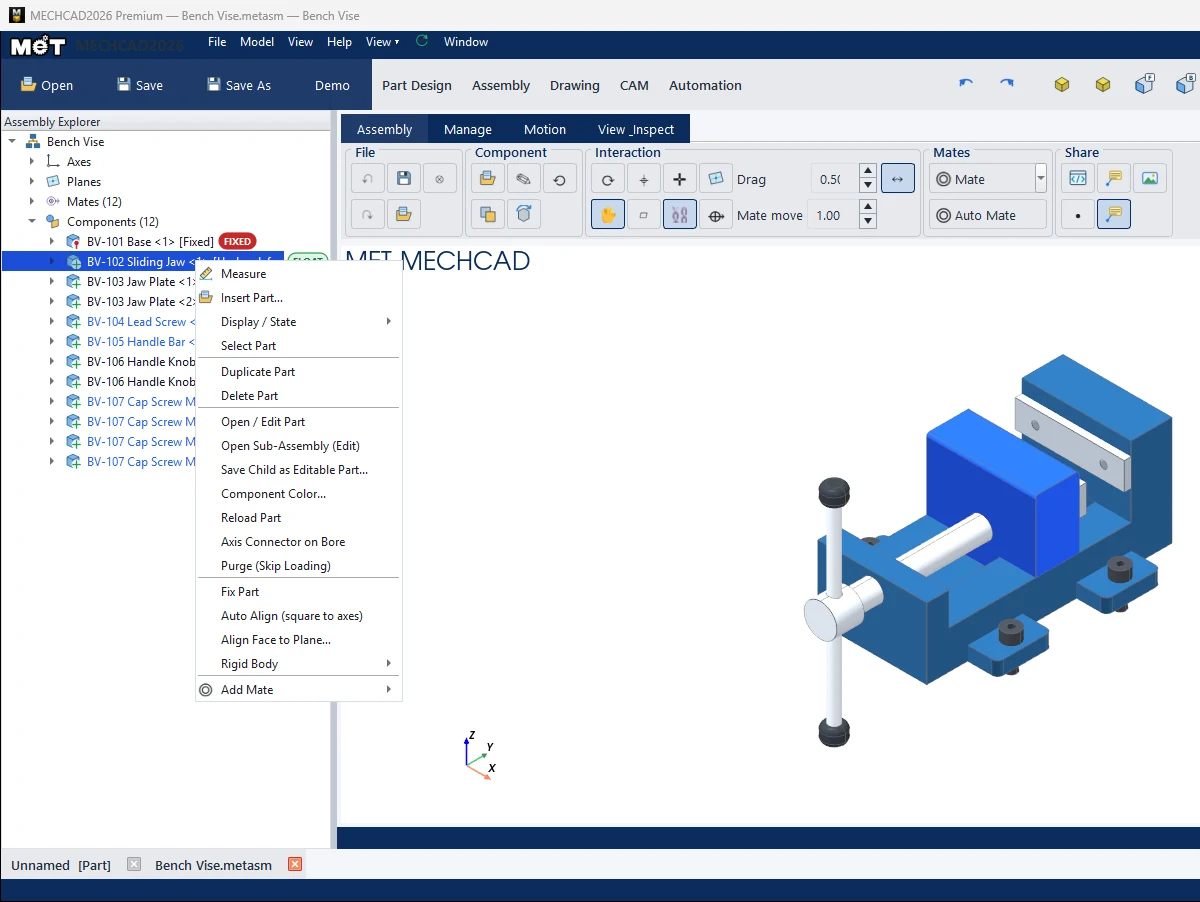
| Menu | Description |
|---|---|
| Measure / Insert Part… | Measure / add a part. |
| Display / State › Hide, Show, Transparent, Opaque, Fix, Float | Display and fixing state. |
| Select Part / Duplicate Part / Delete Part | Select, copy, delete. |
| Duplicate Sub-Assembly | (Right-click a sub-assembly row) Copies only that sub-assembly. See Insert Parts and Sub-Assemblies. |
| Open / Edit Part, Open Sub-Assembly (Edit) | Open for editing in a new tab. |
| Save Child as Editable Part... | Save an embedded part as an editable Part file. |
| Component Color... / Reset Component Color | Part colour. |
| Reload Part | Reload from file. |
| Axis Connector on Bore | Create an axis connector on a hole. |
| Purge (Skip Loading) / Reload (Unpurge) | Temporarily skip loading this part (helps large assemblies open faster). |
| Fix Part / Unfix Part | Fix / release. |
| Auto Align (square to axes) / Align Face to Plane… | Straighten a tilted imported part so it lines up with the axes. |
| Rigid Body › | Group / Ungroup |
| Add Mate › | All mate types |
Properties / Info panel
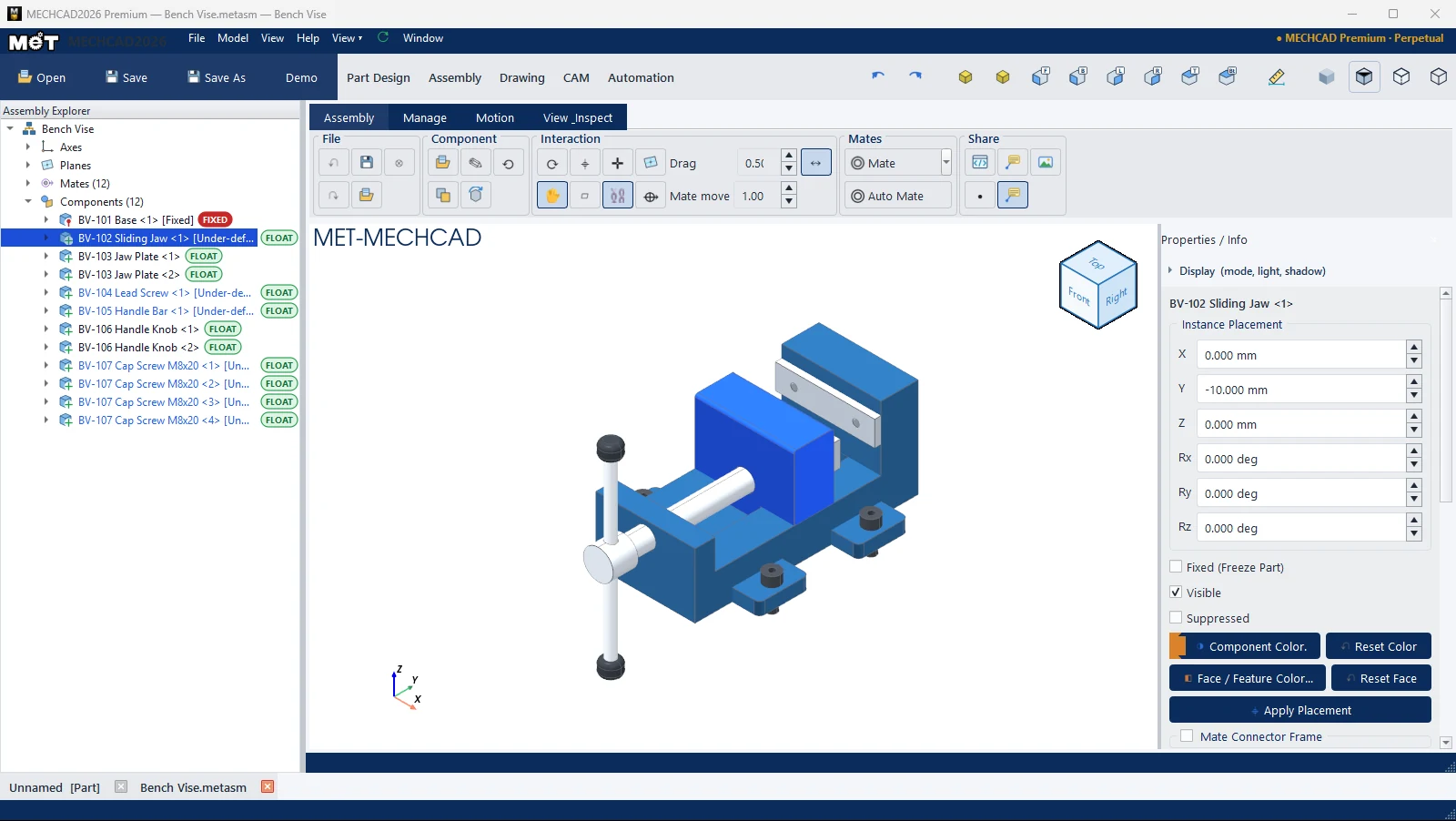
| Section | Description |
|---|---|
| Instance Placement: X, Y, Z (mm) / Rx, Ry, Rz (deg) | Position and rotation. Click Apply Placement. |
| Fixed (Freeze Part) / Visible / Suppressed | State |
| Component Color... / Reset Color / Face / Feature Color... / Reset Face | Colours |
| Mate Connector Frame | Position of the mate connector |
| Mate | Values of the selected mate. See Edit and delete mates. |