
What it does
| Operation | Select | Description / defaults |
|---|---|---|
| Slot | Face | Mills a closed slot. You can adjust stepdown/stepover. |
| Step | Face | Mills a step or open pocket. |
| Chamfer | Edge | Chamfers along the edge with a V/chamfer cutter (width 0.5 mm). |
| Corner Round | Edge | Rounds the edge with a corner-round cutter (R1). |
| Engrave | Edge | Engraves shallowly along a line. |
| Thread Mill | Hole (several holes) | Mills an internal thread with a helical path (created with depth 5, Ø = the picked hole Ø (at least 6) and pitch 1.5, so set the real thread size). |
Where to find it
Machining › 2.5D Milling
Steps
- Click the command.
- Click the face/edge/hole shown in the table, then press Enter.
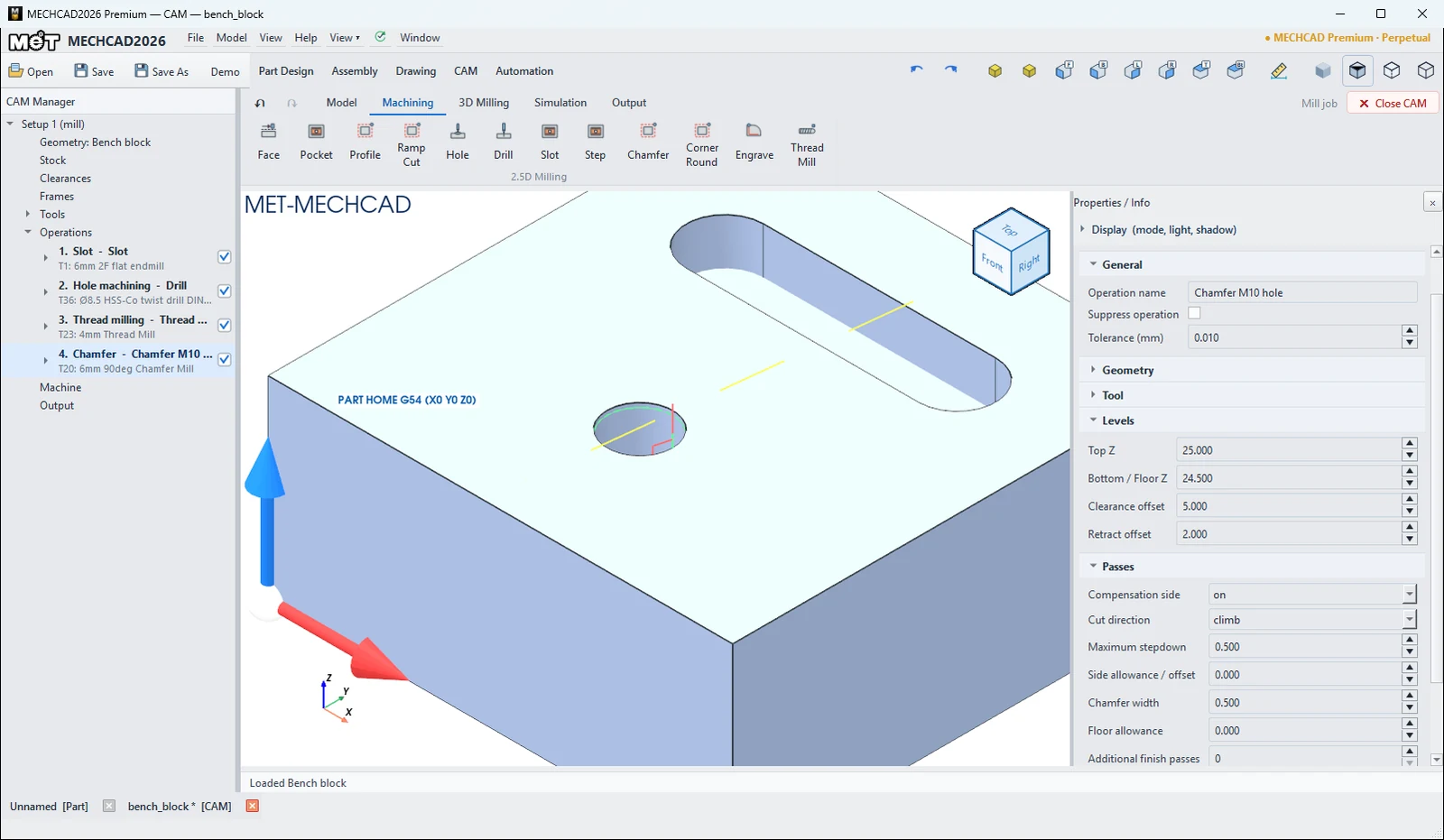
- Adjust the values in the Properties panel.
You can edit every operation in the Properties panel on the right when you click the operation in the CAM Manager. The panel sections are General, Geometry, Tool, Levels, Passes, Linking and Stock (see Operation Parameters for the meaning of each field).
Try it: Finish a machinist's bench block
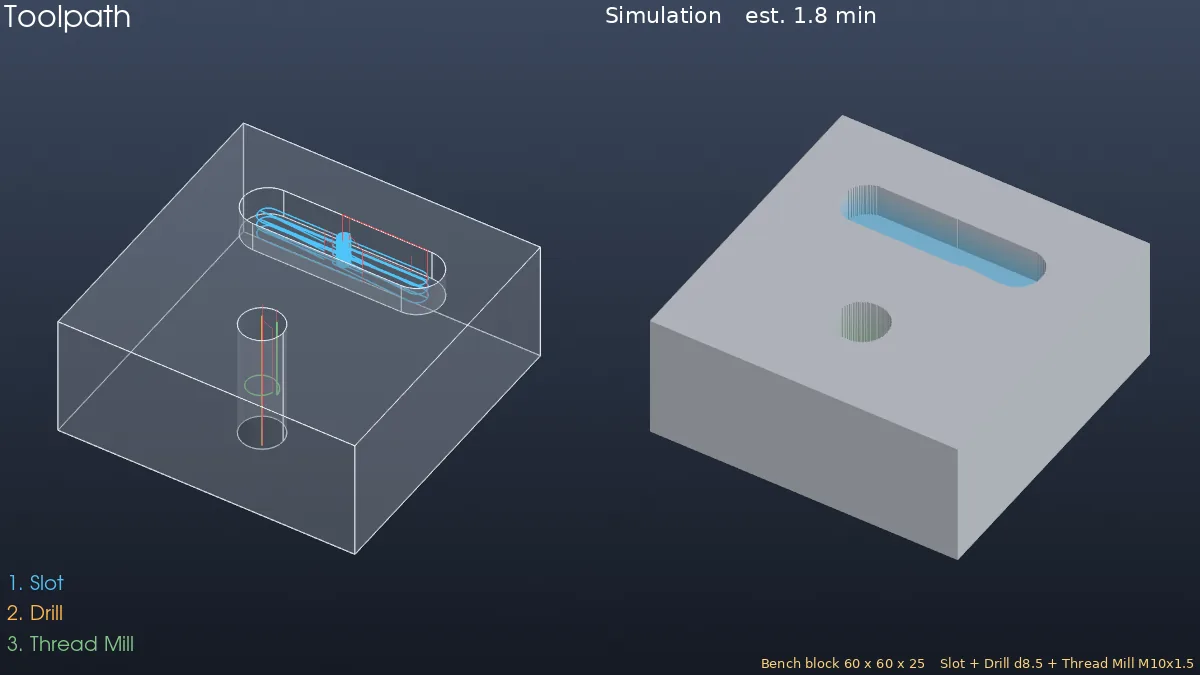
A 60 × 60 × 25 bench block with a closed slot for pins and an M10 tapped hole for a clamp: a Slot, a Drill and a Thread Mill.
- Model a 60 × 60 block Extruded 25 mm. On the top face, draw a 40 × 10 slot with its ends centred at X 15 and X 45 (Y 44) and Extrude Cut it 6 mm. Draw a Ø8.5 circle at X 30 Y 18 and Extrude Cut it Through All.
- CAM › New Job › Mill Template. In Stock, set Support height (parallels) to 5.
- Click Slot, click the slot floor and press Enter. You get Top Z 25 and Floor Z 19 with T1.
- Click Drill, click the hole wall and press Enter. Choose cutter T36 Ø8.5 HSS-Co twist drill (M10 tap), set Peck depth to 4 and Depth to 28.
- Click Thread Mill, click the same hole wall and press Enter. Set Thread major diameter to 10, Thread pitch to 1.5 and Depth to 15. The tool is T23 4mm Thread Mill.
- Simulate (about 1.8 min). Solid Verify shows GOUGE around the hole. That is expected: the model has a plain Ø8.5 hole, while the thread really cuts out to Ø10.
Challenge: Add a Chamfer on the top edge of the hole with T20 and Chamfer width 0.8, so the clamp screw starts easily.
Note: CAM is available only in MECHCAD Premium (and during the trial).