
What it does
Creates an automatic pick-and-place sequence: Approach Pick → Pick/Grip → Retract → Approach Place → Release → Retract, with a placement pattern of rows, columns and layers.
Where to find it
Motion › Motion Wizard › Pick/Place Wizard
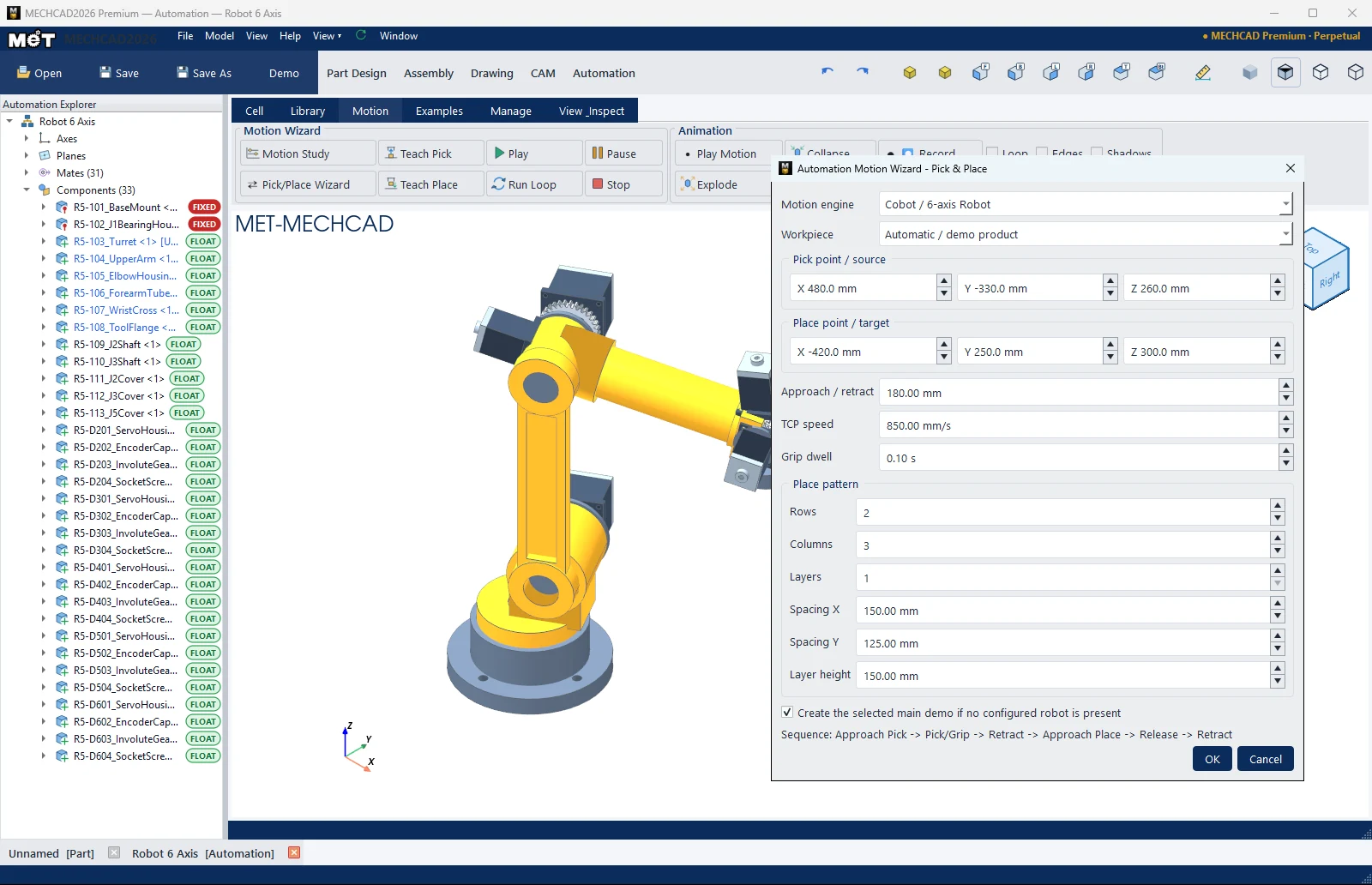
| Option | Meaning |
|---|---|
| Motion engine | Cobot / 6-axis Robot or Delta Robot |
| Workpiece | Automatic / demo product, or a component in the cell |
| Pick point / source (X, Y, Z) | Pick point (mm) |
| Place point / target (X, Y, Z) | Place point (mm) |
| Approach / retract | Approach and retract distance (mm) |
| TCP speed | Tool tip speed (mm/s) |
| Grip dwell | Pause time while gripping (s) |
| Place pattern: Rows, Columns, Layers, Spacing X, Spacing Y, Layer height | Placement pattern |
| Create the selected main demo if no configured robot is present | Creates a sample robot if the cell has none |
Steps
- Click Pick/Place Wizard.
- Choose the Motion engine and Workpiece.
- Enter the pick/place points (or use Teach Pick / Teach Place first).
- Set the placement pattern, then click OK.
- Click Play or Run Loop.
Note: For a Delta Robot, if a point is outside the reach you see the warning Motion Wizard - Reachability.
Note: This command is in MECHCAD Expert and Premium. On Standard, the status bar shows a message suggesting an upgrade. See MECHCAD editions.