
What it does
A short tutorial that builds a rectangular plate with a hole in the middle. It shows the main MECHCAD workflow: choose a plane › draw a sketch › Finish Sketch › Extrude.
Steps
On the Part Design tab, click Model › Sketch › Sketch (or double-click XY-Plane in the Design Explorer). Choose the XY plane. You can press Enter straight away if you want XY.
Click Rectangle. Click the first corner, then the opposite corner.
Click Circle. Click the centre point inside the rectangle, then click again to set the radius.
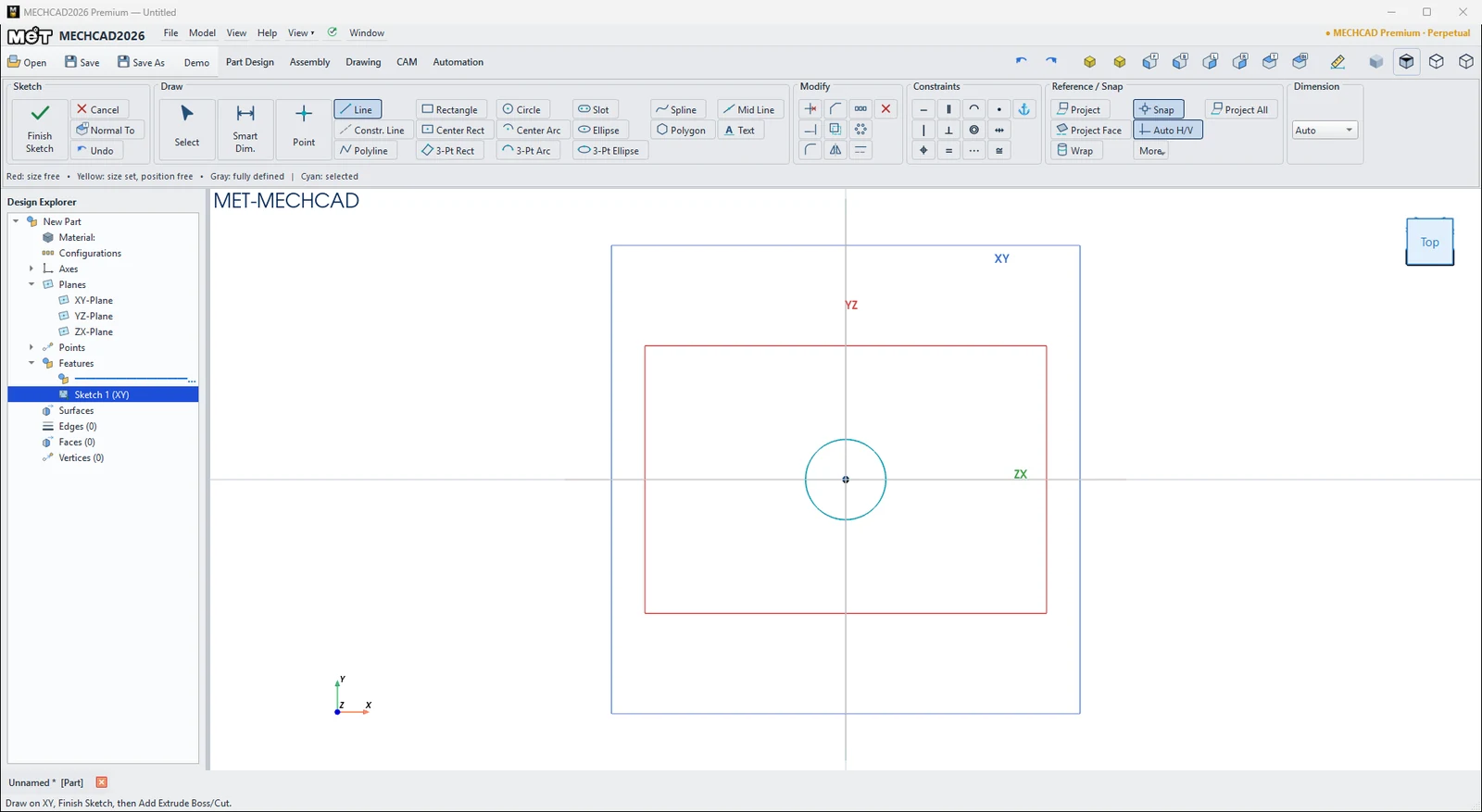
Rectangle and circle drawn on the XY plane (Optional) Use Smart Dim. to set real sizes, for example width 60, height 40 and Ø12. See Smart Dimension.
Click Finish Sketch (the green tick). The sketch appears in the Design Explorer.
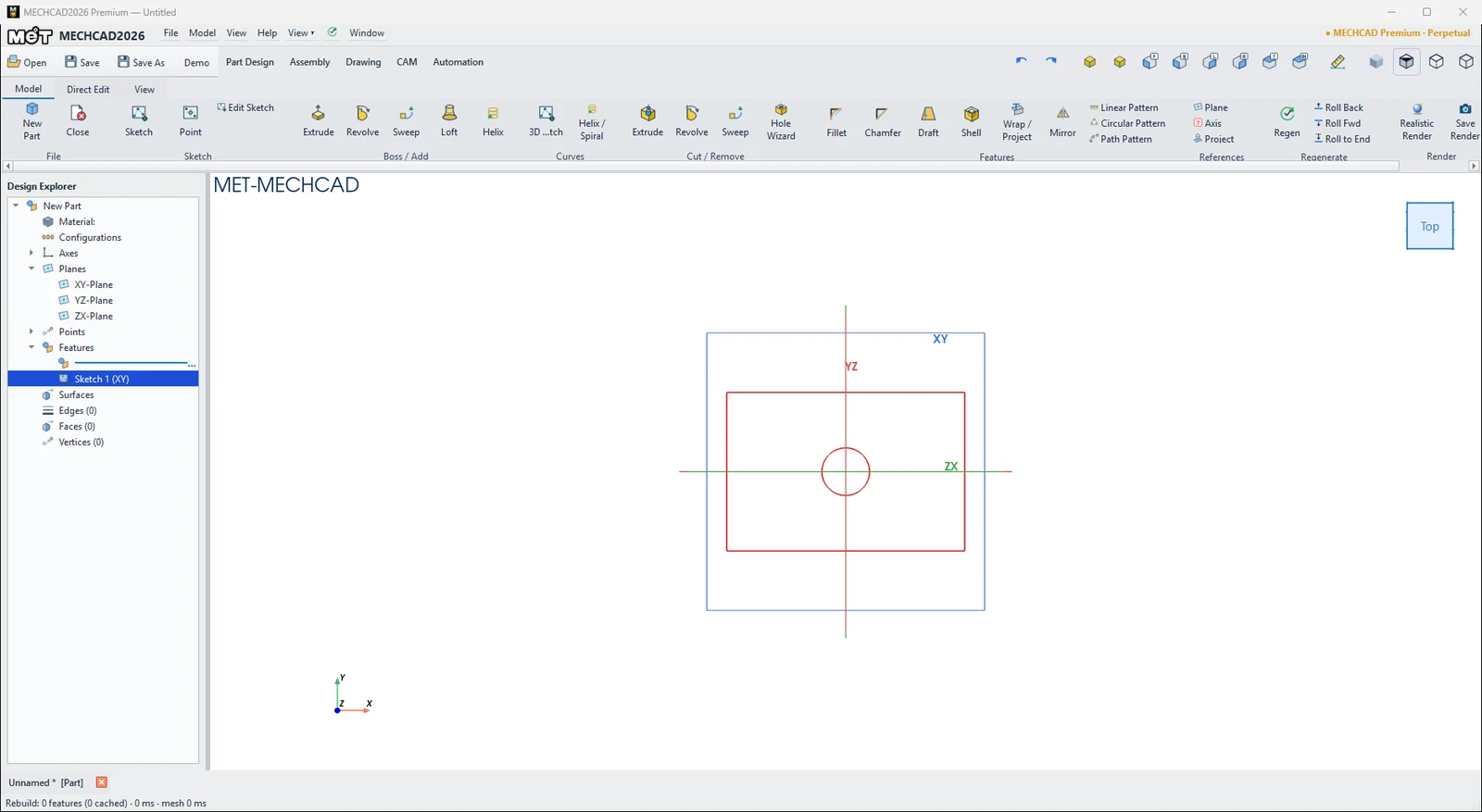
After Finish Sketch you have Sketch 1 (XY) Select the sketch, then click Model › Boss / Add › Extrude. The EXTRUDE BOSS box opens with a yellow preview. Enter a Depth (for example 5 mm), or drag the arrow in the view.
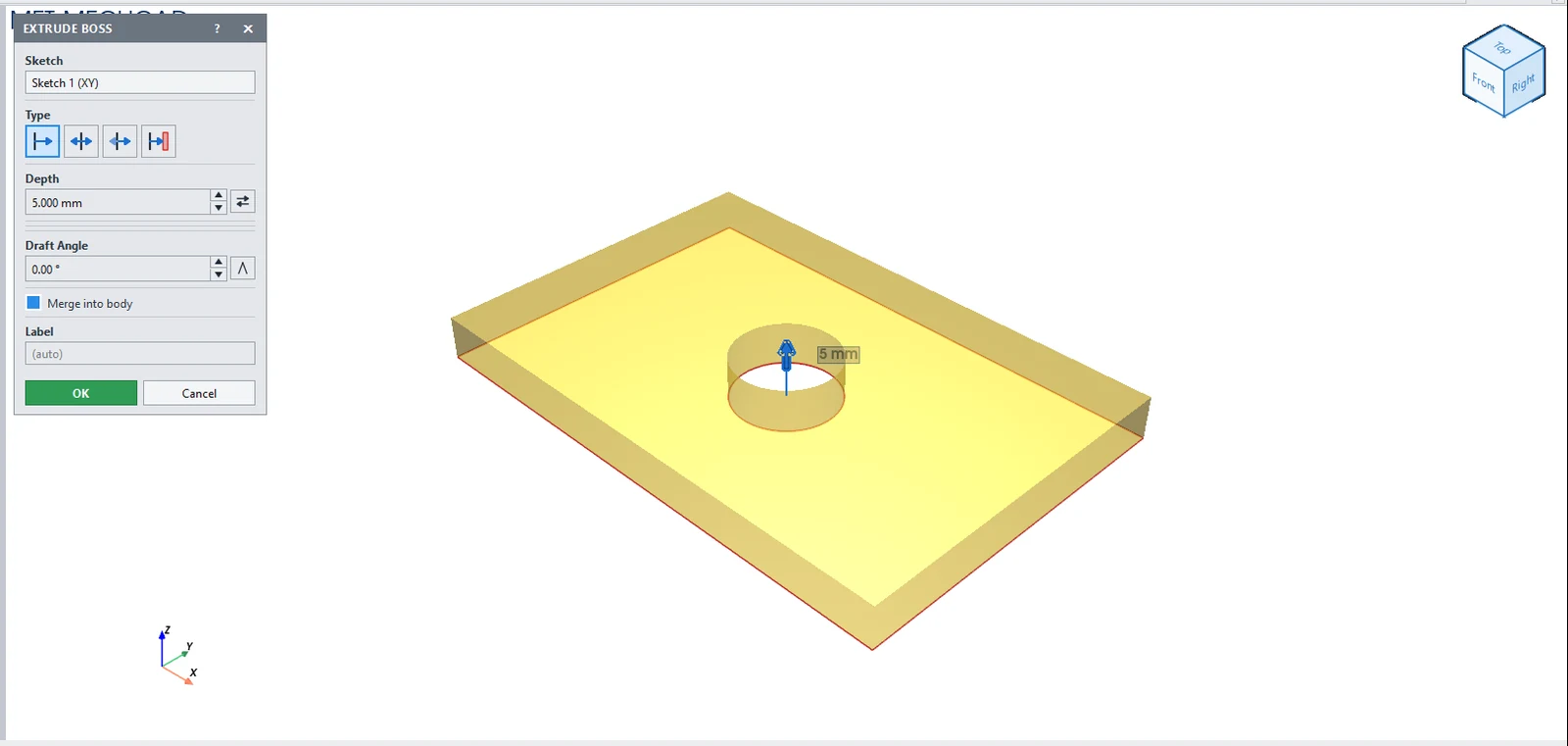
EXTRUDE BOSS box with preview Click OK to create Extrusion Boss 1 in the Design Explorer. The inner circle becomes a hole automatically.
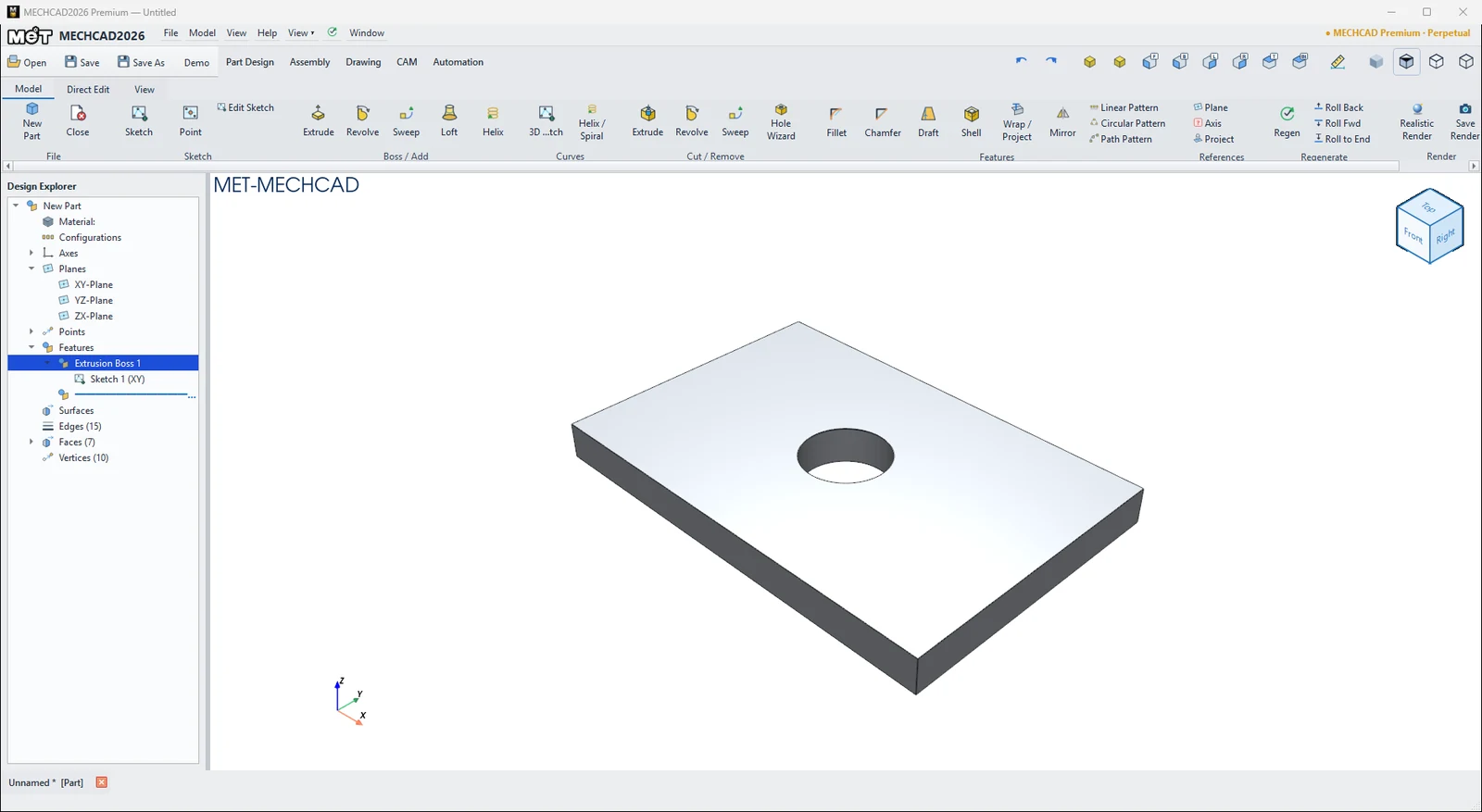
The first part in the Isometric view Click Save (Ctrl+S) to save as
.metprt.
Note: Every step can be undone with Undo (Ctrl+Z). You can edit it later by double-clicking the feature in the Design Explorer.
Try it: Three-pen desk stand
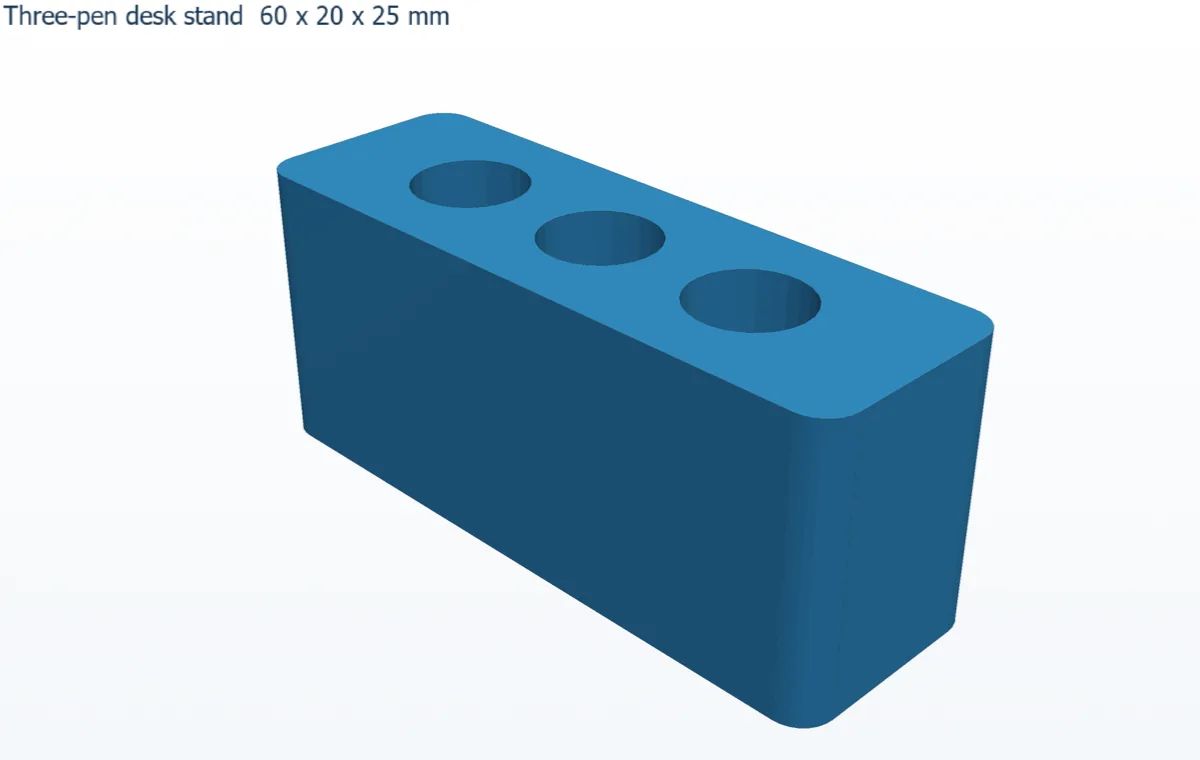
Turn the plate-with-a-hole idea into something you will actually use: a small block that keeps three pens standing upright next to your keyboard.
- On the Part Design tab, start a sketch on the XY plane.
- Press R (Rectangle), click the origin, type 60, press Tab, type 20, then press Enter. Press Esc twice.
- Press C (Circle), click inside the rectangle, type 10 (diameter) and press Enter. Make three circles in a row.
- Press D (Smart Dimension) and place the hole centres: 15, 30 and 45 mm from the left edge, and each one 10 mm from the bottom edge.
- Click Finish Sketch, then Model › Boss / Add › Extrude with Depth 25 mm and click OK. The three circles become through-holes.
- Click Model › Features › Fillet, enter Radius 3, click the four vertical corner edges, then click Done.
- Press Ctrl+S and save it as
pen-stand.metprt.
Challenge: Your markers are thicker? Double-click the sketch in the Design Explorer, change the three diameters to 12 mm and watch the stand update.