
What it does
Creates a single HTML page (similar to eDrawings) so customers or your team can view the 3D model in a web browser without installing any software. It has measuring tools (edge snap, angle, midpoint, hole centre), an assembly tree, Undo/Redo and colour themes.
Where to find it
Assembly › Share › Export HTML
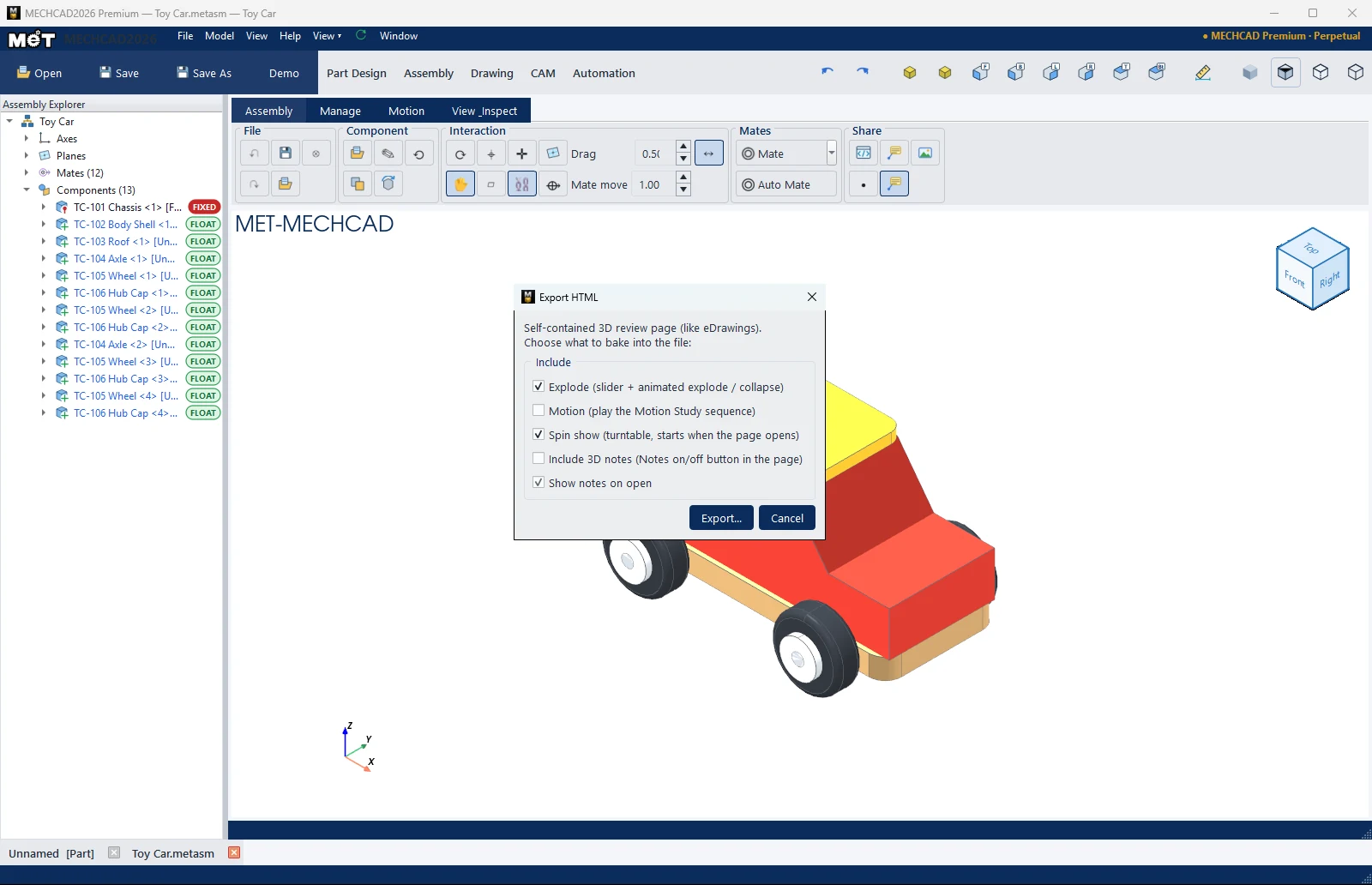
Steps
- Click Export HTML.
- Choose what to include in the file (see the table).
- Click Export... and choose a file name in the Export 3D Assembly window. Wait for the progress bar (you can click Cancel).
| Option | Description |
|---|---|
| Explode (slider + animated explode / collapse) | A slider and an Explode button in the web page |
| Motion (play the Motion Study sequence) | Plays the Motion Study (available when motion data exists) |
| Spin show (turntable, starts when the page opens) | Spins the model automatically when the page opens |
| Include 3D notes (Notes on/off button in the page) | Includes 3D Notes with a button to turn them on/off |
| Show notes on open | Shows the notes as soon as the page opens |
Note: This command is in MECHCAD Expert and Premium. On Standard, the status bar shows a message suggesting an upgrade. See MECHCAD Editions.