
What it does
Draws a sketch on a flat face of an existing part, for example to make a groove, hole or boss on the top surface. The face becomes the sketch plane directly.
Where to find it
- Right-click a face in the view › Insert Sketch on Surface
- Design Explorer › Faces › right-click a face › New Sketch on this face
- Select a face, then click Sketch
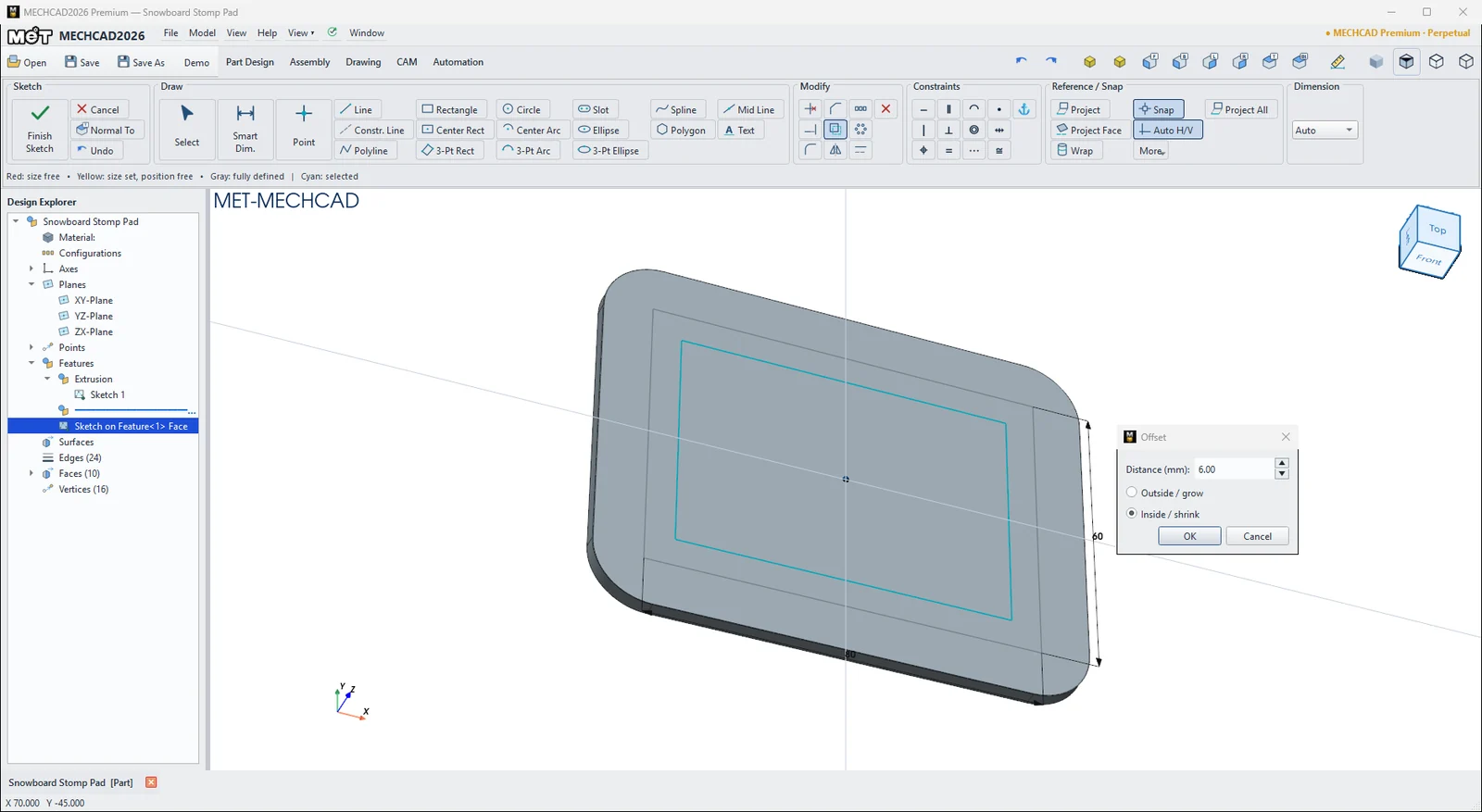
Steps
- Right-click a flat face › Insert Sketch on Surface.
- The view turns to look straight at the face. The edges of the face can be used as snap points right away.
- Draw the shapes and add dimensions. Use Project Face if you want the face edges as dashed reference lines.
- Click Finish Sketch, then create a feature such as Extrude Cut.
Note: Right-clicking in the sketch area gives the command ⊥ Plane View (look at the sketch), which turns the view perpendicular to the sketch.
Try it: Snowboard stomp pad
A stomp pad gives your free boot grip on the board. Sketch the raised frames straight on the top face of the pad. The face centre becomes the sketch origin, so everything is centred automatically.
- Click Sketch and press Enter (XY-Plane). Press R, click the origin, type 100, Tab, 80 and press Enter. Round the four corners with sketch Fillet 12 mm. Click Finish Sketch, then Extrude 3 mm.
- Right-click the top face › Insert Sketch on Surface.
- Choose Center Rect, click the centre of the face (snap), type 80, Tab, 60 and press Enter.
- Click Offset, click the rectangle, set Distance 6 and Inside / shrink, then click OK. Offset the new inner rectangle the same way, and then once more, so you have 4 nested rectangles.
- Click Finish Sketch, then Extrude 2.5 mm. The nested loops become two raised frames with grooves between them.
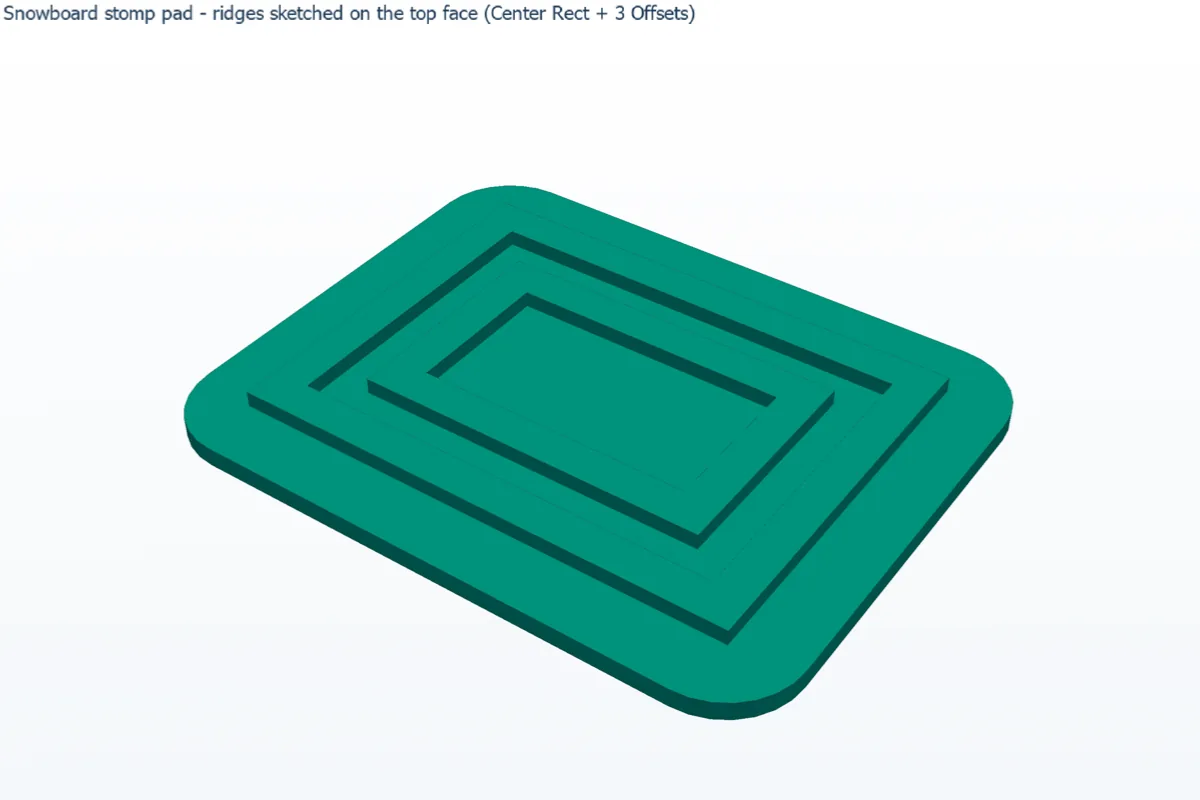
Challenge: Make a fifth nested loop (one more Offset) and see a small centre island appear.