
What it does
Creates repeated shapes in a sketch without redrawing them.
Where to find it
Sketch ribbon › Modify › Mirror / Linear Pattern / Circular Pattern, or right-click › Linear Pattern… / Circular Pattern…
Mirror
- Click Mirror, then click the objects to mirror.
- Press Enter.
- Click the line to use as the mirror axis.
- Confirm Mirror N object(s) across this line?
Linear / Circular Pattern
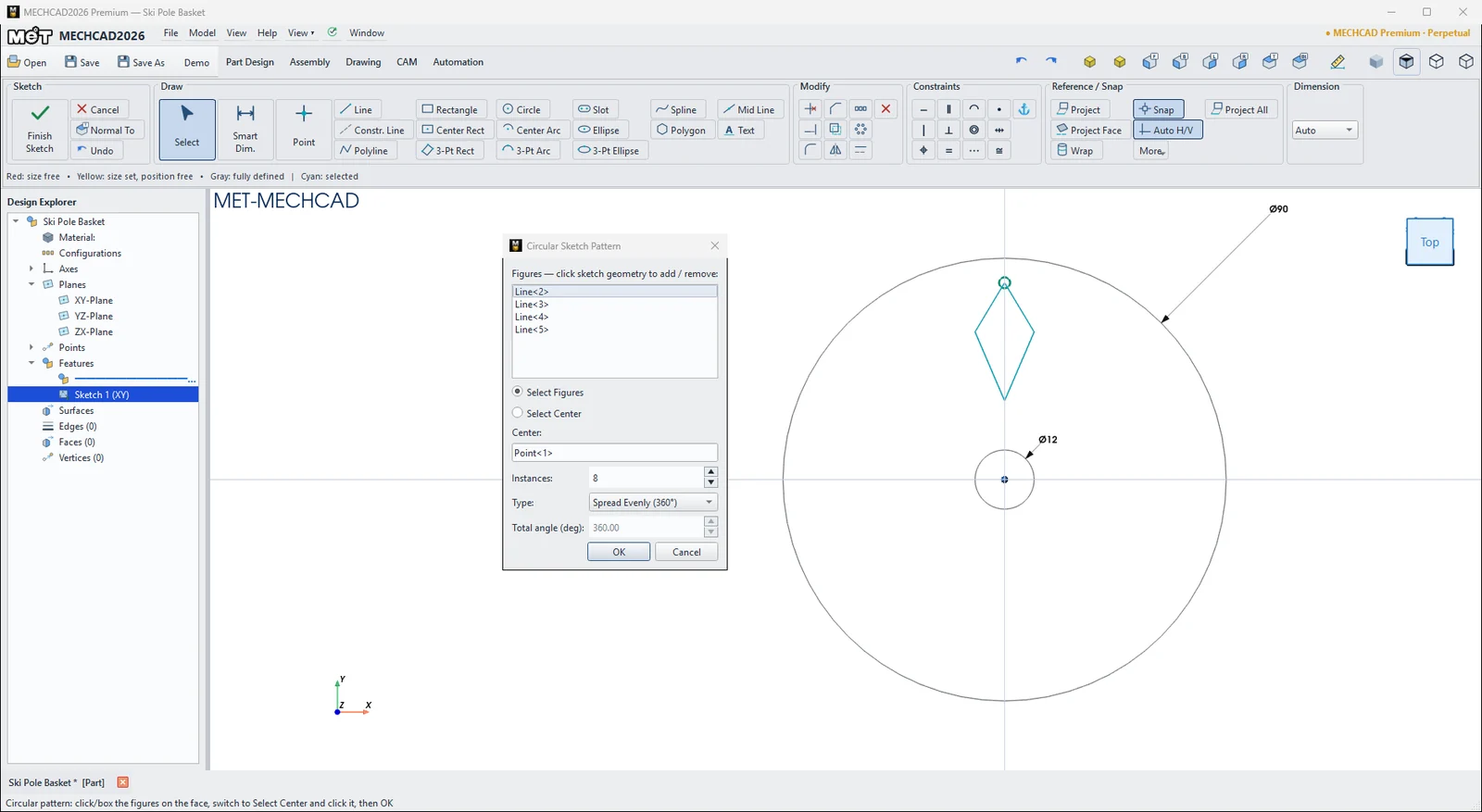
- Click Linear Pattern or Circular Pattern. The Pattern window stays open.
- In Select Figures mode, click or drag a box around the objects (click again to remove one).
- Choose Select Direction Line (Linear) or Select Center (Circular), then click the direction line or center point.
- Enter the values and click OK.
| Option | Meaning |
|---|---|
| Figures | List of objects to repeat |
| Instances | Number of copies (default 6) |
| Spacing (mm) | Distance between copies (Linear, default 20) |
| Type | Spread Evenly (360°) / Fixed total angle (Circular) |
| Total angle (deg) | Total angle when Fixed total angle is chosen |
Note: Right-click an item in the pattern › Explode Pattern (separates it into independent objects) or Delete Whole Pattern.
Try it: Ski-pole basket
A powder basket stops your ski pole from sinking into the snow. You draw only half of one window. Mirror makes the full window, and Circular Pattern places all eight.
- Click Sketch and press Enter (XY-Plane). Draw two circles at the origin: Ø 90 and Ø 12.
- Draw a Constr. Line from the origin straight up to about (0, 45). This is the mirror line.
- With Line, draw (0, 16) → (6, 30) → (0, 40) and press Esc. Start and end on the construction line.
- Click Mirror and click the two lines. Press Enter, click the construction line and confirm Mirror 2 object(s)…. You now have a kite-shaped window.
- Click Circular Pattern. In Select Figures mode, click the four window lines. Choose Select Center and click the origin. Set Instances 8, Type Spread Evenly (360°) and click OK.
- Click Finish Sketch and Extrude 4 mm. For the hub, sketch circles Ø 22 and Ø 12 on the XY-Plane and Extrude them 18 mm.
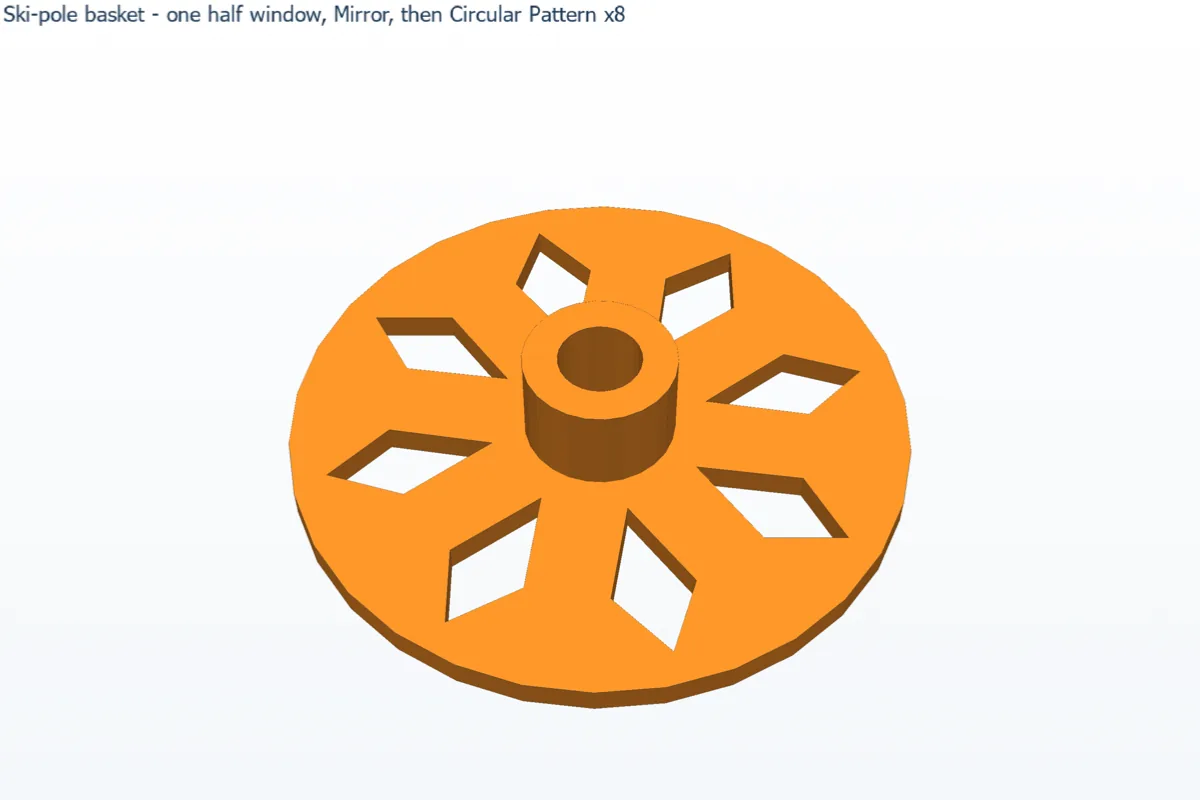
Challenge: Right-click one window › Explode Pattern, then delete every second window to get a lighter 4-window basket.