
What it does
Adjusts the properties of each view.
Where to find it
- Sheets and Views › View Style › View Props (the selected view, or Front if none is selected)
- Right-click a view › View Properties…
- Scale 1:N sets the scale of the selected view (all views if none is selected)
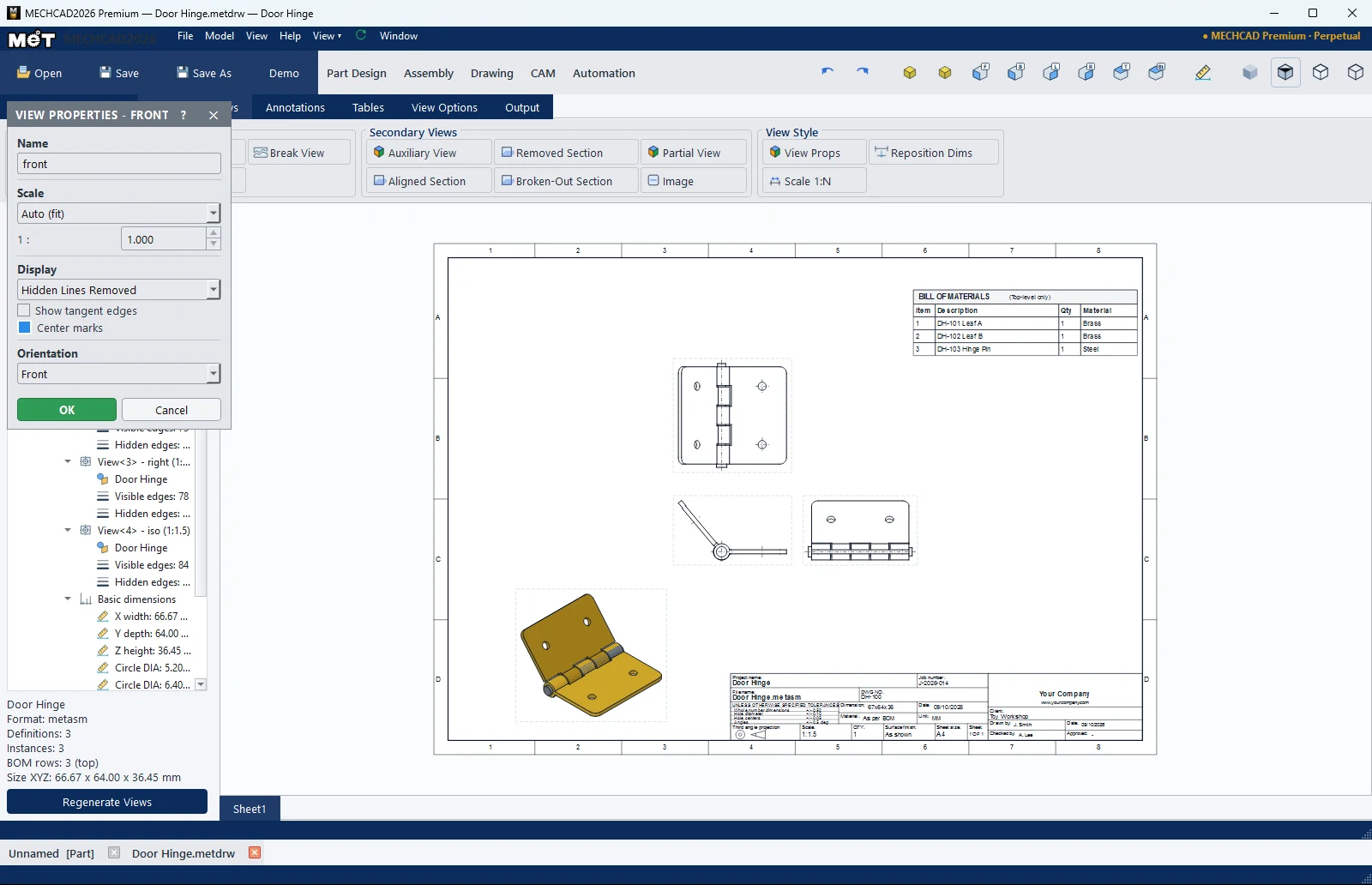
| Option | Description |
|---|---|
| Name | View name |
| Scale | Auto (fit), 2:1, 1:1, 1:2, 1:5, 1:10, 1:20, 1:50, 1:100, Custom 1 : N |
| Display | Hidden Lines Removed / Hidden Lines Visible / Shaded / Shaded with Edges / Draft (all edges, no HLR) |
| Show tangent edges | Shows tangent edges |
| Center marks | Centre marks |
| Orientation | View direction (Front, Back, Top, Bottom, Left, Right, Isometric) |
Right-click menu on a view
| Menu | Description |
|---|---|
| View Properties… / Scale › / View Display › | Properties, scale, display |
| Show Tangent Edges / Show Center Marks | Toggle display |
| Other Standard Views › | Adds other standard views. |
| Hide ' |
Hides parts in this view only (assemblies). |
| Rename… / Hide View / Regenerate View | Rename, hide, recalculate |
| Auto Balloons / Auto Label Tags / Remove Balloons / Tags | Balloons in this view |
| Lock View Position / Delete View / Regenerate All Views | Lock position, delete, recalculate all |
Note: To show a hidden view again, right-click an empty area of the sheet › Show Hidden View.