
What it does
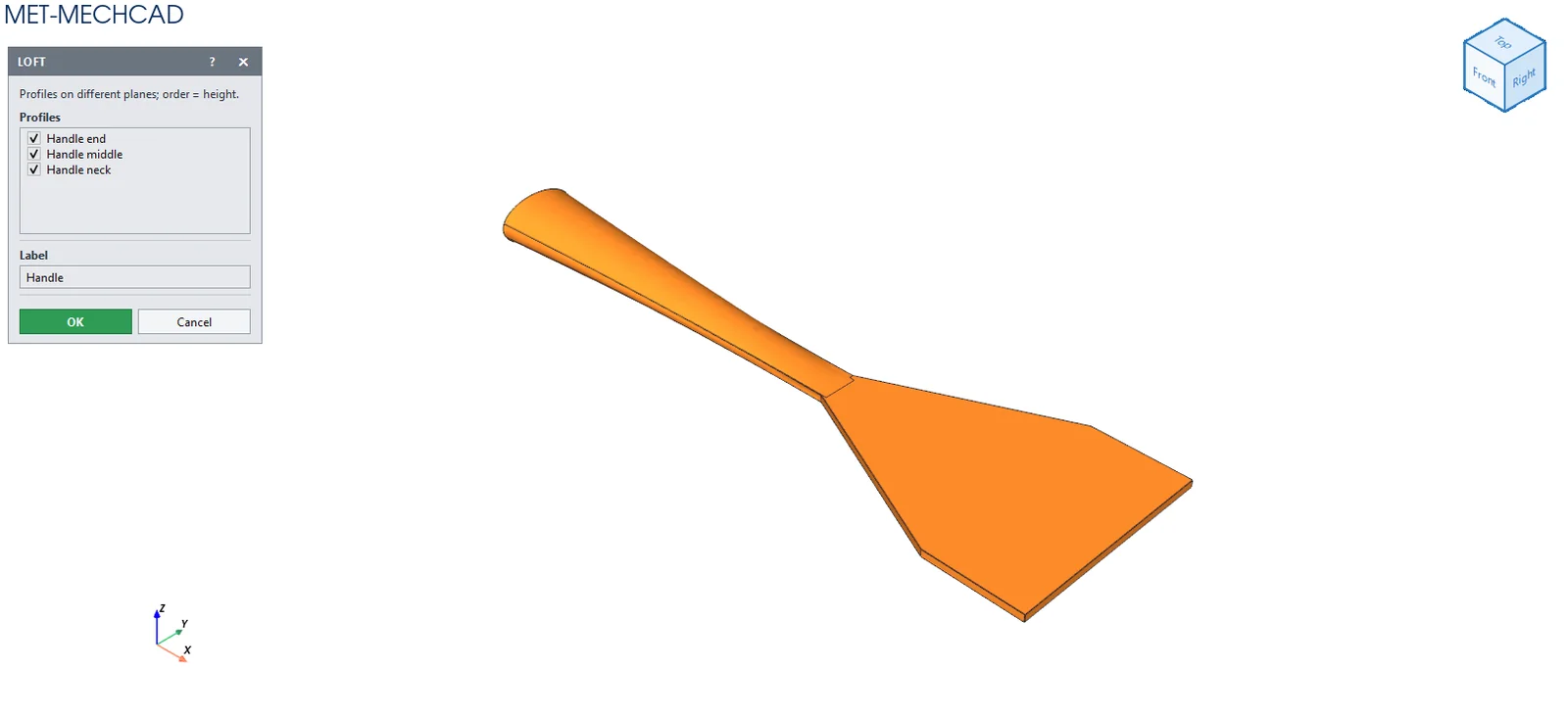
Loft creates a shape whose cross-section changes smoothly through several profiles, such as a handle or a bottle neck.
Where to find it
Model › Boss / Add › Loft
Steps
- Create reference planes at different levels and draw a profile on each plane.
- Click Loft and tick at least two sketches in the Profiles list.
- Enter a name in the Label box and click OK.
| Option | Meaning |
|---|---|
| Profiles | List of sketches (at least 2), sorted automatically by plane height. |
| Label | Feature name. |
Note: Loft only adds material (there is no Loft Cut).
Note: The command box is floating (it does not lock the screen). Drag its title bar to move it. The preview updates immediately when you change a value. OK saves one Undo step. Cancel, ✕ or Esc cancels. If the conditions are not complete, the OK button is grey and an orange message tells you what to select.