
What it does
The information you enter appears in the drawing title block and in the BOM table.
Where to find it
File › Part Properties…
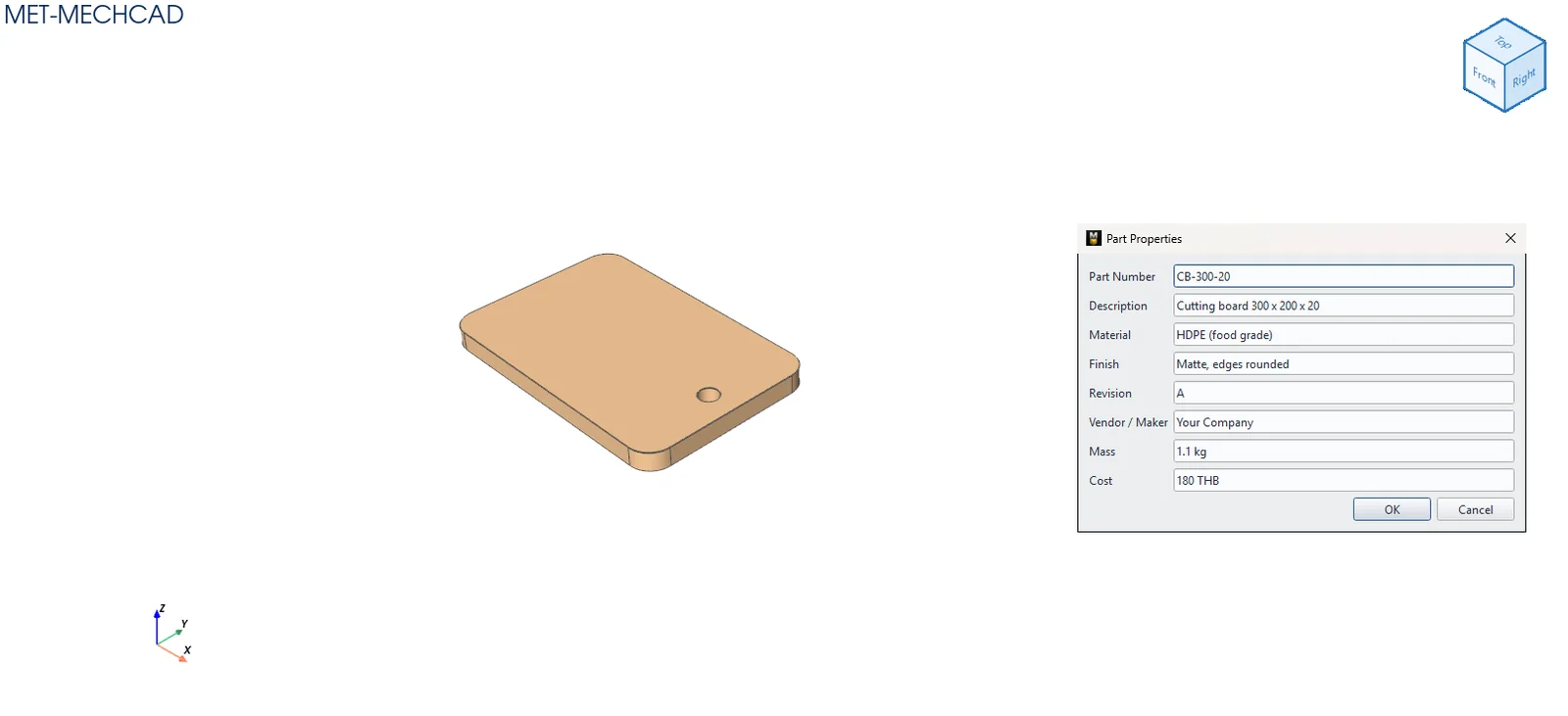
| Field | Meaning |
|---|---|
| Part Number | Part number (shown in the BOM) |
| Description | Description |
| Material | Choose a material from the list (group — material, for example Steel — Carbon Steel S45C, Stainless — Stainless SUS304). Each material carries its own density; the part color and mass follow your choice. Default (no material) = no material set. |
| Finish | Surface finish / plating |
| Revision | Revision number |
| Vendor / Maker | Manufacturer / brand |
| Mass | Mass (kg), computed and read-only = volume × material density. It updates as soon as you change Material in this window. With no material it shows — (set a material with density). |
| Cost | Cost |
Note: Empty fields are not saved.
Mass properties
Every time the part rebuilds or its material changes, the part Properties panel (Body result) shows values computed from the actual solid:
| Value | Meaning |
|---|---|
| Volume | Volume (mm³) |
| Mass | Mass (kg) = volume × material density, with the material name in brackets. With no material it shows — (pick a material). |
| CoG | Centre of gravity X, Y, Z (mm), assuming uniform density |
| Bounding box | Size of the box around the part, X × Y × Z (mm) |
| Faces / Triangles | Number of faces and display triangles |
Example densities (g/cm³): Steel SS400 / S45C 7.85, SUS304 7.93, SUS316 7.98, AL6061 2.70, AL5083 2.66.
Note: The computed mass is written to the part's Mass field automatically; you do not need to type it.