
What it does
The Automation Robot Library window lists the robot models on your computer. You can insert one into the cell right away (a model loads only when you click Insert).
Where to find it
Library › Robot › Robot Library / Cobot Library / Delta Library
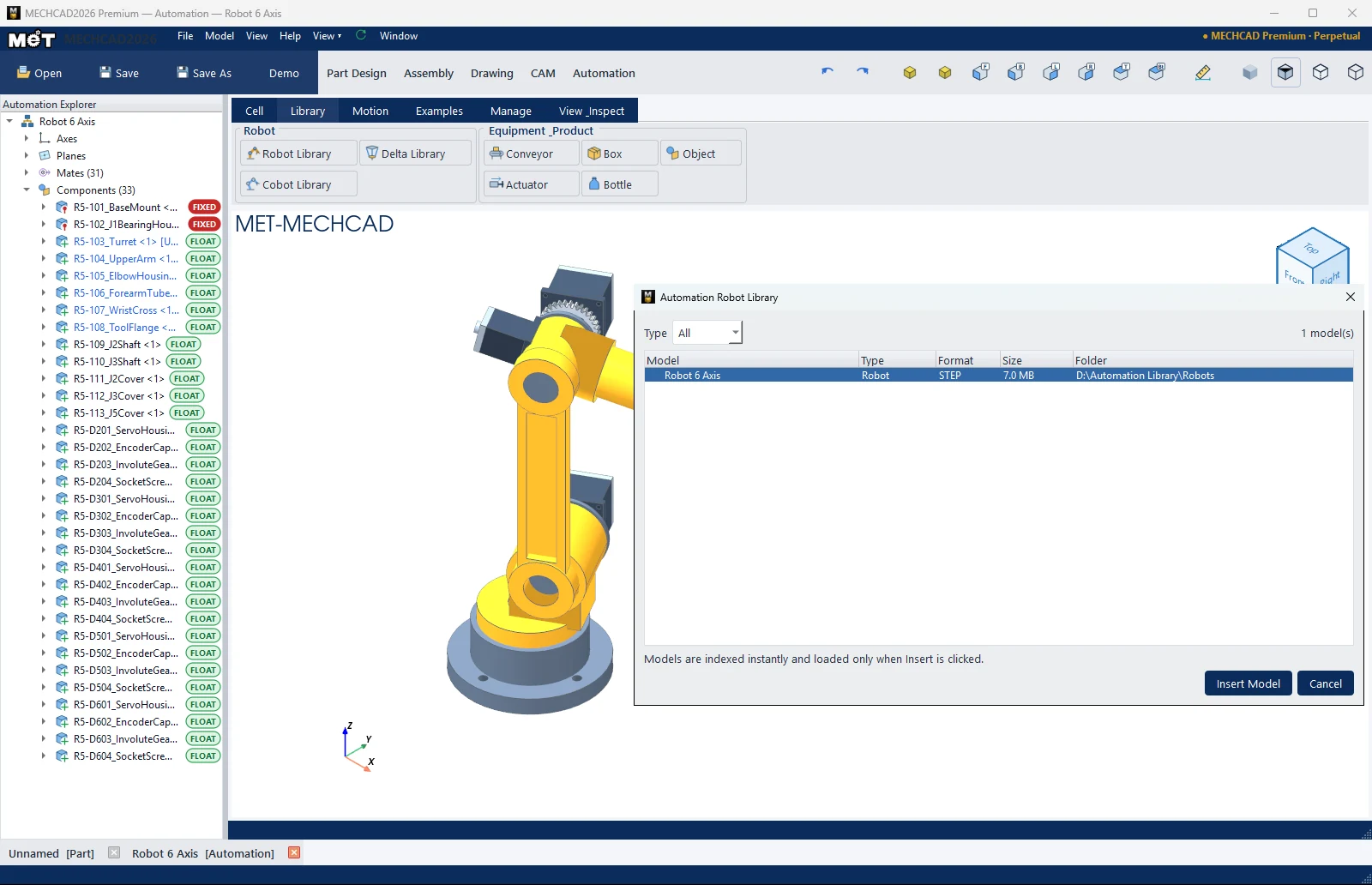
| Part | Meaning |
|---|---|
| Type | Filter: All / Robot / Cobot / Delta / Palletizer |
| Model, Type, Format, Size, Folder | List columns |
| Insert Model | Inserts the selected model |
The program searches these folders:
- The folder in the
MECHCAD_ROBOT_LIBRARYenvironment variable <install folder>\Automation Library\Robots- The models that come with the program
Supported file types: STEP/STP, IGES/IGS, BREP, X_T/X_B, METASM, METPRT
Note: If the list is empty (0 model(s)), put robot model files (for example STEP files from the manufacturer) in the folders above.
Note: This command is in MECHCAD Expert and Premium. On Standard, the status bar shows a message suggesting an upgrade. See MECHCAD editions.