
What it does
Creates copies of a part or sub-assembly in rows, columns and layers, for example bottles on a pallet or several screws.
Where to find it
Manage › Assembly Tools › Linear Pattern
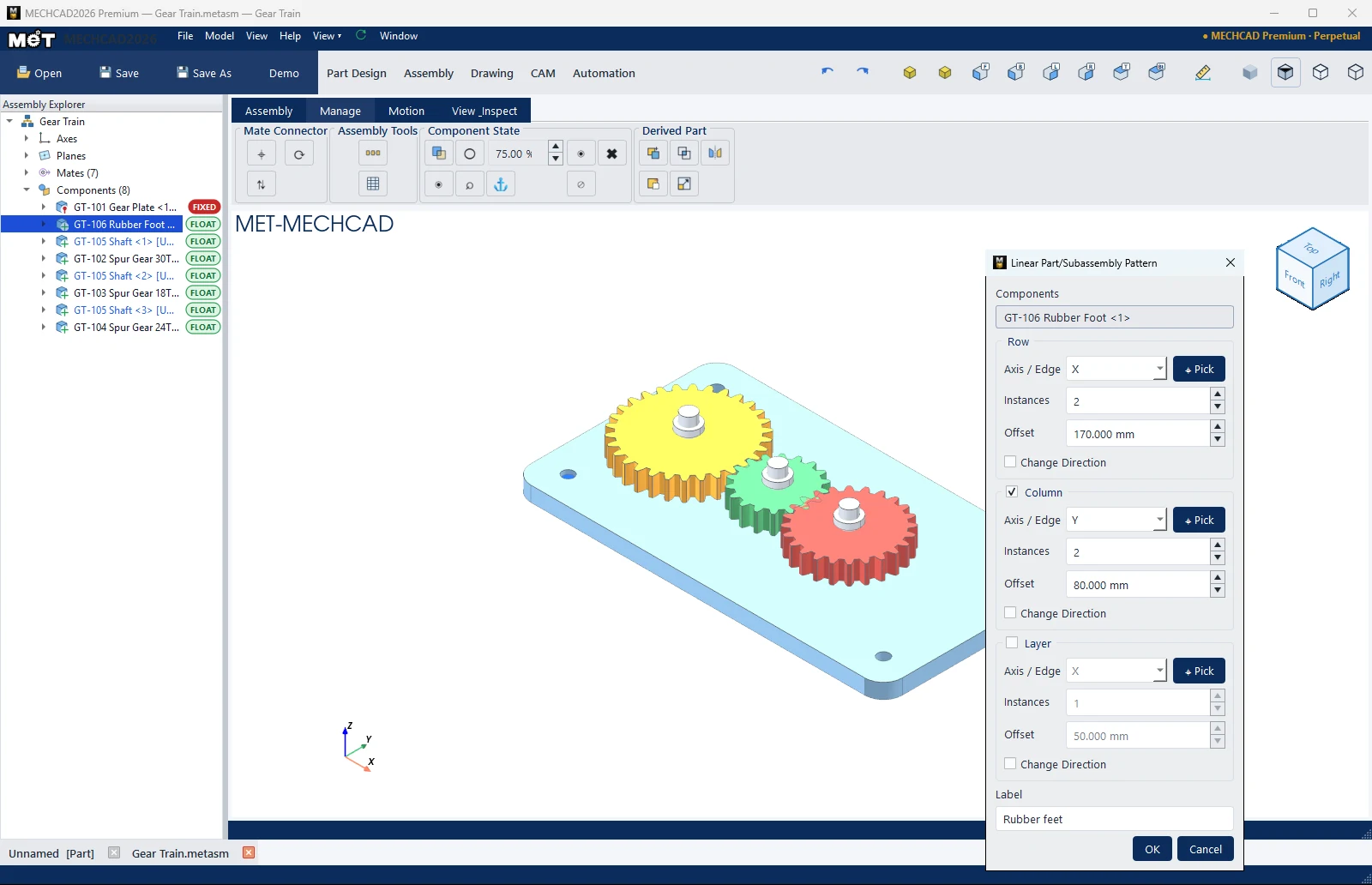
Steps
- Select a part, then click Linear Pattern.
- Under Row, choose Axis / Edge (X / Y / Z, or Picked face… and then click ⌖ Pick). Enter Instances and Offset.
- Tick Column and/or Layer if you need more directions.
- Set the Label, then click OK.
| Option | Default | Description |
|---|---|---|
| Components | Selected part | The seed part |
| Axis / Edge | X | Direction of each set |
| Instances | – | Count (1–500) |
| Offset | 50 mm | Spacing |
| Change Direction | Off | Reverses the direction |
| Label | Linear Pattern (1) | Name |