
What it does
| Tool | How to use it |
|---|---|
| Slot (Straight Slot) | Click the center of one end, then the other end, then click a third time to set the width (the axis locks to horizontal/vertical when Auto H/V is on). |
| Ellipse (Ellipse by Center) | Click the center, an end of one axis, then a point that sets the size of the other axis. |
| 3-Pt Ellipse | Click 3 points to define the ellipse. |
| Polygon | Click the center, then click a radius point. You get an inscribed hexagon. |
Where to find it
Sketch ribbon › Draw, or right-click › Ellipse
Note: In Part Design, Polygon is always a hexagon. If you need another number of sides, draw it with Line and add an Equal constraint.
Try it: Bike multi-tool spanner
A pocket spanner for bike trips needs a rounded outline, two hex sockets and a light grip window. That is exactly Slot, Polygon and Ellipse.
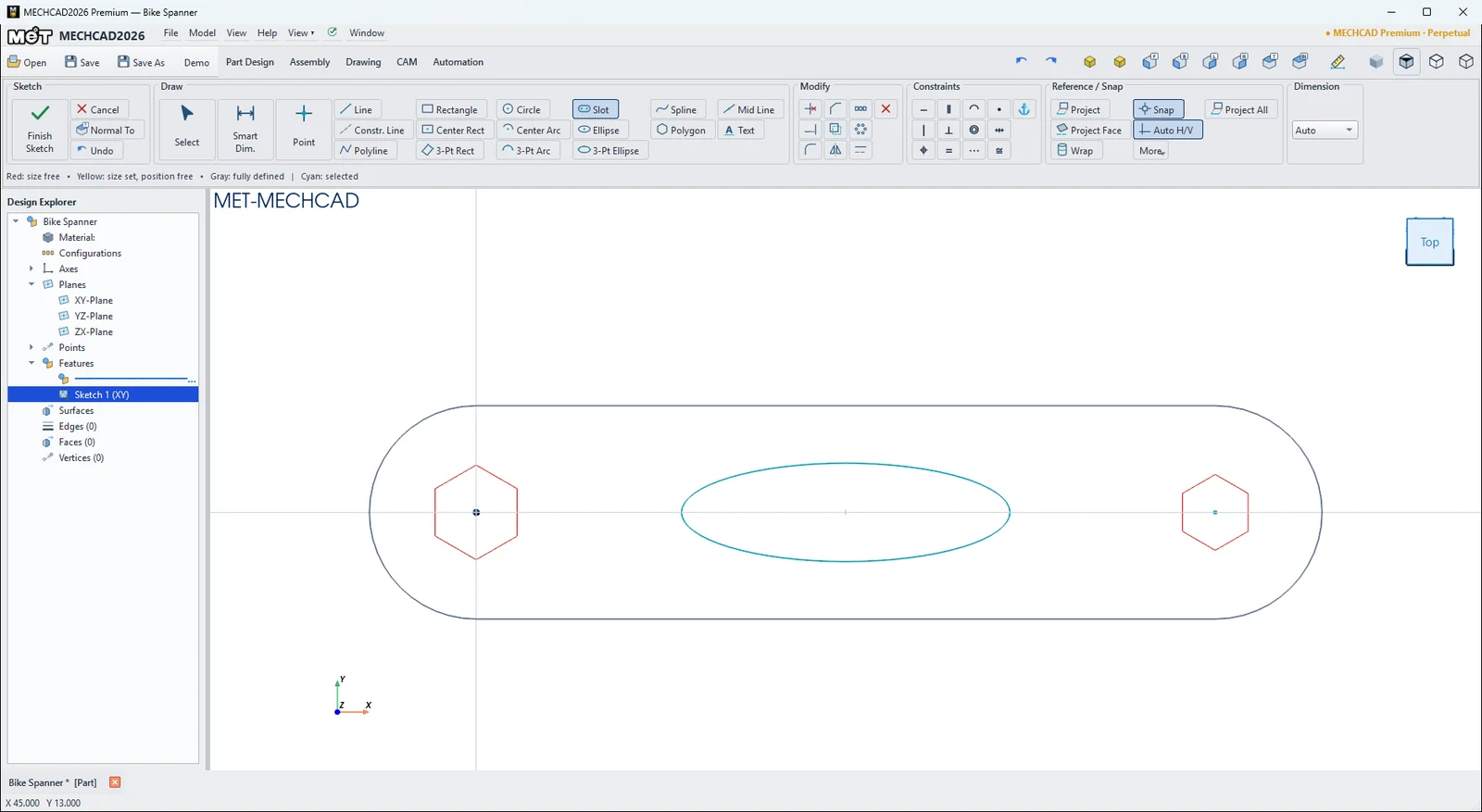
- Click Sketch and press Enter (XY-Plane). Choose Slot. Click the origin, click (90, 0) and move the mouse to set the width, then click. With Smart Dimension, set 90 between the end centres and R13 on an end arc (26 mm wide).
- Choose Polygon. Click the centre of the left end arc (Center snap), then click a radius point. Dimension one side to 5.77 mm. A hexagon's side equals its corner radius, so this gives a 10 mm socket across the flats.
- Do the same at the right end with a side of 4.62 mm. This gives an 8 mm socket.
- Choose Ellipse. Click the centre at (45, 0), click an axis end 20 mm to the right at (65, 0), then click a point 6 mm above the centre. This is the grip window.
- Click Finish Sketch and Extrude 5 mm.
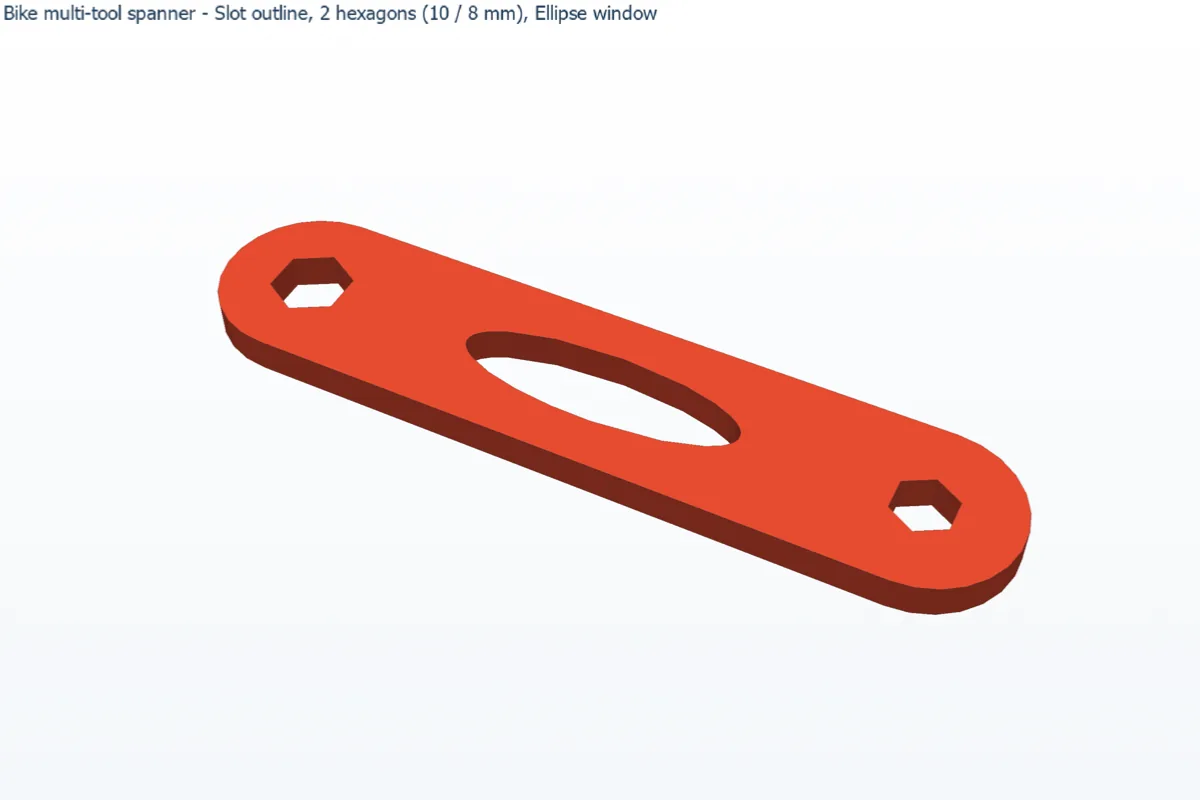
Challenge: Change the 8 mm socket to 13 mm (side 7.51 mm) and widen the slot to R16 so the bigger socket still has enough wall.