
What it does
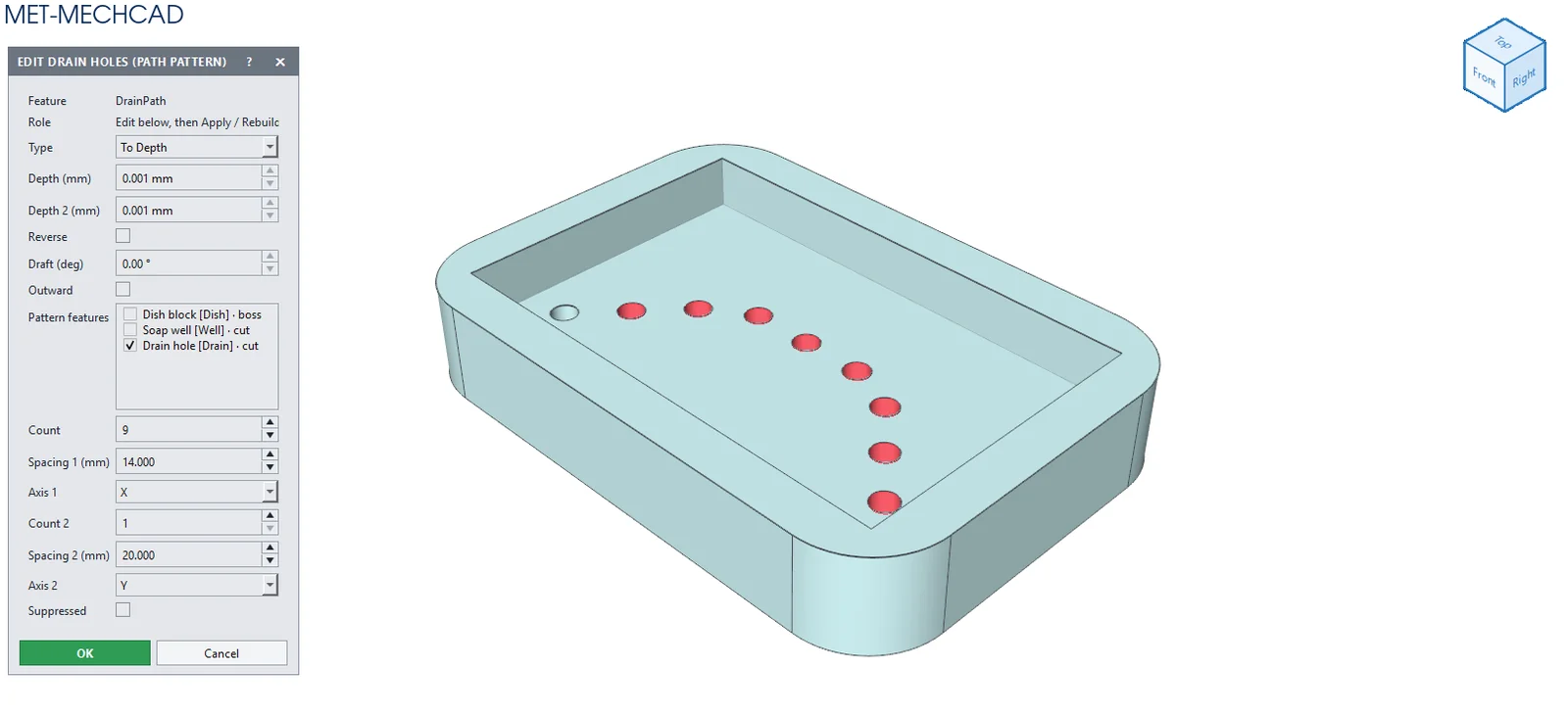
Path Pattern repeats a feature along an edge or curve. Spacing = path length ÷ (count − 1).
Where to find it
Model › Features › Path Pattern
Steps
- Click Path Pattern.
- Tick the features in Features to pattern.
- Click the edge to use as the path (Path edge).
- Enter the Count and click OK.
| Option | Default | Meaning |
|---|---|---|
| Features to pattern | – | The features to repeat |
| Path edge | – | The edge/curve used as the path |
| Count | 4 | Number of instances |
Note: When you edit a Path Pattern later, it asks for the spacing directly.
Note: The command box is floating (it does not lock the screen). Drag its title bar to move it. The preview updates immediately when you change a value. OK saves one Undo step. Cancel, ✕ or Esc cancels. If the conditions are not complete, the OK button is grey and an orange message tells you what to select.