
What it does
Pack and Go bundles the assembly file and every component it references into a single .metpkg file. Use it to send work to others, or to copy an assembly and rename its components with a prefix/suffix.
Where to find it
File › Pack and Go… (while an assembly is open)
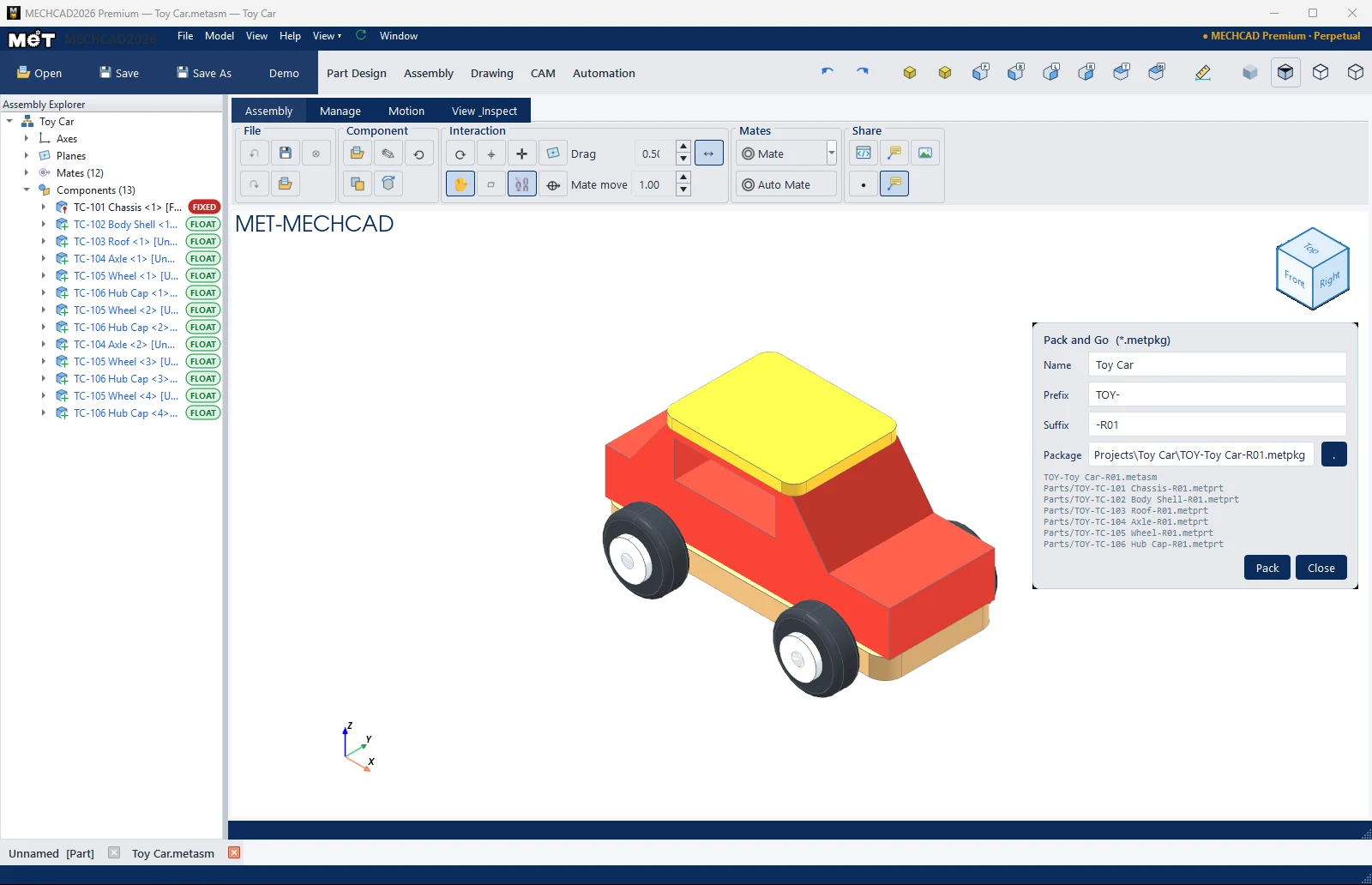
Steps
- Open an assembly and choose File › Pack and Go….
- Set the Name, and a Prefix / Suffix if you want. The resulting file names are listed below immediately.
- Choose where to store the Package (the … button).
- Click Pack.
| Option | Meaning |
|---|---|
| Name | Assembly name in the package |
| Prefix | Text added before every file name |
| Suffix | Text added after the name, for example -R01 |
| Package | Location of the .metpkg file |
Inside the package: manifest.json, the .metasm file and Parts/*.metprt (components imported from STEP are converted to .metprt for you).
Note: Double-click a
.metpkgfile to open it. The program unpacks it into a folder next to the package, then opens the assembly. If a file with the same name exists, it asks Replace the existing package?