
What it does
- Groove turns a groove (single pass, peck or multi-pass) with the G75 cycle.
- Thread turns external/internal threads with the G76 cycle (or G92 / G32).
Where to find it
Machining › Turning › Groove / Thread
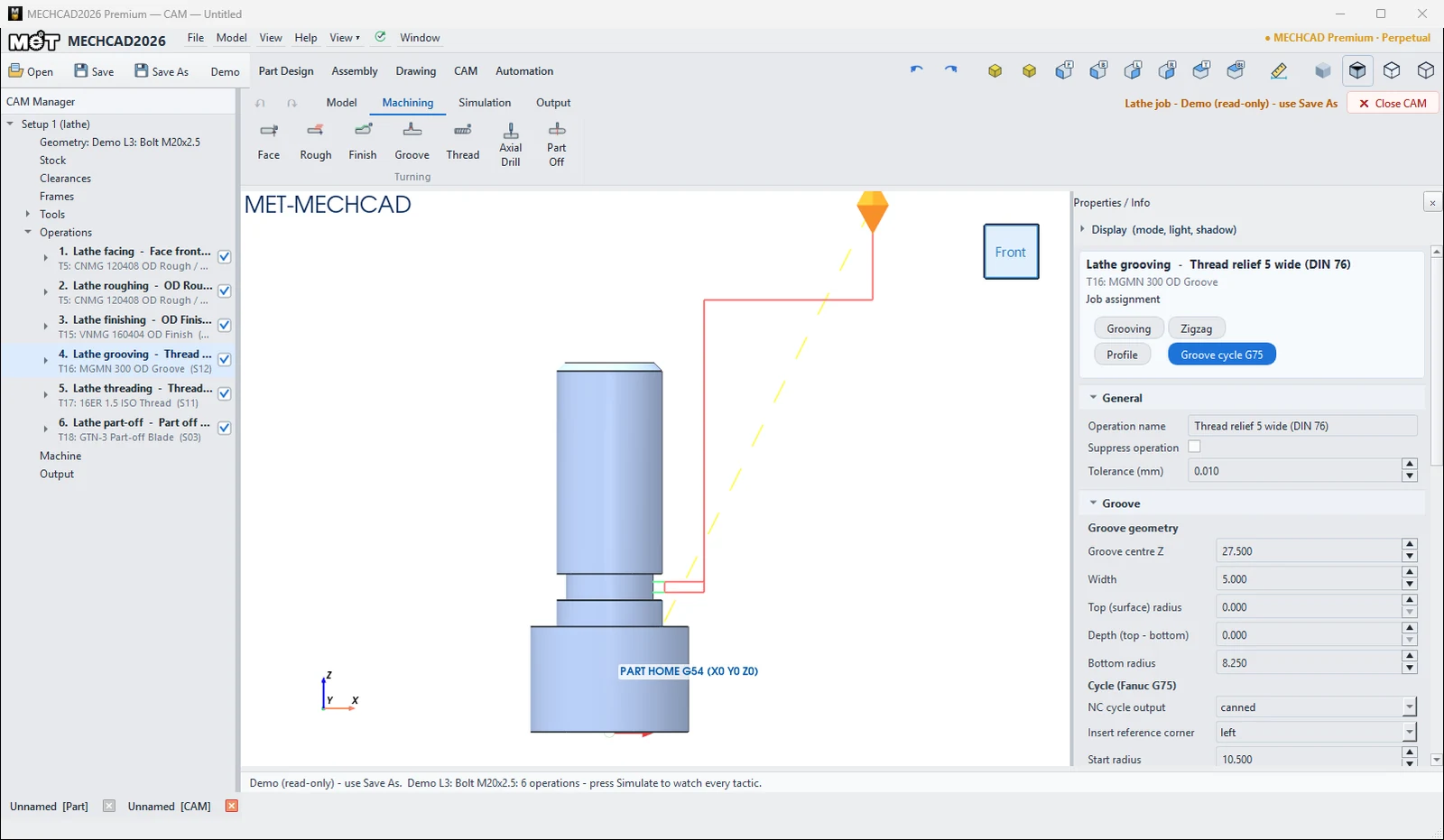
| Groove | Default / description |
|---|---|
| Groove centre Z, Width, Top (surface) radius, Depth, Bottom radius | Groove position and size (width 4) |
| NC cycle output | canned (G75) / expanded |
| Insert reference corner | left / right / center |
| Peck depth (P) / Shift (Q) / Retract e (G75 R) | 2 / 0 = insert width / retract distance |
| Groove finish pass | Finishes the groove surface (on) |
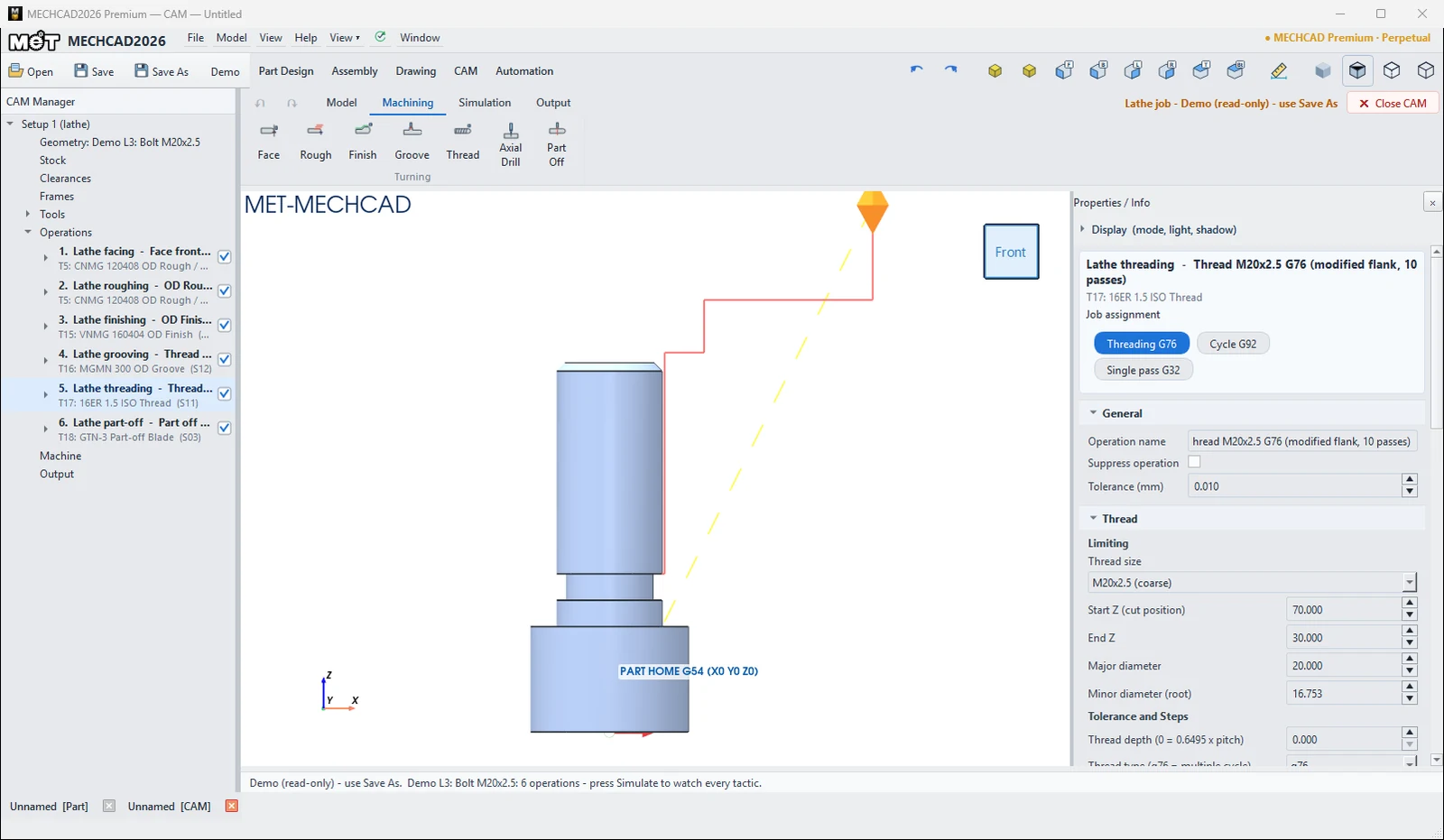
| Thread | Default / description |
|---|---|
| Thread size | Custom or M3–M64 (coarse/fine). Fills in the pitch and Ø. |
| Start Z (cut position) / End Z | Thread range |
| Major diameter / Minor diameter (root) | Major Ø / root Ø |
| Thread depth (0 = 0.6495 x pitch) | Thread depth |
| Thread type | g76 (multiple cycle) / g92 / g32 |
| First pass depth / Min depth | 0.25 / 0.05 |
| Hand of thread / Pitch / Thread angle | Right / 1.5 / 60° |
| Infeed | modified_flank / radial / alternate_flank |
| Pullout length (G76 chamfer) / Finish depth (G76 R) | 1 / 0.1 |
| Number of finish / Number of spring | Number of finish passes / spring (dwell) passes (1) |
Note: When MECHCAD finds the groove or the thread in the part profile, it fills in these values instead of the defaults above: Groove peck depth 1 with the finish pass off; Thread first pass depth 0.5, min depth 0, pull-out 0 and a size proposed from the diameter. Check the pitch: a Ø10 stem is proposed as M10x1.
You can edit every operation in the Properties panel on the right when you click the operation in the CAM Manager. The panel sections are General, Geometry, Tool, Levels, Passes, Linking and Stock (see Operation Parameters for the meaning of each field).
Try it: Turn a threaded knob
A Ø30 knob with an M10 × 1.5 stud is handy for jigs and fixtures. After Face, Rough and Finish come the two stars of this page: a thread-relief Groove and a G76 Thread.
- In Part Design, sketch on XZ the half outline (radius, Z): (0, 0) › (15, 0) › (15, 13) › (14, 14) › (4, 14) › (4, 17) › (5, 17) › (5, 33) › (4, 34) › (0, 34). Revolve it about Z. That gives a Ø30 head, a 3 mm wide Ø8 relief groove and a Ø10 stem with a 1 mm chamfer.
- CAM › New Job › Turn Template (Ø32 bar). Add Face, Rough and Finish.
- Click Groove. MECHCAD finds the relief by itself: Groove centre Z 15.5, Width 3, Top radius 5, Bottom radius 4, Peck depth (P) 1, canned G75 with T16 MGMN 300 (a 3 mm insert, exactly the groove width).
- Click Thread. MECHCAD proposes M10x1 for the Ø10 stem. Change Thread size to
M10x1.5 (coarse). Start Z 34 and End Z 17 end the thread in the relief groove. The tool is T17 16ER 1.5 ISO. - Add Part Off, then Simulate. The estimated time is about 3.2 min and Solid Verify shows PASS. The G-code contains
G75 X8. Z14. P1000 Q3000 F0.1andG76 X8.0515 Z17. P974 Q500 F1.5.
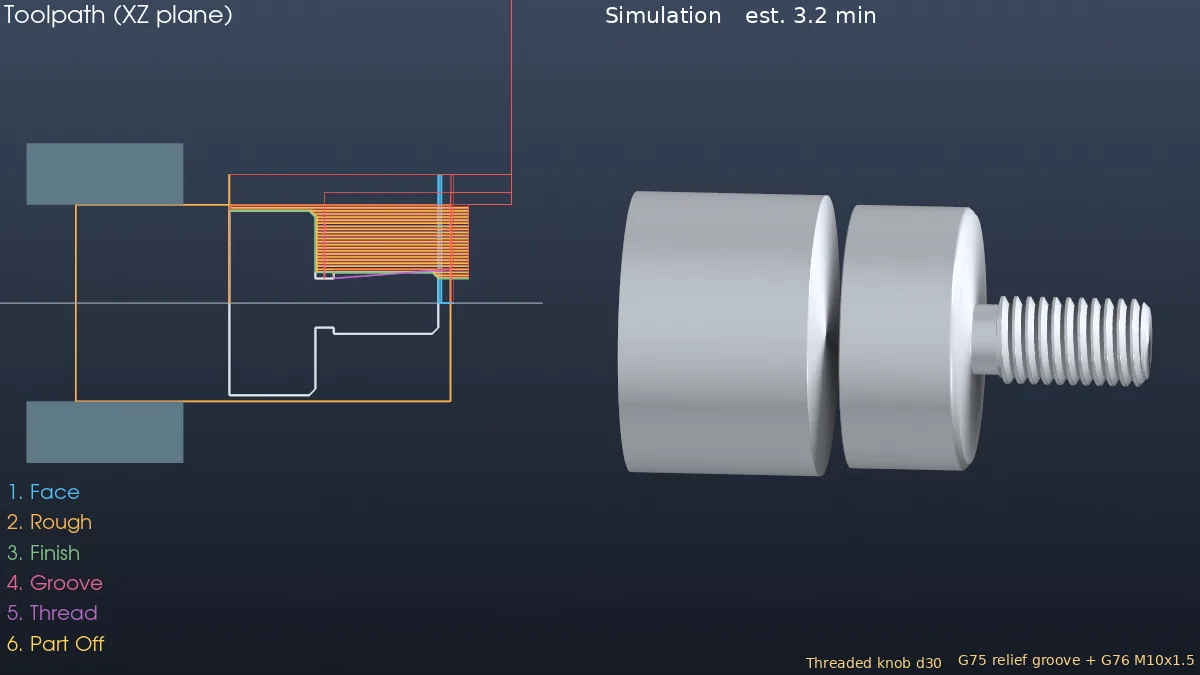
Challenge: Change Infeed to radial or Hand of thread to left, then compare the G76 lines.
Note: CAM is available only in MECHCAD Premium (and during the trial).