
What it does
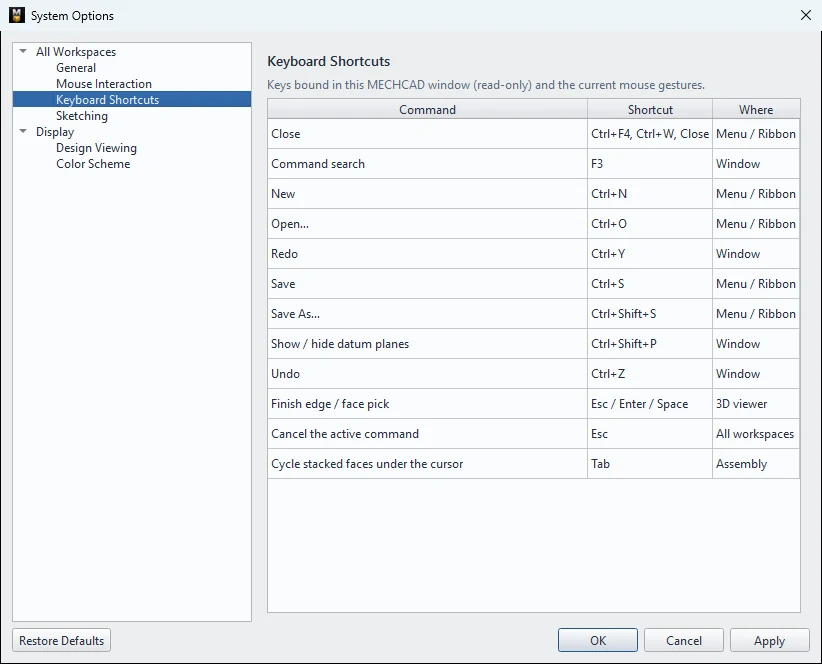
Lists the MECHCAD keyboard shortcuts. The shortcuts are fixed. You can see the list at File › System Options… › Keyboard Shortcuts.
General
| Key | Command |
|---|---|
| Ctrl+N | New |
| Ctrl+O | Open… |
| Ctrl+S | Save |
| Ctrl+Shift+S | Save As… |
| Ctrl+Z | Undo |
| Ctrl+Y / Ctrl+Shift+Z | Redo |
| F3 | Command search |
| Ctrl+Shift+P | Show / hide datum planes |
| Esc | Cancel the active command |
| Esc / Enter / Space | Finish edge/face selection (Fillet, Chamfer, Shell …) |
| Delete / Backspace | Delete the selection |
Sketch
| Key | Command |
|---|---|
| L | Line |
| C | Circle |
| R | Rectangle |
| D | Smart Dimension |
| Tab / Shift+Tab | Switch between input fields (Dynamic input) |
| Enter | Create the shape from the typed values / go to the next step of Mirror, Pattern |
| Esc (once) | Finish the line you are drawing |
| Esc (twice) | Return to Select |
| Hold Alt | Turn snaps off temporarily |
| R / D (while dimensioning a circle) | Switch between radius / diameter |
Assembly
| Key | Command |
|---|---|
| Tab | Cycle through stacked faces under the cursor while picking a mate |
| Esc | Cancel a drag / finish the Mate command |
| Shift + drag a component | Rotate the component |
| Ctrl + drag a component | Copy, then drag |
Drawing
| Key | Command |
|---|---|
| Esc | Deselect a dimension / exit the tool |
| Delete | Delete the selection |
| Ctrl+Z / Ctrl+Y | Undo / Redo (up to 60 steps) |
| Double-click text | Edit the text (Edit Text) |
Try it: Sticky-note holder (almost without the mouse)
A tray for a standard 76 mm sticky-note pad, built mostly from the keyboard. Once these keys are in your fingers, every sketch gets faster.
- Press Ctrl+N, then start a sketch on the XY plane.
- Press R, click the origin, type 90, Tab, 90, Enter. Press Esc twice to go back to Select.
- Finish Sketch and Extrude 25 mm.
- Right-click the top face › New Sketch on this face. Press R, click near the lower-left corner, type 78, Tab, 78, Enter, then Esc twice.
- Press D and set the pocket 6 mm from the left edge and 6 mm from the front edge. Finish Sketch, then Cut / Remove › Extrude with Depth 15.
- Sketch on the top face again. Press C, click the midpoint of the front edge, type 30 and press Enter. Cut it 15 mm deep: this is the finger notch for grabbing the pad.
- Made a mistake? Ctrl+Z undoes, Ctrl+Y redoes. Finish with Ctrl+S.
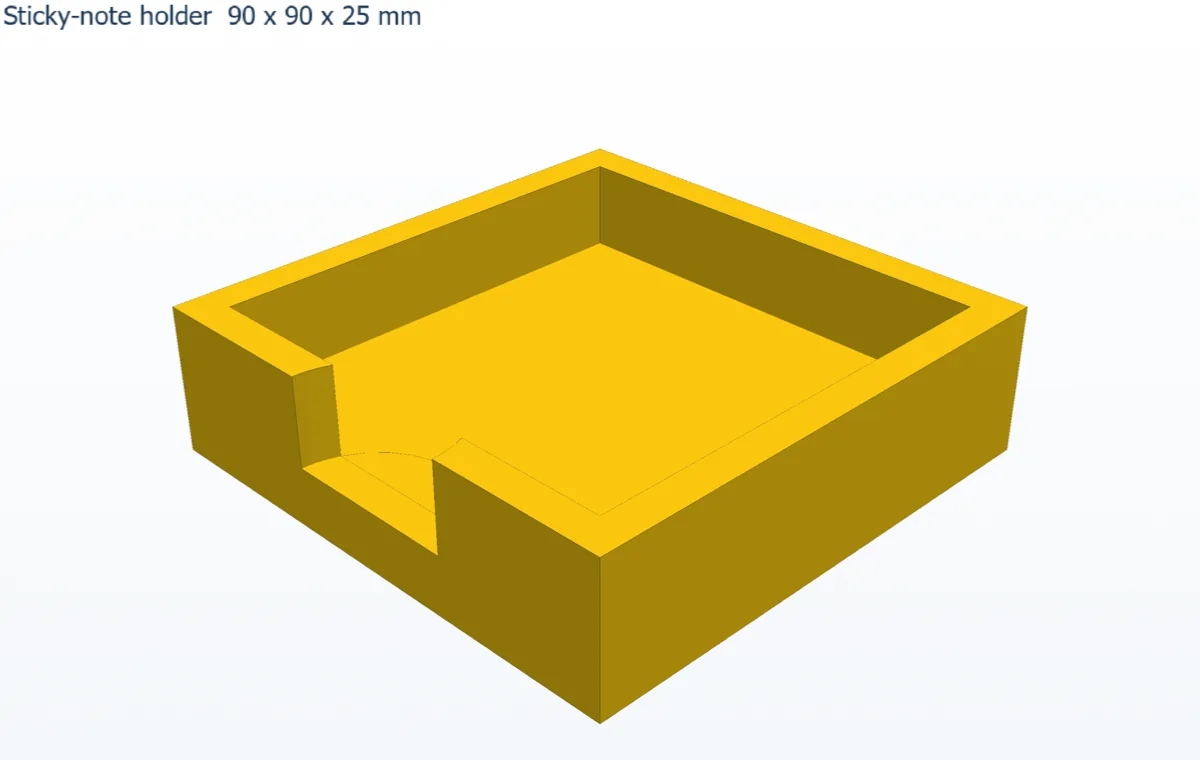
Challenge: Press F3, type bevel and press Enter to run Chamfer, then put a 1 mm chamfer on the top outside edges.