
What it does
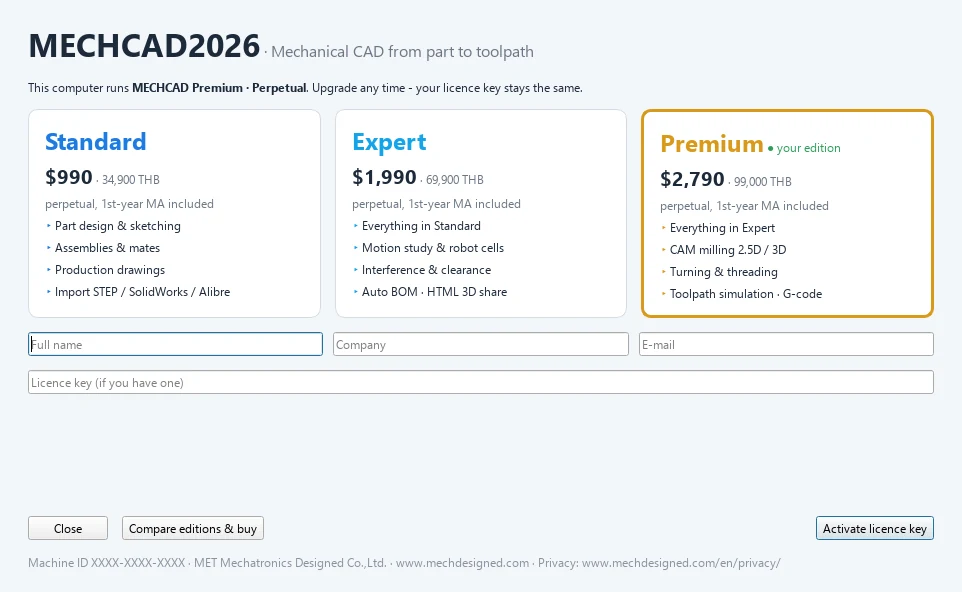
MECHCAD is a single program. Your licence determines which Edition this computer uses. You do not choose the Edition yourself, and you can upgrade with the same licence key.
Compare Editions
| Capability | Standard | Expert | Premium |
|---|---|---|---|
| Part Design and Sketch (parameters and equations) | ✓ | ✓ | ✓ |
| Import STEP / IGES / SolidWorks / Alibre / Siemens NX | ✓ | ✓ | ✓ |
| Assembly (mates, sub-assemblies, explode) | ✓ | ✓ | ✓ |
| Drawing (views, dimensions, BOM, export PDF/DXF/DWG) | ✓ | ✓ | ✓ |
| Surface modeling | – | ✓ | ✓ |
| Sheet metal (flat pattern, DXF for laser cutting) | – | ✓ | ✓ |
| Simulation: Motion Study, Motion Studio, Automation workbench, video/GIF recording | – | ✓ | ✓ |
| Assembly analysis: Interference, Clearance, Auto BOM, Export HTML | – | ✓ | ✓ |
| CAM: 2.5D / 3D milling, turning and threading, machining simulation, G-code | – | – | ✓ |
| 30-day trial | Every feature, same as Premium |
Prices
Prices are per seat (one computer at a time). Every THB price includes 7% VAT.
| Item | Standard | Expert | Premium |
|---|---|---|---|
| Perpetual, first year of MA included | $990 / ฿34,900 | $1,990 / ฿69,900 | $2,790 / ฿99,000 |
| MA renewal per year (from year 2) | $290 / ฿9,900 | $450 / ฿15,900 | $690 / ฿23,900 |
| Annual subscription | $390 / ฿13,900 | $790 / ฿27,900 | $1,190 / ฿39,900 |
| Network (floating) licence | +25% | +25% | +25% |
Upgrading pays only the price difference: Standard → Expert $1,000 (฿35,000 incl. VAT) and Expert → Premium $800 (฿29,100 incl. VAT), with the same licence key. Current prices are on the MECHCAD pricing page.
When you use a feature that is not in your Edition
- The Automation and CAM tabs are still visible, but show a card saying which Edition includes the feature.
- Locked buttons (for example Interference, Auto BOM, Motion Studio) show a message in the status bar and in the tooltip, such as Simulation is part of MECHCAD Expert and Premium. Contact MET (www.mechdesigned.com) to upgrade - your licence key stays the same.
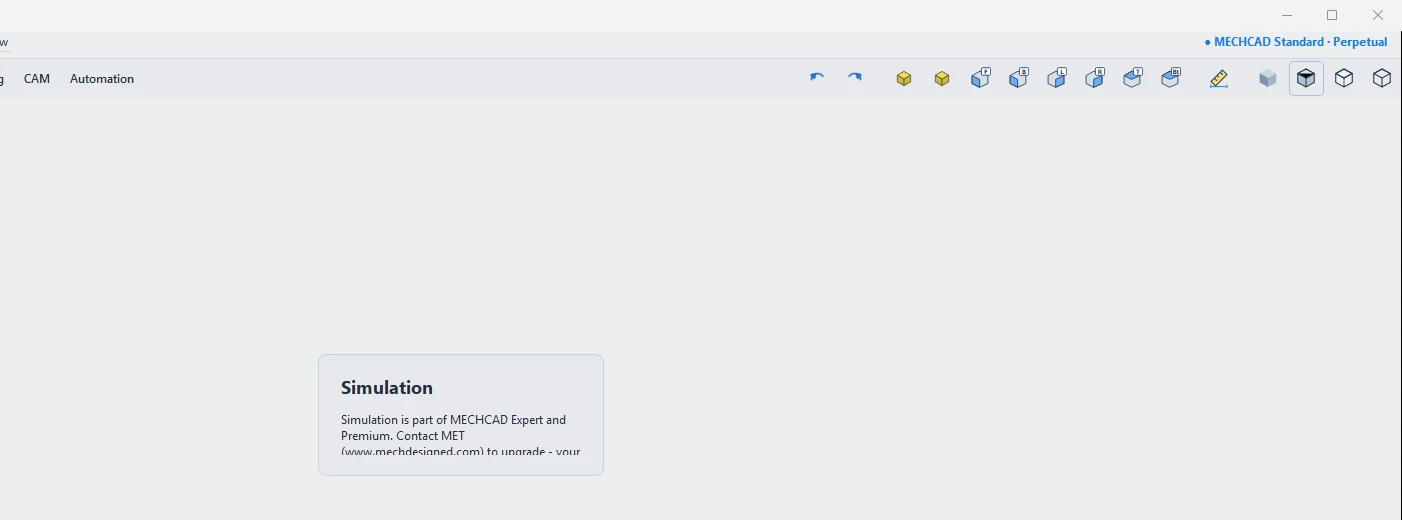
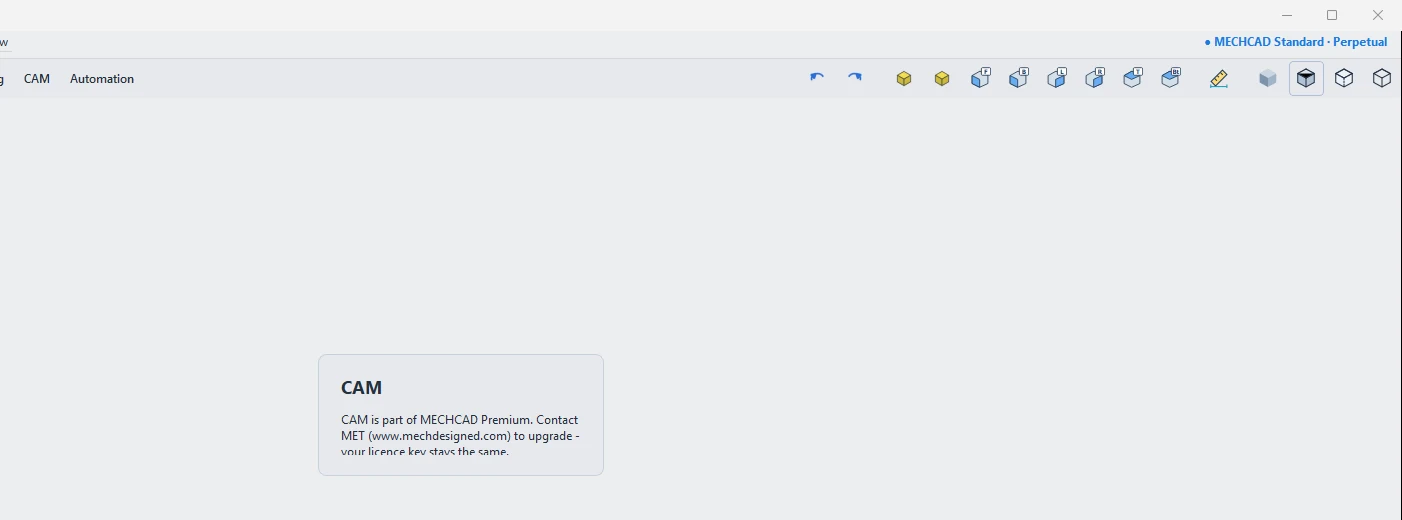
Note: The badge at the top right always shows your Edition and licence term, for example MECHCAD Premium · Perpetual, MECHCAD Trial · 12 days left or MECHCAD Expert · until 2027-01-31.
Try it: Pick the right edition for a laptop-stand project
Scenario: you design aluminium laptop stands. Use this page to decide which edition you need, step by step.
- Drawing the stand, its parts and the drawings for the workshop: Standard ($990 / 34,900 THB) is enough.
- You want to animate the folding hinge with a Motion Study and check the parts for interference: you need Expert ($1,990 / 69,900 THB).
- You want to mill the aluminium plates yourself and make G-code: you need Premium ($2,790 / 99,000 THB).
- Not sure yet? Start the 30-day trial: it includes every Premium feature, so you can try all three steps first.
- On a Standard licence, click the CAM tab: you see the card that tells you which edition includes it, and nothing is lost if you upgrade later, because the key stays the same.
Challenge: Write down which of the three steps your next project really needs before you contact MET.