
What it does
Creates a helical curve (like SolidWorks) with constant or variable pitch, clockwise or counter-clockwise. Use it as the path for Sweep and Sweep Cut with any closed profile, for example springs and threads.
Where to find it
Model › Curves › Helix / Spiral
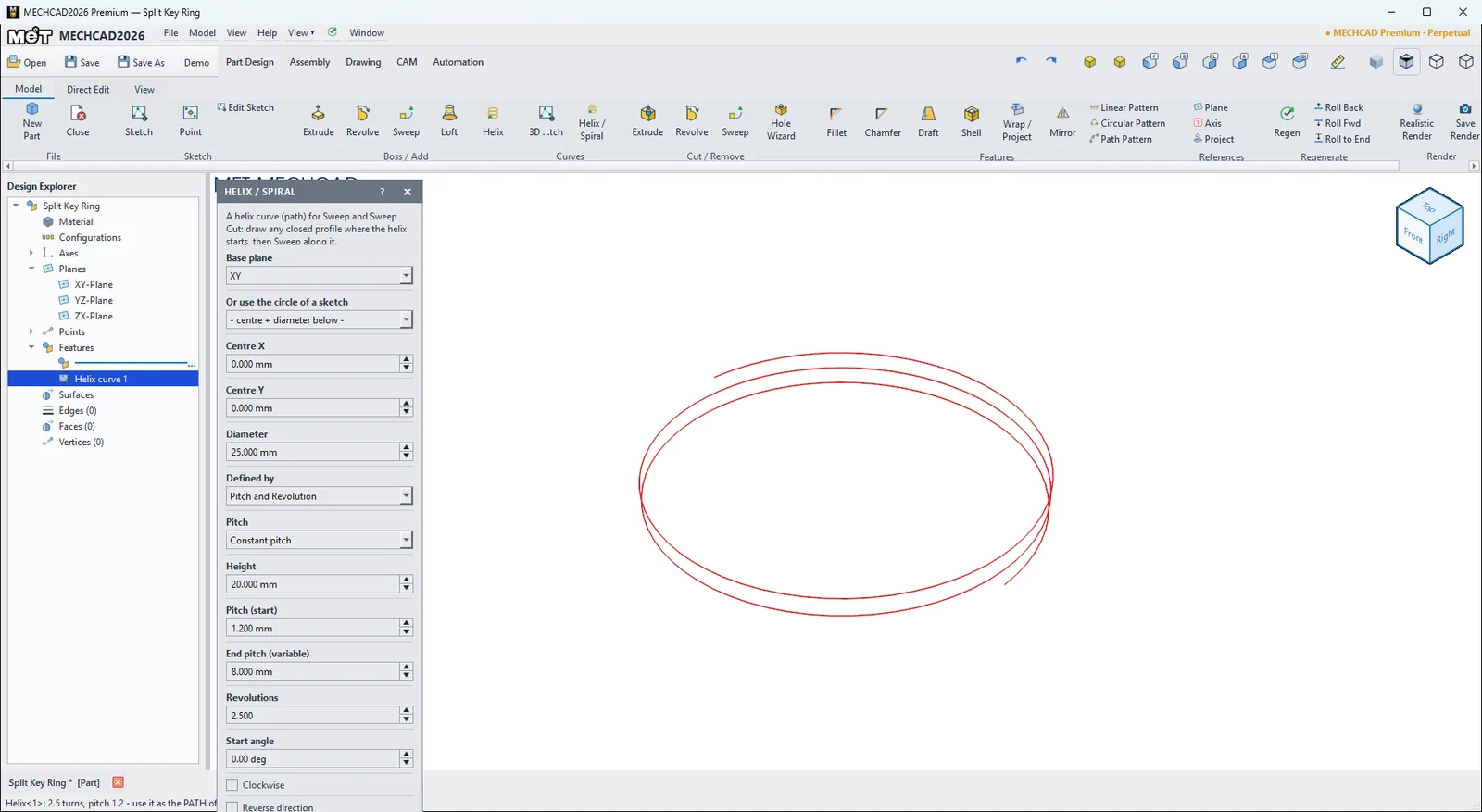
| Option | Default | Description |
|---|---|---|
| Base plane | XY | Base plane (XY / YZ / ZX / reference plane) |
| Or use the circle of a sketch | – | Uses a circle in a sketch for the centre and size |
| Centre X / Centre Y | 0 | Centre point |
| Diameter | 25 mm | Diameter |
| Defined by | Pitch and Revolution | Pitch and Revolution / Height and Revolution / Height and Pitch |
| Pitch | Constant pitch | Constant pitch / Variable pitch |
| Height | 20 mm | Height |
| Pitch (start) | 4 mm | Pitch |
| End pitch (variable) | 8 mm | End pitch (when variable) |
| Revolutions | 5 | Number of turns |
| Start angle | 0° | Start angle (±360°) |
| Clockwise | Off | Turns clockwise |
| Reverse direction | Off | Reverses the direction |
Steps
- Click Helix / Spiral and enter the values in the table.
- Click OK to create a
Helix<n>curve. - Draw a closed profile at the start of the helix, then use Sweep and choose this curve as the Path.
Try it: Split key ring
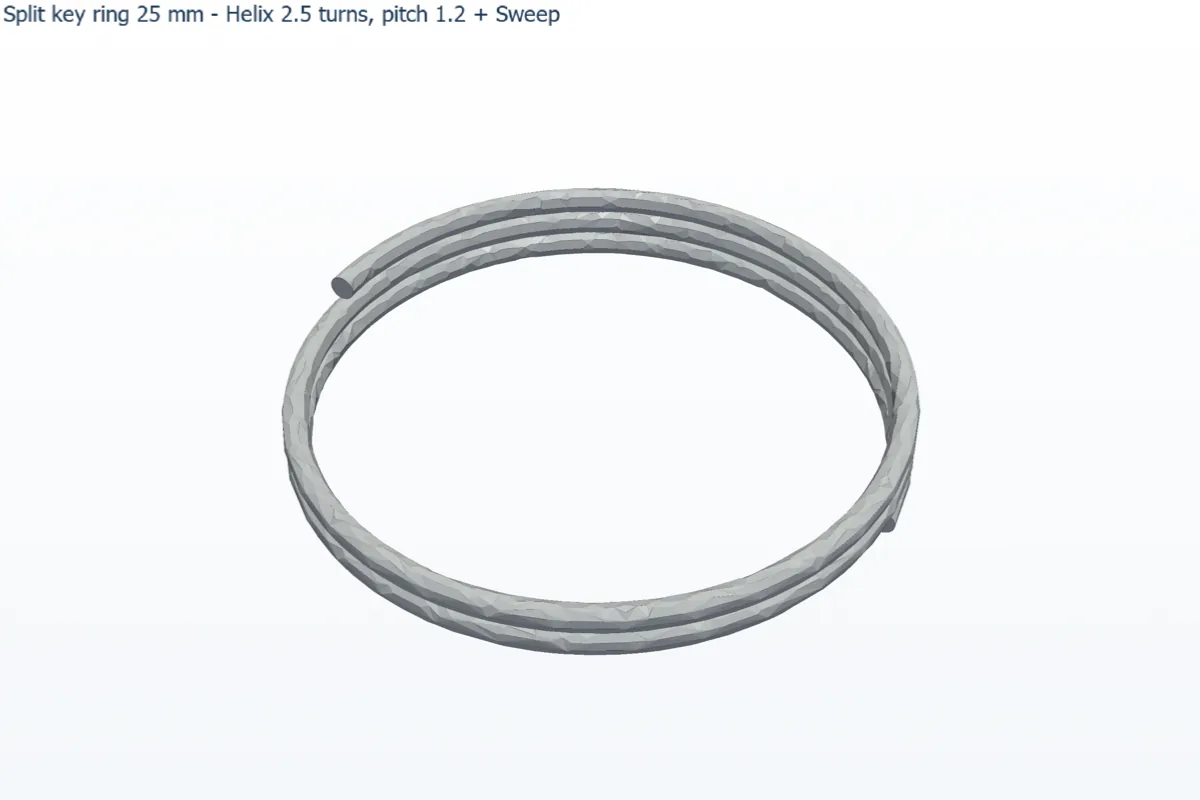
A split key ring is nothing more than 2.5 turns of thin wire wound on a helix. Build one in two minutes and you also know how every spring and thread is made.
- Click Model › Curves › Helix / Spiral and enter: Base plane XY, Centre X 0, Centre Y 0, Diameter 25 mm, Defined by Pitch and Revolution, Pitch Constant pitch, Pitch (start) 1.2 mm, Revolutions 2.5, Start angle 0. Click OK. You get
Helix<1>. - Click Sketch, pick the ZX-Plane, press C (Circle), click the origin, type 1.1 and press Enter. Click Finish Sketch. The wire (1.1 mm) is thinner than the pitch (1.2 mm), so the turns do not fuse together.
- Click Model › Boss / Add › Sweep. Choose the circle sketch as Profile (section) and
Helix<1>as Path (spine), then click OK. The circle is not at the start of the helix, so Sweep moves it there for you.
Challenge: Change Pitch to Variable pitch (1.2 to 3 mm) and Revolutions to 6. Now you have a tapered spring.