
What it does
Draft tilts side walls about a reference (neutral) plane, for cast or moulded parts.
Where to find it
Model › Features › Draft
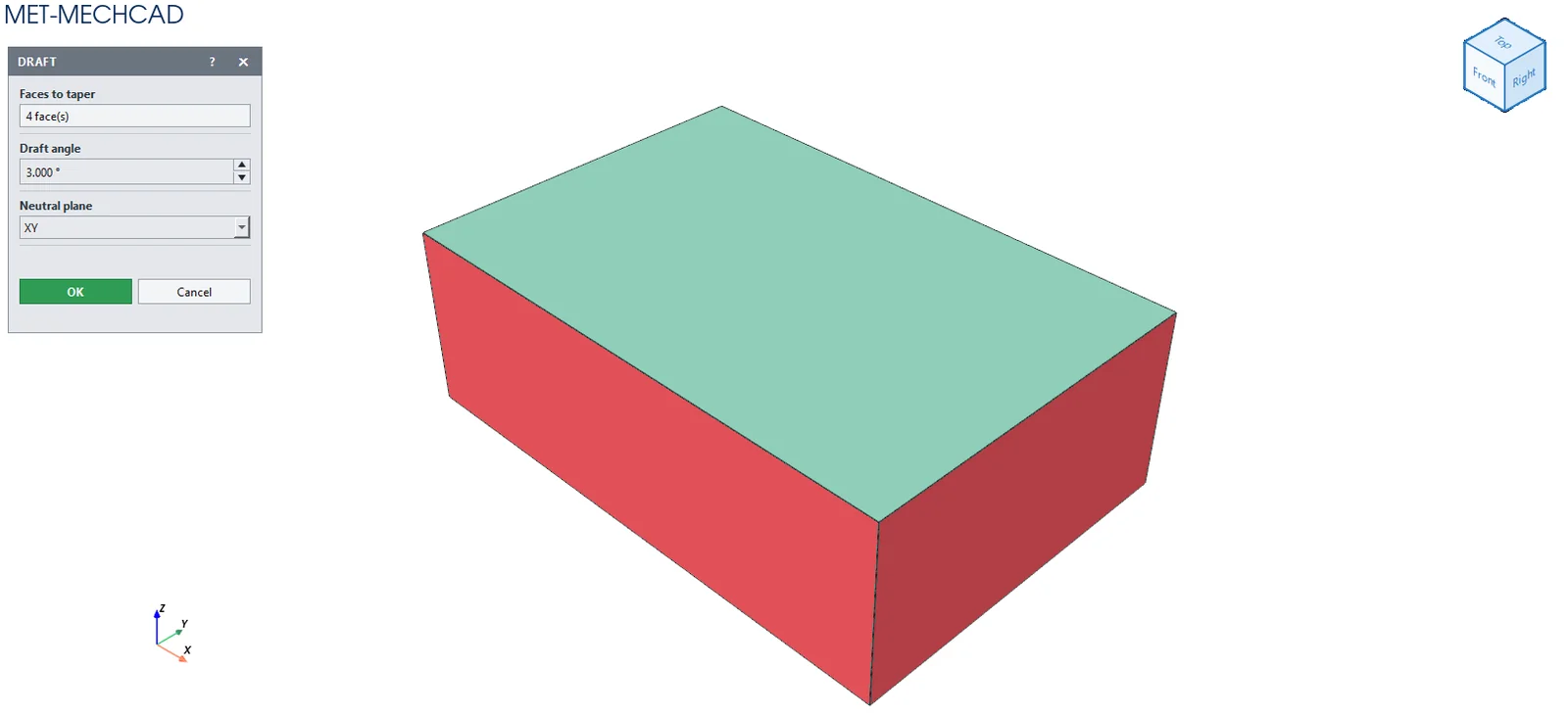
Steps
- Click Draft.
- Click the side walls you want to tilt (click again to remove one).
- Enter the Draft angle and choose the Neutral plane.
- Click OK.
| Option | Default | Description |
|---|---|---|
| Faces to taper | – | The wall faces to tilt |
| Draft angle | 3° | 0.001–88.999° |
| Neutral plane | XY | XY / YZ / ZX |
Note: If you see Draft failed (try a smaller angle or a side wall), reduce the angle or select only side walls. The box stays open so you can correct it.
Note: The command box is floating (it does not lock the screen). Drag its title bar to move it. The preview updates immediately when you change a value. OK is saved as one Undo step. Cancel, ✕ or Esc cancels. If the conditions are not yet met, the OK button is grey and an orange message tells you what to select.