
What it does
The Motion Study · Timeline panel on the Automation tab builds motion over time. You can add keyframes, rotary motors, back-and-forth moves, and show or hide parts.
Where to find it
Motion › Motion Wizard › Motion Study
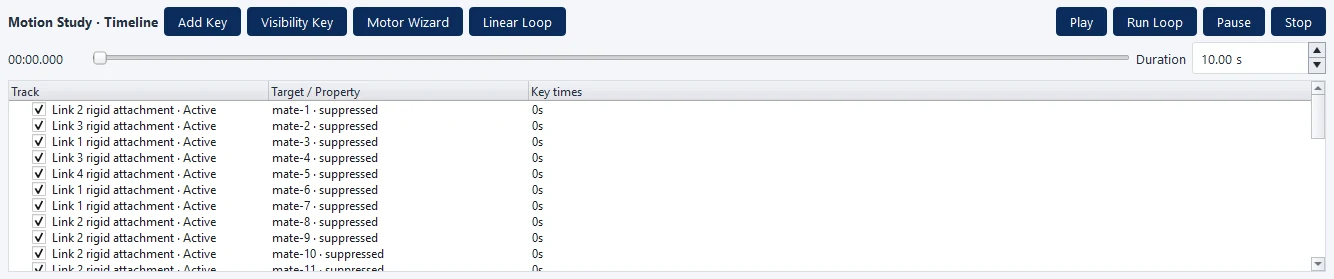
| Part | Meaning |
|---|---|
| Add Key | Adds a keyframe from the current position |
| Visibility Key | A key that shows or hides a part |
| Motor Wizard | The Rotary Motor Wizard window creates continuous rotation |
| Linear Loop | The Linear Loop Move Wizard window creates back-and-forth moves |
| Play / Run Loop / Pause / Stop | Playback controls |
| Time 00:00.000 and the time bar | Current time position |
| Duration | Total length (seconds) |
| Track / Target / Property / Key times | List of tracks |
Note: This command is in MECHCAD Expert and Premium. On Standard, the status bar shows a message suggesting an upgrade. See MECHCAD editions.