
What it does
MECHCAD reads SolidWorks and Alibre files by itself, so you can open SolidWorks files without SolidWorks installed and share work with colleagues, customers and suppliers who use Alibre Design.
| File | Result |
|---|---|
SolidWorks Part (.sldprt) |
Rebuilt as editable sketches + feature tree. Read in a separate process for stability. |
SolidWorks Assembly (.sldasm) |
Converted to parts + .metasm, saved in Documents\MECHCAD Imports\<name> |
Alibre Part (.ad_prt) |
Rebuilt as editable sketches + features (…as editable sketches + features - Save As .metprt to keep it) |
Alibre Assembly (.ad_asm) |
Converted to parts + .metasm, saved in Documents\MECHCAD Imports\<name> |
Parasolid (.x_t, .x_b) |
Part |
Siemens NX Part (.prt) |
Part (solid) |
Steps
- Choose File › Open… and select a
.sldprt,.sldasm,.ad_prtor.ad_asmfile. - For an assembly, a progress panel Importing … assembly - … appears (you can click Cancel).
- Check the result, then Save As a MECHCAD file.
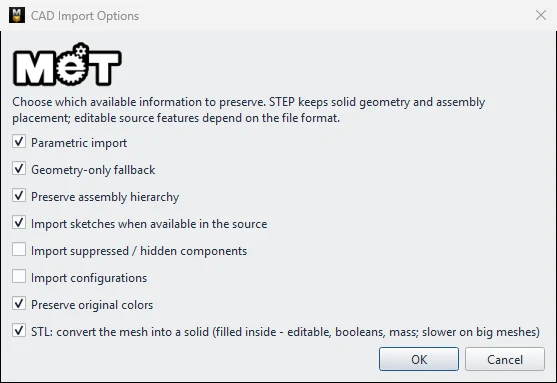
Note: Steps in a SolidWorks or Alibre part that cannot be rebuilt as features yet are kept as exact geometry and listed for you to check. An Alibre file whose features cannot be created at all is imported as a solid instead. If you see Native CAD Reader Required, export a STEP file from the original program and import the STEP.
Try it: Open a colleague's speaker stand and monitor-arm clamp
Scenario: a colleague sends you a SolidWorks speaker-stand assembly (speaker-stand.sldasm) and an Alibre monitor-arm clamp (arm-clamp.ad_prt). You want to work on both files in MECHCAD.
- File › Open…, choose
speaker-stand.sldasm. The panel Importing … assembly shows the progress. - When it finishes, the converted parts and
.metasmare inDocuments\MECHCAD Imports\speaker-stand. - File › Open…, choose
arm-clamp.ad_prt. It opens as editable sketches and features. - Double-click a feature of the clamp, change a value (for example the hole size) and Save As
arm-clamp.metprtto keep it. - If a file shows Native CAD Reader Required, ask your colleague for a STEP export and import that instead.
Challenge: Compare the speaker stand's part list in the Assembly Explorer with the one your colleague sees in SolidWorks.