
What it does
- Face machines the top surface of the workpiece flat (stepover 0.6×D).
- Pocket mills a pocket in a zigzag or concentric pattern with helical entry (stepover 0.4×D, stepdown 2).
Where to find it
Machining › 2.5D Milling › Face / Pocket
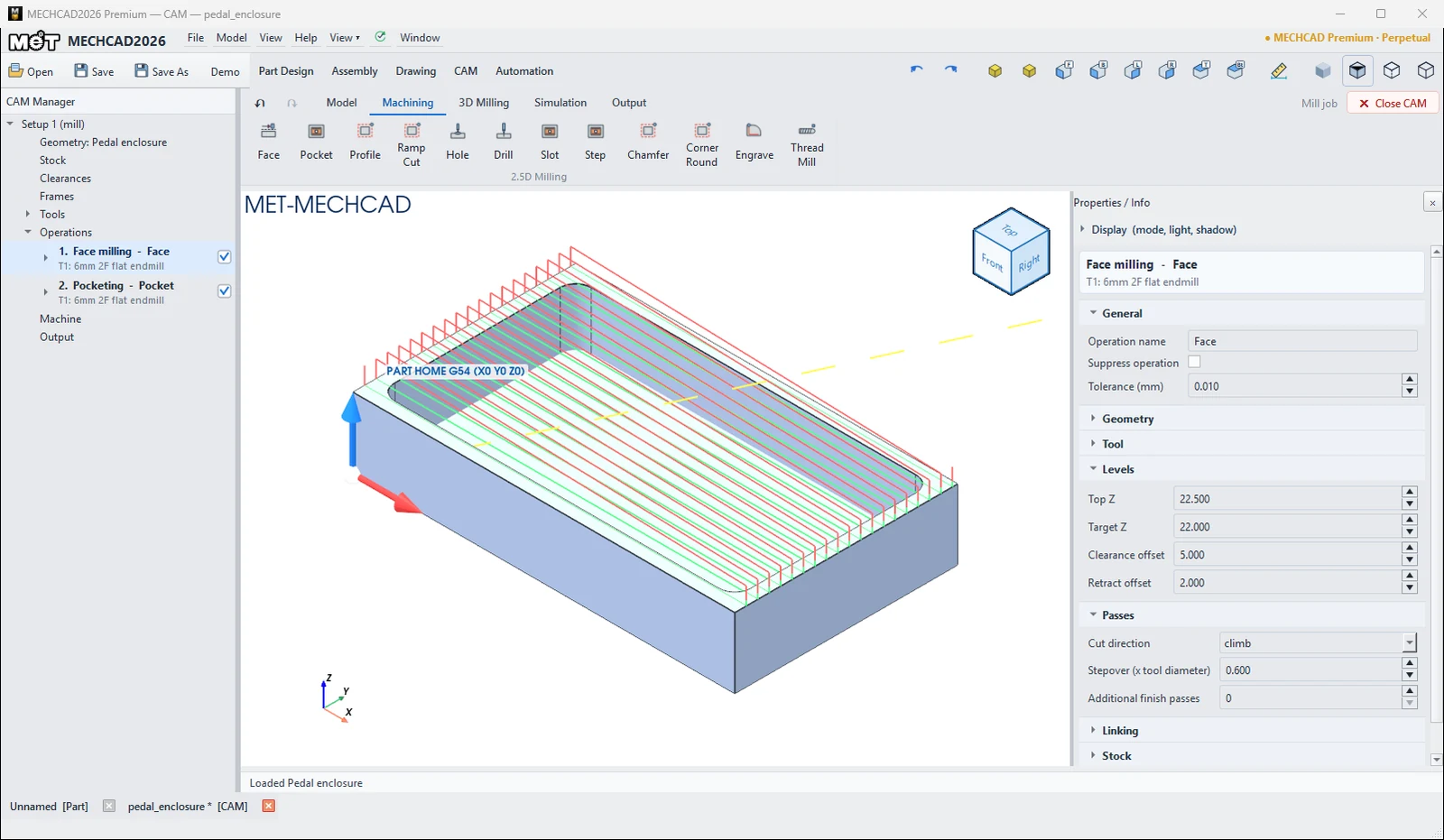
Steps
- Click Face or Pocket.
- Click a face in the view (status bar: Pick face to create …, then Enter/Esc).
- Press Enter to create the operation.
- Adjust the values in the Properties panel, then Simulate.
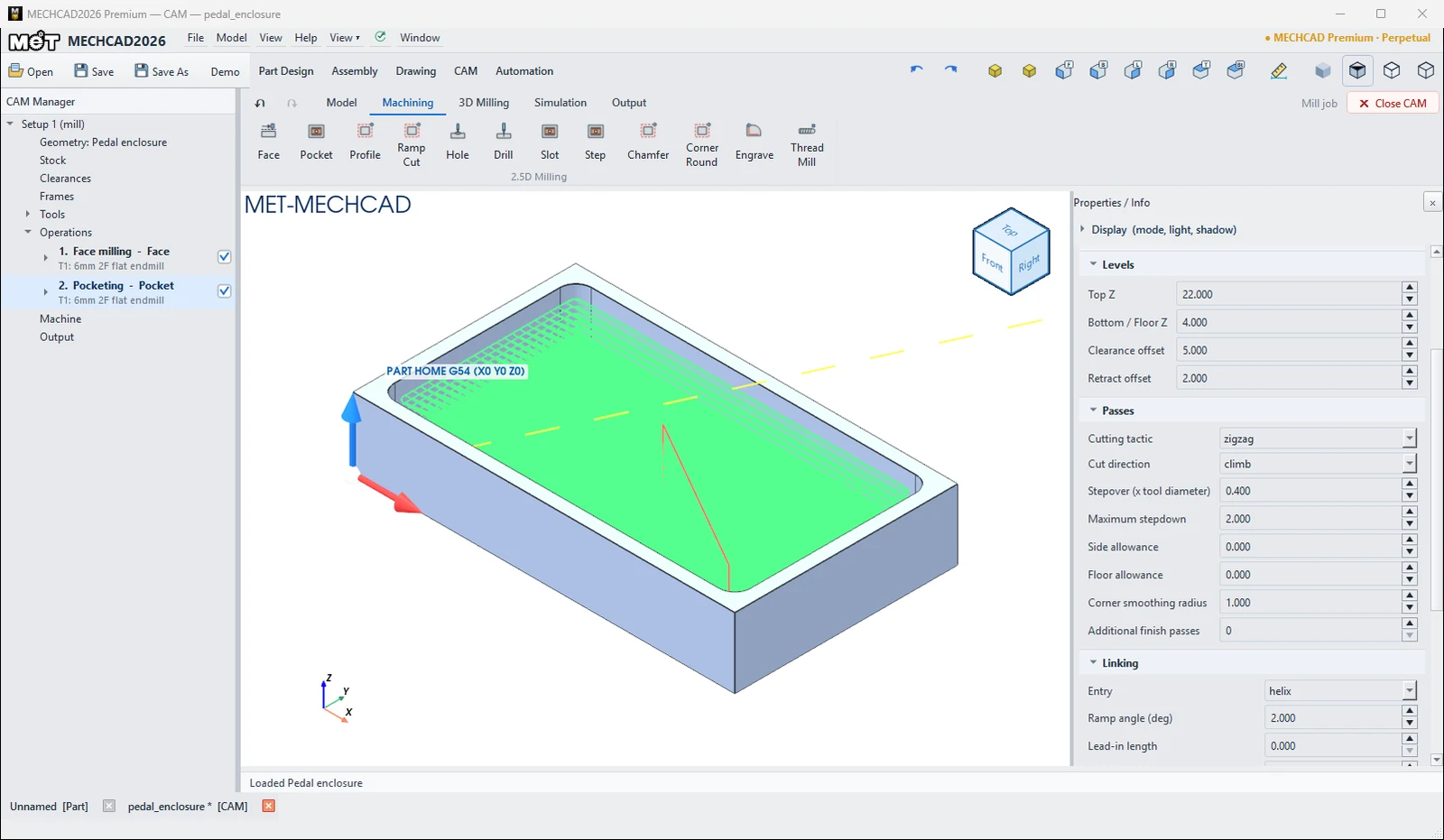
| Key defaults | Face | |
|---|---|---|
| Stepover | 0.6 × D | 0.4 × D |
| Maximum stepdown | – | 2 mm |
| Cutting tactic | – | zigzag |
| Entry | – | helix |
| Corner smoothing radius | – | 1 mm |
Slot and Step use the same settings as Pocket (Slot = closed slot, Step = step or open pocket).
You can edit every operation in the Properties panel on the right when you click the operation in the CAM Manager. The panel sections are General, Geometry, Tool, Levels, Passes, Linking and Stock (see Operation Parameters for the meaning of each field).
Try it: Hollow out a guitar-pedal enclosure
DIY pedal builders spend real money on good enclosures. Mill your own from a 120 × 70 × 22 block. Face the top, then pocket a 112 × 62 cavity 18 mm deep, which leaves 4 mm walls and a 4 mm floor.
- Model a 120 × 70 rectangle Extruded 22 mm. On the top face, sketch a 112 × 62 rectangle 4 mm in from every edge, with R5 corners, and Extrude Cut it 18 mm.
- CAM › New Job › Mill Template.
- Click Face, click the top face and press Enter. Defaults: T1 6 mm, stepover 0.6 × D, Target Z 22.
- Click Pocket, click the cavity floor and press Enter. MECHCAD reads Top Z 22 and Floor Z 4 from the walls. The pocket uses zigzag passes, a helix entry, stepover 0.4 × D and a 2 mm stepdown: nine levels plus a wall pass.
- In Linking, clear Skip air cuts (G0 over cleared stock). In a pocket cut from a solid block, every pass is in material anyway.
- Simulate. Expect about 48 min, because 18 mm is a deep pocket for a 6 mm cutter.
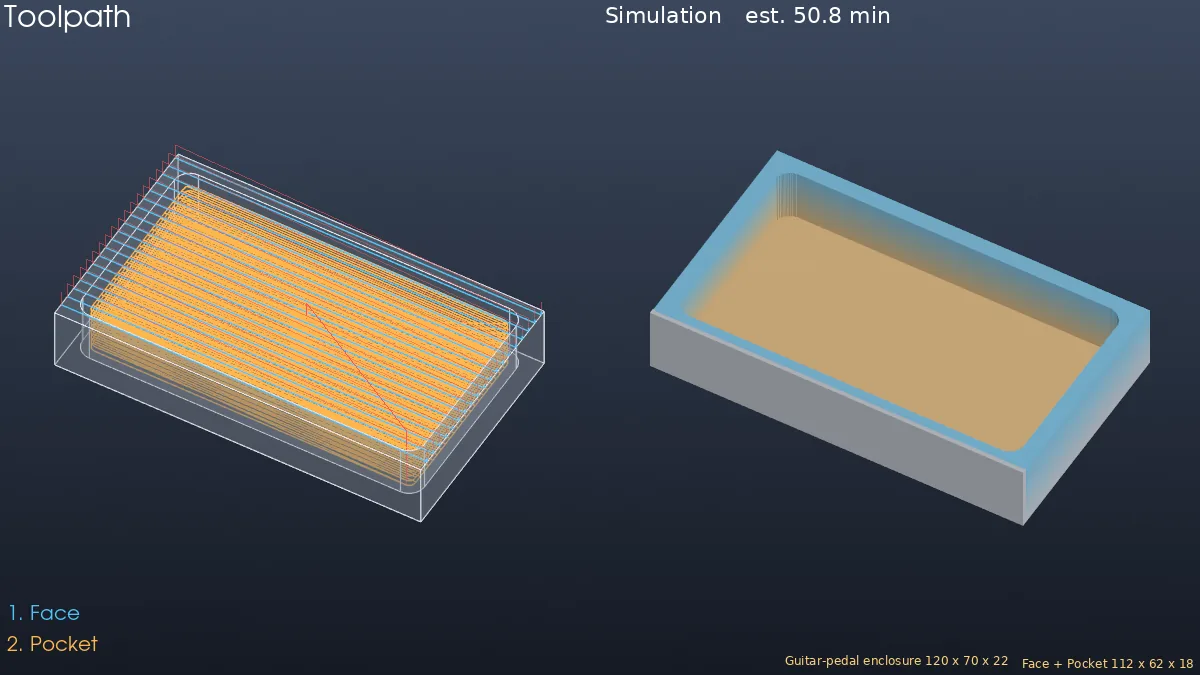
Challenge: Change the pocket cutter to T13 (10 mm, 40 mm flutes) and set Maximum stepdown to 4. How much faster is it?
Note: CAM is available only in MECHCAD Premium (and during the trial).