
What it does
Lathe operations (choose the Turn Template in New Job). They work from the turning profile of the part, so you do not need to select surfaces.
Where to find it
Machining › Turning › Face, Rough, Finish, Groove, Thread, Part Off, Axial Drill
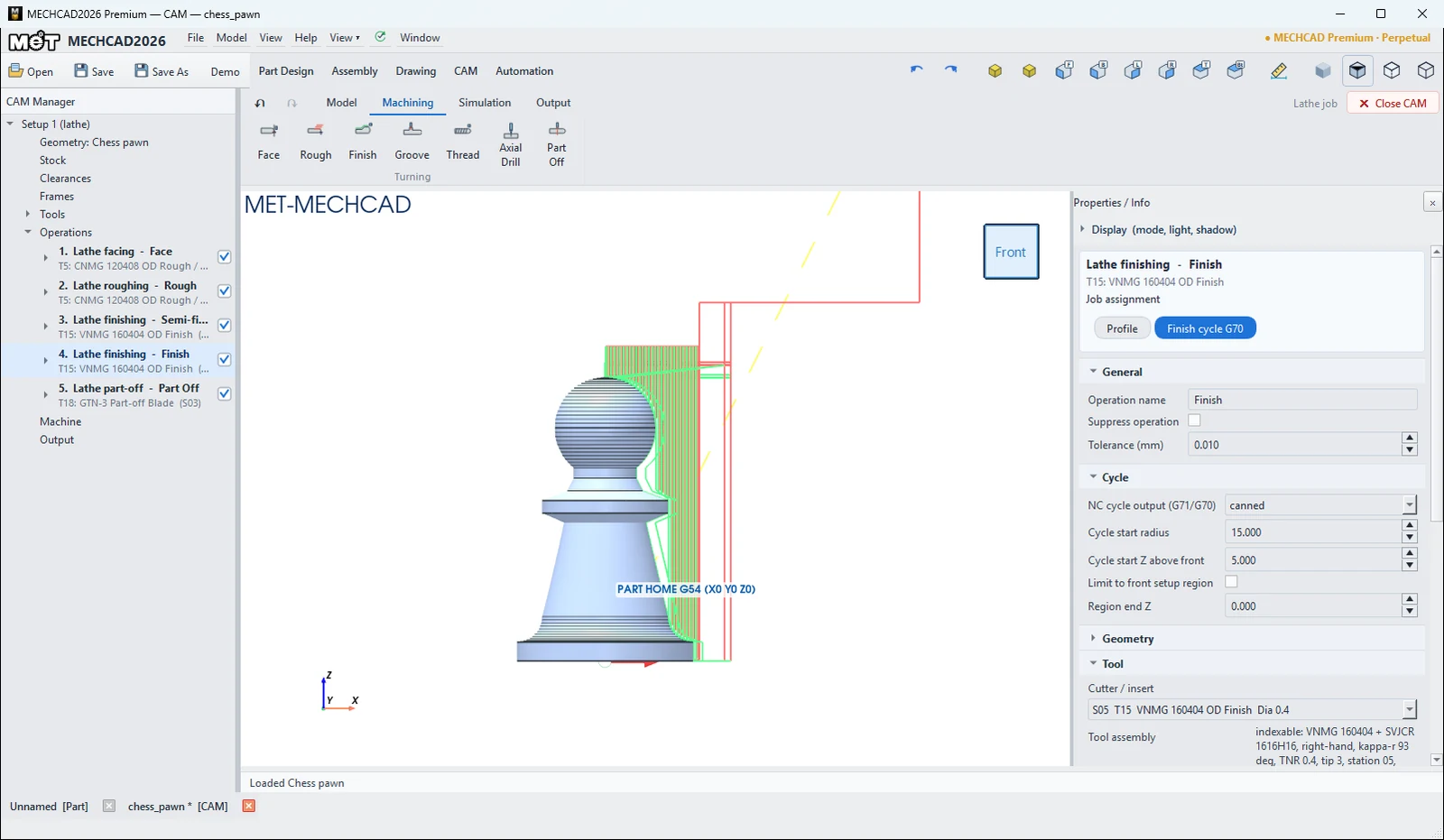
| Operation | Defaults | Default tool |
|---|---|---|
| Face | allowance 1, depth per pass 0.5, finish 0.1, from outside to centre | T5 |
| Rough (G71) | filled from the part profile: depth per pass 0.5 (G71 U), retract 0.2 (G71 R), finish allowance X 0.1 / Z 0.2, 0.3 mm/rev, towards the chuck | T5 |
| Finish (G70) | Follows the profile, excluding shoulder grooves | T15 |
| Axial Drill | peck 4, retract 1, expanded or G74 cycle | T19 |
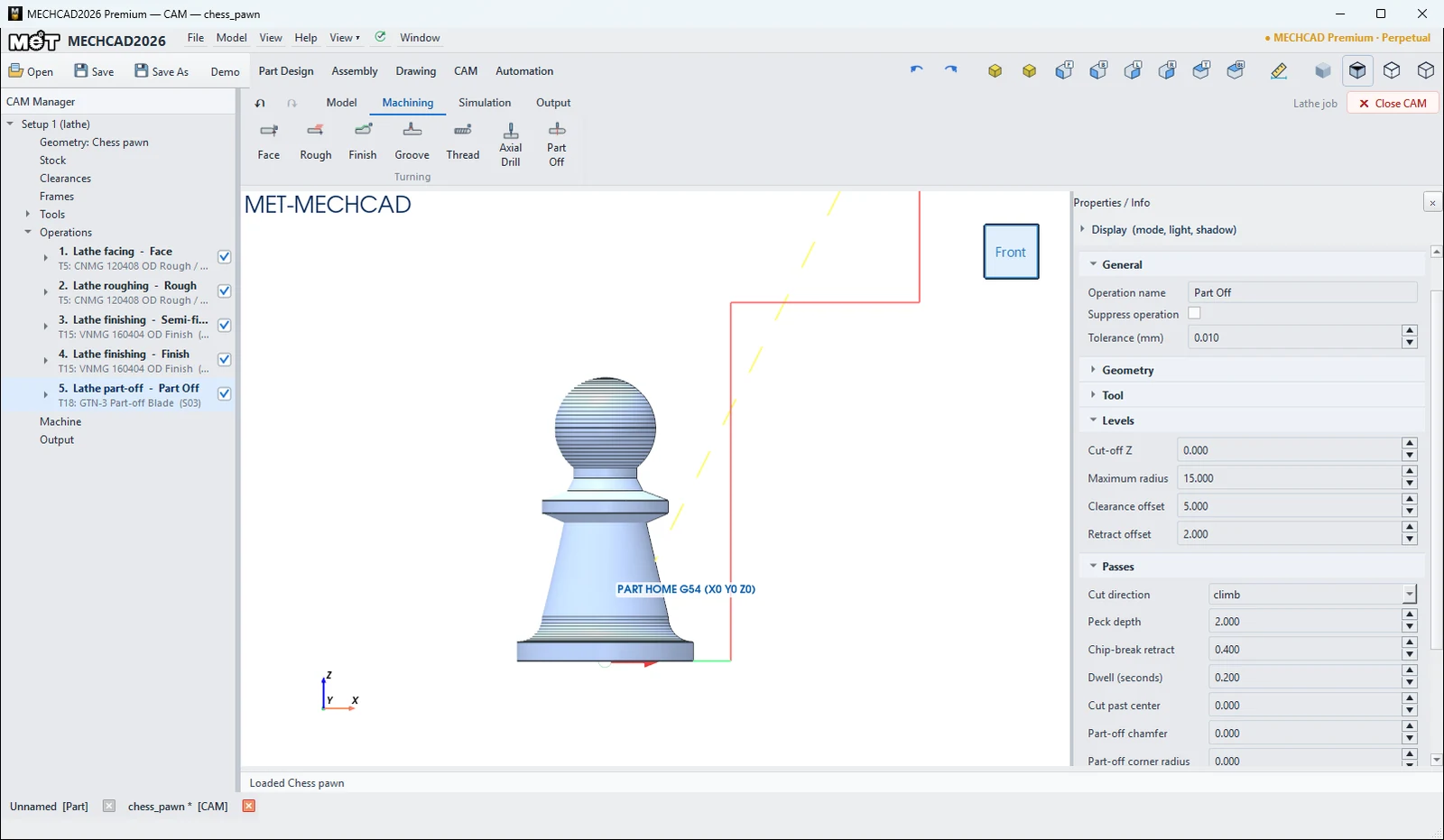
| Part Off | peck 2, chip-break retract 0.4, dwell 0.2 s | T18 |
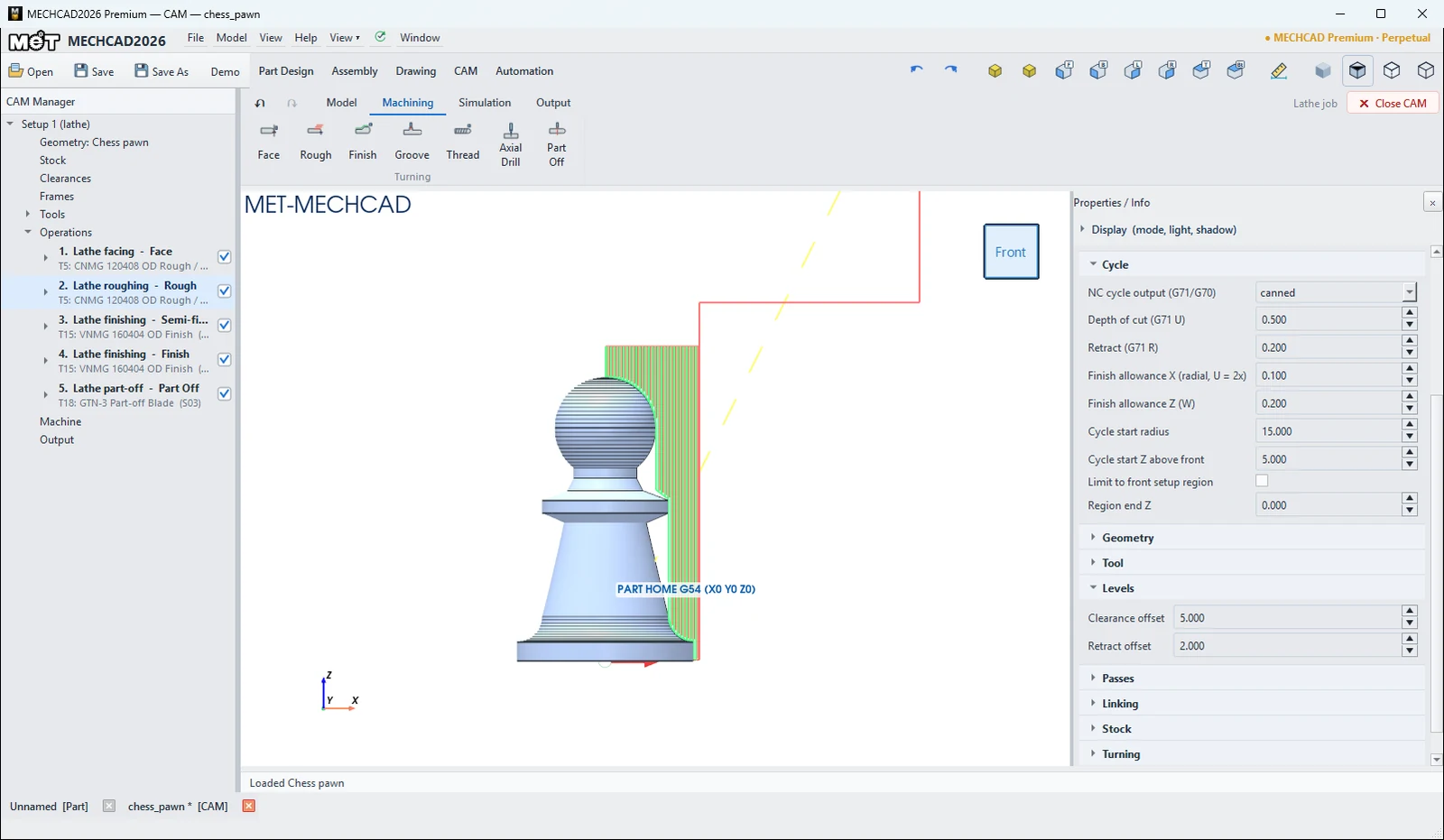
| Fields in the Cycle section (Rough) | Description |
|---|---|
| NC cycle output (G71/G70) | canned (G71/G70) or expanded |
| Depth of cut (G71 U) / Retract (G71 R) | Depth per pass / retract distance |
| Finish allowance X (radial, U = 2x) / Finish allowance Z (W) | Finish allowance |
| Cycle start radius / Cycle start Z above front | Cycle start point |
Try it: Turn a chess pawn
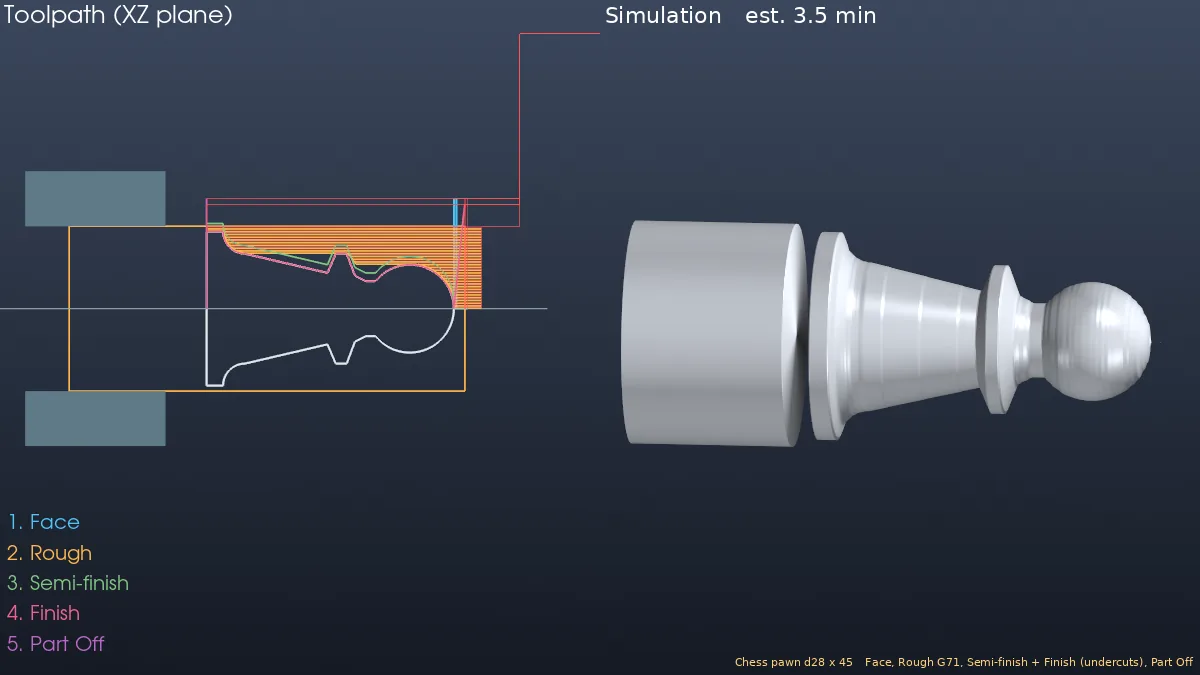
A Ø28 × 45 aluminium pawn with a base, a cove, a tapered waist, a collar and a ball head is a classic first lathe project. You use Face, Rough, two Finish passes and Part Off.
- In Part Design, sketch on the XZ plane the half outline on the right of the Z axis: base radius 14 (Z 0 to 3), an R4 cove in to radius 10 at Z 7, a straight taper to radius 6.5 at Z 22, a collar of radius 10 (Z 23.5 to 25.5), a neck of radius 5 at Z 29, and a ball of R8 centred at Z 37 that ends on the axis at Z 45. Revolve it 360° about Z.
- CAM › New Job › Turn Template. The stock is a Ø30 × 72 bar with 25 mm in the chuck, and the post is fanuc_lathe.
- Click Face and Rough. The rough is filled in from the profile: G71 U0.5 R0.2, finish allowance 0.1 (X) and 0.2 (Z), 0.3 mm/rev.
- Click Finish and rename it
Semi-finish. In Turning, set Undercut / groove handling toinclude, and in Passes set Profile offset to 1.5. - Click Finish again and set Undercut / groove handling to
include. This pass follows the neck and waist with the 35° VNMG insert (T15). Withexcludeit would stop at the ball. - Click Part Off (T18, cut at Z0), then Simulate. The estimated time is about 3.5 min, and the pawn drops off the bar.
Challenge: Make the ball R9 in Part Design and run the job again. Does the semi-finish still leave enough for the final pass?
See also
You can edit every operation in the Properties panel on the right when you click the operation in the CAM Manager. The panel sections are General, Geometry, Tool, Levels, Passes, Linking and Stock (see Operation Parameters for the meaning of each field).
Note: CAM is available only in MECHCAD Premium (and during the trial).