
What it does
- The Rollback bar (the blue line in Design Explorer) rolls the part back to any point in the feature history. Features below the bar are grey and are not calculated. Use it to insert a new feature before an existing one.
- Regen recalculates every feature (without the cache) and reports the time it took.
- Suppress turns a feature or sketch off temporarily.
Where to find it
- Model › Regenerate › Regen, Roll Back, Roll Fwd, Roll to End
- Drag the Rollback bar in Design Explorer (double-click the bar = Roll to End)
- Right-click a feature › Roll Back to Here / Roll Forward to Here
- Direct Edit › Edit › Suppress / Delete
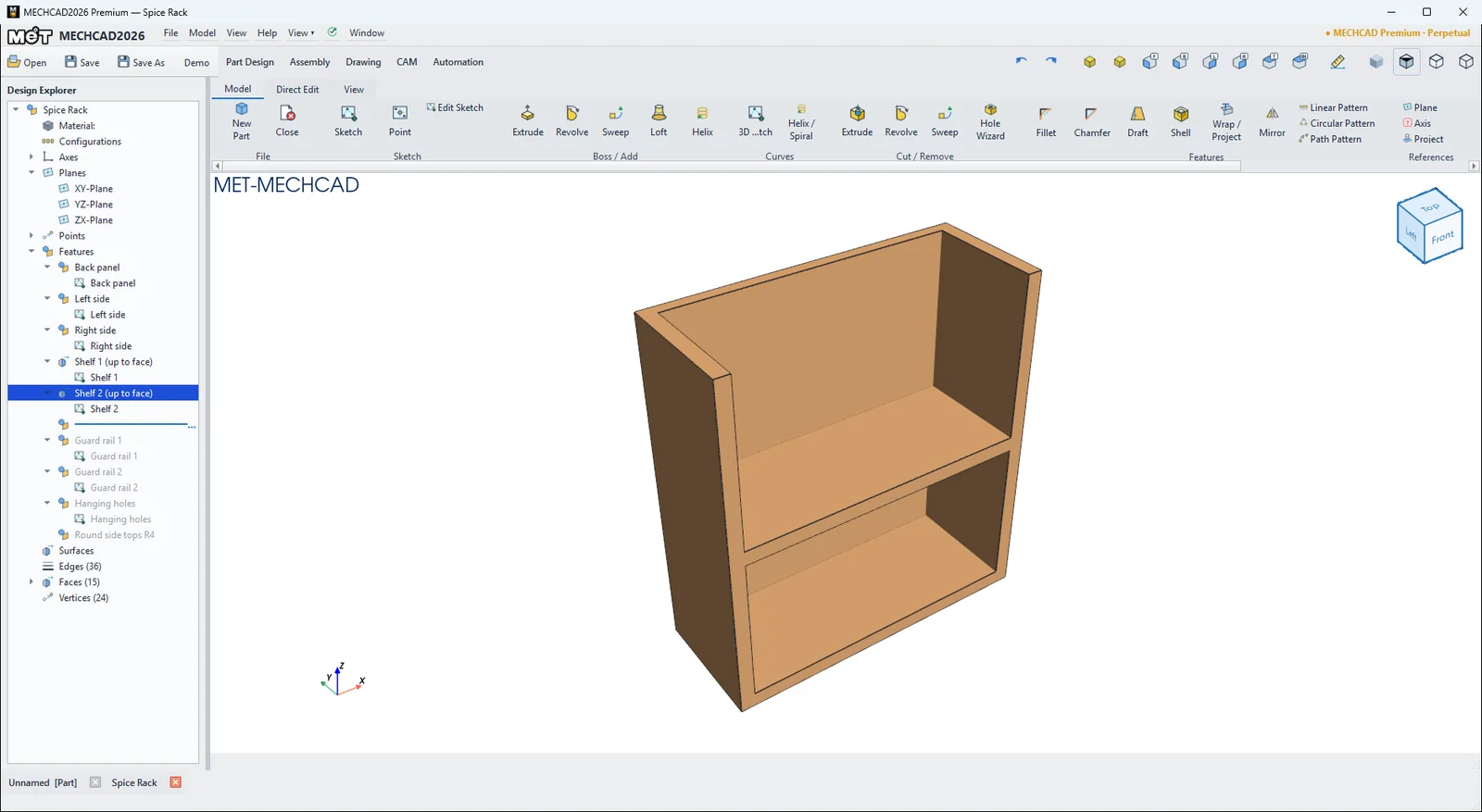
| Command | Meaning |
|---|---|
| Roll Back | Moves the bar up by one feature |
| Roll Fwd | Moves the bar down by one feature |
| Roll to End | Moves the bar to the end, so every feature is active |
| Regen | Recalculates everything |
| Rebuild | Applies edited values and recalculates (Rebuild on the top menu) |
| Suppress | Turns a feature on/off (the name starts with "(Suppressed)") |
| Delete | Deletes a feature (the sketch stays), or deletes a sketch (and the features that use it) |
Note: While rolled back, the status bar shows Rolled back: N feature(s) below the bar are not calculated. Remember to Roll to End before you save or send the part to an assembly.